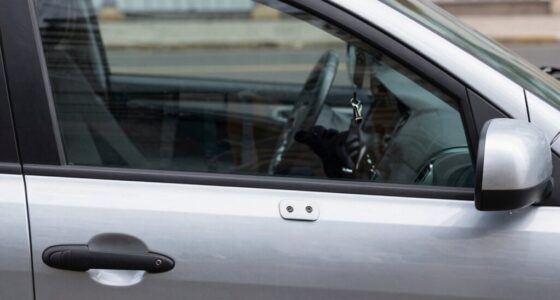
After a smash-and-grab, turn off your vehicle to prevent overwriting footage, then locate and back up all available recordings from your car’s camera system—whether it’s a dashcam, backup, or interior camera. Save copies to an external drive and upload to a secure cloud service. Verify the files’ integrity, document device details, and handle the evidence with care to guarantee its admissibility. If you want to learn more about protecting and preserving this essential footage, keep going.

Get business pricing on garage and car supplies
- Business-only prices and quantity discounts
- Tax-exempt purchasing
- Multiple users, one account, clear invoices
Key Takeaways
- Immediately disconnect or power down the vehicle to prevent data corruption or further damage to storage devices.
- Access and copy all available footage from internal memory, SD cards, or connected external devices promptly.
- Use forensic tools and write blockers to create bit-for-bit copies, ensuring data integrity despite physical damage.
- Verify the quality and completeness of the footage, documenting each transfer with timestamps and hash values.
- Store copies securely in multiple locations, including encrypted cloud storage, to preserve evidence integrity.
As an affiliate, we earn on qualifying purchases.
Immediate Steps to Secure Your Vehicle and Scene

When you arrive at the scene of a smash-and-grab, your first priority is ensuring everyone’s safety and securing the area. Confirm whether the offender has been arrested or fled before taking further actions. If needed, provide immediate aid to victims, and respond promptly and safely. Protect the scene from destruction or contamination by establishing a secure perimeter. Start by setting up a larger boundary around the focal point—like forced entry points—and extend outward to include entry and exit paths, as well as impression evidence. Use police officers, barricades, or signs to maintain security, and exclude unauthorized personnel. Remember to minimize evidence disturbance by touching nothing unless necessary. Keep detailed notes of initial observations without altering or opening doors and windows. Verifying scene safety is essential before entering to prevent further injury or contamination. Recognizing the importance of preserving evidence integrity helps ensure that key details are maintained for investigation. Additionally, documenting the scene with photographs or videos can help capture critical evidence without disturbance. Being aware of scene management protocols can further assist in maintaining the chain of custody and ensuring that evidence remains uncontaminated. Proper documentation and adherence to established procedures are vital for maintaining the evidence chain of custody, as well as understanding forensic best practices that support investigative efforts.
SD card recovery tool for dashcam
As an affiliate, we earn on qualifying purchases.
As an affiliate, we earn on qualifying purchases.
Locating and Accessing Vehicle Footage

To recover valuable evidence, you need to locate where the vehicle’s cameras and storage devices are placed. Once found, you must safely access and extract the footage files without altering their integrity. Secure data handling is crucial to ensure the original evidence remains unaltered during transfer and analysis. Additionally, verifying the video quality and timestamps helps confirm the footage’s relevance and reliability for your case. Built-in display screens on some dash cams allow you to view footage directly on the device, which can help confirm you have the correct clips before transferring them. Properly documenting the process and using trustworthy extraction methods can further safeguard the evidence’s integrity throughout the recovery process. Employing standardized procedures ensures that the data remains admissible in court if needed. Being aware of the European cloud infrastructure can also assist in securely storing and backing up recovered footage to prevent data loss. Using encryption techniques during storage and transfer can further protect sensitive footage from unauthorized access.
Find Camera Locations
Ever wonder where vehicle footage might be hiding after a smash-and-grab? Start by inspecting your car’s interior and exterior for cameras. Dashcams are usually mounted behind the rearview mirror, so check the windshield for any intact devices. Look at the rearview mirror for integrated cameras capturing front and interior views. Examine the rear license plate area for embedded backup cameras, and check side mirrors on select models for blind spot cameras. Modern vehicles may have under-bumper forward-facing cameras. Don’t forget external sources—nearby streetlights, traffic lights, storefront security cameras, and tourist area fixed cameras often record high-crime zones. Bystander smartphones and social media posts can also hold vital footage. Focus on high-traffic, high-crime areas for the best chances of finding useful videos. Car break-ins happen approximately every 17 minutes in San Francisco, so checking these locations regularly can increase your chances of recovering footage. Additionally, understanding projector technology can be useful if you plan to review footage on a large screen or create a visual presentation of the case. Recognizing camera placement strategies can help you better identify where relevant footage may be stored or accessed.
Access Footage Files
Locating stored footage files on a vehicle’s system requires a systematic approach. First, identify common storage locations like onboard SD/microSD cards, internal flash modules, USB drives, or manufacturer cloud accounts. Check typical directories such as DCIM, EVENTS, VIDEO, or TeslaCam, and look for common formats like MP4, MOV, or AVI. Be aware of proprietary behaviors like loop recording, event folders, and cyclic file naming that may split incidents across multiple files. Inspect external ports—USBs in the glovebox or center console, dashcam microSDs, or hidden manufacturer ports—for additional media sources. Remember, multiple cameras—front, rear, side, cabin, or Sentry—might have recorded the same event, so verify all potential sources to maximize footage retrieval chances. Additionally, understanding how support breakfast options are integrated into the vehicle’s system can sometimes aid in locating multimedia files related to specific events. Familiarity with the vehicle’s storage architecture can further streamline the process of finding relevant footage efficiently.
Verify Video Quality
After identifying where your footage is stored, verifying its quality becomes the next essential step in ensuring reliable evidence. You should assess the clarity, resolution, and lighting conditions captured by the camera. Low resolution or poor lighting can obscure critical details like license plates and faces, reducing evidentiary value. Motion blur, caused by high speeds, may hinder recognition, while limited field of view might miss important events. Use objective quality assessment algorithms like 3D-SSIM or ST-MAD to analyze the footage’s integrity without bias. For clearer verification, check if the video maintains detail in low-light scenarios, especially if night vision or higher ISO settings were used. Confirm that the footage’s quality is sufficient to support identification and legal procedures before proceeding with further analysis. Additionally, understanding how video quality impacts the reliability of evidence can help prioritize the most useful footage for review. Evaluating video stability is also crucial, as shaky footage can further diminish clarity and usefulness.
As an affiliate, we earn on qualifying purchases.
Downloading and Preserving Raw Footage Files

To make certain you preserve the full quality of your dash cam footage, it’s essential to download and back up the raw video files properly. Here’s how you can do it effectively:
Preserve your dash cam footage quality by properly downloading and backing up raw video files.
- Remove the micro-SD card from your dash cam after the incident and connect it to your computer or smartphone using an SD card reader.
- Access the raw files in the DCIM folder for regular recordings or locate event footage in folders like RO, EVENT, or INCIDENT.
- Transfer the files promptly, ensuring you copy the full-resolution videos, such as 4K clips, to prevent overwriting or data loss.
- Backing up the files on multiple devices or cloud storage ensures your evidence remains safe even if one copy is lost or damaged. Implementing a secure data management system can help organize and safeguard your footage effectively. Utilizing proper file organization techniques can make retrieval and review more efficient, especially in urgent situations. Additionally, adopting advanced manufacturing techniques can ensure the integrity of your storage devices, reducing the risk of data corruption. Regularly verifying the integrity of your backups with file verification methods is crucial to maintaining data reliability over time. Employing encryption and access controls further enhances the security of your stored footage. Using these methods helps preserve the original quality and integrity of your footage, making it reliable for evidence or review.
bit-for-bit data copying software
As an affiliate, we earn on qualifying purchases.
As an affiliate, we earn on qualifying purchases.
Ensuring the Integrity of Video Evidence

Ensuring the integrity of video evidence requires meticulous handling and thorough documentation at every stage. You must track each transfer and action using detailed logs that include handler names, times, and purposes, maintaining a clear chain of custody. Use hash algorithms like MD5, SHA-1, or SHA-256 to generate unique fingerprints of files, confirming no alterations occurred during collection or handling. Digital signatures can further verify that files remain unchanged since creation. Employ write protection methods, such as hardware write blockers, to analyze copies instead of originals, preventing modifications. Creating forensic bit-by-bit images preserves all data, including hidden or deleted information, while keeping originals untouched. Additionally, environmental controls and comprehensive documentation help prevent media degradation and ensure a clear, verifiable trail of evidence handling. Incorporating digital forensics best practices from high-tech outdoor cooking techniques can also enhance the security and integrity of digital evidence. Maintaining a detailed chain of custody is crucial for legal admissibility and to prevent accusations of tampering. Moreover, understanding the importance of media preservation techniques can significantly improve the longevity and reliability of digital evidence.
Backing Up Footage to External and Cloud Storage
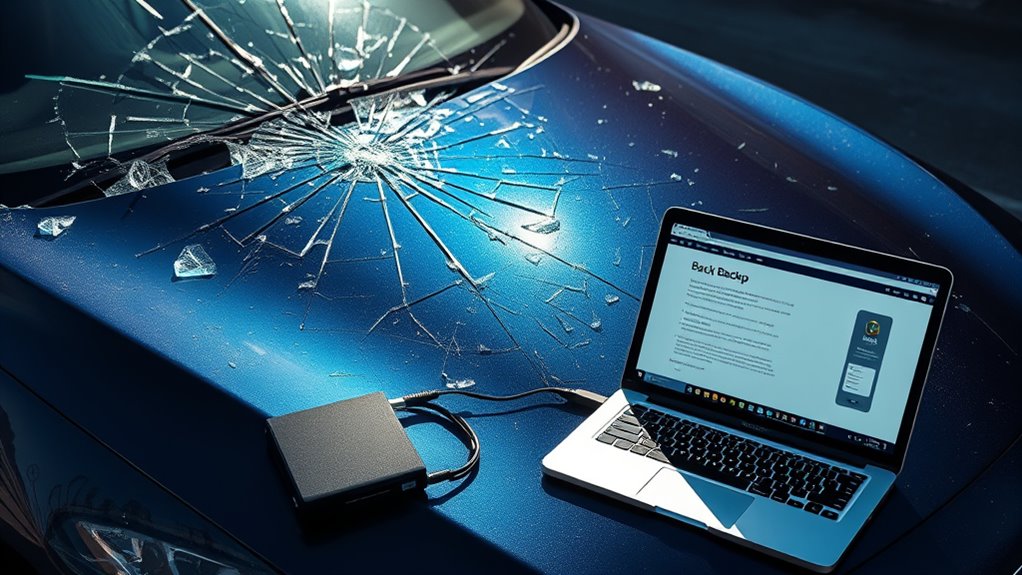
To protect your footage after a smash-and-grab, you should back it up to multiple devices and use encrypted cloud storage. This way, even if one source is compromised or damaged, your evidence remains secure. Creating duplicate copies taking these steps guarantees your footage is accessible and safeguarded when you need it most. Additionally, utilizing secure storage options with strong encryption helps prevent unauthorized access to your sensitive footage. Incorporating net worth insights can also help in understanding the importance of safeguarding valuable digital assets. To further ensure the integrity of your footage, consider implementing privacy policies that detail how your data is handled and protected during storage and transfer. Employing redundant backup strategies is essential for maintaining the availability of your critical evidence, especially when considering digital asset protection best practices.
Secure Multiple Devices
When handling footage after an incident, backing up your data to multiple devices is essential for preserving evidence and avoiding data loss. It ensures that if one device fails or is stolen, your critical clips remain secure. To strengthen your backup strategy, consider these steps:
- Use an external SSD or HDD for immediate redundancy, ensuring fast transfer and shock resistance.
- Maintain at least two physical copies on separate drives, with one kept off-vehicle, to prevent single-point failure.
- Label and log each device with date, incident ID, and clip details to preserve chain-of-custody for legal or insurance purposes.
- Regularly verify backup integrity by checking that your copies are complete and accessible, preventing surprises when you need the footage most.
- Additionally, utilizing cloud storage solutions can provide an off-site backup, offering extra security against physical damage or theft of local devices.
Implementing these practices safeguards your evidence, providing multiple layers of protection against damage, theft, or corruption.
Use Encrypted Cloud Storage
Using encrypted cloud storage to back up footage after an incident provides essential off-device preservation, especially if your vehicle or local media are damaged or stolen. It guarantees that vital event clips are immediately transferred off the vehicle, reducing the risk of loss. Cloud backups also support geographic redundancy, safeguarding data across multiple data centers. To maximize security, enforce end-to-end encryption, strong key management, and role-based access controls. A dual-backup workflow—automatic uploads to cloud and external encrypted drives—preserves chain of custody. Regular verification and detailed transfer logs maintain data integrity. Consider these criteria when choosing providers: Secure Storage Options
| Encryption Standards | Data Residency | Compliance Certifications |
|---|---|---|
| AES-256, TLS 1.2+ | Local jurisdiction options | SOC 2, ISO 27001 |
| Strong key control | Data sovereignty | Legal retention policies |
Documenting Technical Details of Recording Devices
Documenting the technical details of recording devices requires a systematic approach that captures the specifications and performance characteristics essential for forensic analysis and troubleshooting. To do this effectively, focus on key aspects:
Ensuring detailed documentation of recording devices supports forensic analysis and troubleshooting effectively.
- Sensor Type & Performance: Note whether the device uses BSI or STARVIS sensors for low-light sensitivity and HDR or dual-exposure modes for high contrast scenes. Modern recording devices often incorporate advanced sensors to enhance image quality in varying lighting conditions.
- Resolution & Frame Rate: Record the resolution (e.g., 1080p, 4K) and frame rate (30 or 60 fps) to understand image clarity and motion accuracy.
- Storage & File Integrity: Document storage media type, write speed, and file management features like checksum verification, journaling, and overwrite policies.
These details guarantee you can verify footage quality, troubleshoot issues, and support forensic investigations effectively.
Handing Over Footage to Law Enforcement

To guarantee law enforcement can effectively investigate and utilize your footage, you should promptly hand over the video evidence through secure and official channels. Contact the Civilian Office of Police Accountability at 312-746-3609 or submit videos via chicagocopa.org for ongoing cases. Report the incident immediately to your local police, providing details like the time—such as 4:30 a.m. on Aug. 7—and descriptions of suspect vehicles, like a red Jeep or white sedan. Preserve raw footage from surveillance cameras, body cams, and vehicle systems without editing. Hand over copies directly to officers on scene, upload files through official portals, or provide physical media like USB drives during formal reports. Sharing footage promptly helps investigations, supports legal actions, and keeps the community safer. Proper documentation is essential to ensure your footage remains admissible in court and can be effectively used in the investigation.
Tips for Preventing Future Damage and Theft
Protecting your vehicle from future damage and theft starts with proactive measures you can take right now. Taking simple steps can make your car less appealing to thieves and reduce the risk of damage.
- Keep valuables out of sight: Store items like phones, wallets, or bags in your trunk, and never leave them visible in the cabin. Always disable Bluetooth and hide groceries or keys from view. Removing small devices, money, and shopping bags from sight can prevent opportunistic thefts.
- Secure your vehicle: Lock all doors, roll up windows, and activate your alarm system whenever you park. Never leave your car unattended with the engine running or keys inside.
- Choose safe parking spots: Park in well-lit, busy areas with high pedestrian traffic. Avoid high-crime zones and opt for spots near lampposts or other vehicles for added security.
Working With Insurance for Claims and Coverage
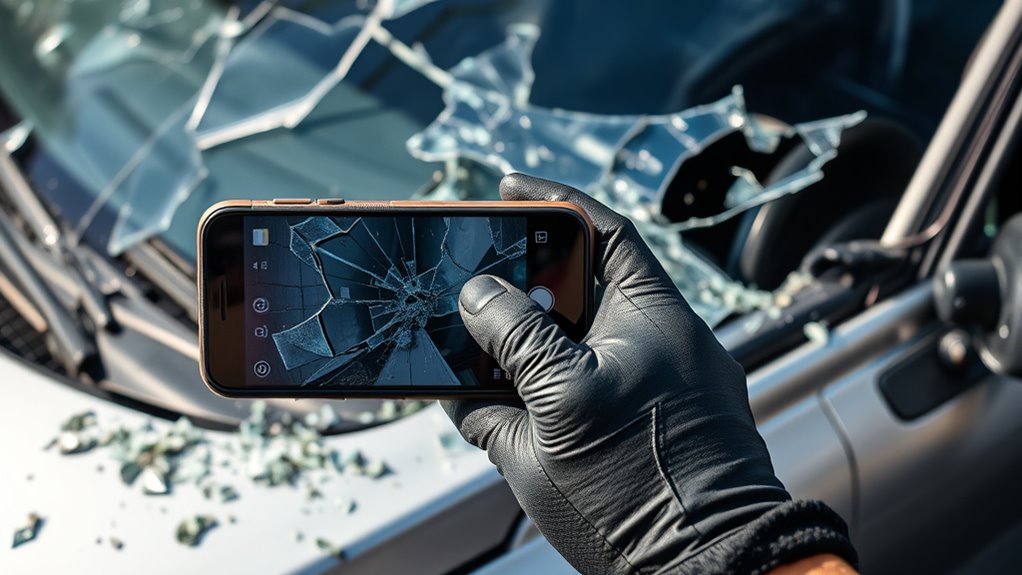
When dealing with insurance claims after a smash-and-grab, understanding how to work effectively with your insurer can make the process smoother and guarantee you get the coverage you’re entitled to. Start by documenting all damage thoroughly—take photos of broken windows, slashed tires, and interior damage. Gather essential documents like your driver’s license, registration, proof of insurance, and a detailed list of stolen items. Contact your insurer quickly via their hotline, app, or agent, and submit all required information, including police reports and repair estimates. An adjuster will inspect your vehicle; ensure you compare repair costs to your deductible before filing. Remember, if damage is below your deductible, it’s usually better to avoid claiming to prevent premium hikes.
| Step | Action |
|---|---|
| Documentation | Photograph damage and gather evidence |
| Filing | Contact insurer and submit paperwork |
| Inspection | Allow adjuster to assess damage |
| Decision | Review repair costs against deductible |
Frequently Asked Questions
How Long Should I Keep the Footage Before Deleting It?
You should keep the footage for at least 30 days, as most systems, like city or retail cameras, retain footage for that period. If it involves a police investigation or legal claim, preserve it for 90 days or longer, especially if flagged or requested by authorities. Don’t delete footage too soon; act quickly to request preservation and consult your lawyer to guarantee you retain critical evidence for as long as needed.
Can I Recover Deleted or Corrupted Video Files?
Yes, you can recover deleted or corrupted video files. First, stop using the storage device immediately to prevent overwriting. Use data recovery software like EaseUS Data Recovery Wizard or DiskDrill to scan and retrieve deleted videos. For corrupted files, try repair tools such as Stellar Repair for Video or VLC Media Player’s repair feature. Acting quickly increases your chances of successful recovery before new data overwrites the original files.
What File Formats Are Best for Police Review?
When it comes to police review, you want formats that hit two birds with one stone. H.264 and H.265 are your best bets, offering high-quality footage with manageable file sizes. They’re compatible with most police systems and support HD resolution. These formats guarantee your footage isn’t just saved but preserves every detail, making it easier for officers to analyze and act on. Don’t cut corners—choose the right format to keep evidence solid.
How Do I Ensure My Footage Isn’t Tampered With?
To guarantee your footage isn’t tampered with, activate the lock function on your dash cam immediately, confirming the on-screen notification. Use tamper-proof cases and secure mounts to prevent interference, and regularly inspect for signs of tampering or damage. Keep the dash cam unplugged and stored safely when not in use. Consider automatic cloud backups and watermarking footage to verify authenticity and maintain the chain of custody for court.
Are There Legal Restrictions on Recording in Public Spaces?
You can record in public spaces without violating laws, as long as you don’t invade someone’s reasonable expectation of privacy. You’re allowed to film on streets, parks, and sidewalks, but avoid capturing private areas like homes or restrooms. Be mindful of audio rules, which vary by state. Stick to public areas and don’t interfere with others’ privacy, and your recording should be legal and protected under the First Amendment.
Conclusion
After a smash-and-grab, quick action is essential to preserve critical footage. For example, if your dashcam recorded the thieves, securing and backing up that footage could help authorities catch them. By following these steps, you protect your evidence and increase your chances of recovery. Remember, acting fast not only preserves vital details but also strengthens your case when working with law enforcement and insurance claims. Stay vigilant and prepared to safeguard your vehicle’s footage.
Halloween Picks
halloween
As an affiliate, we earn on qualifying purchases.