
To build a footage archive that makes sense, start by organizing your files with clear, consistent naming conventions and detailed metadata. Use scalable storage options like NAS or cloud platforms for easy access and reliability. Regularly update your metadata and review your tags to keep everything accurate. Automate organization where possible and maintain multiple backups for security. Keep your archive tidy and periodically clean out unused footage. If you keep refining these steps, you’ll create an efficient system that grows with your needs.
Key Takeaways
- Develop a consistent naming convention and detailed metadata system for easy identification and searchability.
- Use scalable storage solutions like NAS or cloud storage with regular backups to ensure data security.
- Automate organization processes with tagging tools and maintain updated metadata for efficient retrieval.
- Regularly review and declutter the archive, archiving unused footage to prevent clutter and improve navigation.
- Maintain documentation of your organizational structure and update it as your archive grows.
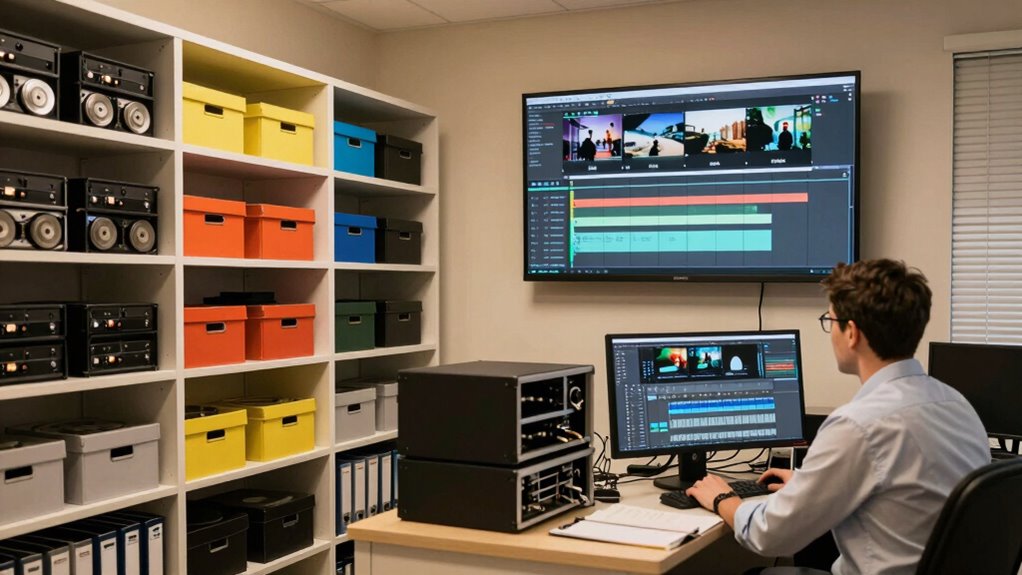
Creating a well-organized footage archive is crucial for anyone who works with video content, whether you’re a filmmaker, content creator, or archivist. Without a clear system, it’s easy to waste time searching for specific clips or misplacing valuable footage. To build an efficient archive, you need to focus on two critical areas: metadata management and storage solutions. These elements form the backbone of a system that’s easy to navigate and dependable over time.
A well-organized footage archive saves time, prevents loss, and ensures your video assets remain accessible and secure over time.
Metadata management involves attaching detailed, consistent information to each file. Think of metadata as the digital labels that tell you what’s inside each clip—dates, keywords, project names, camera settings, or scene descriptions. When you manage metadata well, finding footage becomes a quick search rather than a scavenger hunt. Use standardized naming conventions and tagging strategies to ensure consistency across all your files. This organization system helps streamline your workflow and improves overall efficiency. Keep metadata updated as your archive grows; outdated info can create confusion down the line. Regularly reviewing your metadata practices and updating tags ensures your system remains accurate and effective. Incorporating automated organization tools can further streamline this process and reduce manual effort. Additionally, maintaining a clear naming convention supports faster identification and retrieval of files.
Choosing the right storage solutions is equally important. Your footage can quickly consume gigabytes, so investing in scalable, reliable storage options is a must. External hard drives, network-attached storage (NAS), or cloud storage services each have their benefits. External drives are cost-effective for smaller archives, but they can be less secure if not backed up properly. NAS provides centralized access for teams and offers redundancy, safeguarding your footage against hardware failures. Cloud storage is excellent for remote access and collaboration, but consider your bandwidth and ongoing costs. Whichever solution you pick, always implement a backup strategy—preferably a 3-2-1 approach: three copies, on two different media types, with one off-site. This assures your footage isn’t lost due to technical glitches or accidents.
Integrating metadata management with your storage solution creates a seamless system. For example, some storage platforms allow you to embed metadata directly into files or maintain a separate database that links to your footage. This integration makes it easier to search and retrieve clips quickly. Regularly review and refine your metadata tagging and storage organization as your archive expands. Keep your naming conventions consistent, and periodically clean up or archive older, unused footage to prevent clutter. Additionally, implementing metadata management best practices can help ensure your system stays organized and efficient over time, especially as the volume of footage increases.

BUFFALO LinkStation 210 2TB 1-Bay NAS Network Attached Storage with HDD Hard Drives Included NAS Storage that Works as Home Cloud or Network Storage Device for Home
- Centralized Storage with RAID: RAID-enabled NAS for backup and storage
- Easy Network Connectivity: Connect to router for shared device access
- Compatible with Windows and macOS: Supports Windows and older macOS versions
As an affiliate, we earn on qualifying purchases.
As an affiliate, we earn on qualifying purchases.
Frequently Asked Questions
How Often Should I Back up My Footage Archive?
You should back up your footage archive at least weekly to guarantee storage optimization and prevent data loss. If you work on ongoing projects, consider daily backups to keep everything current. Regular backup frequency minimizes risks from hardware failures or accidental deletions. Automate backups whenever possible, and store copies in different locations for added security. This way, your archive stays safe, organized, and ready for quick access when needed.
What’s the Best Way to Organize Multiple Footage Formats?
Think of your footage as a library of stories waiting to be told. To keep them organized, use consistent file naming conventions that reflect the content, date, and format. Pair this with detailed metadata tagging for each clip, capturing details like camera, resolution, and scene info. This approach guarantees you quickly find the right footage, no matter the format, making your archive a reliable storytelling resource.
How Do I Manage Access Permissions for Large Archives?
You manage access permissions by implementing access control systems that define clear permission levels for each user. Assign appropriate roles—such as viewer, editor, or admin—based on their responsibilities. Regularly review and update these permission levels to guarantee security. Use a centralized platform that tracks user activity and enforces restrictions. This way, you keep your large archive secure, organized, and accessible only to authorized personnel.
What Tools Help Automate Footage Cataloging?
You can automate footage cataloging with tools like Adobe Bridge or Frame.io, which use metadata tagging to organize your clips effectively. These platforms often integrate with cloud storage, making it easy to access and manage footage from anywhere. Automation features help streamline your workflow, automatically tagging, sorting, and even previewing clips, saving you time and ensuring your archive stays organized and easy to search.
How Long Should Footage Be Retained in an Archive?
You should retain footage as long as it’s valuable for your projects or legal requirements. Regularly review your archive, focusing on metadata management to identify essential content. To handle growth, prioritize storage scalability, ensuring your system can expand without sacrificing access or performance. By balancing retention with efficient metadata management and scalable storage, you keep your footage accessible and organized, avoiding unnecessary clutter while safeguarding important assets.

AMBER X Smart Personal Cloud Storage Device Data and Media Files, Built-in 512GB High-Speed SSD with USB Storage, Plex and Home Assistant/iOS/Android/Windows/Mac Compatible
- Easy Home Cloud Setup: Simple setup for personal cloud backup
- Complete Data Control: Own and manage your data without memberships
- Remote Access & Sharing: Access and share files from anywhere
As an affiliate, we earn on qualifying purchases.
As an affiliate, we earn on qualifying purchases.
Conclusion
Building a footage archive isn’t just about storage; it’s about creating a treasure chest like Indiana Jones’ hidden vault—organized, accessible, and full of potential. By establishing clear naming conventions, categorizing diligently, and maintaining consistent updates, you guarantee your archive becomes a reliable ally rather than a cluttered chaos. Remember, a well-structured archive is your secret weapon, transforming raw footage into timeless stories. Embrace the process, and your archive will be your own Ark of the Covenant.

WD 2TB My Passport, Portable External Hard Drive, Black, backup software with defense against ransomware, and password protection, USB 3.1/USB 3.0 compatible – WDBYVG0020BBK-WESN
- Design: Slim, durable portable hard drive
- Capacity: Up to 6TB storage capacity
- Backup Software: Includes device management and ransomware protection
As an affiliate, we earn on qualifying purchases.
As an affiliate, we earn on qualifying purchases.

As an affiliate, we earn on qualifying purchases.