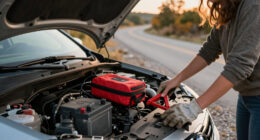
If your DEWALT 20V MAX battery isn’t charging, it can disrupt your work and cause frustration. This guide walks you through practical troubleshooting steps to identify the cause and fix the issue safely, ensuring your tools are ready when you need them.

Get garage and car supplies delivered free — and shop member deals
- Fast, free delivery on millions of items
- Access to Prime Big Deal Days deals on October 6–7
- Prime Video, Amazon Music and more included
Always prioritize safety when working with batteries—disconnect from power sources and handle components carefully.
Key Takeaways
| Check the charger | Ensure the charger and power outlet are working properly. |
| Inspect the battery | Look for physical damage or corrosion on the battery contacts. |
| Test with another charger | Use a different DEWALT charger to rule out charger issues. |
| Allow cooling | Let the battery cool down if it feels hot before attempting to charge again. |
| Replace if faulty | Consider replacing the battery if it shows no signs of charging after troubleshooting. |
Check the Power Source and Charger
- Verify the power outlet is working by plugging in another device.
- Inspect the charger for any visible damage, such as frayed cables or burnt smell.
- Ensure the charger is properly connected to the battery and the outlet.
- Try using a different compatible DEWALT charger if available.
Examine the Battery
- Remove the battery from the tool and inspect the metal contacts for dirt, corrosion, or damage.
- Clean contacts gently with a dry cloth or a soft brush.
- Check for any swelling, cracks, or other physical damage.
Test the Battery with a Different Charger
- Use another DEWALT charger compatible with your battery model.
- Place the battery on the charger and observe if the charging indicator activates.
- If the battery charges, the issue may be with your original charger.
Allow the Battery to Cool and Retry
If the battery is hot, let it cool down for at least 30 minutes before attempting to charge again. Overheating can temporarily prevent charging and damage the battery.
Consider Replacing the Battery
If none of the above steps resolve the issue, the battery may be faulty or at the end of its lifespan. Replacing it with a new DEWALT 20V MAX battery, such as the 5 Ah lithium-ion pack, can restore charging and operational performance.
The Products in This Guide

DEWALT 20V MAX Cordless Drill Driver Set
- ✔ LED Light: Yes
- ✔ Speed Settings: 2-speed
- ✔ Tool Length: 7.6 inches

DEWALT Drill Bit Set
- ✔ Tip Design: Split point
- ✔ Drive Type: Hex
- ✔ Size Range: Various
DEWALT 20V MAX Cordless Drill Driver Set
The DEWALT 20V MAX Cordless Drill Driver Set offers powerful performance with a brushless motor and a compact design, ideal for tight spaces. It includes a 2.0 Ah battery and charger, making it versatile for various tasks.
Pros:
- Brushless motor for longer run time
- Compact and lightweight design
- LED light for visibility
- Ergonomic handle for comfort
Cons:
- Battery life may be limited for heavy-duty use
- Charging issues can occur if not maintained properly
Best for: General-purpose drilling and fastening in tight spaces
Not ideal for: Heavy-duty industrial applications
Bottom line: A versatile, lightweight drill perfect for home and professional use.
DEWALT Drill Bit Set
This DEWALT Drill Bit Set complements your power tools with high durability and precision, especially suitable for wood, plastic, and metal applications.
Pros:
- High-speed steel construction
- 135° split point tip reduces walking
- Includes multiple sizes
- Corrosion-resistant coating
Cons:
- Limited to drilling, not for heavy-duty applications
- Bits can wear over time with frequent use
Best for: General drilling tasks in various materials
Not ideal for: Heavy industrial drilling
Bottom line: A reliable drill bit set for versatile, everyday use.
Frequently Asked Questions
Why isn’t my DEWALT battery charging?
Possible reasons include a faulty charger, dirty contacts, overheated or damaged battery, or an incompatible or malfunctioning power outlet.
How can I tell if my battery is dead?
If the battery doesn’t charge after trying different chargers and inspecting contacts, it may be at the end of its lifespan or internally damaged.
Can I revive a dead DEWALT battery?
In some cases, batteries can be rejuvenated through proper cleaning and cooling, but often, a replacement is the most reliable solution.
Is it safe to open the battery pack?
No, opening the battery pack can be dangerous due to the risk of short circuits, leaks, or fire. Always seek professional help or replace the battery.
Getting Your Power Tools Back in Action
Dealing with a non-charging DEWALT battery can be frustrating, but systematic troubleshooting often reveals the cause. By following the steps outlined above, you can identify whether the issue is with the charger, contacts, or the battery itself. Remember to handle batteries safely and consider replacing them if they are no longer holding a charge. A properly maintained battery ensures your DEWALT tools remain reliable and ready for your next project.
Affiliate disclosure: As an Amazon Associate we earn from qualifying purchases. Prices and availability are accurate as of the time of publishing.
Halloween Picks
halloween
As an affiliate, we earn on qualifying purchases.