
TL;DR
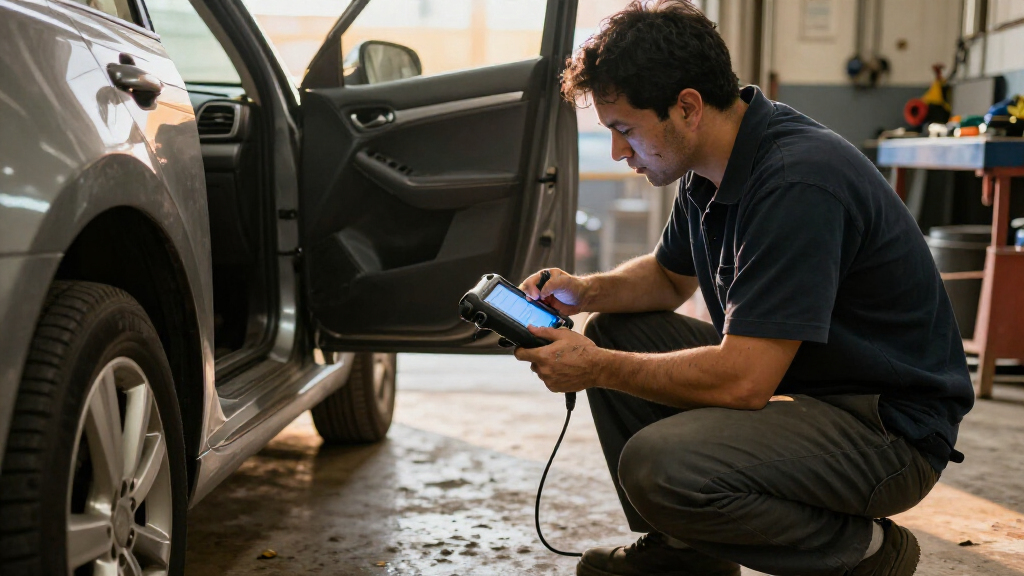
A car diagnostic scanner connects to a vehicle’s onboard systems to read trouble codes and, depending on the model, live data and information from additional modules. A code points to a detected condition, not automatically to a failed part, so check compatibility, save the results, and use further inspection to guide repairs.
A small handheld scanner can tell you why your check-engine light came on, but it can’t look under the hood for you. That difference can save you money: a code is a useful clue, yet replacing the first part named in a search result can send you down the wrong road.

Get business pricing on garage and car supplies
- Business-only prices and quantity discounts
- Tax-exempt purchasing
- Multiple users, one account, clear invoices
This guide explains what a car diagnostic scanner reads, how to pick one that suits your car, and what to do when a code appears. You’ll also learn where a scanner’s limits matter—especially before a used-car purchase or when a warning points to a safety-critical system.
Think of the scanner as a smoke alarm: it tells you something needs attention, but you still need to find the source. Use it to ask better questions, not to guess at repairs.
An OBD-II scanner can read standard information from many U.S. cars and light trucks built from model year 1996 onward, but coverage varies.
A trouble code describes a detected condition; confirm the cause with inspection or testing before replacing parts.
Record codes and freeze-frame data before clearing them, since clearing can erase clues and reset readiness monitors.
Check exact vehicle and module compatibility, plus app and subscription costs, before choosing a scanner.
Use a mechanic for brake, airbag, and high-voltage system concerns; a scan alone cannot establish that those systems are safe.
What a Car Diagnostic Scanner Can Tell You
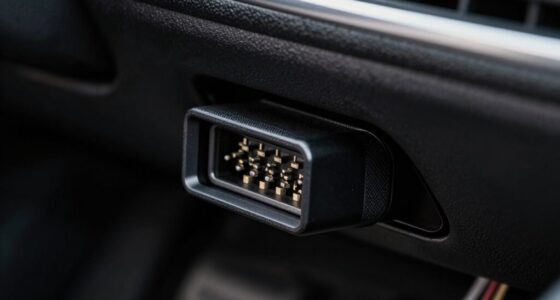
A car diagnostic scanner connects to a vehicle’s diagnostic system to retrieve information such as fault codes, sensor readings, and system status. On many U.S. cars and light trucks from model year 1996 onward, the common standard is OBD-II, and the connector often sits under the dashboard. The vehicle’s computers monitor values and operating conditions, then store a code when they detect something outside an expected range. A scanner makes that stored information readable; it does not independently test whether a component is physically damaged.
The type of information depends on the tool and the vehicle. A basic reader may show standard engine and emissions codes, which can help explain a check-engine light. A more capable scanner may display live data, freeze-frame details, readiness monitors, or codes from other modules. Live data can show what a sensor is reporting now, while freeze-frame data captures selected readings around the time a fault was recorded. That distinction matters: a problem that appears only when the engine is hot may not show up during a cold, stationary scan.
Imagine the car stores a snapshot when a fault appears: engine speed, temperature, and other readings. A scanner with freeze-frame access can show some of that snapshot, much like checking the weather at the moment a power outage began. It can help a mechanic compare the conditions when the fault occurred with the conditions during testing. But it is only a partial snapshot, not a recording of everything the car was doing, so it may narrow the search without identifying the cause.
Coverage depends on the vehicle, its market, and the scanner. A plug that fits confirms only that the connector is compatible; the tool may still lack access to a particular module or feature. Check the maker’s compatibility list for your exact year, make, model, and region, and confirm support for the systems you want to read. That check can prevent paying for features that your car cannot use—or choosing a basic reader when the warning you need to investigate is outside its coverage.
Products Worth Considering

Innova 5610 Bidirectional OBD2 Scan Tool

Autel MaxiCheck MX808S Bidirectional OBD2 Diagnostic Scanner

Chemical Guys 17-Piece Car Detailing Kit for Interior, Exterior, and Wheels
As an affiliate, we earn on qualifying purchases.
Why a Trouble Code Is a Clue, Not a Repair Order
A scanner’s trouble code describes a condition the vehicle detected; it usually doesn’t prove which part failed. For example, a lean-fuel-mixture code reports that the engine detected a mixture condition outside its expected range. Possible causes can include an air leak, a fuel-delivery issue, a sensor problem, or damaged wiring. The code is useful because it narrows the area to investigate, but several different faults can produce a similar signal.
That distinction affects what you do next. Replacing a sensor just because its name appears in a code description can waste money if the sensor is reporting accurately and a leak or wiring fault is causing the abnormal reading. A mechanic may test for vacuum leaks, check fuel pressure, inspect wiring, or compare live sensor readings before recommending a part. Those checks help distinguish the cause from the symptom; skipping them can leave the warning unresolved and add the cost of parts that were never faulty.
Here’s a familiar garage scenario: your sedan’s check-engine light comes on after a cold morning, and a basic reader returns a code related to airflow. The timing and code give you a lead, but they don’t establish that an airflow sensor has failed. You could order a sensor immediately, or first note the exact code, listen for a rough idle, check for an obvious loose hose, and arrange proper diagnosis if the warning persists. That second path gathers useful context and leaves the deeper tests to someone with the equipment and experience to interpret them.
Save the exact code and any freeze-frame details before clearing anything. The code and snapshot may help a shop reproduce an intermittent problem. Clearing them first can erase clues, and it may also reset emissions readiness monitors, which means the car needs to complete its self-checks again before their status is available. The code gives you a starting point; tests and inspection help establish what repair the car actually needs.
How to Use a Scanner Without Losing Useful Clues
To use a car diagnostic scanner well, connect it safely, record what it finds, and look up the next diagnostic step before changing anything. The order matters: preserving the original results lets you compare them with later checks and gives a mechanic a clearer account than a warning light alone. A short routine keeps useful information intact and helps you describe the problem clearly if you take the car to a shop.
- Park safely. Follow your owner’s manual, use the parking brake, and locate the diagnostic port, often beneath the dashboard. Don’t force the plug. Keeping the car parked avoids the distraction and risk of trying to read a screen while moving.
- Read and record. Capture each code, its description, and available freeze-frame data. Take a phone photo if the screen is small. Record whether the code is current, pending, or stored if your scanner shows that status, since it can help distinguish a fault detected repeatedly from one that has not yet been confirmed.
- Check symptoms and warnings. Note whether the engine shakes, smells unusual, loses power, or runs hot. Connect those observations to when the problem occurs—such as at startup, under acceleration, or after the engine warms up. That context can help narrow diagnosis, while an urgent warning or severe symptom may matter more than the code itself.
- Choose the next check. Use the code to research a likely diagnostic path or share it with a qualified mechanic. Don’t order parts based on a code alone. A follow-up test can show whether the suspected system is actually causing the symptom and help avoid replacing a working component.
- Clear codes only for a reason. Clearing can turn off a warning temporarily and reset emissions readiness monitors; it doesn’t fix the cause. If you need to see whether a repair resolved the fault, first save the original data, then follow the repair or mechanic’s guidance and check whether the warning returns.
For example, if you scan your car before a weekend trip and see a stored code, save it first. If the light is steady and the car feels normal, consult the manual and arrange timely diagnosis; the stored information can help a shop understand what happened even if the symptom is not present then. If the light is flashing or the engine runs badly, stop safely and seek help instead of treating the scanner as permission to continue.
Which Scanner Features Are Worth Paying For?
The right scanner depends on what you need to read, not the longest feature list on the box. A basic reader can suit a driver who wants standard engine codes, while a home mechanic may benefit from live data and additional module access. The tradeoff is that broader capability usually adds cost and complexity, and advertised features may not work on every vehicle. Compare the functions you’ll use with the exact vehicle you own.
| Tool type | What it often offers | Useful when |
|---|---|---|
| Basic handheld reader | Standard engine codes and, often, code clearing | You want a simple first look at a check-engine warning |
| Phone-connected adapter | App-based codes and displays; features vary by app | You prefer a phone screen and want to compare data over time |
| Advanced scanner | More live data and possibly access to ABS, transmission, or other modules | You need broader vehicle coverage or do hands-on diagnostics |
A standalone reader works without a phone, which can be handy when your battery is low or you don’t want to manage an app. It may be easier to use at the roadside, though its smaller screen and simpler data displays can make trends harder to interpret. A Bluetooth or Wi-Fi adapter can show colorful charts and save readings over time, but some features depend on the app, a subscription, or the adapter’s supported systems. Consider whether you’ll use those extras often enough to justify their added cost and setup.
Before buying, check support for your make, model, year, and region, plus any modules or functions you want. Claims such as “all systems” can have limits, and functions like service resets or bidirectional controls vary by vehicle. An inexpensive reader may be enough for occasional engine-code checks, while a tool for broader diagnosis needs clearer coverage information and can require more familiarity to interpret. Read the current compatibility notes and costs rather than relying on a product name alone.
What a Scanner Can—and Can’t—Do Before You Buy a Used Car
A scanner can reveal stored codes and show whether some emissions readiness monitors are set, but it cannot certify that a used car is healthy. Treat it as one tool in a broader inspection that includes a road test and a qualified mechanic’s review. A clean scan is helpful information, not a guarantee: a mechanical problem may not trigger a code, and some faults appear only under conditions you did not encounter during the scan.
Say you’re viewing a used hatchback on a rainy Saturday. The engine starts smoothly, but the seller recently disconnected the battery or cleared a warning. Some readiness monitors may show “not ready,” which can mean the car hasn’t completed the checks needed to report their status. The status does not tell you why the checks are incomplete; recent battery disconnection, code clearing, or the driving conditions needed to run a monitor can all matter. That’s a reason to ask what happened and seek an inspection, not proof of fraud or proof the car is fine.
Pair the scanner with a careful walk-around, a test drive, service records, and a professional pre-purchase inspection. A scan can add useful context to those checks, but each looks for different things: records show reported maintenance, a road test reveals behavior under driving conditions, and an inspection can uncover physical wear or leaks. Ask the shop to check for leaks, worn brakes, suspension noise, and issues a basic emissions-focused scan may not reveal. A scanner can miss mechanical problems that have not triggered a code.
Scan coverage also varies across vehicle types. Hybrids and electric cars may need tools designed for their battery, electric-drive, and manufacturer-specific systems. A generic scanner may report some standard information yet leave important system data unavailable, so confirm model-specific coverage when that information matters. If a scan or inspection points to high-voltage components, leave that work to trained professionals; a general-purpose reader does not make high-voltage repairs safe.
When a Warning Means You Should Stop and Get Help
A scanner does not tell you that every warning makes it safe to keep driving. A flashing check-engine light, an oil-pressure warning, overheating, or severe drivability problems can call for stopping safely and getting help. These warnings can indicate conditions where continuing to drive may worsen damage or put you at risk; the scanner’s code-reading ability does not change that. Your owner’s manual explains the warning lights and actions for your vehicle.
For example, if a light flashes while your car shakes and loses power on a busy road, focus first on getting to a safe place; don’t scroll through code menus while moving. A steady check-engine light with no obvious symptoms may allow you to plan timely diagnosis, but the right response depends on the warning, the car’s behavior, and the manual’s instructions. The absence of an obvious symptom is not a guarantee that the vehicle is safe for every trip.
Also, a scanner that reads engine codes may not read ABS, airbag, or transmission modules. If you have a brake warning, an airbag warning, or a concern about high-voltage hybrid or EV systems, seek a qualified shop with the right equipment. These systems may need specialized diagnostics, and a basic scan that returns no code cannot establish that they are functioning correctly. Brake and airbag repairs, as well as high-voltage work, belong with certified or properly trained mechanics.
In the United States, you can check whether a vehicle has open safety recalls through the NHTSA recall lookup. Recall status is separate from scanner codes: a car may have a recall even when no warning light is on. A recall lookup checks for manufacturer safety actions associated with the vehicle, while a scan reports conditions detected by the car’s systems. Use both sources of information when a safety concern comes up.
Frequently Asked Questions
Will a car diagnostic scanner tell me exactly what part is broken?
Usually, no. It reports a code or condition, and several faults can produce similar results. Use the code to guide further checks rather than treating it as a parts order.
Can a scanner turn off the check-engine light?
Many scanners can clear a code and switch off the light temporarily. If the underlying fault remains, the light may return, and clearing codes can reset emissions readiness monitors.
Can a basic code reader check ABS or airbag warnings?
Often it cannot. Basic readers commonly focus on standard engine and emissions codes; check the tool’s supported modules for your exact vehicle, especially before relying on it for ABS, airbag, or transmission information.
Should I buy a Bluetooth scanner or a handheld one?
Choose a handheld scanner if you want a screen that works without a phone. A Bluetooth or Wi-Fi adapter may offer convenient charts through an app, but app features, subscriptions, and vehicle support vary.
Can I drive with a check-engine light on?
It depends on the warning and symptoms. A flashing light, overheating, oil-pressure warning, or severe drivability problem may mean you should stop safely and seek help; check your owner’s manual for guidance.
Can a scanner prove that a used car is problem-free?
No. It may reveal stored codes and readiness status, but it can miss mechanical faults and cannot replace a road test or qualified pre-purchase inspection. Treat a scan as one part of your decision.
Do hybrid and electric cars need a special scanner?
Often, yes, for detailed access to battery, electric-drive, and other manufacturer-specific systems. Confirm that the tool supports your model, and leave high-voltage diagnosis and repairs to trained professionals.
Conclusion
Use a scanner to get a clearer starting point: match it to your car, save the codes, and connect them to the symptoms you can actually observe. Don’t let one code choose a repair for you, and don’t let a blank screen stand in for a mechanical inspection.
The best scan is the one that helps you ask the next useful question. Keep the code, the symptom, and the car’s story together—like three pieces of the same puzzle.