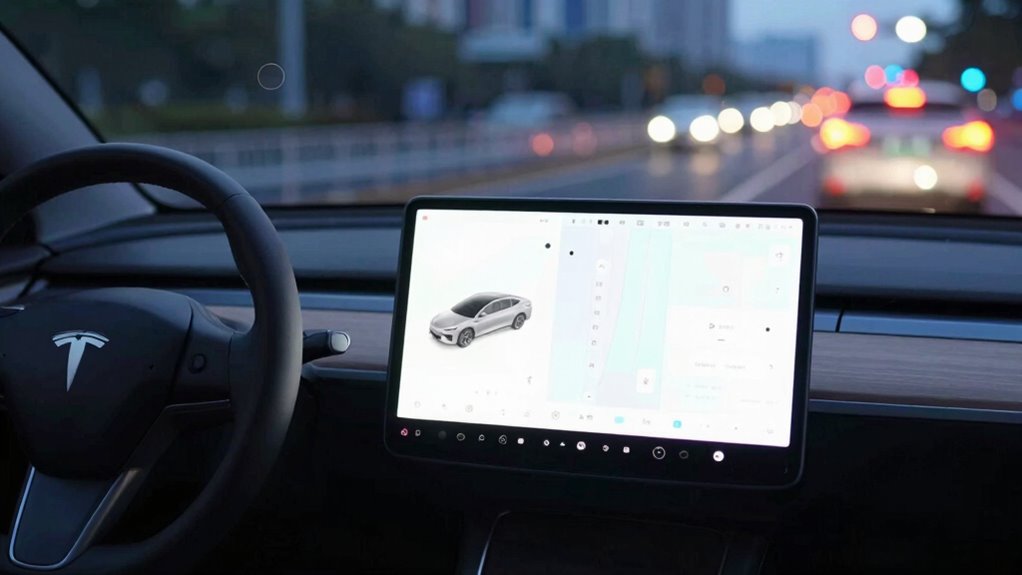

Big screens can subtly distract you, causing small lapses that add up and lead to bigger driving problems. When you glance at a large display, your attention shifts away from the road, delaying reactions to hazards. Visual overload from multiple notifications and controls can overwhelm you, reducing situational awareness. Bright, colorful screens, especially at night, can cause glare and eye strain. To stay safe, understanding these challenges can help you adjust your focus effectively—keep exploring to find out how.

Get business pricing on garage and car supplies
- Business-only prices and quantity discounts
- Tax-exempt purchasing
- Multiple users, one account, clear invoices
Key Takeaways
- Large screens demand longer glances, diverting attention from the road and increasing reaction times.
- Multiple displays and notifications cause visual overload, reducing situational awareness.
- Complex interfaces impose high cognitive load, impairing quick decision-making while driving.
- Bright, colorful screens at night cause glare and visual strain, affecting visibility and alertness.
- Overreliance on big screens encourages frequent interactions, distracting drivers from critical tasks.
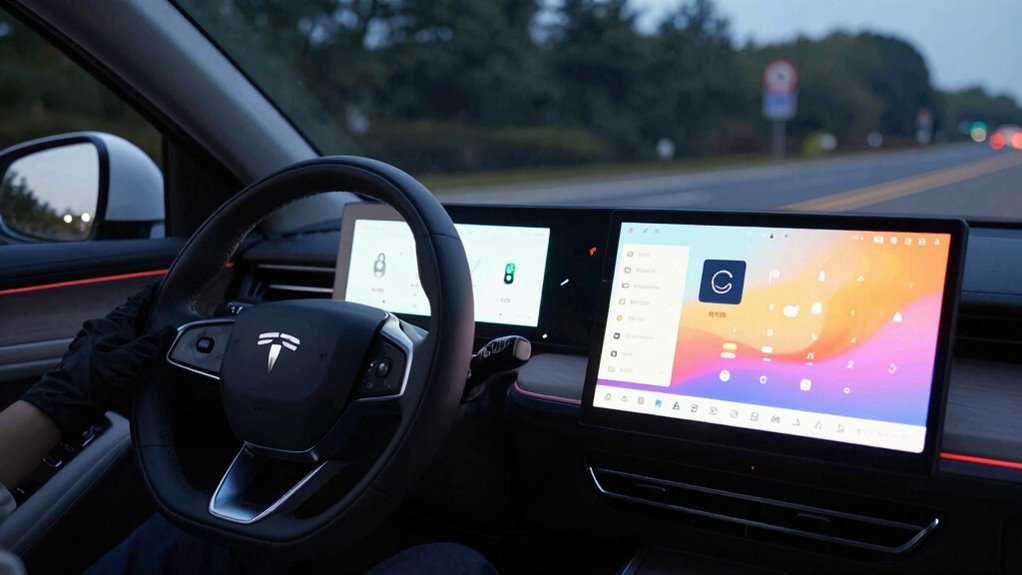
While large screens in vehicles offer impressive entertainment and navigation features, they can also cause small but dangerous driving problems. One of the most common issues is driver distraction. When you glance at a sizable display, your attention shifts away from the road, even if just for a moment. This distraction can be enough to delay your reaction time to sudden hazards, like a pedestrian stepping into the street or a car braking unexpectedly. The more time you spend looking at the screen, the greater the risk that you might miss important visual cues around you. Over time, these small glances can add up, increasing the likelihood of an accident.
Additionally, big screens often contribute to visual overload. Instead of providing straightforward information, they tend to display multiple options, notifications, and controls simultaneously. When faced with a complex dashboard, your brain struggles to process everything quickly. Visual overload causes you to scan back and forth across the display, diverting your focus from the road. This constant shifting of your gaze can create a cognitive burden, making it harder to prioritize what’s truly important. As a result, your situational awareness diminishes, and you might overlook critical changes in your environment. Incorporating visual processing strategies can help mitigate some of these issues and improve safety.
Furthermore, the cognitive load imposed by complex screens can impair your decision-making abilities while driving, increasing the risk of errors. A simpler interface designed with safety in mind can help reduce this cognitive strain. You might think that because the screen is large, it’s easier to read or operate, but that’s not always true. Large displays often tempt you to interact with them more frequently, whether to change music, check directions, or respond to messages. Each interaction takes your eyes off the road, even if briefly. If you’re not careful, that moment of distraction can become a dangerous lapse. Many drivers underestimate how much their attention is divided, especially when the screen’s features seem helpful or entertaining. The reality is, the more you rely on these displays, the more likely you are to become visually overloaded and distracted. Moreover, technological complexity can further exacerbate these issues, making it harder to focus on driving tasks.
Furthermore, the color schemes and bright visuals on big screens can be especially problematic at night or in low-light conditions. Bright, colorful displays can cause glare or strain your eyes, making it harder to see the road clearly. This visual overload can lead to fatigue, reducing your ability to process information quickly. When your eyes and brain are overloaded, your overall alertness drops, increasing the chances of missing crucial cues while driving. Research also shows that visual overload can significantly impair your ability to maintain safe driving performance, especially during long trips or in complex traffic situations. Recognizing these visual challenges and adjusting display settings accordingly can help improve nighttime driving safety.
As an affiliate, we earn on qualifying purchases.
Frequently Asked Questions
Can Screen Size Influence Driver Fatigue Levels?
Yes, screen size can influence your fatigue levels. Larger screens increase visual fatigue because they require more eye movement and focus, leading to strain over time. They also raise cognitive load, making it harder to process information quickly while driving. This combination can cause you to feel more tired and less alert, especially during long drives. To stay safe, limit your exposure to large screens and take regular breaks.
Are There Legal Restrictions on Screen Sizes in Vehicles?
Imagine trying to steer a ship with a tiny compass—difficult, right? Similarly, legal regulations and screen size standards limit how big screens in vehicles can be. Many regions set these restrictions to prevent driver distraction and guarantee safety. While laws vary, they generally specify maximum screen dimensions or placement. You should check local regulations, but overall, these rules aim to keep your focus on the road, not the display.
How Do Big Screens Affect Drivers’ Peripheral Vision?
Big screens can narrow your peripheral vision by causing glare impact and increasing visual clutter. As you focus on the display, your awareness of surroundings diminishes, making it harder to notice hazards. The glare from bright screens can also strain your eyes, reducing overall visibility. This distraction can lead to missed signals or obstacles, so it’s crucial to keep screen brightness manageable and minimize clutter to maintain better peripheral awareness while driving.
Do Different Screen Types Pose Varying Risks?
Different screen types do pose varying risks. For example, an interactive interface with high display glare can distract you more than a matte screen, increasing accident risk. Touchscreens demand more visual attention, diverting your focus from the road. LED screens may cause less glare but still create visual noise. So, choose screen types wisely—consider glare reduction and interactive features to minimize your driving hazards.
Can Screen Placement Mitigate Driving Distractions?
Yes, you can reduce driving distractions by carefully choosing screen placement. Position screens within your line of sight to maintain driver focus, avoiding excessive head movements. Adjust screen brightness to match ambient lighting, preventing glare that can divert your attention. Proper placement and brightness control help you stay aware of the road, minimizing the risk of distraction and keeping your attention where it needs to be—on driving safely.
driver distraction warning system
As an affiliate, we earn on qualifying purchases.
As an affiliate, we earn on qualifying purchases.
Conclusion
Big screens in your car can seem like a helpful upgrade, but they often become a wolf in sheep’s clothing, quietly causing small driving problems. They distract your focus, pulling your eyes away from the road just when you need to stay sharp. Remember, the road isn’t a movie theater — keep your attention clear and your eyes on the prize. Otherwise, that big screen might just turn a smooth drive into a rocky road.
vehicle night glare reducing glasses
As an affiliate, we earn on qualifying purchases.
As an affiliate, we earn on qualifying purchases.
car infotainment system with simplified interface
As an affiliate, we earn on qualifying purchases.
As an affiliate, we earn on qualifying purchases.
Halloween Picks
halloween
As an affiliate, we earn on qualifying purchases.