Many believe that physical obstacles or crowded environments always cause Bluetooth disconnections, but that’s a myth. In reality, interference often comes from RF congestion, firmware problems, or environmental factors like wireless networks and metal objects. Overlapping signals, device firmware issues, and low batteries can break connections just as easily. Understanding what truly affects Bluetooth stability helps you troubleshoot better—continue exploring to learn which factors might be affecting your devices.
Key Takeaways
- Wi-Fi interference does not always cause Bluetooth disconnections; other factors like physical barriers are often to blame.
- Thick walls, metal objects, and dense barriers are primary physical obstructions, not external RF interference.
- Device congestion and exceeding Bluetooth range are more common connection issues than interference from other Bluetooth devices.
- Firmware or software problems, not just environmental interference, can lead to Bluetooth connection failures.
- Environmental RF noise and multipath reflections impact Bluetooth stability more than misconceptions about interference from other devices.
Debunking Common Myths About Physical Obstacles and Signal Attenuation

Many people believe that physical obstacles always block Bluetooth signals completely, but in reality, signal attenuation varies widely depending on the material. Drywall and wood cause only minor signal loss, allowing Bluetooth to pass through with little trouble. However, materials like brick, glass, concrete, and reinforced concrete often produce medium-to-high attenuation, markedly reducing range, especially reinforced concrete, which can cause the largest signal drops in tests. Water-rich materials—like human bodies, vegetation, and wet wood—absorb Bluetooth signals at 2.4 GHz, decreasing effective range by tens of meters. Dense foliage or jungle-like obstacles can cut open-field ranges from about 120 meters down to 20–40 meters. The impact is frequency-dependent; metal and multilayer barriers cause even greater attenuation, often requiring increased transmitter power or repeaters to maintain reliable connections. Additionally, understanding the contrast ratio of your environment can help optimize signal performance and reduce interference issues. Recognizing the material properties that influence signal strength can assist in planning device placement and ensuring stable connections. Being aware of signal attenuation factors enables better placement of devices and can help troubleshoot connectivity problems more effectively.
The Real Impact of RF Congestion and Dense Device Environments

In busy environments with many devices, RF congestion can considerably disrupt Bluetooth performance. When multiple networks and gadgets compete for the same 2.4 GHz spectrum, interference increases, causing slower connections and dropped signals. Managing this congestion requires understanding how device density impacts reliability and exploring effective mitigation strategies. High-density environments often experience increased interference, which can significantly degrade Bluetooth device stability and responsiveness. Additionally, awareness of wireless network management techniques can help optimize device performance in these settings, especially as the Gold IRA markets continue to expand and diversify. Implementing strategies like frequency hopping or channel selection can further reduce the impact of device overcrowding, and staying informed about RF environment monitoring can aid in maintaining optimal Bluetooth connectivity.
Device Density Effects
Device density increases, RF congestion becomes a significant challenge for Bluetooth performance. When many devices share the 2.4 GHz band, overlapping transmissions lead to higher collision probabilities and packet retransmissions. Adaptive Frequency Hopping helps reduce collisions but struggles as device counts grow, especially in environments with active Wi‑Fi networks, which further limit available spectrum. Simulations show error rates and audio glitches start appearing with over 40 nearby Bluetooth devices. Dense clustering reduces spectral opportunities per user, raising the risk of interference and lowering throughput. Larger, multi‑slot packets impact neighboring piconets more than single‑slot ones, increasing latency and jitter. Ultimately, higher device density causes more retransmissions, degraded call quality, and reduced data transfer, especially in crowded spaces. Recent vetting ensures these insights reflect current Bluetooth performance challenges in dense environments. Additionally, interference management techniques are continually evolving to address these complex issues more effectively. Moreover, device density plays a crucial role in the overall stability and reliability of Bluetooth connections, highlighting the importance of ongoing technological improvements. New research also emphasizes how regulatory standards influence the development of interference mitigation strategies in densely populated areas. Understanding spectrum sharing is essential for developing future solutions to these challenges.
Managing Wireless Congestion
Increasing device density heightens RF congestion, making it harder to keep Bluetooth connections stable. To manage this, choose less crowded frequency bands like 5 GHz over 2.4 GHz for critical tasks. Use wider channels, such as 40 or 80 MHz, to boost capacity. Analyze neighboring networks and select channels with minimal interference, switching access points to less congested channels when needed. Implement band steering to direct traffic to most suitable bands. Prioritize real-time traffic like voice and video using QoS settings, ensuring they get enough bandwidth. Distribute loads evenly across access points and schedule high-bandwidth activities during low-usage periods. Position access points strategically, increase their separation, and deploy mesh networks or repeaters to improve coverage. Continuous monitoring helps identify congestion points and optimize performance. Effective congestion control often involves cross-layer strategies to adapt to the high variability in wireless environments, ensuring more reliable Bluetooth connections. Additionally, employing network management tools can provide real-time insights and facilitate proactive congestion mitigation.
How Wi‑Fi and Other Networks Interfere With Bluetooth Performance
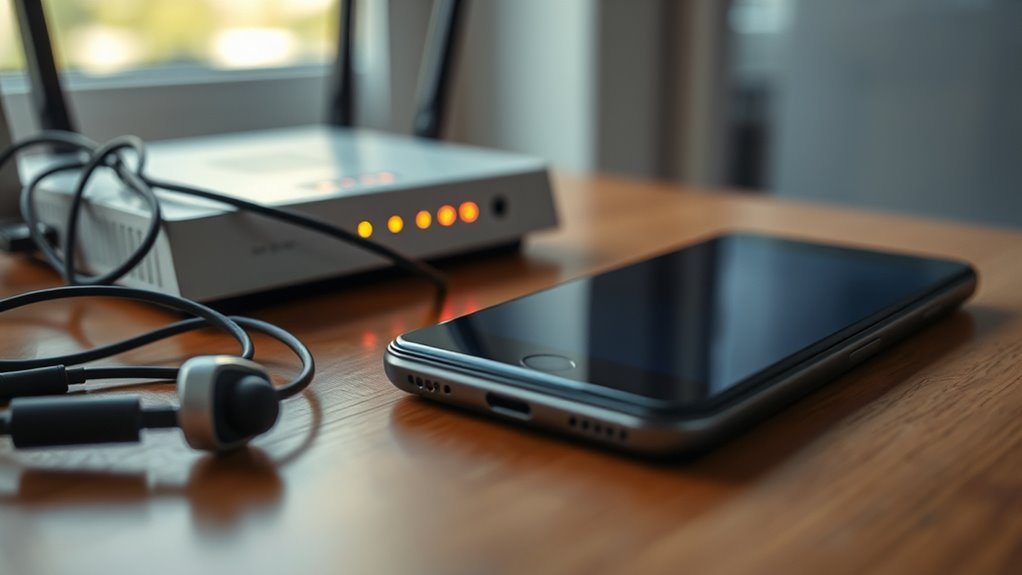
Since both Bluetooth and Wi-Fi operate in the crowded 2.4 GHz band, they often interfere with each other’s performance. Wi-Fi uses wider 20 MHz channels, while Bluetooth spreads across 79 narrow 1 MHz channels, leading to overlapping frequencies. When Wi-Fi transmits at higher power (20-30 dBm), it can overpower Bluetooth signals, causing degraded throughput and reduced range. Bluetooth’s frequency hopping helps avoid some interference, but proximity matters—close devices cause more disruption. Wi-Fi performance remains stable unless multiple Bluetooth devices activate simultaneously. Moving Wi-Fi to the 5 GHz band minimizes interference, as the two technologies no longer share the same spectrum. Managing device density and carefully selecting channels also help reduce congestion, improving overall Bluetooth and Wi-Fi coexistence. Additionally, spectrum management techniques, such as choosing less crowded channels, can further enhance device performance and reduce interference. Understanding spectrum sharing principles helps optimize both Bluetooth and Wi-Fi environments for better reliability. Proper interference mitigation strategies are essential for maintaining strong connections in busy environments. Implementing channel selection techniques can also significantly reduce interference issues, especially in dense device environments.
The Role of Non‑Communication RF Noise and Environmental Factors

Non‑communication RF noise from household appliances and lighting can disrupt Bluetooth signals without direct communication interference. External sources like machinery or urban RF emissions also increase interference levels, especially in crowded environments. Recognizing how these environmental factors affect your devices helps you find effective ways to minimize disruptions. Understanding RF spectrum congestion is essential for troubleshooting connectivity issues in busy areas. Additionally, electromagnetic interference from various electronic devices adds to the complexity of maintaining stable Bluetooth connections, emphasizing the importance of managing environmental RF sources in your surroundings. Environmental RF noise sources can vary significantly based on location and household setup, making awareness crucial for optimal device performance. Being aware of interference sources in your environment allows you to take steps to improve signal stability and device reliability. Moreover, electromagnetic compatibility considerations are vital for ensuring your devices operate smoothly amidst diverse RF emissions.
Household Appliances’ RF Emissions
Household appliances like microwave ovens, refrigerators, and vacuum cleaners often emit RF noise that can disrupt Bluetooth signals, even though they’re not designed for communication. Microwaves leak energy near 2.45 GHz, creating broadband noise that causes packet loss and periodic dropouts, especially with older or damaged seals. Motors and switches in appliances generate impulsive or broadband interference, raising local noise levels and causing latency spikes. Poor wiring, loose connections, and power supplies inject high-frequency noise, elevating the ambient RF environment. Smart appliances with embedded radios can also contribute to congestion, increasing channel occupancy. Additionally, the presence of residual RF emissions from these devices can cumulatively raise the noise floor, further impairing Bluetooth performance. Environmental factors like signal reflection and absorption can also amplify interference issues, making it more challenging to maintain stable connections. Moreover, the electrical wiring layout within homes can influence how these RF signals propagate, sometimes creating unintended interference zones. The power supply quality in household circuits can also impact the level of RF noise generated and transmitted through wiring. Furthermore, the cluttered RF spectrum caused by multiple household devices can make it difficult for Bluetooth signals to find a clear channel.
Lighting and RF Interference
Lighting and environmental factors can substantially disrupt Bluetooth signals through RF noise that isn’t related to communication devices. Fluorescent lighting, especially with ballasts, emits electromagnetic signals that interfere with the 2.4GHz band, causing delays or drops in connections. In dense environments like hospitals, fluorescents and other specialized equipment contribute to non-communication RF noise, degrading Bluetooth performance. Electrical noise sources can also add to interference, particularly when multiple devices operate simultaneously. Additionally, the presence of modern farmhouses with their unique electrical setups can sometimes introduce unexpected interference, especially if vintage or incompatible wiring is used. The layout and architecture of a space, including physical barriers, can also significantly impact signal transmission, making it essential to consider environmental design in troubleshooting connectivity issues.
External RF Noise Sources
In busy urban environments, the abundance of RF signals from various sources substantially impacts Bluetooth performance. High ambient noise floors and channel congestion lead to increased packet errors and reduced range. Industrial machinery and switching power supplies produce broadband impulsive noise, causing intermittent bit errors. Microwave ovens emit strong emissions around 2.45 GHz, resulting in transient packet loss when nearby or poorly shielded. Multiple Wi‑Fi networks create overlapping channels, causing collisions and retransmissions. Outdoor reflections from buildings, water, and foliage cause multipath fading, deepening nulls at antennas and degrading signals. Additionally, household appliances like washing machines and HVAC systems produce conducted transients, further disturbing Bluetooth links. These environmental factors emphasize that external RF noise sources considerably influence Bluetooth reliability and performance. Electromagnetic interference from nearby electronic devices can also disrupt Bluetooth signals, especially when devices are placed in close proximity or poorly shielded.
Hardware and Firmware Issues That Can Mimic Interference Problems

Hardware and firmware issues can often create the illusion of Bluetooth interference problems, even when no external signals are causing disruptions. Outdated firmware for WiFi and Bluetooth modules can lead to performance issues that mimic interference, like audio dropouts or connection spasms. For example, a recent Linux firmware update caused WiFi to interfere with Bluetooth audio on 2.4GHz, but reverting to an earlier version fixed the problem. Similarly, outdated drivers for WiFi and Bluetooth increase the chances of instability, especially on systems with older hardware lacking advanced coexistence features. Integrated chips in laptops or USB-connected radios often suffer from poor shielding or lack of adaptive frequency hopping, worsening conflicts. These firmware and hardware shortcomings can fool you into thinking interference is external, when instead, it’s a result of internal misconfigurations or outdated components. Regular updates can help maintain compatibility and fix known issues that contribute to such internal conflicts.
Separating Fact From Fiction: What Truly Causes Bluetooth Disconnections

Many Bluetooth disconnections aren’t caused by external interference but stem from physical factors and environmental conditions. Obstacles like solid walls or dense materials weaken signals, increasing packet loss. Metal objects reflect RF signals, creating multipath fading and nulls that disrupt connections. Human bodies absorb RF, so how you hold or orient your device can reduce signal strength. Moving devices through reflective environments causes rapid signal fluctuations, often overwhelming Bluetooth’s adaptive mechanisms. Even modest distance increases can push a connection from stable to marginal, especially beyond the typical 10-meter range of consumer devices.
Physical obstacles and environmental factors often cause Bluetooth disconnections more than external interference.
- Thick walls and dense materials attenuate signals.
- Metal surfaces cause signal reflections and nulls.
- Human bodies absorb RF signals.
- Moving through reflective areas causes rapid changes.
- Distance beyond 10 meters weakens connections.
Frequently Asked Questions
Can Metal Objects Near Bluetooth Devices Cause Disconnections?
Yes, metal objects near your Bluetooth device can cause disconnections. Metal reflects and absorbs RF signals, creating interference that weakens the connection. Small metal items like keys or coins close to the antenna can detune it, reducing efficiency. Large metal surfaces or enclosures can block signals entirely, especially if the device’s link margin is tight. Moving metal objects also produce multipath fading, leading to intermittent drops or reduced stability.
Does 5 GHZ Wi‑Fi Interfere With Bluetooth Connections?
No, 5 GHz Wi-Fi doesn’t interfere with Bluetooth connections. Bluetooth operates on the 2.4 GHz band, while 5 GHz Wi-Fi uses a different spectrum, so there’s no overlap. Using 5 GHz Wi-Fi can actually improve your Bluetooth stability by reducing congestion on the 2.4 GHz band. To avoid interference, switch your devices to 5 GHz if they support it, especially when streaming or gaming.
Do All RF Noise Sources Always Disrupt Bluetooth Links?
No, not all RF noise sources always disrupt Bluetooth links. Some sources, like distant Wi-Fi signals or low-power interference, might have minimal impact or be effectively mitigated by adaptive hopping and channel adjustments. However, when RF noise is strong, close, or in the same frequency range, it can cause latency, data errors, or connection drops. You need to assess the noise level, source proximity, and device sensitivity to determine actual disruption risk.
Are Firmware Bugs a Common Cause of Bluetooth Drops?
Yes, firmware bugs are a common cause of Bluetooth drops. When device firmware isn’t updated or contains bugs, it can cause disconnects, audio issues, or pairing failures. You often see this after software updates, like on Fairphone or iPhones, where bugs in the firmware lead to frequent disconnections. Updating firmware or downgrading to stable versions usually resolves these issues, highlighting how firmware bugs directly impact Bluetooth stability.
Does Device Orientation Significantly Impact Bluetooth Range?
Device orientation can substantially impact your Bluetooth range, especially indoors. When the antenna’s null points face the receiver or obstructions like your body or metal objects, signal strength drops, causing potential connection issues. Small rotations may lead to noticeable fades or packet errors. To improve reliability, position your device to minimize body blocking, optimize antenna placement, and perform tests in typical environments to understand how orientation affects your specific setup.
Conclusion
Now that you see through the interference myths, imagine your Bluetooth connection as a clear stream flowing smoothly, free from false obstacles. It’s not just walls or distance—it’s RF congestion, environment noise, or hardware quirks that cause disruptions. By understanding what truly affects your signal, you can tune out the false alarms and enjoy a steady, reliable connection. Keep the noise at bay, and let your Bluetooth flow seamlessly like a calm, uninterrupted river.