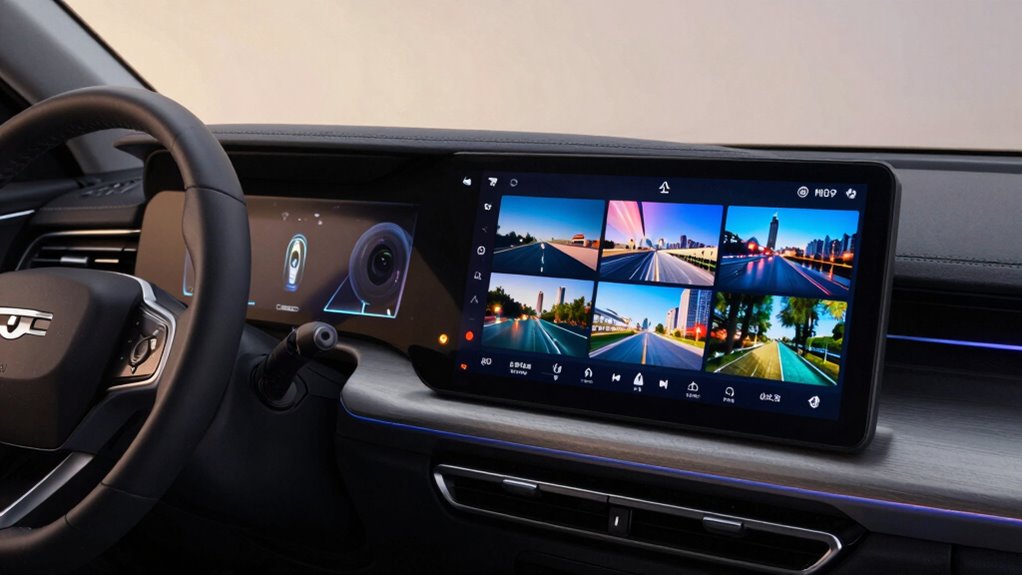

Multiple camera inputs in head units make your vehicle’s technology much more future-proof. They enhance safety by providing features like backup cameras and lane departure warnings, ensuring a better driving experience. Not all head units support multiple inputs, so your choice matters for adapting to new safety innovations. Plus, you can enjoy benefits like 360-degree views that help in tight spots. Stick around to discover how to choose the right system for your needs.

Get business pricing on garage and car supplies
- Business-only prices and quantity discounts
- Tax-exempt purchasing
- Multiple users, one account, clear invoices
Key Takeaways
- Multiple camera inputs enhance safety features, making head units adaptable to future driving technologies and requirements.
- Flexibility in camera setups allows for integration of new safety features, ensuring long-term usability.
- Compatibility with various vehicle makes and models prevents costly modifications and guarantees effective investment.
- Regular updates and advancements in camera technology help maintain the relevance of head units over time.
- Future-proof head units support enhancements like 360-degree views and obstacle detection, improving overall driving experience.

As technology advances, you’ll find that multiple camera inputs for head units are becoming more vital for drivers seeking enhanced safety and convenience. These systems not only improve your driving experience but also add layers of protection that older setups lack. With the rise of backup cameras, lane departure warnings, and even 360-degree views, having a head unit that can support multiple camera inputs is a game-changer. You’ll appreciate how these features help you navigate tight spaces, avoid obstacles, and enhance overall situational awareness. Additionally, choosing a head unit that supports camera compatibility ensures your system remains adaptable as new safety features develop. However, not all head units are created equal regarding camera compatibility. Some units might support only a single camera, while others can seamlessly integrate several. It’s essential to choose a head unit that fits your specific needs. When you start looking, you’ll notice that many modern systems allow you to connect multiple cameras, giving you flexibility in your setup. You can opt for a rearview camera, side cameras for blind spots, or even a front camera for parking assistance. This adaptability makes your head unit much more future-proof, helping you stay ahead of technological advancements. When you consider installation challenges, it’s important to note that adding multiple cameras can complicate the setup process. If you’re not tech-savvy, you might want to consult a professional to guarantee everything’s wired correctly. Some head units come with user-friendly instructions, while others might require a bit more expertise. It’s wise to check reviews and guides to determine how straightforward the installation will be. Proper wiring and setup can significantly reduce the risk of technical issues later on. Moreover, keep in mind that not all vehicles are designed to accommodate these advanced systems. Depending on your car’s make and model, you might face additional challenges regarding space and compatibility. Researching vehicle compatibility can help you identify suitable options and avoid costly modifications. Staying informed about system updates and compatibility ensures that your investment remains effective over time. Your investment in a future-proof head unit will save you time and money down the road. Ultimately, embracing multiple camera inputs in your head unit can greatly enhance your driving experience. As you explore your options, remember to focus on camera compatibility and be prepared for installation challenges. This proactive approach guarantees that you’ll enjoy the benefits of advanced safety features for years to come.
As an affiliate, we earn on qualifying purchases.
Frequently Asked Questions
Can I Use My Existing Cameras With New Head Units?
Yes, you can use your existing cameras with new head units, but it depends on the camera integration options and vehicle compatibility concerns. Check if your new head unit supports the same camera types and connections as your current setup. Adapters may be needed for full functionality. Always refer to the specifications of both the cameras and the head unit to guarantee a seamless installation and peak performance.
What Brands Offer the Best Multiple Camera Head Units?
When it comes to head units that support multiple camera inputs, brands like Pioneer, Kenwood, and Alpine stand out. Each offers unique camera features, allowing you to choose based on your specific needs. Pioneer excels in user-friendly interfaces, while Kenwood offers excellent video quality. Alpine is known for robust customization options. Make brand comparisons to find the perfect fit for your vehicle and guarantee you get the most from your camera setup.
How Do I Install Multiple Cameras in My Vehicle?
When it comes to installing multiple cameras in your vehicle, you’ll want to hit the ground running. Start by deciding on camera placement—rearview, side mirrors, or front. Securely mount each camera and run the wiring techniques along the vehicle’s frame, guaranteeing they’re hidden from view. Connect the cameras to your head unit, making sure everything’s tightly fastened. Test each camera to verify they’re working properly before hitting the road!
Are Multiple Camera Inputs Compatible With All Head Unit Models?
No, multiple camera inputs aren’t compatible with all head unit models. You’ll need to check each unit’s specifications for camera input compatibility. Some head units have advanced features that support multiple cameras, while others might only accommodate one. Before you buy, verify the model you choose has the necessary inputs and features for your camera setup. Doing this will help you avoid compatibility issues and enhance your vehicle’s safety and functionality.
What Are the Benefits of Using Multiple Cameras in Vehicles?
Using multiple cameras in vehicles is like adding extra eyes to enhance your driving experience. You’ll get significant safety enhancements, making it easier to avoid obstacles. Parking assistance becomes a breeze, guiding you into tight spots with ease. Plus, blind spot detection guarantees you’re aware of vehicles lurking just out of sight. With advanced navigation features, you’ll confidently navigate unfamiliar roads, turning every drive into a safer, more enjoyable journey.
backup camera with multiple inputs
As an affiliate, we earn on qualifying purchases.
As an affiliate, we earn on qualifying purchases.
Conclusion
In a world where technology evolves faster than we can keep up, having multiple camera inputs in your head unit isn’t just smart—it’s essential. Imagine driving with confidence, knowing you’ve got every angle covered. These features not only enhance safety but also guarantee your vehicle stays relevant as innovations roll out. Don’t just ride the wave of change; embrace it. With the right head unit, you’re not just driving; you’re stepping into the future with eyes wide open.
As an affiliate, we earn on qualifying purchases.
vehicle camera input compatible head unit
As an affiliate, we earn on qualifying purchases.
As an affiliate, we earn on qualifying purchases.
Fall Picks
fall essentials
As an affiliate, we earn on qualifying purchases.