Dash cams often miss the first seconds because electrical power drops during engine start, causing the device to reboot or delay recording. Storage initialization, file system checks, and hardware processing also add delays, especially if your SD card isn’t formatted properly or if the camera’s firmware is slow. Environmental conditions like cold weather can slow startup further. If you want to understand ways to minimize these issues, there’s more to uncover.
Key Takeaways
- Power fluctuations during engine startup can cause dash cams to reboot, missing initial footage.
- Filesystem checks and slow initialization processes delay dash cam readiness after power-on.
- Hardware limitations and firmware speed influence how quickly a dash cam starts recording.
- Cold or extreme weather conditions slow battery response, delaying device startup.
- Settings like boot delay or using high-quality SD cards can help ensure the dash cam captures the first seconds.
Power-Related Delays During Engine Start
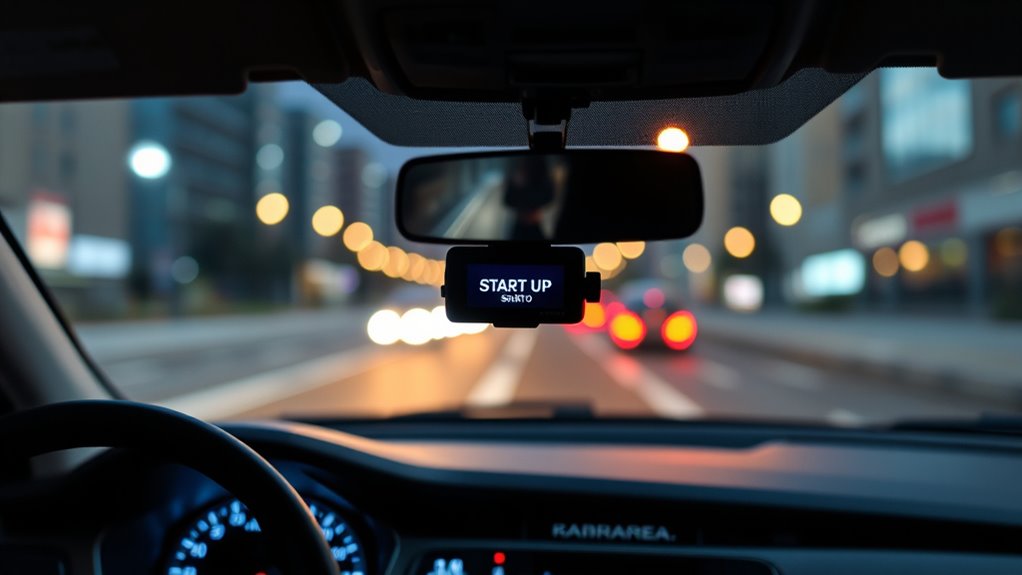
When you start your engine, power fluctuations in accessory circuits often cause dash cams to momentarily lose power. During cranking, the voltage drops, interrupting power to the cigarette lighter socket and other accessories. This causes your dash cam to reboot and miss the first few seconds of recording. Typically, accessories lose power for 2-3 seconds, with a total load of about 500 milliamps, impacting auxiliary ignition-powered cameras. Fuse tap adaptors connected to ignition-switched fuses also experience similar power interruptions, leading to reboots. Although capacitors can hold voltage briefly during cranking, they usually sustain power for only 1-2 seconds. Additionally, dash cams often have a configurable boot delay, allowing you to delay recording until power stabilizes. Properly managing power supply can help ensure your dash cam captures every moment right from ignition, especially with power stability techniques that mitigate voltage drops during engine start. Implementing voltage regulation devices can further improve power consistency and prevent reboots. Employing power management strategies, such as using high-quality wiring and dedicated circuits, can also help reduce these disruptions. Utilizing backup power solutions, such as small uninterruptible power supplies (UPS), can also provide immediate power during these brief fluctuations.
Storage and File System Initialization
Your dash cam’s ability to start recording immediately after power-up depends heavily on how its storage system initializes. When the camera detects a filesystem mismatch—like using FAT32 on a large card or an incompatible format—it may delay mounting or prompt for reformatting. Filesystem integrity checks or journal recoveries after power loss can add seconds to startup, especially if the card contains fragmented files or orphaned data. Additionally, directory fragmentation and small-file churn increase the time needed for the camera to parse folder structures, delaying recording. Properly formatting your SD card with the recommended filesystem reduces these delays. Filesystem compatibility is crucial for minimizing startup time and ensuring reliable recording. Here’s a quick overview:
| Issue | Effect | Solution |
|---|---|---|
| Filesystem mismatch | Mount delays, reformat prompts | Use correct filesystem |
| Journal or integrity checks | Startup delays | Full format regularly |
| Fragmented directory files | Longer enumeration, delay | Regular archiving/deletion |
Regularly checking the SD card’s health and ensuring it is free from errors can help maintain optimal performance and reduce startup delays. Furthermore, selecting high-quality SD cards with robust performance specifications can prevent common issues caused by subpar storage media. Additionally, using high-quality SD cards with optimized file systems can further improve startup responsiveness. Ensuring the SD card is properly formatted with a compatible filesystem, along with regular maintenance, helps minimize startup delays and improves camera responsiveness.
Firmware and Hardware Processing Time
The time it takes for a dash cam to become ready after power-up largely depends on its firmware and hardware processing capabilities. Different models show significant variation: the Vueroid S14K activates in about 0.76 seconds, while the Thinkware U3000 Pro takes around 2.66 seconds, and the VIOFO A329S needs over 21 seconds. This delay starts with a 0.48-second lag between power application and the timer beginning. Firmware initialization plays a key role; slower firmware in some models extends startup, while optimized firmware enables faster activation. Hardware components like processors and sensors also influence timing, with quicker sensors reducing delays. Advanced features like GPS, ADAS, or AI processing increase load times, as they require additional firmware and hardware processing before recording starts. The quality and speed of the internal processor also significantly impact startup times, with more powerful processors reducing delay. Additionally, hardware optimization can make a notable difference in overall startup efficiency. Furthermore, processing throughput in the hardware design impacts how swiftly the dash cam can initialize and become operational.
A well-designed initialization process ensures quicker readiness, especially in models with complex features.
Environmental Conditions Affecting Startup

Environmental conditions can substantially impact how quickly a dash cam starts up, adding delays or causing failures that go beyond firmware or hardware capabilities. In cold weather, lithium-ion batteries slow their chemical reactions, leading to reduced voltage and delayed power-up, especially below -4°F. Freezing temperatures can cause internal components and seals to become brittle, increasing the risk of cracks or damage that hinder startup. Conversely, high temperatures—above 86°F—can cause batteries to swell, leak, or burst, permanently impairing function. Moisture from condensation or humidity can short circuits or corrode contacts, delaying boot time. Additionally, rain or fog obstruct lenses and sensors, affecting image processing. These environmental factors can considerably extend startup times or cause complete failures, especially if the dash cam isn’t designed to withstand extreme conditions. Proper maintenance and placement can help mitigate some of these issues and ensure more reliable operation, especially when considering environmental resilience of the device. Recognizing protective features, such as weatherproof casings and temperature regulation, is crucial for maintaining optimal performance. For example, some dash cams include temperature regulation systems that help keep internal temperatures within operational ranges.
Design Choices and Feature Settings
Adjusting design choices and feature settings can substantially influence how quickly your dash cam starts up. Enabling boot delay features helps prevent recording failures caused by power fluctuations during engine start, stabilizing the system before recording begins. Properly formatting your SD card on a computer, not in-camera, reduces startup delays and prevents freezing issues. Using high-speed cards that meet your dash cam’s requirements ensures smooth data handling and prevents missed seconds. Switching to optimized codecs like H.265h or Smart codec can lower startup lag, while disabling AI-based encoding may speed up boot times. Power management settings, especially in hardwired kits, may introduce delays to ensure SD card stability after power fluctuations. Fine-tuning these options helps your dash cam reliably capture every second from the moment you start driving. Power-on behavior varies depending on the model and settings, influencing the initial recording delay. Additionally, understanding how system startup processes work can help you optimize your dash cam’s readiness time. Recognizing hardware limitations can also assist in troubleshooting startup delays and improving overall performance.
Frequently Asked Questions
Can Firmware Updates Reduce Startup Delays in Dash Cams?
Yes, firmware updates can reduce startup delays in dash cams. They can re-prioritize initialization sequences to start recording faster, streamline or skip non-critical checks, and optimize codec and driver performance. Updates may also introduce fast-boot modes, enabling your dash cam to begin recording immediately while other features load in the background. However, hardware limitations still influence total startup time, so firmware alone can’t eliminate all delays.
Do High-End Dash Cams Start Recording Faster Than Budget Models?
Yes, high-end dash cams generally start recording faster than budget models. You’ll notice premium units like the Viofo S14K or Thinkware U3000 Pro begin capturing footage within 1 to 3 seconds, thanks to advanced processors and optimized firmware. Budget models like the Viofo A329S can take over 20 seconds to start, which might cause you to miss critical moments right after you start driving.
Will Using a Higher Class SD Card Eliminate Initial Recording Gaps?
Using a higher class SD card can help reduce initial recording gaps, but it doesn’t guarantee elimination. You need a card rated for sustained write speeds (like V30 or V60) and verified manufacturer specs. Even then, gaps can still occur due to camera firmware, file segmentation, or power-up delays. For best results, choose a high-quality, genuine card, and make certain your dash cam is properly configured and updated to minimize startup gaps.
Does Parking Mode Activation Delay Affect First-Second Capture When Driving?
Did you know that a delay of just 30 seconds in parking mode activation can cause you to miss the first few seconds of driving? If your dash cam’s parking mode is set to activate after the engine turns off, it might not switch back quickly enough when you start driving, leading to gaps. Adjusting the delay settings guarantees your camera captures those vital initial moments without missing any action.
How Does the Vehicle’s Electrical System Influence Dash Cam Startup Time?
Your vehicle’s electrical system directly impacts your dash cam’s startup time. When you turn on the ignition, the power supply activates the dash cam, but delays can occur if the system isn’t fully stabilized or if wiring isn’t optimized. A slow or unstable electrical connection, or using less responsive wiring, can cause the camera to take longer to start recording, potentially missing the first moments of your drive.
Conclusion
So, next time your dash cam misses those first seconds, remember it’s like a sleepy guardian waking up—sometimes it takes a moment to shake off the grogginess. Power hiccups, storage yawn, or firmware stretch can delay its watchful eye. Think of it as your dash cam warming up, enthusiastic to catch every moment. With a little patience and understanding, you’ll see it’s just your tech’s way of ensuring it’s fully alert for the journey ahead.