Using a card reader for data transfer generally preserves higher image quality and data integrity compared to Wi-Fi methods. Wired connections like USB or Thunderbolt offer faster, more stable transfers with less interference, reducing the risk of corruption or quality loss. Wireless options can cause image compression, metadata stripping, and potential artifacts due to disruptions. If you want to make sure your files stay pristine and authentic, it’s best to stick with a reliable card reader—learn more about how to optimize your transfers below.
Key Takeaways
- Card readers typically provide faster, more stable data transfers that better preserve image quality and metadata integrity.
- Wired card reader transfers minimize interference and error risks compared to Wi-Fi, reducing chances of data corruption.
- Wi-Fi transfers may involve compression, downscaling, or app-induced modifications, leading to potential quality loss.
- Card readers support high-speed formats (UHS-II, PCIe/NVMe), ensuring full data fidelity during transfer.
- Wireless transfers risk metadata stripping and image artifacts, which can compromise authenticity and detailed quality.
Understanding the Fundamentals of Data Transfer Methods
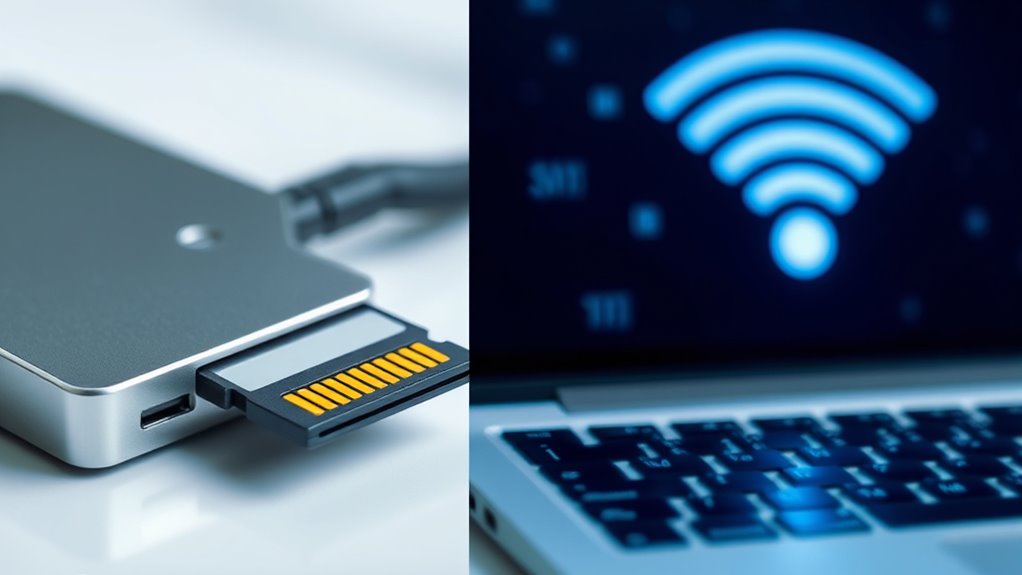
Understanding the fundamentals of data transfer methods is essential to choosing the right technology for your needs. Wired transfers use physical connections like card readers, hubs, or cables, offering stable, high-speed options such as USB 2.0, which reaches 480 Mbps, or USB 3.0/3.1 with speeds up to 5 Gbps. Thunderbolt interfaces can hit 40 Gbps, ideal for large files or professional workflows. CFexpress cards leverage PCIe 3.0 and NVMe, providing speeds up to 2 GB/s. Wireless methods, on the other hand, use Wi-Fi, Bluetooth, or cellular networks without cables. Wi-Fi 6 can theoretically reach 1.2 GB/s, but real-world speeds are lower. Bluetooth and cellular options are slower and more suited for convenience over speed. Knowing these fundamentals helps you pick the best transfer method for your priorities. Understanding the speed and reliability differences is crucial for optimizing your workflow and ensuring data integrity during transfer. Additionally, technology compatibility between devices can significantly impact transfer efficiency and ease of use. Being aware of transfer protocols and their respective standards is also vital for seamless connectivity and performance. Selecting appropriate security protocols is essential to protect sensitive data during wireless transfers, especially when using wireless networks.
The Role of Hardware Quality in Preserving File Integrity
High-quality hardware components are essential for maintaining file integrity during data transfers. Solid-state drives (SSDs) have lower failure rates than HDDs because they lack moving parts, reducing mechanical wear and chances of failure. HDDs are more prone to head crashes, bearing wear, and vibration-related issues, especially under high temperatures or physical shocks. Flash memory in SD cards and USB sticks can wear out from repeated program/erase cycles, leading to errors over time. Media degradation and obsolescence can also threaten data integrity, especially with optical media. Reliable hardware with built-in error detection, correction, and fixity mechanisms helps prevent silent corruption, ensuring files remain accurate. Using well-made controllers, sturdy cables, and proper interfaces further minimizes errors and supports consistent, high-quality data transfers. Proper hardware maintenance and regular testing are also critical in detecting early signs of degradation before failures occur, further safeguarding data integrity during transfers. Implementing error correction mechanisms further enhances data reliability in various transfer scenarios.
How Transfer Protocols Impact Quality Preservation

Transfer protocols play a essential role in maintaining file integrity during data transmission by implementing error detection and correction mechanisms. Protocols like checksums and CRC catch transmission errors, allowing the receiver to validate data integrity. Cryptographic methods such as HMAC or SSH MACs provide tamper-evidence, offering stronger verification than simple checksums. TCP’s retransmission features help recover lost packets, reducing bit errors, but don’t guarantee complete file integrity without higher-layer checks. Application-level resumption enables transfers to continue after interruptions, minimizing partial-file corruption risks. Advanced error correction techniques are increasingly employed in modern protocols to further enhance data fidelity during transmission. However, legacy protocols like FTP lack built-in integrity features, increasing the chance of unnoticed corruption unless external checks, like file hashes, are used. Encryption also influences quality, masking errors but enabling cryptographic verification to detect alterations.
Comparing Speed and Reliability: Wired Versus Wireless

When it comes to moving large files or streaming high-definition content, the choice between wired and wireless connections considerably impacts speed and reliability. You’ll find that wired Ethernet connections often outperform Wi-Fi in speed and consistency. For example:
- Ethernet can support up to 10 Gbps with Cat6e cables, while Wi-Fi maxes out around 500 Mbps theoretically.
- Wired transfers routinely reach over 100 MB/s, whereas Wi-Fi rarely surpasses 20 MB/s.
- Ethernet maintains stable performance over distance and through obstacles, unlike Wi-Fi, which suffers interference and signal degradation.
- Wired Ethernet offers lower latency and less interference, enhancing real-time data transfer quality.
These differences mean wired connections are better suited for large file transfers and high-bitrate streaming, providing a more reliable experience with less fluctuation. If speed and stability are your priority, wired setups clearly have the edge.
Situations Where Wireless Transfer May Compromise Quality
Wireless transfers can sometimes reduce quality when apps downscale or convert images to fit bandwidth limits. Metadata stripping or alteration during transmission can also lead to lost or corrupted data. These issues highlight situations where wireless methods might not deliver the same precision as physical transfers. Additionally, Free Floating can cause unpredictable disruptions that affect data integrity during wireless transmission.
App Downscaling or Conversion
Apps often automatically downscale images during wireless transfers to optimize speed and reduce storage demands, but this process can substantially compromise quality. When you transfer images wirelessly, the app typically reduces resolution through algorithms like bilinear, bicubic, or Lanczos resampling. This downscaling can lead to:
- Loss of fine details and sharp edges, especially with non-integer scale factors.
- Blurring of high-contrast textures and edges due to low-pass filtering.
- Discarding high-frequency information, causing pixelation and reduced pattern clarity.
Additionally, aggressive compression during transfer can introduce color bleeding and artifacts. While these methods speed up transfers, they often sacrifice the integrity of your original image, impacting its overall quality and detail preservation. Large-scale downscaling methods aim to preserve structural details and minimize artifacts, but typical wireless transfer downscaling often falls short of these standards.
Metadata Stripping or Alteration
Metadata stripping during wireless transfers can substantially reduce your image’s technical and legal value. When you upload images online, platforms often automatically remove embedded metadata like camera settings, location, and timestamps to save space and protect privacy. This loss hampers your ability to analyze or reproduce the shot later and can lead to legal issues if copyright information is stripped, as seen in a 2016 German case against Facebook. Wireless methods frequently prioritize file size reduction, which results in the removal or alteration of important EXIF data. Once metadata is stripped, you lose critical details like exposure settings, geolocation, and device info, making post-processing and authenticity verification more difficult. In some cases, this can compromise both your image’s integrity and your legal rights. Furthermore, the absence of EXIF data can hinder effective image management and tracking over time, impacting workflow and ownership verification. Additionally, metadata preservation can be crucial for maintaining the full value and authenticity of your images during transfers.
Best Practices for Ensuring Maximum Data Fidelity
To guarantee your data stays intact, always verify file checksums before and after transfers. Using reliable hardware minimizes the risk of corruption or errors during the process. Additionally, follow safe ejection procedures to prevent data loss caused by abrupt disconnections. Regularly updating your device firmware and software further enhances transfer stability and data integrity. Ensuring proper file organization can also help reduce errors and streamline the transfer process. Maintaining awareness of data security practices is also crucial to protect sensitive information during transfer. Incorporating error-checking protocols adds an extra layer of protection to ensure data fidelity throughout the transfer. Employing proper transfer techniques can help maintain the quality of your images and critical data during movement. Moreover, adopting connectivity best practices can optimize transfer speeds and reduce the likelihood of interruptions, especially when working with large files or sensitive data.
Verify File Checksums
Verifying file checksums is a critical step in ensuring data integrity throughout the transfer and storage process. It confirms file identity by comparing your computed hash with a trusted reference, detecting any bit-level changes. To make this process effective, consider these key practices: 1. Generate checksums immediately after acquisition on the source device to capture the original state. 2. Store checksum files separately from the data in secure locations, like signed web servers or separate disks. 3. Use automated tools, such as sha256sum or OpenSSL, to validate multiple files efficiently, ensuring counts match and flagging discrepancies. Additionally, understanding the importance of data fidelity can help prioritize proper checksum verification methods. Incorporating proper storage practices ensures that checksum data remains unaltered over time, further safeguarding data integrity.
Use Reliable Hardware
Ensuring maximum data fidelity starts with selecting reliable hardware designed specifically for high-quality transfers. Use certified, purpose-built card readers with manufacturer approval for your media formats, such as SD, CF, or CFexpress. Opt for readers supporting UHS-II/UHS-III or PCIe/NVMe interfaces to avoid throughput bottlenecks. Choose vendors that publish firmware updates and changelogs to address reliability issues and maintain compatibility. Validate that the reader supports your host OS drivers to prevent transfer bugs. Prefer metal-bodied or well-shielded designs to reduce electromagnetic interference and ensure stable electrical contacts. Additionally, use high-quality, rated cables like USB-C or Thunderbolt 3+ with short lengths to minimize signal degradation. Connect directly to powered ports or certified hubs, and replace worn or damaged cables promptly to maintain data integrity during high-speed transfers. Selecting a high-performance bike generator can also help optimize energy conversion efficiency during data transfers in portable setups.
Follow Safe Ejection
After selecting reliable hardware for your data transfers, adopting proper ejection practices is essential to maintain data integrity. To ensure maximum fidelity, follow these steps:
- Use the “Safely Remove Hardware” option before ejecting your SD card or device.
- Wait for all read/write processes to complete, confirming transfer indicators are off.
- Verify file integrity post-ejection with checksum tools or automated checks.
- Implementing secure transfer protocols adds an extra layer of protection against data corruption or interception during the ejection process.
Forceful removal risks corruption or data loss, especially if buffered writes aren’t finished. Always monitor transfer progress and confirm completion before ejecting. When done properly, safe ejection prevents partial files, preserves photo and video quality, and ensures your data remains unaltered. Incorporate these practices into your routine for reliable, high-quality transfers every time.
Frequently Asked Questions
Can Wireless Transfer Cause Unintentional File Compression or Metadata Loss?
Yes, wireless transfer can cause unintentional file compression and metadata loss. When you send files through messaging apps, email, or cloud services, they often re-encode images and videos to save bandwidth, reducing quality. Metadata like GPS info or timestamps can also get stripped or altered during transmission or processing, especially if files are converted or re-saved by apps or cloud services, leading to unintended data and quality loss.
How Does Cable Quality Affect Data Integrity During Transfer?
Think of your cables as the bloodstream of your data journey. Premium-quality cables act like a smooth, clear river, ensuring your information flows without turbulence. They minimize interference, signal loss, and reflections, keeping every bit intact. Poor cables, however, are like choked pipes—they cause data degradation, distortion, and errors. So, when your cables are first-rate, your data stays pure, accurate, and ready for the next step.
Are Checksum Methods Effective for Detecting Wireless Transfer Corruption?
Checksum methods are quite effective for detecting wireless transfer corruption. They work by comparing a generated checksum on the sender’s side with one recalculated on the receiver’s end. If the checksums match, your data is likely intact; if not, corruption has occurred. While they reliably catch accidental errors, they might miss deliberate tampering unless you use stronger algorithms like SHA-256. Overall, they’re essential for maintaining data integrity over Wi-Fi.
Do Different Wi-Fi Standards Impact Media Quality Preservation?
Yes, different Wi-Fi standards impact media quality preservation. Newer standards like Wi-Fi 6 and Wi-Fi 7 offer higher peak throughput, lower latency, and better QoS features, which help maintain media integrity during transfers. They reduce delays and packet loss, ensuring smoother streaming and fewer errors. However, environmental factors and network congestion still influence quality, so choosing the right standard improves preservation but doesn’t guarantee perfect results without proper network management.
Is There a Risk of File Corruption During Rapid or Interrupted Transfers?
Imagine trying to fill a glass quickly; if you rush, spills happen. Similarly, during rapid or interrupted transfers, there’s a real risk of file corruption. Network issues, power interruptions, or unstable Wi-Fi can cause incomplete or altered files. To prevent this, use secure protocols like SFTP with integrity checks, encryption, and automated transfer management. This way, you minimize the chance of corruption, ensuring your files stay intact, even in fast-paced transfer scenarios.
Conclusion
Choosing between a card reader and Wi-Fi transfer is like selecting a trusty courier or a swift drone—both have their moments. When quality matters most, a wired connection acts as a steady hand, guiding your files safely through the storm. Wi-Fi can sometimes be a shaky bridge, risking data distortion. Trust your needs, and remember—secure routes keep your digital treasures pristine, shining like a lighthouse guiding you safely home.