
Speed classes like A1, A2, V30, and U3 indicate the minimum sustained write speeds of SD and microSD cards, helping you find reliable options for recording 4K videos or running apps smoothly. A1 and A2 focus on app performance with different IOPS rates, while V30, V60, and V90 target high-bitrate video recording. Understanding these labels prevents confusion and guides you to choose the right card for your device and needs. If you’d like to know more, keep exploring how these ratings work.
Key Takeaways
- Speed class labels like U3, V30, and A2 indicate minimum sustained write speeds, not peak speeds or maximum performance.
- U1/U3 and UHS standards depend on the device’s bus mode, limiting the maximum achievable speeds in real-world use.
- Video Speed Classes (V30, V60, V90) guarantee minimum data transfer rates suitable for different video resolutions and bitrates.
- Application Performance Classes (A1, A2) measure IOPS for app responsiveness, with A2 offering higher performance than A1.
- Actual transfer speeds often exceed labels but are generally lower than advertised peak speeds, emphasizing the importance of matching card and device capabilities.
Understanding the Basics of Speed Class Ratings

To understand speed class ratings, it’s important to know that they indicate the minimum sustained write speed of an SD or microSD card, guaranteeing reliable performance during video recording and high-speed data transfer. These ratings are measured in MB/s, and they assure the card can handle continuous data writing without interruptions. Speed classes are standardized for devices like camcorders and smartphones, so you can trust that a Class 10 or U3 card will meet specific performance needs. There are four main types: Speed Class, UHS Speed Class, Video Speed Class, and SD Express. Each type has different symbols and minimum speeds, helping you choose the right card for your device. Focus on these ratings to ensure smooth recording, quick transfers, and reliable operation. Understanding these classifications is essential for selecting the best card for your specific needs, whether capturing high-resolution photos or recording 4K videos. Additionally, performance standards set by these classifications help ensure compatibility across a wide range of devices, providing peace of mind when choosing storage options.
What Do U1, U3, and UHS Speed Classes Really Mean?
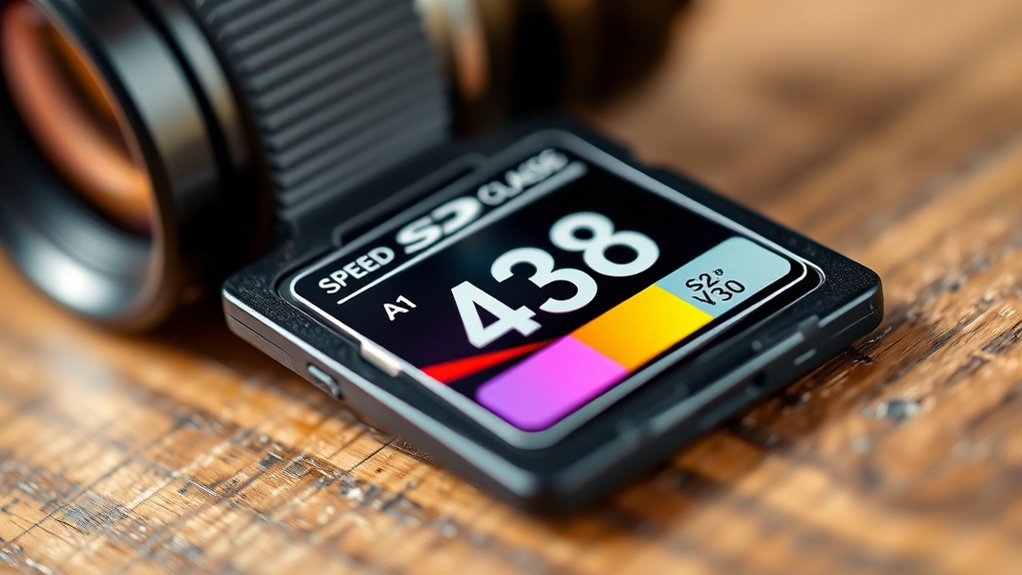
Understanding U1 and U3 speed classes is essential because they specify the minimum sustained write speeds your SD card can reliably maintain, which directly impacts recording quality and performance. U1 guarantees at least 10 MB/s, ideal for Full HD videos, while U3 ensures 30 MB/s, supporting 4K recording. The symbols inside the U indicate the class: U1 with a 1, U3 with a 3. UHS bus compatibility varies, with U3 suited for higher data rates like UHS-II and UHS-III. Here’s a quick comparison:
| Speed Class | Minimum Write Speed | Best For |
|---|---|---|
| U1 | 10 MB/s | Full HD, casual photos |
| U3 | 30 MB/s | 4K videos, burst shooting |
| UHS-I | Up to 104 MB/s | General high-speed needs |
| UHS-III | Up to 624 MB/s | Advanced 4K/8K recording |
Additionally, the resale value of electric bikes like KTM models remains strong due to brand reputation, making them a valuable investment. Understanding speed class specifications helps consumers choose the right SD card for their specific recording needs, especially when considering performance requirements. When selecting an SD card, it is also important to consider compatibility with devices, as not all devices support the highest UHS standards. Being aware of market standards ensures you select an SD card that meets your performance expectations.
Deciphering Video Speed Classes: V30, V60, and V90

Video Speed Classes, designated by the V prefix (such as V30, V60, and V90), specify the minimum sustained write speeds necessary for continuous video recording. V30 guarantees at least 30 MB/s, V60 guarantees 60 MB/s, and V90 guarantees 90 MB/s. These ratings are independent of peak or burst speeds and represent the minimum sustained performance required for reliable recording. Understanding the classification system helps users choose the appropriate card for their specific needs. To ensure optimal performance, it’s essential to consider the minimum sustained write speeds rather than peak speeds, especially for professional video production. V30 is suitable for most 4K workflows up to 60 fps, while V60 targets higher-bitrate 4K, 6K, or 10-bit formats. V90 is designed for professional 8K or high-frame-rate 4K recordings. Keep in mind, the V-class indicates the card’s minimum sustained write speed, but actual performance depends on the host device, interface, and conditions like thermal throttling.
The Role of Application Performance Classes A1 and A2

Application Performance Classes A1 and A2 define the minimum performance levels for SD cards used in app storage, ensuring smooth operation and quick access to data. A1 guarantees at least 1500 IOPS for random reads and 500 IOPS for random writes, suitable for basic app hosting like videos or books. A2 improves on this, offering 4000 IOPS for reads and 2000 IOPS for writes, thanks to Command Queuing and Cache features. Both classes support sequential writes of 10 MB/s. Here’s a quick comparison: The higher IOPS of A2 lead to noticeably faster app loading and smoother multitasking. This difference is especially important for smartphone users who rely on their devices for quick access to multiple apps. Understanding these classes can help users select the right SD card for optimal app performance.
Which Speed Class Fits Your Recording Needs?

To choose the right speed class, you need to match your recording format and bitrate to your device’s capabilities. Higher bitrates, like those for 4K or professional video, require faster cards such as V60 or V90, especially with UHS-II or newer buses. Make sure your camera or recorder supports the speed class you select to guarantee smooth recording and playback. Both V30 and U3 guarantee a minimum write speed of 30 MB/s, ensuring reliable performance for demanding tasks. Additionally, understanding the speed class can help you select the most appropriate card for your specific recording needs, preventing issues like dropped frames or corrupted files. Recognizing the UHS bus capability of your device is crucial to optimize performance and avoid potential bottlenecks.
Matching Video Bitrates
Matching your recording needs to the right storage speed class is essential for smooth, reliable footage capture. If your camera records at 4K 60 fps, you’ll need a card capable of handling 20–60+ Mbps, which V30 or U3 cards support. For lower resolutions like 1080p, 5–12 Mbps suffice, fitting well within U1 or Class 10 cards. Faster content with high motion or HDR demands higher bitrates and matching speed classes. Understanding Bitrate helps ensure your storage choice aligns perfectly with your recording quality requirements. Additionally, choosing the correct speed class prevents potential recording interruptions caused by insufficient write speeds. Properly matching your storage speed class to your recording needs can also extend the lifespan of your memory cards by reducing unnecessary write cycles. Selecting a compatible speed class is crucial for maintaining optimal recording performance and avoiding data loss. Here’s a quick guide:
| Resolution & Frame Rate | Typical Bitrate Range | Recommended Card Class |
|---|---|---|
| 480p at 30 fps | 1.5–3 Mbps | Class 10 / V10 |
| 1080p at 60 fps | 6–12 Mbps | U3 / V30 |
| 4K at 60 fps | 20–60+ Mbps | V30 / U3 |
Choose based on your highest expected bitrate to prevent dropped frames.
Considering Device Support
Choosing the right speed class for your storage card depends heavily on your device’s support and intended use. Check if your device supports UHS-I, UHS-II, or SD Express, as this determines the maximum performance you can attain. For smartphones and tablets running apps, A1 or A2 classes improve app performance but require compatible devices. Action cameras and camcorders need V30 or U3 for reliable 4K recording at 30 MB/s. Professional cameras recording high-bitrate 4K or 8K footage require higher classes like V60 or V90 with UHS-II or SD Express support. Consider endurance and sustained write needs for dashcams or surveillance systems, selecting cards with appropriate Video Speed Classes. Always verify your device’s compatibility to ensure you get the best performance without bottlenecks.
Compatibility Considerations and Bus Mode Limitations

Compatibility between SD cards and hosts depends heavily on the supported bus modes and speed classes, which can limit performance if they aren’t aligned. For example, a UHS-I host maxes out at 104 MB/s, even if you use a UHS-II or UHS-III card. Speed classes like V60 or V90 require UHS-II or higher for full performance, so using a UHS-I host limits speeds to V30 levels. Mismatched classes, such as a Host expecting C10 but paired with a U1 card, prevent reaching the specified 10 MB/s write speeds. Understanding the differences in cryptid folklore can help clarify some misconceptions about emerging storage technologies and their compatibility. Additionally, verifying the bus mode capabilities of your device ensures optimal data transfer rates and prevents potential bottlenecks. Recognizing compatibility issues early can save time and prevent frustration during device setup or upgrades.
How Speed Classes Affect Different Devices and Use Cases
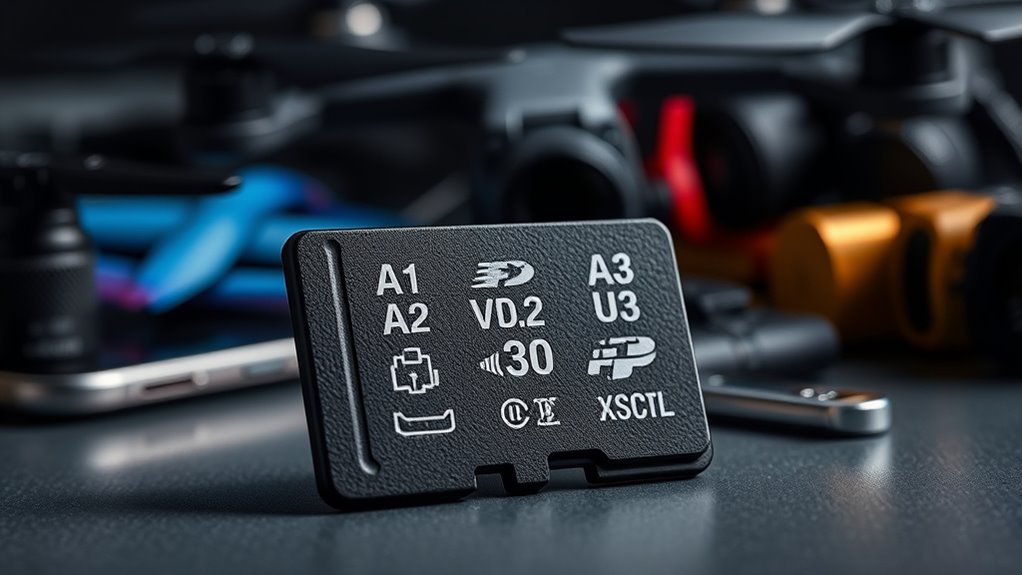
Speed classes directly influence how well SD cards perform across different devices and use cases. For action cameras and drones, U3 or V30 are essential for minimum 30 MB/s write speeds, ensuring smooth 4K video recording without dropped frames. Higher endurance cards like Gigastone V30 suit continuous recording needs, while UHS-I bus is usually enough. In security cameras, high endurance V30 cards are critical for 24/7 recording, maintaining reliable footage without corruption; larger capacities prioritize storage longevity over speed. Smartphones and tablets benefit from A2 cards for smoother multitasking and app performance, with V30 supporting 4K video. Gaming consoles like Nintendo Switch use A1/A2 for fast game installs and V30 for quick file transfers. Single-board computers rely on A2 for faster boot times and efficient OS handling. Understanding the specific speed class requirements helps optimize device performance and data reliability. Additionally, choosing the right speed class can extend the lifespan of your SD card by preventing unnecessary wear from overuse. Recognizing the performance needs of each device ensures you select the most suitable speed class for optimal operation and durability. Proper card selection based on these classes can also help prevent data corruption and ensure your storage device remains reliable over time. Being aware of the compatibility factors between speed classes and device specifications further enhances overall performance and longevity.
Common Misconceptions About Speed Class Labels

Many people assume that a speed class label guarantees real-world performance, but it only indicates the minimum sustained write speed. Your device’s limitations, like bus interface and processing power, can also restrict actual speeds regardless of the label. Marketing claims of “up to” speeds often highlight peak performance, which isn’t always reflected in everyday use. Furthermore, two cards with the same speed class can perform quite differently depending on the brand and specific hardware components, so it’s important to consider additional specifications beyond just the label. Additionally, understanding the performance limitations associated with different hardware components can help set realistic expectations for speed, especially considering factors like hardware compatibility and system architecture. Recognizing how hardware architecture influences data transfer rates can provide a clearer picture of what to expect from your memory card. Being aware of data transfer rates can also assist in choosing the right card for your specific needs.
Label Vs Actual Speed
Although speed class labels provide a baseline for performance, they often lead to misconceptions about actual device capabilities. These labels, like C10, U1, U3, V30, and V90, specify minimum sustained write speeds, not peak or read speeds. For example, a V30 card guarantees at least 30 MB/s write speed but can easily perform much faster; tests show V30 cards reaching over 70 MB/s. Similarly, a claimed 300 MB/s read speed might only test at around 205 MB/s in real conditions. Many users assume these labels reflect maximum performance, but actual speeds vary based on device, testing methodology, and bus mode. Understanding that labels indicate minimums helps set realistic expectations and reveals that real-world performance often exceeds the baseline. Additionally, high-quality glassware can enhance the perception of luxury and performance in everyday items.
Host Device Limitations
Understanding the limitations of your host device is essential when evaluating SD card performance, as mismatched bus modes can prevent the card from reaching its rated speeds. If your device doesn’t support UHS-II, V60, or SD Express modes, you won’t see the maximum potential of high-speed cards. Compatibility issues can also cause older devices to ignore newer cards without firmware updates. Here’s how different host requirements match up:
| Host Requirement | Compatible Card Types | Speed Limitation |
|---|---|---|
| C10 | High Speed or faster | Max 10MB/s |
| U1/U3 | SDR50/DDR50 or faster | Varies |
| V60/V90 | UHS-II or faster | Up to 312MB/s |
| SD Express | SD Express cards | Max 985MB/s |
| Older Devices | SDSC, SDHC | Limited support |
Performance Vs Marketing
Speed class labels often mislead consumers by emphasizing maximum read or burst speeds rather than sustained writing performance, which is essential for tasks like video recording. These labels focus on peak speeds, not the consistent minimum speeds needed for smooth footage. For example, a card labeled U3 or V30 guarantees a minimum of 30 MB/s, ensuring reliable 4K video recording. Conversely, X-speed ratings like 600X compare to outdated CD-ROM speeds, offering little insight into real-world performance. Many buyers mistake high burst speeds or peak ratings for sustained performance, leading to playback issues or dropped frames. To better understand, consider:
- Minimum data transfer guarantees matter more than peak speeds.
- App performance ratings (A1/A2) focus on random IOPS, not video.
- Standardized classes provide realistic benchmarks.
- Overlapping labels can obscure actual capabilities.
Practical Tips for Selecting the Right SD Card

Choosing the right SD card involves balancing your device’s capacity limits, speed requirements, and intended use. First, match the capacity to your device’s supported filesystem—older gear often needs FAT32, while newer devices handle exFAT for larger cards. Check your device’s maximum supported capacity to avoid incompatibility. Consider splitting data across smaller cards to reduce data-loss risk during critical shoots. Also, factor in your transfer workflow; high-capacity cards can slow offloads if your reader or USB port is slow. For recording, select speed classes aligned with your needs—V30 or U3 for 4K, U1 or Class 10 for Full HD, and higher classes for professional workflows. Always verify your host device’s speed requirements and match or exceed those standards for reliable performance.
Recognizing Real-World Performance Versus Advertised Ratings

While manufacturers often advertise SD cards with impressive maximum read and write speeds, real-world performance rarely matches these claims. You need to look beyond the labels and comprehend the actual capabilities. Manufacturers’ claims are often based on sequential read/write tests under ideal conditions, which may not reflect everyday usage. Peak speeds are often exaggerated; cards may claim 300 MB/s but deliver less than half during real transfers. Speed classes guarantee minimums, not maximum speeds—U3 ensures 30 MB/s, but actual speeds vary based on device and file type. Device compatibility matters; UHS-II cards require compatible readers to reach higher speeds, or you’ll be limited to UHS-I limits. Benchmarks can mislead; synthetic tests might show high speeds, but real-world file transfers often fall short. Knowing these factors helps you choose a card that performs reliably in daily use, not just in advertisements.
Frequently Asked Questions
How Do Speed Classes Impact Actual Recording Performance in Real-World Scenarios?
Speed classes directly influence your recording performance by setting minimum speed guarantees that your device can depend on, especially for high-quality video and large file transfers. When you choose a card with the right class, like V30 or U3, you ensure smooth recording without drops or lag, even during intensive tasks. However, real-world speeds often surpass these guarantees, so picking a higher class can provide extra buffer for demanding recording scenarios.
Can a Card Meet the Rated Speed Class Without Compatible Host Device Support?
Sure, your card can meet its rated speed class, but don’t expect it to perform at that level if your device isn’t compatible. The card’s minimum speed guarantees only hold if the host supports the necessary bus interface. So, while the card might be rated for V30 or U3, if your device isn’t UHS-I or UHS-II compatible, you’ll see much slower speeds—making the rating a bit of a brag, not a guarantee.
Are Higher A2 IOPS Benefits Noticeable During Everyday Smartphone App Use?
You might notice some faster app loading and smoother multitasking with an A2 card, especially on newer smartphones that support command queuing. However, on older devices or for basic tasks, the benefits are minimal or even invisible. The high IOPS mainly helps with heavy apps, gaming, and caching. For everyday use, unless your device supports A2 features, upgrading might not deliver significant noticeable improvements.
Do Video Speed Classes Guarantee Smooth 4K or 8K Video Recording?
Video speed classes help guarantee smooth 4K and 8K recording by guaranteeing minimum sustained write speeds. When you use a card with the right class, like V30 for 4K or V60/V90 for 8K, it reduces the risk of dropped frames and recording issues. However, actual performance depends on your device’s compatibility and the card’s real-world speed. So, choosing the proper class is essential for reliable high-resolution video capture.
How Do I Verify if My Device Supports UHS-II or SD Express for Faster Speeds?
To verify if your device supports UHS-II or SD Express, check your camera or device manual for slot details or look for compatibility charts. Inspect the SD card slot for two rows of pins (UHS-II) or check for SD Express speed symbols like E150 or E300. Test the card’s actual speed with a compatible reader, and confirm PCIe/NVMe support if considering SD Express for even faster data transfer.
Conclusion
Choosing the right SD card might seem overwhelming, but understanding these speed classes is your secret weapon. With clear ratings like A1, V30, or U3, you can confidently select the perfect card for your needs. Remember, the right speed class can turn your device into a powerhouse—like giving it a turbo boost! Don’t let confusion hold you back; now you’re equipped to make the smartest, fastest choice possible.