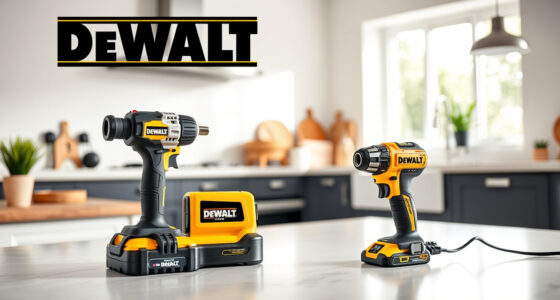
Maintaining your DEWALT ATOMIC Drill is essential for ensuring it works efficiently and lasts longer. Proper cleaning removes dirt, dust, and debris that can impair its performance. In this guide, you’ll find clear, practical steps to safely clean your drill, along with helpful tips to keep it in top shape.

Get business pricing on garage and car supplies
- Business-only prices and quantity discounts
- Tax-exempt purchasing
- Multiple users, one account, clear invoices
Always prioritize safety and use the correct tools and cleaning methods tailored to your model, the DEWALT 20V MAX Cordless Drill Driver Set (ASIN B0C3TGRLLM).
Key Takeaways
| Regular Cleaning Improves Performance | Keeps the drill running smoothly by removing dust and debris. |
| Use Appropriate Cleaning Tools | Soft brushes and compressed air are recommended. |
| Avoid Water Exposure | Keep the drill dry to prevent damage to electronic components. |
| Check for Wear and Damage | Inspect for cracked parts or worn brushes during cleaning. |
| Maintain Battery Contacts | Clean battery contacts with a dry cloth for optimal charge transfer. |
Gather Your Cleaning Supplies
- Soft-bristled brush or toothbrush
- Compressed air canister
- Lint-free cloth or microfiber towel
- Isopropyl alcohol (if needed for contacts)
- Small screwdriver (if disassembly is required)
Power Down and Remove Battery
Before cleaning, turn off your drill and remove the battery pack to prevent accidental activation. For the DEWALT 20V MAX Cordless Drill, press the release button to detach the battery easily.
Clean Exterior and Vents
- Use the compressed air to blow out dust from vents, motor housing, and around the chuck. Hold the can upright to avoid propellant leaks.
- Wipe the exterior with a slightly damp, lint-free cloth to remove dirt and grime. Avoid using excess water near electronic parts.
Clean the Chuck and Moving Parts
Use the soft brush to remove debris from the chuck and around the gears. If debris is stubborn, lightly dampen the brush with isopropyl alcohol and scrub gently. Ensure all parts are dry before reassembling.
Inspect and Maintain Battery Contacts
Wipe the contacts on the battery and drill with a dry cloth. If contacts appear corroded, lightly clean with isopropyl alcohol and a cotton swab. Reinsert the battery when dry.
The Products in This Guide

DEWALT 20V MAX Cordless Drill Driver Set
- ✔ Battery Type: 20V MAX Lithium-Ion
- ✔ Chuck Size: 1/2 inch
- ✔ Weight: Lightweight

DEWALT Drill Bit Set
- ✔ Size Range: Various sizes
- ✔ Tip Design: Split Point
- ✔ Coating: Rust-resistant
DEWALT 20V MAX Cordless Drill Driver Set
Keeping your DEWALT 20V MAX Cordless Drill Driver set clean ensures optimal performance and longevity. Regular cleaning prevents dust buildup that can hinder operation.
Pros:
- Easy to perform with common tools
- Prevents overheating and wear
- Maintains battery efficiency
- Cost-effective maintenance
Cons:
- Requires disassembly for deep cleaning
- Avoid water exposure to electronic parts
- Over-cleaning can damage components
Best for: DIY enthusiasts and professionals seeking long-term tool reliability
Not ideal for: For complete disassembly or internal repairs, consult a professional
Bottom line: Regular cleaning extends your drill’s life and keeps it performing at its best.
DEWALT Drill Bit Set
Pair your cleaned drill with this DEWALT Drill Bit Set for efficient drilling into various materials. The 14-piece set features durable high-speed steel bits with a 135-degree split point.
Pros:
- Durable high-speed steel
- Includes multiple sizes
- Reduces walking with split point tip
- Corrosion-resistant coating
Cons:
- Requires proper storage
- Not suitable for heavy-duty industrial use
- Limited to specific bit sizes
Best for: Home improvement projects and light to medium tasks
Not ideal for: Heavy industrial or very tough materials
Bottom line: A versatile drill bit set that complements your DEWALT drill for diverse projects.
Frequently Asked Questions
Can I use water to clean my DEWALT drill?
No, avoid using water directly on your drill, especially near electronic components. Use compressed air and a damp cloth instead.
How often should I clean my drill?
Clean your drill after every few uses or when you notice dust buildup, especially if used in dusty environments.
Is it safe to disassemble my DEWALT drill for cleaning?
Disassembly is generally not recommended unless you are experienced. Focus on external cleaning and routine maintenance.
What should I do if my drill’s chuck is not tightening properly?
Clean the chuck thoroughly with compressed air and a brush. If issues persist, inspect for wear or damage and consider professional repair.
Keep Your DEWALT ATOMIC Drill in Peak Condition
Regular cleaning and inspection of your DEWALT drill help ensure it remains reliable and efficient for all your tasks. Using the right tools and techniques preserves the integrity of its components and extends its lifespan. Make cleaning part of your routine maintenance for long-term performance.
Affiliate disclosure: As an Amazon Associate we earn from qualifying purchases. Prices and availability are accurate as of the time of publishing.
Fall Picks
fall essentials
As an affiliate, we earn on qualifying purchases.