To reduce useless clips in parking mode, start by adjusting your camera’s sensitivity settings, both for motion and impact detection, based on your environment. Position your camera carefully to avoid triggers from passing vehicles, shadows, or environmental movement. Use zone-based detection to focus on critical areas and disable detection zones where unnecessary. Regularly clean and calibrate your system, and combine multiple triggers for smarter alerts. For more effective tips, keep exploring how to fine-tune your setup.
Key Takeaways
- Adjust G-sensor and motion detection sensitivities to prevent triggers from minor impacts or environmental movements.
- Define and customize detection zones to focus on critical areas, reducing false clips from irrelevant motion.
- Position cameras carefully away from shadows, reflections, trees, or high-traffic zones to minimize environmental triggers.
- Enable zone-based detection and combine triggers like impact and motion to improve accuracy and reduce unnecessary recordings.
- Regularly calibrate sensors, clean camera lenses, and review footage to maintain optimal detection performance.
Understanding Common Causes of False Triggers in Parking Mode
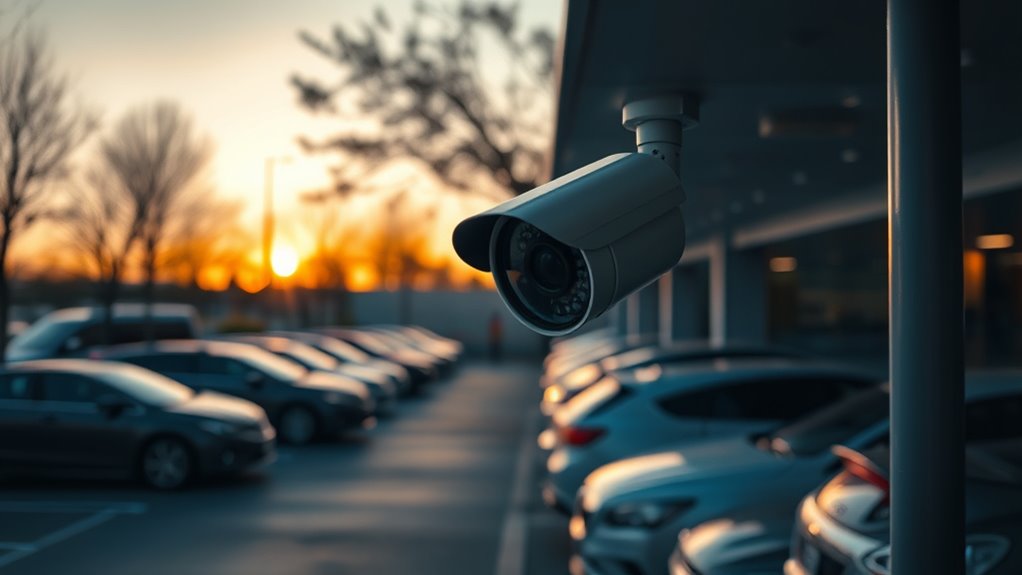
False triggers in parking mode often happen because of everyday activities and environmental factors that the camera misinterprets as threats. For example, when you close the door after parking or exit the vehicle, the G-sensor activates immediately, creating locked impact events or recording without delay. Entering the car can also cause a second false trigger during each parking session. In busy areas, passing pedestrians repeatedly activate motion detection, leading to unnecessary recordings and increased power consumption. Environmental movements like animals, swaying trees, or shadows can trigger alerts without real danger. Minor impacts or vibrations from traffic might not activate the G-sensor properly or cause false positives. Limited detection zones and lack of AI differentiation further contribute, making it challenging to avoid unnecessary clips in parking mode. Wiring and firmware limitations also play a role in the timing and sensitivity of impact detection, which can influence false trigger occurrences. Additionally, sensor calibration issues can cause the camera to misinterpret minor vibrations or environmental changes as threats, increasing false positives. Improving sensor sensitivity settings can help mitigate some of these issues, leading to more accurate detection and fewer false recordings. Using advanced motion detection algorithms can significantly reduce the number of false triggers caused by environmental factors.
Adjusting Sensitivity Settings for Optimal Performance

To optimize your parking mode, you need to fine-tune G-sensor and motion detection sensitivities. Match sensor settings to your environment, adjusting them gradually and testing each change to find the right balance. Remember to take into account environmental factors like wind or traffic to prevent False triggers while maintaining event detection. Incorporating insights from thermal behavior can also help in understanding how different conditions affect sensor performance and False trigger rates. Additionally, ensuring proper air purifier maintenance around your vehicle can reduce airborne dust and pollutants that might influence sensor accuracy. Monitoring sensor calibration regularly can further improve detection precision and reduce False alarms.
G-sensor Sensitivity Tuning
Adjusting the G-sensor sensitivity settings is crucial for balancing accurate impact detection with minimizing false triggers. Many dashcams offer presets like Low, Medium, High, or Off, which relate to specific G-force thresholds. Higher sensitivity (or lower G thresholds) makes the camera more responsive but increases false positives from road vibrations, wind, or minor bumps. Conversely, lower sensitivity (or higher G thresholds) reduces false triggers but may miss small impacts during parking. To find the right balance, start at the default Medium setting and test in your typical environment. Make incremental adjustments, then review the clips over several days. Combining sensitivity tuning with proper mounting—like using vibration-dampening mounts—further helps reduce useless clips and guarantees reliable impact detection. Understanding the G sensor’s operation can help you better interpret its triggers and optimize your settings for the best performance. Additionally, being aware of sensor calibration ensures your dashcam remains accurate over time and adapts to different conditions. Recognizing impact threshold variations can also assist in customizing the sensitivity to your specific driving environment. Regularly inspecting your vehicle’s suspension and ensuring your parking environment is free from excessive vibrations can also contribute to more accurate recordings.
Motion Detection Balance
Balancing motion detection sensitivity is key to capturing relevant events while minimizing unnecessary clips. You should lower sensitivity when small changes like shadows, rain, or foliage cause False triggers, and raise it enough to detect genuine activity around your vehicle. Adjust the threshold to filter out tiny, transient motions, especially at longer ranges, to avoid irrelevant clips. Test different sensitivity and threshold settings, recording False-trigger rates to find the prudent balance. Keep in mind that ambient lighting variations, such as day versus night, can influence detection accuracy, so recalibrate accordingly. Also, verify if your firmware supports per-zone sensitivity adjustments, as this allows more precise control over detection areas. Regular testing ensures your settings effectively distinguish between real events and False alarms. Additionally, understanding the field‑of‑view and imaging‑scale can help optimize camera placement and detection zones for better accuracy. Incorporating detection zone customization can further refine sensitivity and reduce False positives by focusing detection areas on critical regions. Finally, reviewing detection algorithms in your system can help you understand how motion is analyzed, aiding in more effective adjustments.
Environmental Adjustment Tips
Optimizing your dash cam’s sensitivity settings involves considering environmental factors that can influence detection accuracy. Proper positioning helps capture relevant activity while minimizing false triggers caused by wind, shadows, or moving leaves. Test your settings in the actual parking environment to find the right balance; too high sensitivity may record minor disturbances, while too low could miss important events. Adjust impact sensitivity through the app by connecting via Wi-Fi or Bluetooth and selecting Record Settings. For parking mode, calibrate the G-sensor to detect bumps without false alarms—setting it around 8 is recommended. Fine-tune motion detection separately for front, rear, and interior cameras to avoid triggers from insignificant movements. Environmental factors such as lighting conditions and weather can significantly affect detection accuracy, and sensor calibration techniques can further enhance your ability to reduce false triggers effectively. Regularly updating your dash cam’s firmware can also improve detection technology performance, ensuring more reliable recordings. Incorporating smart detection algorithms can help differentiate between genuine events and false alarms, further refining your sensitivity calibration. Being aware of sensor calibration techniques can further enhance your ability to reduce false triggers effectively. Additionally, understanding how ambient lighting impacts sensor sensitivity can help you make better adjustments for varied parking environments.
Selecting the Right Parking Location to Minimize Unnecessary Activations

Choosing the right parking spot can considerably reduce false triggers. Opt for quiet areas with minimal traffic and activity to keep your camera from unnecessary recordings. Avoid obstructed views and busy spots to guarantee your system only activates when it truly matters. Proper placement can also help prevent false alarms caused by passing pedestrians or environmental factors. Additionally, understanding the security camera settings can further fine-tune your system for optimal performance. Being aware of environmental interference can help you select locations less prone to false activations caused by weather or lighting conditions. Regularly inspecting your setup and being mindful of auditory processing challenges in your environment can further reduce unnecessary recordings.
Opt for Quiet Areas
Selecting a quiet parking area can substantially reduce false triggers in your parking mode camera. Residential neighborhoods and low-traffic streets typically see fewer passing vehicles, pedestrians, and late-night activity, which minimizes motion-based clips caused by external traffic. Off-street parking lots limit passing cars and pedestrian crossings, reducing the chances of accidental triggers. Parking under natural sound barriers like trees or shrubs helps block wind, distant traffic, and movement, lowering false alarms from debris or vibrations. These areas also tend to have stable lighting, avoiding flicker and headlight glare that can confuse motion detection. Choosing locations with less ambient activity and natural barriers helps reduce unnecessary clips, ensuring your camera focuses on genuine events while avoiding frequent false triggers. Additionally, selecting areas with consistent, moderate lighting can prevent false activations caused by flickering or sudden light changes. Incorporating soundproofing techniques around your parking spot can further diminish external noises that may activate the camera unnecessarily.
Avoid Obstructed Views
Parking in an area with a clear line of sight can considerably reduce False triggers caused by surrounding foliage. Leaves, branches, and tall grass move constantly, especially in windy conditions, causing repeated motion detections. Seasonal changes like falling leaves or new growth can introduce new motion sources over time. Nighttime lighting on nearby vegetation creates moving shadows that trigger unnecessary clips. Choosing a spot with a clean foreground, such as pavement or a curb, minimizes background motion complexity and False alarms. Avoid parking where pedestrian walkways pass directly in front of the camera, as foot traffic causes frequent triggers. Also, steer clear of reflective surfaces, like glass or shiny metal, which can produce moving highlights and confuse motion detection algorithms.
Choose Low-Traffic Spots
To minimize false triggers, it is vital to favor parking spots with low vehicle traffic. Choosing quieter areas reduces passing cars that activate motion or radar sensors unnecessarily. Look for spots away from drive aisles, entrances, and exit lanes—imagine the calm of a secluded lot rather than a busy thoroughfare. Avoid end-of-row or curbside spaces where cars frequently squeeze past, causing false alarms. Instead, select areas in lots with one-way circulation or long-term parking, like office complexes after hours, where transient vehicles are rare. Parking near reserved zones or on quieter side streets further cuts down on moving objects. Visualize parking near fixed structures or in covered spots—these barriers help block environmental movements that trigger false recordings, keeping your camera’s clips relevant. Environmental factors like wind, rain, or shadows can also influence false triggers and should be considered when choosing a parking location. Incorporating proper installation techniques can further reduce the chances of false recordings by ensuring sensors are positioned correctly and are less sensitive to environmental disturbances. Connecting to external sensors and system arming status also ensures the dash cam activates only when genuine threats are present, further reducing unnecessary recordings. Additionally, selecting locations with minimal ambient movement can significantly decrease false alarms caused by subtle environmental changes. Adjusting sensor sensitivity settings of your dash cam can help tailor its responsiveness to environmental conditions, further reducing false triggers. Furthermore, understanding and configuring sensor calibration can enhance detection accuracy and minimize false alarms.
Leveraging Advanced Features to Differentiate Threats From Environmental Movements
Advanced features like sensitivity adjustment, detection mode selection, and environmental customization help you effectively distinguish real threats from benign movements. By fine-tuning G-sensor sensitivity, you can capture impacts without False alarms from minor vibrations, like passing traffic or wind. Adjusting motion detection sensitivity on front, rear, and interior cameras helps ignore small movements from shadows, animals, or leaves. Choosing collision detection during low-traffic times reduces False triggers from shadows or small objects. Environmental customization allows you to adapt settings based on your parking environment—using motion detection in busy areas and impact detection in quiet lots. Regularly reviewing footage and modifying these features ensures that your system accurately flags genuine threats while minimizing useless clips, saving storage and reducing frustration.
Implementing Zone-Based Detection to Focus on Critical Areas

Implementing zone-based detection allows you to concentrate your system’s monitoring on specific areas within the camera’s view, reducing false alarms caused by irrelevant motion. You can set up zones via the dashcam app or menu, focusing on critical spots like the road ahead or vehicle surroundings. Imagine: 1. A front zone that ignores distant scenery, only alerting for close objects. 2. A rear zone targeting immediate vehicle surroundings, filtering out far background movement. 3. Interior zones monitoring the cabin for intrusions without false triggers from outside motion. Adjust sensitivity settings per zone, making high sensitivity for impact-prone areas and lower sensitivity for peripheral zones. This precise control helps you focus on genuine threats, minimizing useless clips and false triggers during parking. Zone-based detection enhances accuracy by allowing tailored monitoring, which is especially useful in busy parking lots or complex environments.
Combining Multiple Triggers for Smarter Monitoring
Combining multiple triggers creates a smarter parking monitoring system by leveraging the strengths of different sensors and detection methods. You can integrate motion detection with G-sensors, guaranteeing your system captures impacts and movement without excessive False alarms. Adjust the sensitivity of each sensor to match your environment—lower G-sensor sensitivity reduces False triggers from minor vibrations, while higher motion sensitivity detects door dings or pedestrians. Event-based triggers, like impact detection, activate cameras only during confirmed incidents, saving storage and reducing irrelevant clips. Auto event detection can turn on all cameras for thorough coverage when movement is verified. Additionally, GPS disable paired with sensors helps focus on physical triggers, further enhancing accuracy. This multi-layered approach ensures you get relevant footage without unnecessary clips, optimizing your parking mode.
Regular Maintenance and Calibration of Your Camera System
Maintaining your camera system’s optical components and physical setup is key to ensuring reliable parking mode performance. Regular cleaning prevents dirt, water spots, and insect webs from causing false triggers. Use microfiber cloths, lens cleaner, and compressed air to avoid scratches and debris buildup. Regularly checking your camera placement and mounting hardware also ensures optimal coverage and reduces false alarms caused by shifted angles or loose fittings. Proper camera alignment is essential for accurate motion detection and minimizing false alerts. Additionally, inspecting your camera’s sensor calibration helps maintain detection accuracy over time. 1. Clean lenses, housings, and IR windows weekly or monthly, logging each session to track recurring issues. 2. Check camera alignment and mounting hardware monthly or after storms to prevent shifts that cause false motion detection. 3. Inspect power supplies, cables, and connectors quarterly, ensuring stable power and secure connections to avoid signal noise and intermittent faults.
Practical Tips for Reducing False Alerts in Different Environments
Adapting your parking mode settings to suit different environments is essential for minimizing false alerts. Adjust sensitivity levels based on surroundings: lower G-sensor and motion detection in high-vibration or leafy areas, and increase sensitivity in low-risk zones to catch minor events. Use environment-specific modes—collision detection in quiet lots, motion detection on busy streets, or low bitrate in risky zones. Customize detection zones to exclude passing cars or distant movements, refining coverage through the app. Timing adjustments, like a 90-second delay or a 3-minute ignore window, prevent false triggers from exit movements or initial notifications.
| Environment | Recommended Setting |
|---|---|
| Dark parking lots | Collision detection only |
| Busy streets | Motion detection |
| Rural areas | G-sensor with zone customization |
| High-vibration areas | Lower sensitivity, time-lapse mode |
Monitoring and Reviewing Footage Effectively to Identify Valid Events

Effective monitoring and review of footage can substantially improve your ability to distinguish valid events from false alerts. Narrow your review to specific date and time frames using accurate timestamps, focusing on incident periods identified by external markers like cut locks or reports. Prioritize overnight hours when unreported events occur. Use timestamps to verify footage for legal purposes and limit your search to relevant hours, avoiding full-day reviews. Proper timestamping supports legal processes and investigation accuracy. To identify suspicious activity: 1. Spot individuals loitering longer than necessary. 2. Detect attempts to hide identity with excessive clothing or sunglasses at night. 3. Note avoidance behaviors like dodging cameras or avoiding eye contact. Preserve key footage promptly, label exports clearly, and verify timestamp accuracy to ensure authenticity and effective incident resolution.
Frequently Asked Questions
How Can I Prevent My Parking Mode From Triggering During Busy Hours?
To prevent your parking mode from triggering during busy hours, you should lower the sensitivity setting on your dash cam, especially in crowded areas. Use the AI-powered motion detection to differentiate real threats from environmental movements. Additionally, fine-tune the motion detection area to exclude high-traffic zones, and consider switching to impact detection mode during busy times. Parking in less crowded spots also helps reduce false triggers.
What Are the Best G-Sensor Settings to Avoid False Impacts?
Think of your G-sensor as a finely tuned alarm clock, not a fire siren. You should set your parking G-sensor to Low or Medium on busy streets to avoid false triggers from door slams and vibrations. Use stepwise adjustments, test for 24–72 hours, and consider custom numeric G-values if available. This way, you’ll catch real impacts without being overwhelmed by everyday noise, keeping your clips meaningful and clutter-free.
How Does Environmental Noise Affect False Trigger Frequency?
Environmental noise increases false triggers by creating unpredictable disturbances that the sensor interprets as motion. You might notice more false alerts during windy days, heavy rain, or when insects swarm near the camera. To minimize this, make certain your sensors are well-protected from wind and debris, keep lenses clean, and adjust sensitivity settings. Reducing environmental noise helps your device focus on genuine events, decreasing unnecessary clips and improving overall reliability.
Can AI Features Automatically Reduce False Alerts in Parking Mode?
Yes, AI features can automatically reduce false alerts in parking mode. You benefit from advanced object classification that distinguishes between relevant and irrelevant objects, scene-aware models that ignore background activity, and behavior analytics that filter out harmless motion like shadows or leaves. Edge intelligence pre-filters clips before upload, and adaptive sensitivity settings help fine-tune detection. Combined, these AI tools markedly lower false alarms, making parking surveillance more reliable and reducing unnecessary clips.
What Should I Do if My Camera Keeps Recording Unnecessary Clips?
If your camera keeps recording unnecessary clips like a garden hose spilling water, start by lowering the G-sensor sensitivity gradually until false triggers diminish. Disable or restrict motion detection zones, and enable any entry/exit delay features to prevent door or impact-based recordings. Regularly update firmware, check your power setup, and reposition the camera to avoid background distractions. Testing after each change helps you find the right balance and reduce useless clips.
Conclusion
By tuning your parking mode settings and understanding its triggers, you control the watchful eye over your vehicle. Think of your camera as a loyal guardian, whose awareness can be sharpened or dulled. When you minimize false triggers, you free it from unnecessary distractions, allowing it to focus on genuine threats. With careful adjustments, you’re not just reducing clips—you’re forging a vigilant protector, always ready to defend what’s yours.