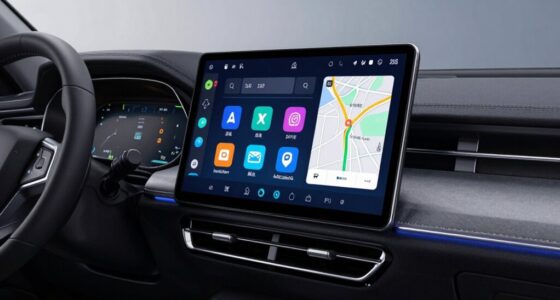
The best vehicle event data recorders depend on what you need to capture: for engineering-grade vehicle signals, my best overall pick is the CANedge3 CAN/LIN Data Logger, while the Garmin eLog is a stronger fit for drivers who need compliant hours-of-service records. For incident video and remote access, connected options such as the FOCUWAY L7 stand out for combining front and cabin coverage with LTE features. The main tradeoff is between detailed vehicle data, compliance records, and video evidence—these products do not all record the same kind of event. I also weigh compatibility, cellular or subscription requirements, installation, and how useful recorded information will be after an incident. Read on for the full comparison and guidance on which type best matches your vehicle and use case.

Get business pricing on garage and car supplies
- Business-only prices and quantity discounts
- Tax-exempt purchasing
- Multiple users, one account, clear invoices
Complete the kit


Key Takeaways
- The CANedge3 is the most data-focused choice in this group, with CAN/LIN logging plus cellular connectivity and GNSS/IMU; it serves a different purpose from cameras and ELDs.
- ELDs solve a compliance problem, not a video-evidence problem: the Garmin eLog and My20 are aimed at commercial drivers who need hours-of-service records and compatible diagnostic connections.
- LTE dash cams prioritize remote viewing and video coverage. Multiple models offer front-and-cabin recording, so buyers should compare cellular service needs and parking features rather than assume LTE itself means complete incident documentation.
- Camera configurations define the evidence you can capture: the OEM-style 4K front and 1080P rear setup favors road coverage, while dual front-and-interior cameras are better suited to documenting the cabin.
- Compatibility and ongoing requirements separate close alternatives. Vehicle connector support, subscriptions, data plans, and installation can matter more than headline resolution or the number of cameras.
| 4G LTE Dash Cam Front and Inside, 2K Car Security Camera Remote Live View |  | Best for Connected Cabin Monitoring | Video resolution: 1440p front / 1080p interior | Field of view: 155° front / 180° interior | Frame rate: 15 fps | VIEW LATEST PRICE | See Our Full Breakdown |
| CANedge3 CAN/LIN Data Logger with Cellular, GNSS/IMU, and 8 GB SD Card |  | Best for Vehicle Diagnostics and Engineering | Data interfaces: 2x CAN/LIN; CAN FD | Storage: Extractable industrial SD card; title specifies 8 GB | Connectivity: 3G/4G cellular | VIEW LATEST PRICE | See Our Full Breakdown |
| My20 ELD Electronic Logging Device, Truck GPS Tracking, FMCSA Compliant, 9-pin J1939, 6-pin J1708, OBD-II Diagnostic Ports, Subscription Required |  | Best for FMCSA Fleet Logging | Diagnostic connections: 9-pin J1939; 6-pin J1708 and OBD-II adapters supported | Connectivity: Bluetooth | Supported devices: iPhone, iPad, Android phone, Android tablet | VIEW LATEST PRICE | See Our Full Breakdown |
| FOCUWAY L7 4G LTE Dash Cam, 2K Front and 1080P Interior |  | Best for App-Controlled Parking Monitoring | Video resolution: 2K front / 1080p interior | Field of view: 150° | Connectivity: 4G LTE; built-in SIM | VIEW LATEST PRICE | See Our Full Breakdown |
| OEM Style 4K Front + 1080P Rear Dash Cam |  | Best for High-Detail Road and Rear Footage | Video resolution: 4K front / 1080p rear HDR | Field of view: 150° | Frame rate: 30 fps | VIEW LATEST PRICE | See Our Full Breakdown |
| 4G LTE Dual Dash Cam with 2K Front and 1080p Interior Recording |  | Best for Fleet Cabin Monitoring | Video resolution: 2K front; 1080p interior | Field of view: 140 degrees | Connectivity: 4G LTE | VIEW LATEST PRICE | See Our Full Breakdown |
| DeerAsk 4G LTE Dual Dash Cam with Parking Mode |  | Best for OBD-Powered Parking Alerts | Model: PR02 | Camera configuration: Dual front and cabin | Video resolution: 2K front; 1080p video capture | VIEW LATEST PRICE | See Our Full Breakdown |
| Garmin eLog Compliant Electronic Logging Device (ELD) – No Subscription Fees, FMCSA Compliant, Supports 9‑pin J1939 and 6‑pin J1708 Diagnostic Ports |  | Best Subscription-Free ELD | Model number: 010-01876-00 | Logging function: Automatic Hours of Service recording | Diagnostic ports: 9-pin J1939 and 6-pin J1708 | VIEW LATEST PRICE | See Our Full Breakdown |
| Garmin DezlCam LMTHD |  | Best Trucking Navigator with Built-In Incident Video | Screen size: 6.1 inches | Display resolution: 800 × 480 | Display type: WVGA color TFT with white backlight | VIEW LATEST PRICE | See Our Full Breakdown |
| LAMTTO 4G LTE Dash Cam, 2K Front and 1080P Cabin Cameras |  | Best for Multi-Trigger Parking Surveillance | Front camera resolution: 2K | Cabin camera resolution: 1080p | Camera views: Front and cabin; no rear view | VIEW LATEST PRICE | See Our Full Breakdown |
| vehicle event data recorder | Connectivity | Video resolution | Field of view | Storage |
|---|---|---|---|---|
| 4G LTE Dash Cam Front and Insi | 4G LTE, Bluetooth | 1440p front / 1080p interior | 155° front / 180° interior | microSD up to 128 GB |
| CANedge3 CAN/LIN Data Logger w | 3G/4G cellular | — | — | Extractable industrial SD card; title specifies 8 GB |
| My20 ELD Electronic Logging De | Bluetooth | — | — | — |
| FOCUWAY L7 4G LTE Dash Cam | 4G LTE; built-in SIM | 2K front / 1080p interior | 150° | 32 GB memory card; cloud storage available with paid plan |
| OEM Style 4K Front + 1080P Rea | — | 4K front / 1080p rear HDR | 150° | — |
| 4G LTE Dual Dash Cam with 2K F | 4G LTE | 2K front; 1080p interior | 140 degrees | — |
| DeerAsk 4G LTE Dual Dash Cam w | 4G LTE with app control | 2K front; 1080p video capture | — | 32GB card included; supports 4–128GB microSD cards |
| Garmin eLog Compliant Electron | — | — | — | — |
| Garmin DezlCam LMTHD | Bluetooth | — | — | 1MB internal memory; microSD flash memory type |
| LAMTTO 4G LTE Dash Cam | — | — | 140° dual views | — |
More Details on Our Top Picks
4G LTE Dash Cam Front and Inside, 2K Car Security Camera Remote Live View
This model is the stronger fit when remote access to the cabin matters as much as recording the road. Its 2K front and 1080p interior cameras cover both views, while infrared night vision helps retain cabin footage in darkness. Built-in LTE adds live viewing, GPS tracking, two-way audio, and alerts without relying on nearby Wi-Fi; the OBD-II power cable also supports low-power parking monitoring. Compared with the FOCUWAY L7, it offers a wider stated view for both front and interior cameras, but the L7 includes a 32 GB card and has a documented U.S.-only limitation. This recorder’s main compromise is ongoing service: continued cloud and LTE features require a paid subscription after the trial. Buyers who only need locally stored driving footage may prefer a simpler recorder without cellular costs.
Pros:- Records the road in 2K and the cabin in 1080p at the same time.
- Built-in LTE enables remote live view, GPS tracking, and alerts without Wi-Fi.
- Infrared interior recording supports monitoring in darkness.
- OBD-II power and motion or impact alerts support parking surveillance.
Cons:- Continued LTE and cloud features require a paid subscription after the trial.
- The 15 fps frame rate is lower than the 30 fps specified for the OneStopGuard 4K Front + 1080P Rear Dash Cam.
- microSD capacity is limited to 128 GB.
Best for: Drivers who want to check on passengers or a parked vehicle remotely and need both road and interior footage.
Not ideal for: Drivers seeking a subscription-free, local-only event recorder, since continued LTE and cloud functions require a paid plan.
- Video resolution:1440p front / 1080p interior
- Field of view:155° front / 180° interior
- Frame rate:15 fps
- Connectivity:4G LTE, Bluetooth
- Storage:microSD up to 128 GB
- Power:OBD-II cable
- GPS and audio:Real-time location tracking; two-way audio
- Event and night features:Radar motion detection, G-sensor impact alert, infrared interior night vision
Our verdict“Choose it if remote cabin and parking access matter more than avoiding a recurring LTE subscription.”
CANedge3 CAN/LIN Data Logger with Cellular, GNSS/IMU, and 8 GB SD Card
Unlike camera-based picks such as the OneStopGuard 4K Front + 1080P Rear Dash Cam, the CANedge3 records vehicle-bus data rather than video. Its CAN, CAN FD, and LIN interfaces capture timestamped signals, while GNSS and a 3D IMU add position and motion context. That makes it a specialized choice for engineers, fleet technicians, and field-test teams investigating how a vehicle behaved—not a recorder for reviewing road scenes after a collision. Cellular transfer sends data to a configured server, and encryption and OTA updates suit ongoing telemetry work. The industrial SD card is extractable, but the listing’s storage details vary: the title specifies 8 GB, while the description mentions 8 GB or 32 GB. Setup also assumes access to vehicle data interfaces and a destination server, so this is far less plug-and-play than the My20 ELD.
Pros:- Logs CAN, CAN FD, and LIN data, including error frames, for technical analysis.
- GNSS and 3D IMU add location and motion context to recorded signals.
- Cellular transfer, encryption, and OTA updates support remote fleet and test workflows.
- Compact aluminium enclosure and extractable industrial SD card.
Cons:- It records vehicle data rather than road or cabin video.
- Cellular transfer depends on a 3G/4G connection and a configured destination server.
- Storage is inconsistently described as 8 GB or 32 GB.
Best for: Vehicle engineers, diagnostic specialists, and fleet teams who need timestamped CAN/LIN signals combined with location and motion data.
Not ideal for: Drivers who want video evidence, a simple consumer dash cam, or an event recorder that works without server configuration.
- Data interfaces:2x CAN/LIN; CAN FD
- Storage:Extractable industrial SD card; title specifies 8 GB
- Connectivity:3G/4G cellular
- Sensors:GNSS/GPS and 3D IMU
- Dimensions:8 x 5 x 2 cm
- Enclosure:Aluminium
- Power:CAN connector; configurable 5 V output on CH2
- Logging and security features:Filters, triggers, cyclic logging, silent mode, encryption, OTA updates
Our verdict“Pick the CANedge3 for engineering-grade vehicle signals and telemetry, not for visual incident footage.”
My20 ELD Electronic Logging Device, Truck GPS Tracking, FMCSA Compliant, 9-pin J1939, 6-pin J1708, OBD-II Diagnostic Ports, Subscription Required
The My20 ELD is a commercial compliance and fleet-recording tool, not a dash cam: it connects to a truck’s diagnostic port and pairs with a mobile app over Bluetooth. GPS tracking, DVIR, and IFTA reporting make it more relevant to owner-operators and small fleets managing required records than to drivers seeking footage of a collision. Compared with the CANedge3, the My20 emphasizes driver logs and compliance workflows rather than detailed CAN/LIN engineering data; unlike either camera-based option, it does not provide visual evidence. Its plug-in installation and support for 9-pin J1939, 6-pin J1708, and OBD-II adapters make it accessible across compatible trucks. The tradeoff is subscription dependence, and the listing says it is not certified for Canada. Buyers should verify that their vehicle and jurisdiction fit before choosing it.
Pros:- Plug-and-play connection for compatible 9-pin J1939 trucks, with 6-pin J1708 and OBD-II adapter support.
- Combines GPS tracking with DVIR and IFTA reporting.
- Bluetooth mobile-app integration supports iPhone, iPad, and Android devices.
- Lightweight hardware connects directly to the vehicle diagnostic port.
Cons:- A subscription is required for full functionality.
- Not certified for use in Canada, and may not meet other regional regulations.
- Does not capture video or provide the CANedge3’s engineering-focused signal logging.
Best for: U.S. truck owner-operators and small fleets needing FMCSA-oriented logging, GPS tracking, DVIR, and IFTA tools.
Not ideal for: Drivers outside the supported compliance region or anyone seeking video footage, subscription-free operation, or a general-purpose event camera.
- Diagnostic connections:9-pin J1939; 6-pin J1708 and OBD-II adapters supported
- Connectivity:Bluetooth
- Supported devices:iPhone, iPad, Android phone, Android tablet
- Functions:GPS tracking, DVIR, IFTA reporting
- Compliance scope:FMCSA-oriented; not certified for Canada
- Item weight:22.68 g
- Enclosure material:Plastic
- Service requirement:Subscription required
Our verdict“Choose the My20 if your priority is supported truck logging and fleet paperwork, not visual event evidence.”
FOCUWAY L7 4G LTE Dash Cam, 2K Front and 1080P Interior
The FOCUWAY L7 suits drivers who want app-based parking surveillance without a screen taking up space on the windshield. It records 2K forward and 1080p interior video, adds infrared night vision, and offers GPS, alerts, remote viewing, and two-way audio through the UBoxPro app. An included OBD cable and 32 GB card give buyers a useful starting setup, while the lens cover adds a straightforward privacy control. Compared with the 4G LTE Dash Cam Front and Inside, the L7 comes with more specified local storage but has a narrower stated field of view and is limited to U.S. use. Its built-in SIM is not user-replaceable, and LTE and cloud access require a paid plan after the trial. Buyers who prefer on-device controls or broader regional flexibility should look elsewhere.
Pros:- Records front and interior views at 2K and 1080p respectively.
- Infrared LEDs support interior recording in low light.
- Includes an OBD power cable and 32 GB memory card.
- Lens cover gives drivers a physical privacy option.
Cons:- LTE and cloud features require a paid plan after the free trial.
- No screen; app control is required.
- Built-in SIM is not user-replaceable and the product is designed for U.S. use only.
Best for: U.S. drivers who want a discreet, screenless camera with app-based remote viewing and parking alerts.
Not ideal for: Drivers who want a replaceable SIM, non-app controls, use outside the U.S., or ongoing cloud access without a paid plan.
- Video resolution:2K front / 1080p interior
- Field of view:150°
- Connectivity:4G LTE; built-in SIM
- Storage:32 GB memory card; cloud storage available with paid plan
- Power:Included OBD cable
- Night vision:Infrared LEDs
- Dimensions:2.2 x 4 x 2.3 inches
- Monitoring features:GPS, app notifications, remote live view, two-way audio, 24/7 parking mode
Our verdict“Choose the L7 for discreet, app-led parking monitoring in the U.S. if its fixed SIM and service plan suit your needs.”
OEM Style 4K Front + 1080P Rear Dash Cam
For buyers who want visual incident evidence without cellular dependence, the OneStopGuard stands apart from the LTE cabin cameras in this lineup. Its 4K front and 1080p rear recording run at 30 fps, while built-in GPS and a G-sensor can add location context and lock footage around an impact. The included 128 GB high-endurance card gives it more stated local storage than the FOCUWAY L7’s 32 GB card, and rear coverage is better suited to documenting traffic behind the vehicle than an interior-facing lens. The tradeoff is that it does not offer the LTE live view and two-way cabin communication found on the 4G models. Large 4K files can fill storage quickly, and parking monitoring may require more involved installation than a simple plug-in setup. Pick it for recorded road views, not remote surveillance.
Pros:- Records 4K video at the front and Full HD HDR video at the rear.
- 30 fps recording provides a higher frame rate than the 15 fps 4G LTE Dash Cam Front and Inside.
- Built-in GPS and G-sensor support location context and automatic event locking.
- Includes a 128 GB high-endurance microSD card and supports cards up to 512 GB.
Cons:- Large 4K files can fill the included card quickly.
- Installation may be challenging for buyers unfamiliar with wiring or windshield mounting.
- No LTE remote viewing or interior camera, unlike the FOCUWAY L7.
Best for: Drivers who prioritize detailed front footage, rear coverage, and locally stored event clips over live cellular monitoring.
Not ideal for: Drivers who need an interior camera, remote live viewing, or an installation that avoids wiring and mounting work.
- Video resolution:4K front / 1080p rear HDR
- Field of view:150°
- Frame rate:30 fps
- Storage included:128 GB high-endurance microSD
- Maximum supported storage:Up to 512 GB
- Event features:G-sensor auto lock, loop recording, parking monitoring
- GPS:Built-in
- Warranty:12 months
Our verdict“Choose this recorder for high-resolution front-and-rear event footage if you do not need cabin recording or cellular access.”
4G LTE Dual Dash Cam with 2K Front and 1080p Interior Recording
I’d choose this screen-free recorder for a driver or fleet manager who needs both road evidence and cabin footage, especially during night shifts. Its 2K front camera is paired with 1080p interior recording and infrared night vision, while GPS, app alerts, and two-way audio add remote oversight. The physical privacy button is a useful distinction from the LAMTTO 4G LTE Dash Cam: it lets occupants disable interior video and audio when recording inside is not appropriate. OBD-powered parking monitoring also keeps the camera active after the vehicle is parked, with emergency clips protected from overwrite. The tradeoff is ongoing connectivity cost: after the seven-day trial, remote and cloud services require a paid plan, and the internal SIM cannot be swapped. There’s no screen, and the included 32GB card is modest, with support capped at 64GB.
Pros:- Records 2K front and 1080p cabin footage, including infrared video in dark interiors.
- Built-in GPS provides real-time tracking and location history.
- Physical privacy button disables the interior camera and audio feeds.
- OBD-powered parking monitoring and overwrite-protected emergency clips help preserve incident evidence.
Cons:- Remote connectivity and cloud services require a paid plan after the seven-day trial.
- The internal SIM is not swappable, limiting carrier flexibility.
- No on-device screen, and storage support tops out at 64GB.
Best for: Taxi, bus, and commercial-vehicle operators who need night-capable cabin footage, remote location checks, and a physical way to disable interior recording.
Not ideal for: Drivers who want a screen for local control, avoid recurring cellular costs, or need more than 64GB of supported card storage.
- Video resolution:2K front; 1080p interior
- Field of view:140 degrees
- Connectivity:4G LTE
- App:UBox Pro
- GPS:Built-in
- Night vision:Infrared
- Parking power:24-hour monitoring via included OBD cable
- Included storage:32GB SD card; supports up to 64GB
Our verdict“Choose it for remote fleet oversight with a practical cabin privacy control, but skip it if subscription-free operation or a larger local archive matters more.”
DeerAsk 4G LTE Dual Dash Cam with Parking Mode
The DeerAsk PR02 is a focused choice for owners who want remote access while a vehicle is parked, not just incident recording on the road. It pairs 2K front video with cabin footage and 940 nm infrared night vision, then adds motion and human detection through an OBD-II-powered parking mode. Low-voltage protection helps reduce the chance of draining the vehicle battery during monitoring. Like the LAMTTO 4G LTE Dash Cam, it offers remote viewing and GPS tracking; DeerAsk’s stated storage range is broader, supporting cards up to 128GB rather than the LAMTTO model’s listed local-storage details. The compromise is reliance on its included SIM and a paid data plan after trial periods, with cloud storage also becoming paid after 30 days. It also needs OBD-II power for parked-car monitoring, so it’s less suitable for vehicles where that connection is unavailable.
Pros:- Combines 2K front recording with cabin footage and 940 nm infrared night vision.
- 4G LTE enables remote live viewing and GPS tracking.
- OBD-II parking mode includes motion and human detection with low-voltage protection.
- Supports microSD cards from 4GB to 128GB and records event clips locally and to cloud.
Cons:- Remote access depends on the included SIM and an active data plan after trial periods.
- Cloud storage requires a paid plan after the 30-day trial.
- Parked-car monitoring requires OBD-II power.
Best for: Drivers who park in exposed lots and want app-based live viewing, GPS tracking, and event-triggered cabin and road monitoring.
Not ideal for: Owners without an accessible OBD-II port, or buyers who want remote features without an ongoing cellular and cloud plan.
- Model:PR02
- Camera configuration:Dual front and cabin
- Video resolution:2K front; 1080p video capture
- Cabin night vision:940 nm infrared
- Connectivity:4G LTE with app control
- Power:OBD-II
- Storage:32GB card included; supports 4–128GB microSD cards
- Parking features:Motion and human detection with low-voltage protection
- Warranty:1 year
Our verdict“Pick the DeerAsk if OBD-powered parking alerts and expandable local storage are priorities, and you’re prepared to pay for remote service.”
Garmin eLog Compliant Electronic Logging Device (ELD) – No Subscription Fees, FMCSA Compliant, Supports 9‑pin J1939 and 6‑pin J1708 Diagnostic Ports
The Garmin eLog belongs in an event-data roundup for a different reason than the dash cams: it records Hours of Service data, not road video or impact footage. For a truck operator who needs an electronic log and wants to avoid recurring service fees, its one-time-purchase model is a clear contrast with the My20 ELD, which requires a subscription. The device supports common 9-pin J1939 and 6-pin J1708 diagnostic ports, and log data is stored on a compatible smartphone for access during inspection. That makes it a more targeted compliance tool than the Garmin DezlCam LMTHD, whose built-in camera captures impact-related video as part of a navigation unit. Compatibility is the main constraint: this eLog does not work with OBD-II vehicles, and some Volvo setups need a separate adapter. It also depends on a supported phone for full functionality.
Pros:- Records Hours of Service automatically as a stand-alone ELD.
- No subscription fees after the one-time purchase.
- Supports 9-pin J1939 and 6-pin J1708 diagnostic ports.
- Stores log data on a compatible smartphone for inspection access.
Cons:- Not compatible with vehicles using the OBD-II SAE J1979 protocol.
- Some Volvo engines with 16-pin J1962 ports require a separate adapter cable.
- Full functionality relies on a compatible smartphone.
Best for: Commercial truck operators with J1939 or J1708 diagnostic ports who need FMCSA-compliant Hours of Service logging without recurring subscription fees.
Not ideal for: Drivers of OBD-II vehicles, fleets that need video evidence, or operators without a compatible Android or iOS smartphone.
- Model number:010-01876-00
- Logging function:Automatic Hours of Service recording
- Diagnostic ports:9-pin J1939 and 6-pin J1708
- Data access:Compatible smartphone via USB or Bluetooth
- Operating system compatibility:Android 4.1.x or higher; Apple iOS 9 or higher
- Weight:3.2 ounces
- Power source:Corded electric
- Screen size:2.8 inches
Our verdict“Choose the Garmin eLog for subscription-free truck duty logging on supported diagnostic ports, not for dash-camera incident footage.”
Garmin DezlCam LMTHD
I’d rank the DezlCam LMTHD for truck drivers who want navigation and impact-triggered video in one unit, rather than for buyers seeking a dedicated, remotely accessible recorder. Its built-in dash cam saves video on impact, while the 6.1-inch touchscreen, custom truck routing, and route warnings support day-to-day driving decisions. That makes it more useful as an integrated cab device than the Garmin eLog, which tracks Hours of Service but provides no video evidence. It also avoids the cellular-plan dependence of the 4G LTE models in this roundup. The tradeoff is limited recording flexibility: the supplied details specify impact saving but not front-and-cabin coverage, remote viewing, or extensive onboard storage. Internal memory is listed at just 1MB, and the battery lasts about half an hour, so buyers should plan around dashboard power and a microSD card.
Pros:- Built-in dash cam saves video when an impact is detected.
- Large 6.1-inch touchscreen supports custom truck routing and route warnings.
- Voice-activated navigation and Bluetooth hands-free calling combine driving tools in one unit.
- Includes lifetime map updates and HD digital traffic information.
Cons:- Battery life is about half an hour, so regular use depends on vehicle power.
- Listed internal storage is only 1MB; expandable recording relies on microSD.
- Backup camera and headset require separate accessories.
Best for: Truck drivers who want built-in incident video alongside truck-specific routing, route warnings, and hands-free navigation features.
Not ideal for: Drivers who need cabin or rear-camera coverage, 4G remote monitoring, or a recorder with substantial internal storage and long battery operation.
- Screen size:6.1 inches
- Display resolution:800 × 480
- Display type:WVGA color TFT with white backlight
- Camera event feature:Records video and saves files on impact
- Connectivity:Bluetooth
- Navigation:GPS with custom truck routing
- Storage:1MB internal memory; microSD flash memory type
- Battery life:About 0.5 hours
- Weight:0.34 kg
Our verdict“Pick the DezlCam if truck navigation is as important as impact video, but choose a dedicated LTE dash cam for remote monitoring or broader camera coverage.”
LAMTTO 4G LTE Dash Cam, 2K Front and 1080P Cabin Cameras
The LAMTTO stands out for its layered parking detection: radar sensing, AI human detection, and impact detection give it more than one way to flag activity around a parked vehicle. Its 2K front and 1080p cabin cameras, rotating 180-degree interior lens, and four infrared lights also make it adaptable to different cabin layouts. Compared with the 4G LTE Dual Dash Cam with 2K Front and 1080p Interior Recording, the LAMTTO specifies several parking-detection methods and low-voltage protection, while the other model offers a physical privacy button and a stated 32GB card in the box. The LAMTTO’s remote viewing, GPS history, alerts, and two-way talk rely on cellular coverage and an active plan or compatible SIM. It has no screen and no rear view, and vehicles without a suitable OBD-II connection may need a separately sold hardwire kit.
Pros:- Records 2K front and 1080p cabin video with infrared lighting for low-light interiors.
- Rotating cabin lens helps direct the view toward different parts of the interior.
- Parking mode combines radar, AI human, and impact detection with low-voltage protection.
- 4G app features include remote live viewing, GPS tracking, alerts, and two-way talk.
Cons:- Remote features require cellular coverage and an active data plan or compatible SIM after the trial.
- OBD-II power is required; some vehicles may need a separately sold hardwire kit.
- Does not record behind the vehicle and has no built-in display.
Best for: Bus, RV, minivan, and truck owners who want remote cabin monitoring and multiple detection methods while the vehicle is parked.
Not ideal for: Drivers who need rear-window coverage, on-device controls, or remote features without cellular service and an active data plan.
- Front camera resolution:2K
- Cabin camera resolution:1080p
- Camera views:Front and cabin; no rear view
- Field of view:140° dual views
- Cabin camera:180° rotating lens with 4 infrared lights
- Connectivity and app:4G LTE; UBoxPro
- GPS:Live location and trip history
- Parking mode:Radar, AI human, and impact detection with low-voltage protection
- Power:Included OBD-II cable
Our verdict“Choose the LAMTTO for varied parking alerts and remote cabin checks, but look elsewhere if you need rear coverage or a screen.”
How We Picked
I ranked these products by how well their recording approach serves a clear buyer need: vehicle-network diagnostics, commercial logging compliance, or visual evidence. I considered data type and coverage, vehicle and connector compatibility, access to recordings, and practical requirements such as cellular service, subscription fees, installation, and storage. A CAN/LIN logger can capture information a dash cam cannot, but it is not a substitute for incident video; an ELD can support compliance, but it does not provide the same records as either device.
The order reflects usefulness for event recording across likely buyer needs, not a claim that every product is interchangeable. The CANedge3 ranks first for the depth and breadth of vehicle data it is designed to log. The Garmin eLog and My20 follow as specialized commercial options, while the camera picks are ranked by their recording coverage and connected features. I treat the Garmin DezlCam LMTHD as a distinct navigation-and-camera option and avoid judging it as a CAN logger or standalone ELD. Buyers should verify current specifications, vehicle compatibility, service terms, and regulatory requirements before purchase.
| vehicle event data recorder | Power |
|---|---|
| 4G LTE Dash Cam Front and Insi | OBD-II cable |
| CANedge3 CAN/LIN Data Logger w | CAN connector; configurable 5 V output on CH2 |
| My20 ELD Electronic Logging De | — |
| FOCUWAY L7 4G LTE Dash Cam | Included OBD cable |
| OEM Style 4K Front + 1080P Rea | — |
| 4G LTE Dual Dash Cam with 2K F | — |
| DeerAsk 4G LTE Dual Dash Cam w | OBD-II |
| Garmin eLog Compliant Electron | — |
| Garmin DezlCam LMTHD | — |
| LAMTTO 4G LTE Dash Cam | Included OBD-II cable |
Factors to Consider When Choosing Best Vehicle Event Data Recorders
Before choosing a recorder, decide what question you need it to answer after an event. A video can show what happened outside or inside the vehicle; a vehicle-network logger can preserve signals and motion data; an ELD records information for hours-of-service compliance. Those records are not interchangeable, and the right choice depends on your vehicle, workflow, and evidence needs.
Match the recorder to the event you need to document
Start by listing the event you want to reconstruct: a collision, driver behavior, equipment fault, or hours-of-service dispute. A dash cam offers visual context, while a CAN/LIN logger captures selected signals from vehicle networks and may pair them with location or motion data. An ELD is built around duty-status and compliance records, not broad diagnostic capture or cabin video. A common mistake is buying the device with the broadest-sounding name without checking what it actually records. If you need both visual evidence and vehicle telemetry, plan for separate devices or a system explicitly designed to combine them.
Check vehicle and connector compatibility before comparing features
Compatibility involves more than whether a plug fits: the vehicle must expose the data or functions the recorder is meant to capture. Commercial ELDs may support specific J1939 or J1708 connections, while CAN/LIN logging depends on access to the relevant vehicle networks and a suitable setup. A camera can be easier to install, but power routing, windshield placement, and rear-camera cable paths still affect the finished installation. Confirm the vehicle year, make, model, connector type, and intended use with the manufacturer or fleet installer. Do not assume that a listed connector guarantees compliance or access to every signal on your vehicle.
Account for connectivity, storage, and ongoing service
LTE can allow remote viewing or data transfer, but connected features may depend on a cellular plan, an active subscription, coverage, and a working account. Local storage avoids some network dependence, yet recordings can be lost or overwritten if capacity and retention settings do not match your needs. Ask how footage or logs are retrieved, how long they remain available, and what happens when the device loses power or service. Buyers often focus on remote access and overlook the recurring costs and data limits that support it. Compare the full operating setup, not just the device’s advertised connectivity.
Choose camera coverage for the evidence you need
Front-only, front-and-cabin, and front-and-rear systems document different parts of an event. Cabin coverage can help fleets review driver activity, while rear coverage may add context to a multi-vehicle incident. Higher resolution is only one part of useful footage: camera placement, night visibility, lens angle, glare handling, and file retention all matter. Check whether the view you need is recorded continuously, only after an event, or during parking mode. Avoid paying for extra camera angles that do not serve your actual workflow, but do not expect a front-facing view to explain what happened behind the vehicle.
Separate compliance needs from general recording needs
If you operate a regulated commercial vehicle, verify that an ELD’s current status, vehicle support, and operating process meet the rules that apply to your fleet. A product description that mentions compliance is not a substitute for checking official requirements and the device’s current documentation. If your primary goal is incident footage or diagnostics, an ELD may add little value even if it connects to the vehicle. Likewise, a dash cam or data logger should not be treated as an ELD unless it is specifically approved and configured for that role. Fleets should account for driver training, record review, and policy alongside hardware selection.
Decide how much setup and analysis you can support
Simple camera systems are often easier to understand day to day, while vehicle-network logging can require configuration and a plan for interpreting recorded signals. That extra complexity may be worthwhile for engineers or fleet teams investigating faults, but it can frustrate buyers who only want clear incident video. Consider who will install the device, retrieve records, and turn them into useful information. A recorder that stores data nobody can review may offer less practical value than a simpler system with a reliable retrieval process. Match the product’s workflow to the people who will maintain and use it.
Frequently Asked Questions
Can a dash cam replace a vehicle event data recorder?
Not in every sense, because the term covers devices that collect different kinds of records. A dash cam captures video, while a CAN/LIN logger records vehicle-network data and an ELD focuses on hours-of-service compliance. Video may show road conditions and driver activity, but it usually cannot provide the same vehicle signals as a logger. A logger may offer technical data without showing the scene around the vehicle. Choose based on the evidence you need, and use more than one device if your investigation or fleet workflow requires both views.
Do LTE vehicle recorders need a separate data plan?
Many LTE features depend on cellular service, but the service arrangement varies by model and provider. Remote live view, cloud uploads, and alerts may require an active plan or subscription, while local recording may still work without a connection. Check whether the device includes service, what features stop when service ends, and whether coverage is adequate where the vehicle operates. Also confirm how recordings are stored during a signal outage. Do not equate an LTE label with unlimited remote access or permanent cloud retention.
Which type should I choose for a commercial truck: an ELD or a CAN data logger?
Choose an ELD when your main need is recording duty status and meeting applicable hours-of-service requirements. Choose a CAN data logger when you need vehicle-network signals for diagnostics, engineering, or detailed event analysis. The two products answer different questions, and a data logger should not be treated as a compliance device unless it is specifically approved and configured for that use. Some operations may need both, along with a camera for visual evidence. Confirm connector compatibility and current regulatory requirements before buying either option.
Is front-and-cabin recording better than front-and-rear recording?
Neither layout is universally better; the right one depends on what you need to document. A cabin camera can record driver activity and interior events, which may suit fleet oversight or rideshare use. A rear camera can provide more context about traffic and incidents behind the vehicle. Check the camera’s field of view and whether both views record at the same time, since a second lens does not guarantee useful coverage in every situation. If both interior and rear evidence matter, confirm whether a system supports the necessary views before purchase.
What should I verify before relying on a recorder as incident evidence?
Check that the device records the relevant view or data, timestamps events correctly, and retains files long enough for your review process. Learn how footage or logs are exported and whether the files remain readable without an active account or service plan. Installation and power settings matter too: poor placement, a disconnected camera, or an interrupted power supply can leave gaps. Set a routine for checking recording status and preserving important files after an incident. For legal or insurance disputes, ask the relevant professionals about documentation and handling requirements rather than assuming every recording will be accepted.
Conclusion
For the broadest vehicle-data focus, I recommend the CANedge3 as best overall in this lineup, especially for buyers who need CAN/LIN records with connected location and motion context. For a commercial driver focused on hours-of-service, the Garmin eLog is my best value-style fit because it emphasizes ELD use without subscription fees; check that it suits the vehicle and current compliance needs. The My20 is another commercial option for buyers who need its supported diagnostic-port coverage and are comfortable with a required subscription. For beginners who mainly want visual evidence, I would start with a front-and-interior LTE dash cam such as the FOCUWAY L7, after confirming service requirements. For specific needs, choose the OEM-style 4K front and 1080P rear camera for rearward video coverage, or a cabin-focused dual camera for interior recording; the Garmin DezlCam LMTHD suits buyers seeking a navigation-and-camera combination. The best choice is the one that records the right evidence for your vehicle and that you can reliably maintain and retrieve.