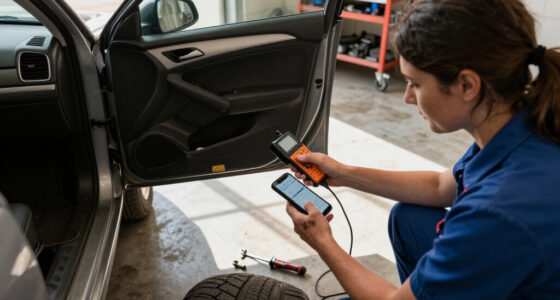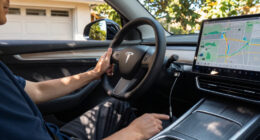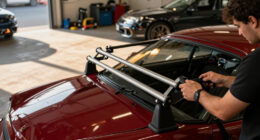
For drivers who want a simple install, I’d put the Galphi 4K Dash Cam first: its compact front-only design and included 32GB card keep setup straightforward. The 70mai M310 Plus adds parking features and voice control, while the KEYROO Q1 offers a 64GB card without adding rear or cabin cameras. The main tradeoff is simple: extra camera views cover more of the car but bring more cables, placement decisions, and setup work. I compare all 10 options by installation demands, included accessories, and everyday usability below.

Get business pricing on garage and car supplies
- Business-only prices and quantity discounts
- Tax-exempt purchasing
- Multiple users, one account, clear invoices
Complete the kit


Key Takeaways
- Front-only cameras are the simplest fit. The Galphi, 70mai, and KEYROO options avoid the extra wiring and camera placement required by multi-channel models.
- Included memory reduces setup steps. Galphi includes a 32GB card, KEYROO and several dual-camera listings include larger cards, while buyers should check each package before ordering.
- More coverage usually means more installation work. Front-and-rear and cabin-camera systems add useful views but need additional mounting and cable routing.
- Parking features can add setup complexity. A parking monitor may require a separate power arrangement, so it is not automatically a plug-and-play feature.
- Resolution alone does not determine ease of use. A 4K multi-camera kit can demand more installation effort than a simpler front-only camera with lower resolution.
| 70mai M310 Plus 4K Dash Cam Front with Night Vision, 140° Wide Angle, WiFi, Parking Mode, G-Sensor, Loop Recording, Voice Control |  | Best Overall for Simple Front-Camera Setup | Resolution: 4K Ultra HD | Field of view: 140° wide angle | Night vision: F1.55 aperture, WDR and 3D noise reduction | VIEW ON AMAZON | See Our Full Breakdown |
| Galphi 4K Dash Cam Front, 5GHz WiFi, 32GB Card Included, Mini Dashcam |  | Best for Minimalist Installation | Resolution: 4K 2160P | Field of view: 160° | Aperture: F/1.6 | VIEW ON AMAZON | See Our Full Breakdown |
| KEYROO Q1 2.5K Front Dash Cam with Wi-Fi and 64GB Card |  | Best Value for a Simple Front Setup | Video resolution: 2560 × 1440 (2.5K) at 30 fps | Field of view: 160° | Included storage: 64GB memory card | VIEW ON AMAZON | See Our Full Breakdown |
| ROVE R2-4K Dual Dash Cam with Front and Rear Cameras |  | Best for Front-and-Rear Coverage | Front video: 2.5K QHD source, upscaled to 4K (2160p) | Rear video: 1080p Full HD | Image sensor: Sony STARVIS 2 IMX675, 5MP | VIEW ON AMAZON | See Our Full Breakdown |
| WANLIPO A13 Dual-Channel Dash Cam, 4K Front and 2.5K Rear |  | Best for High-Resolution Dual Recording | Front resolution: 4K (3840 × 2160) | Rear resolution: 2.5K | Field of view: 170° front and 120° rear | VIEW ON AMAZON | See Our Full Breakdown |
| Dash Cam Front and Inside with 64GB Card, 1080P Dual Lens, IR Night Vision, Loop Recording, G-Sensor, and 24Hr Parking Monitor |  | Best for Beginners | Video resolution: 1080p | Camera coverage: Front and interior | Field of view: 170° | VIEW ON AMAZON | See Our Full Breakdown |
| 3-Channel 4K Front and Rear Dash Cam with 1080p Cabin Camera |  | Best for Maximum Coverage | Camera channels: 3 | Front resolution: 4K UHD | Rear resolution: 4K | VIEW ON AMAZON | See Our Full Breakdown |
| Dual 4K Front and Rear Dash Cam with 128GB Card and Starlight Night Vision |  | Best Dual-Camera Image Detail | Front resolution: 3840 × 2160 (4K) | Rear resolution: 3840 × 2160 (4K) | Frame rate: 25 fps | VIEW ON AMAZON | See Our Full Breakdown |
| COOAU Dual Dash Cam, 2.5K Front and 1080p Interior, with GPS and Wi-Fi |  | Best for App-Based Access | Front resolution: 2560 × 1440 at 30 fps | Interior resolution: 1080p | Viewing angles: 170° front, 150° interior | VIEW ON AMAZON | See Our Full Breakdown |
| 1080p Front and Interior Dash Camera with IR Night Vision |  | Best for a Basic Plug-In Setup | Video resolution: 1080p | Front camera angle: 160° | Interior camera angle: 155°, rotatable | VIEW ON AMAZON | See Our Full Breakdown |
| dash cam for drivers who want simple install | Display | Included storage | Field of view | Connectivity |
|---|---|---|---|---|
| 70mai M310 Plus 4K Dash Cam Fr | — | — | 140° wide angle | Wi-Fi app control for iOS and Android; voice control supported |
| Galphi 4K Dash Cam Front | — | 32GB memory card | 160° | 5GHz Wi-Fi with companion app |
| KEYROO Q1 2.5K Front Dash Cam | No display | 64GB memory card | 160° | Built-in Wi-Fi and smartphone app |
| ROVE R2-4K Dual Dash Cam with | 3-inch IPS | 128GB microSD card | 150° front and 140° rear | — |
| WANLIPO A13 Dual-Channel Dash | 2-inch IPS | 64GB microSD card | 170° front and 120° rear | — |
| Dash Cam Front and Inside with | 3.16-inch IPS | 64GB SD card | 170° | — |
| 3-Channel 4K Front and Rear Da | 3.18-inch full-laminated screen | 128GB memory card | — | — |
| Dual 4K Front and Rear Dash Ca | 3-inch IPS | 128GB microSD | — | 5 GHz and 2.4 GHz Wi-Fi; USB |
| COOAU Dual Dash Cam | 1.5-inch | — | — | Wi-Fi |
| 1080p Front and Interior Dash | 3.16-inch | — | — | — |
More Details on Our Top Picks
70mai M310 Plus 4K Dash Cam Front with Night Vision, 140° Wide Angle, WiFi, Parking Mode, G-Sensor, Loop Recording, Voice Control
The 70mai M310 Plus is my leading pick for drivers who want a straightforward front-camera setup without giving up detailed footage. Its 4K recording, 140° view and low-light processing offer a strong balance for capturing road details across varied conditions. A Type-C power cable is included, while Wi-Fi app access and voice control reduce the need to handle the camera while driving. Compared with the screen-free Galphi 4K, the 70mai adds voice commands and pre-recorded emergency footage, though Galphi has a wider 160° view and includes a memory card. The main installation catch is that 24/7 parking mode needs a separate hardwire kit; the regular cable connection alone does not provide that parked-car monitoring. Choose it for a capable front-only system, not a no-add-ons parking setup.
Pros:- 4K recording captures more fine detail than the 2.5K KEYROO Q1.
- F1.55 aperture, WDR and 3D noise reduction are aimed at clearer low-light footage.
- Voice control and Wi-Fi app access offer hands-free and phone-based operation.
- G-sensor supports emergency clips with 1–3 minutes of pre-recorded footage.
Cons:- The hardwire kit for 24/7 parking mode is not included.
- The 140° field of view is narrower than the 160° Galphi 4K and KEYROO Q1.
- It records only the front, unlike the ROVE R2-4K and WANLIPO A13.
Best for: Drivers who want a front-only 4K camera with included Type-C power, app access and hands-free voice control.
Not ideal for: Drivers who want parking monitoring without buying or installing a separate hardwire kit, or who need rear-camera coverage.
- Resolution:4K Ultra HD
- Field of view:140° wide angle
- Night vision:F1.55 aperture, WDR and 3D noise reduction
- Power connection:Type-C; 11.48 ft cable
- Parking mode:24/7 monitoring with low-voltage protection at 11.8 V; hardwire kit not included
- Emergency recording:Built-in G-sensor with 1–3 minutes of pre-recording
- Connectivity:Wi-Fi app control for iOS and Android; voice control supported
- Warranty:18 months
Our verdict“Choose the 70mai M310 Plus if you want a feature-rich front camera with simple cable power, but not a complete hardwired parking setup.”
Galphi 4K Dash Cam Front, 5GHz WiFi, 32GB Card Included, Mini Dashcam
The Galphi 4K suits drivers who prefer a small, screen-free camera and a pared-back windshield setup. Its compact design avoids adding a display in the driver’s line of sight, and the pre-installed 32GB card means there is storage ready from the start. For phone-based setup and clips, 5GHz Wi-Fi can speed transfers compared with the KEYROO Q1’s unspecified Wi-Fi band. The tradeoff is that there is no screen for immediate playback or on-device adjustments, so the app is central to managing recordings. Its 160° lens is wider than the 70mai M310 Plus’s 140° view, but the Galphi lacks the 70mai’s listed voice control and pre-recorded emergency footage. Parking mode also calls for a separate hardwire kit, adding work beyond a basic power connection.
Pros:- Compact screen-free design keeps the windshield and dashboard less cluttered.
- Includes a 32GB memory card for recording from the outset.
- 5GHz Wi-Fi supports faster video transfers than a connection limited to slower Wi-Fi bands.
- 160° field of view is wider than the 70mai M310 Plus’s 140° lens.
Cons:- No display means footage and settings must be handled through the companion app.
- Parking mode requires a separate Type-C hardwire kit.
- The included 32GB card offers less capacity than the KEYROO Q1’s 64GB card.
Best for: Drivers who want a compact, screen-free front camera, can manage settings through an app and value included storage.
Not ideal for: Drivers who want on-camera playback, easy physical setting changes, or parking mode without a separate hardwire kit.
- Resolution:4K 2160P
- Field of view:160°
- Aperture:F/1.6
- Connectivity:5GHz Wi-Fi with companion app
- Included storage:32GB memory card
- Maximum storage:256GB
- Recording features:Loop recording, G-sensor, WDR and parking mode
- Power connection:Type-C; hardwire kit required for parking mode
Our verdict“Pick the Galphi 4K if a compact, screen-free camera matters more than on-device controls or a larger included memory card.”
KEYROO Q1 2.5K Front Dash Cam with Wi-Fi and 64GB Card
The KEYROO Q1 keeps the setup uncomplicated: mount a compact, screen-free camera, use the included 64GB card and access footage through Wi-Fi and its smartphone app. Its 2.5K recording is a step below the 4K 70mai M310 Plus and Galphi 4K, but the 160° view gives it broad coverage across the front of the vehicle. That combination makes sense for drivers who want useful detail and a generous field of view without prioritizing the highest listed resolution. The included card is twice the capacity supplied with the Galphi, though the KEYROO does not list a screen for immediate playback either. Time-lapse parking mode is available, but 24/7 monitoring requires a separately purchased hardwire kit. It is a simpler value-oriented choice, not a plug-in solution for full-time parked surveillance.
Pros:- Included 64GB card provides more storage than the Galphi 4K’s included 32GB card.
- 160° field of view covers more of the forward scene than the 70mai M310 Plus’s 140° view.
- Wi-Fi app supports previewing, downloading and replaying video.
- Time-lapse parking mode, loop recording and G-sensor add recording options.
Cons:- 2.5K resolution is lower than the 4K 70mai M310 Plus, Galphi 4K and WANLIPO A13 front camera.
- No display means viewing clips and managing footage depends on the phone app.
- 24/7 parking monitoring requires a separately purchased hardwire kit.
Best for: Drivers seeking a front-only camera with a wide view, included 64GB card and app access, without needing 4K resolution.
Not ideal for: Drivers who want a display for direct playback, native 4K recording, or 24/7 parking monitoring without extra wiring.
- Video resolution:2560 × 1440 (2.5K) at 30 fps
- Field of view:160°
- Included storage:64GB memory card
- Maximum storage:256GB
- Connectivity:Built-in Wi-Fi and smartphone app
- Display:No display
- Parking mode:Time-lapse; 24/7 monitoring requires a separately purchased hardwire kit
- Mounting and compatibility:Windshield mount; universal vehicle compatibility
- Warranty:18 months
Our verdict“Choose the KEYROO Q1 for a wide-view, app-managed front camera with 64GB included, if 2.5K resolution meets your needs.”
ROVE R2-4K Dual Dash Cam with Front and Rear Cameras
The ROVE R2-4K is the more involved choice here, but it earns its place for drivers who want coverage behind the vehicle as well as in front. It records 2.5K-source front video upscaled to 4K and 1080p rear footage, with a 3-inch display that can make setup and quick playback more direct than on the screen-free Galphi 4K or KEYROO Q1. The included 128GB card and installation accessories reduce the number of items to source separately, while GPS adds route and speed data to recordings. Compared with the simpler single-camera 70mai M310 Plus, this system covers more angles but brings a rear camera and its installation into the job. Parking modes require a separately sold hardwire kit. Choose it when the added coverage matters more than the easiest possible install.
Pros:- Records front and rear views, unlike the single-channel 70mai M310 Plus and Galphi 4K.
- 3-inch display supports on-device viewing and adjustments.
- Includes a 128GB microSD card, larger than the included cards with the Galphi and KEYROO.
- Built-in GPS records route, location and speed data.
Cons:- Front footage is sourced at 2.5K and upscaled to 4K, rather than captured natively at 4K.
- Installing and positioning a rear camera adds work compared with a front-only system.
- Parking modes require a separately sold hardwire kit.
Best for: Drivers who want both front and rear recording, on-device playback and GPS data, and are comfortable installing an additional camera.
Not ideal for: Drivers seeking the fewest installation steps, native 4K front capture, or parking monitoring without separate hardwiring.
- Front video:2.5K QHD source, upscaled to 4K (2160p)
- Rear video:1080p Full HD
- Image sensor:Sony STARVIS 2 IMX675, 5MP
- Field of view:150° front and 140° rear
- Display:3-inch IPS
- Connectivity and GPS:Dual-band 2.4GHz and 5.8GHz Wi-Fi; built-in GPS
- Included storage:128GB microSD card
- Parking modes:Time-lapse, motion detection and collision detection; hardwire kit not included
- Power component:Built-in supercapacitor
Our verdict“Choose the ROVE R2-4K if front-and-rear recording and a built-in display justify a more involved installation.”
WANLIPO A13 Dual-Channel Dash Cam, 4K Front and 2.5K Rear
The WANLIPO A13 is for drivers who want high-resolution footage from both ends of the vehicle without moving up to a more elaborate feature set. It records 4K in front and 2.5K in the rear, exceeding the ROVE R2-4K’s listed 1080p rear resolution, and includes a 2-inch display for basic on-camera viewing. A 64GB card, built-in GPS and 5GHz Wi-Fi give buyers a useful set of included essentials, while the 170° front view is wider than the ROVE’s 150°. The tradeoff is a more involved install than either front-only camera in this list: the rear camera needs positioning and routing, and parking monitoring needs a separate hardwire kit. Some app features also require a membership, so phone-based convenience may not be fully available without added conditions.
Pros:- Records 4K front and 2.5K rear video, with higher listed rear resolution than the ROVE R2-4K.
- 170° front field of view is wider than the ROVE R2-4K’s 150° front view.
- Includes a 64GB microSD card and a 2-inch IPS display.
- Built-in GPS and G-sensor add location data and impact-triggered footage locking.
Cons:- Installing a rear camera takes more work than setting up a front-only model such as the KEYROO Q1.
- Parking monitoring requires a separately sold hardwire kit.
- Some app features require a membership.
Best for: Drivers who want high-resolution front and rear recording, a built-in display and GPS, and can manage a two-camera installation.
Not ideal for: Drivers who want the simplest one-camera install, membership-free access to all app features, or parking monitoring from the included power setup.
- Front resolution:4K (3840 × 2160)
- Rear resolution:2.5K
- Field of view:170° front and 120° rear
- Frame rate:30 FPS
- Display:2-inch IPS
- Connectivity and GPS:5GHz Wi-Fi; built-in GPS
- Included storage:64GB microSD card
- Parking monitoring:Requires separately sold hardwire kit
- Warranty:1 year
Our verdict“Pick the WANLIPO A13 if high-resolution front-and-rear footage outweighs the extra camera wiring and hardwire-kit requirement.”
Dash Cam Front and Inside with 64GB Card, 1080P Dual Lens, IR Night Vision, Loop Recording, G-Sensor, and 24Hr Parking Monitor
I’d put this dual-lens model near the top for drivers who want a straightforward setup without buying a memory card separately. The suction-cup mount, built-in 3.16-inch screen, and included 64GB card keep the initial setup simple, while the cameras record the road and cabin at the same time. That interior view makes it more useful for rideshare drivers than a front-only option such as the 70mai M310 Plus. Infrared night vision helps capture the cabin when it’s dark, but the available details don’t list Wi-Fi or app control, so reviewing footage is less convenient than on the COOAU Dual Dash Cam. Its 1080p recording is also less detailed than the 4K options in this roundup. I’d choose it for easy, screen-led installation, not for high-resolution footage or remote access.
Pros:- Suction-cup mounting and an onboard display support a simple setup.
- Includes a 64GB card, so recording can start without a separate card purchase.
- Records the road and cabin simultaneously.
- Infrared night vision supports low-light interior recording.
Cons:- No Wi-Fi or app connectivity is listed for phone-based footage access.
- The fixed included 64GB card may need manual clip management.
- 1080p recording offers less detail than the roundup’s 2.5K and 4K alternatives.
Best for: First-time dash-cam buyers and rideshare drivers who want front-and-cabin recording, an included card, and a simple windshield-mount setup.
Not ideal for: Drivers who want to review or download clips from a phone, or who prioritize 4K detail and expandable storage.
- Video resolution:1080p
- Camera coverage:Front and interior
- Field of view:170°
- Display:3.16-inch IPS
- Frame rate:30 fps
- Included storage:64GB SD card
- Mounting:Windshield suction mount
- Listed features:IR night vision, G-sensor, loop recording, parking monitor
Our verdict“Choose this if easy setup and included storage matter more than app access or sharper-than-1080p footage.”
3-Channel 4K Front and Rear Dash Cam with 1080p Cabin Camera
This is the coverage-first choice: it records the road ahead and behind in 4K, plus the cabin in 1080p. The included 128GB card and 3.18-inch screen give buyers a ready-to-record starting point, though routing and connecting three cameras is a bigger installation job than fitting the 1080p Front and Interior Dash Camera. Its dual-band Wi-Fi 6 and built-in GPS add phone access and location data, useful if you want to find and share a particular clip without relying only on the screen. The tradeoff is the extra rear-camera wiring, and parking monitoring requires a separately obtained hardwire kit. For drivers focused on a simple install above all else, the Dash Cam Front and Inside with 64GB Card is easier to approach; this model makes more sense when comprehensive coverage justifies the added setup.
Pros:- Records front and rear views in 4K, with a separate 1080p cabin camera.
- Includes a 128GB memory card.
- Dual-band Wi-Fi 6 and GPS support phone access and location-tagged footage.
- Cabin infrared lights support recording in darkness.
Cons:- Three-camera coverage requires more installation and cable routing than a front-and-cabin unit.
- Parking monitoring requires a separate hardwire kit.
- The three-year warranty is shorter than the ten-year warranty listed for the 1080p dual-lens model.
Best for: Drivers who want front, rear, and cabin footage with high-resolution road recordings and are comfortable routing extra camera wiring.
Not ideal for: Buyers seeking the quickest, least involved installation, or anyone who wants parking monitoring without purchasing and installing a hardwire kit.
- Camera channels:3
- Front resolution:4K UHD
- Rear resolution:4K
- Cabin resolution:1080p
- Viewing angles:170° front, 150° rear, 150° cabin
- Display:3.18-inch full-laminated screen
- Included storage:128GB memory card
- Connectivity and location:Dual-band Wi-Fi 6 and built-in GPS
- Parking monitoring:Time-lapse and collision detection; hardwire kit required
Our verdict“Pick this when three-channel coverage and 4K front-and-rear footage are worth a more involved installation.”
Dual 4K Front and Rear Dash Cam with 128GB Card and Starlight Night Vision
For drivers who want sharp recordings from both directions without adding a cabin camera, this model pairs 4K front and rear video with a 128GB card. That two-camera setup is less involved than the three-channel 4K Front and Rear Dash Cam with 1080p Cabin Camera, while the starlight sensor and WDR aim to preserve useful detail in low light. Wi-Fi, app controls, GPS, and voice guidance provide more ways to manage footage than the basic 1080p suction-mount options. Still, the features bring some setup and configuration beyond a simple plug-in camera, and 24/7 parking mode needs a separately available hardwire kit. The listed rear viewing angle and maximum storage capacity also conflict between the description and specifications, so I’d verify those details before choosing it for a specific coverage or storage requirement.
Pros:- Records both front and rear views in 4K.
- Includes a 128GB microSD card.
- Starlight sensing and WDR support low-light recording.
- Wi-Fi, app controls, GPS, and voice guidance offer several footage-management tools.
Cons:- Parking mode requires a separately available hardwire kit.
- The rear viewing angle and maximum storage capacity are reported inconsistently in the supplied product details.
- At 25 fps, its listed frame rate is lower than the 30 fps options in this group.
Best for: Drivers who want high-resolution front-and-rear footage, phone controls, and night-focused imaging but do not need cabin recording.
Not ideal for: Rideshare drivers who need an interior view, or installation-minimal buyers who don’t want to configure an app or add a hardwire kit.
- Front resolution:3840 × 2160 (4K)
- Rear resolution:3840 × 2160 (4K)
- Frame rate:25 fps
- Front field of view:170°
- Rear field of view:150° in description; 160° in specifications
- Display:3-inch IPS
- Included storage:128GB microSD
- Connectivity:5 GHz and 2.4 GHz Wi-Fi; USB
- Parking mode:Requires a separately available hardwiring kit
Our verdict“Choose it for dual-direction 4K detail and app features, provided cabin recording and a no-wiring parking mode are not priorities.”
COOAU Dual Dash Cam, 2.5K Front and 1080p Interior, with GPS and Wi-Fi
The COOAU suits drivers who want front-and-cabin coverage and expect to handle clips on a phone. Its built-in Wi-Fi and GPS support phone access and location-tagged recordings, features missing from the simpler Dash Cam Front and Inside with 64GB Card. Front footage rises to 2.5K while the interior camera records in 1080p, with infrared night vision aimed at keeping the cabin visible after dark. The small 1.5-inch display and need to supply your own microSD card make the initial setup less ready-to-go than that included-card alternative. Parking monitoring also requires a separately purchased hardwire kit, and app connection prevents simultaneous use of Android Auto or CarPlay. I’d favor this model for connected footage access, not for the simplest out-of-box installation.
Pros:- Records the road in 2.5K and the cabin in 1080p.
- Built-in Wi-Fi and GPS support phone access and location-tagged clips.
- Infrared interior night vision and WDR support challenging lighting.
- Supports loop recording and collision detection.
Cons:- A microSD card is not included.
- Parking mode requires a separately purchased hardwire kit.
- Using the app connection prevents simultaneous Android Auto or CarPlay use.
Best for: Drivers who want location-tagged front-and-cabin recordings and are comfortable connecting a phone app and buying a compatible memory card.
Not ideal for: Buyers who want a large onboard screen, an included card, or to use the camera app while running Android Auto or CarPlay.
- Front resolution:2560 × 1440 at 30 fps
- Interior resolution:1080p
- Viewing angles:170° front, 150° interior
- Display:1.5-inch
- Connectivity:Wi-Fi
- GPS:Built-in
- Storage support:Class 10 or higher microSD card up to 256GB; card not included
- Parking mode:24-hour monitoring; hardwire kit required
- Warranty:2 years
Our verdict“Choose the COOAU if phone-based footage access matters more than an included card or the simplest setup.”
1080p Front and Interior Dash Camera with IR Night Vision
This model keeps the installation path direct: a suction-cup mount attaches to the windshield, and a cigarette-lighter connection supplies power. It records both the road and cabin at 1080p, with a rotatable interior camera that can be aimed toward passengers or the cabin area. Compared with the COOAU Dual Dash Cam, it forgoes listed Wi-Fi and GPS, but avoids app setup and still provides infrared cabin lighting and loop recording. The simplicity has limits: no TF card is included, so recording requires a separate microSD purchase, and parking monitoring needs a hardwiring kit rather than the basic power connection. The supplied details also list different front and overall field-of-view figures, so I would not choose it based on a precise coverage-angle comparison.
Pros:- Suction-cup mounting and cigarette-lighter power keep the basic installation simple.
- Records the road and interior simultaneously.
- Rotatable interior camera allows the cabin view to be repositioned.
- Infrared night vision and loop recording support routine day-and-night use.
Cons:- A TF card is not included.
- Parking monitoring requires a separately purchased hardwiring kit.
- No Wi-Fi or GPS is listed for phone access or location-tagged footage.
Best for: Drivers who want a straightforward front-and-cabin camera powered from the cigarette-lighter socket and don’t need phone connectivity.
Not ideal for: Buyers who want a memory card in the box, app-based clip access, GPS, or parking monitoring without extra wiring.
- Video resolution:1080p
- Front camera angle:160°
- Interior camera angle:155°, rotatable
- Overall field of view:140° listed
- Display:3.16-inch
- Frame rate:30 fps
- Mounting and power:Windshield suction mount; cigarette-lighter power
- Storage:microSD up to 128GB; card not included
- Parking monitoring:G-sensor collision recording; hardwiring kit required
Our verdict“Pick this for a basic windshield-mounted front-and-cabin setup if you’re willing to supply the card and skip app features.”

How We Picked
I ranked these options around the promise of a simple install, not just camera resolution. I gave priority to front-only designs, included memory cards, compact form factors, and features that can reduce setup or routine interaction. I also weighed whether a system’s added coverage—such as rear or cabin recording—was worth the extra mounting and wiring decisions for the likely buyer.
The ranking reflects a practical tradeoff: a camera that covers more angles may be a stronger fit for rideshare or family use, but it is not the easiest choice for someone seeking a quick setup. I also considered stated night-vision features, Wi-Fi, GPS, and parking monitoring as usability factors, while recognizing that these can add setup steps or depend on separate power arrangements. Product details provided for some models are limited, so I avoid assuming accessories or installation requirements that are not specified.
Factors to Consider When Choosing Dash Cam For Drivers Who Want Simple Install
Simple installation depends on more than the camera itself. Before choosing, I’d match the camera layout to the views you actually need, check what is included, and think through how power and cable routing will work in your vehicle.
Choose the Fewest Cameras That Meet Your Need
A front-only camera is usually the least complicated option because it needs one mounting position and does not require a cable run to another camera. Rear coverage can help record incidents behind the car, while a cabin view may suit rideshare drivers or anyone who wants the interior recorded. The extra view has a practical cost: more hardware to position and more wiring to manage. A common mistake is buying a multi-camera system for coverage that will rarely be useful. I’d add cameras only when that added view solves a real driving or work need.
Check the Included Card and Recording Setup
An included memory card can remove an early setup task, but the capacity affects how much footage can be kept before loop recording overwrites older files. The listed options vary, with cards included in some product names and not stated in others. Check the exact package contents rather than assuming a card comes with the camera. Also think about how often you may want to save clips to a phone or computer. A larger card can reduce how soon footage cycles, but it does not remove the need to manage important recordings.
Plan Power Before Choosing Parking Monitoring
Driving-only recording and parked-car monitoring can require different power arrangements. A parking monitor may need a compatible hardwire kit or another supported power method, which can turn a quick windshield install into a more involved job. Before buying, check what power accessories are included and whether the camera’s parking feature works with the setup you intend to use. Avoid assuming that a parking-mode label means the feature will work straight out of the box. If you do not need parked recording, a simpler power setup may be the better match.
Think Through Cable Routing and Camera Placement
Even a single-camera install needs a safe cable route that does not obstruct the driver’s view or interfere with airbags. A rear camera adds a longer run through the vehicle, and a cabin camera needs a position that captures the interior without blocking visibility. Before mounting, check where the windshield has a clear view and where the cable can be tucked away. A common shortcut—letting a cable hang across the dash—can create a distraction and make the installation feel unfinished. If you want minimal routing, favor a front-only design and verify that its mount and power connection suit your car.
Decide Whether Wi-Fi, GPS, and Voice Controls Earn Their Setup
Wi-Fi can make it easier to view or transfer clips without removing the card, while GPS can add location information to recordings. Voice control may reduce button presses once the camera is installed. These features can be useful, but each adds settings or app steps that some drivers would rather skip. Check whether the phone app supports your device and whether the controls you want are available in the model listing. If your priority is a camera that records with little interaction, a simpler feature set may feel easier day to day than a more connected model.
Pay More for Coverage, Not Just a Bigger Resolution Number
Resolution is only one part of choosing a dash cam; camera count, viewing angle, and low-light features also affect what a system can capture. A dual or three-channel model may be worth the additional install effort when rear or cabin footage matters to your work or routine. A front-only 4K model may make more sense when you want detailed forward footage without routing cables around the cabin. Avoid choosing solely by the largest resolution claim when the extra cameras would go unused. For an easy setup, match the hardware to the views you need and treat higher specifications as secondary.
Frequently Asked Questions
Which type of dash cam is easiest to install without routing cables through the car?
A front-only camera is usually the easiest starting point because it avoids a cable run to a rear or cabin camera. You will still need to position the unit and route its power cable safely, so check the mount location and power connection before buying. Among these picks, the Galphi, 70mai, and KEYROO are front-only options. If even basic cable routing is a concern, ask an installer about your vehicle’s power options rather than assuming a camera can run without a cable.
Do I need a professional to install a dash cam with a rear camera?
Not always, but a rear-camera setup takes more planning than a front-only model because its cable must reach the back of the vehicle. Some drivers can route that cable themselves; others may prefer professional help, especially if they want a tidy, hidden installation. Check the kit instructions and included cable details before deciding. If you want to avoid the extra work, a front-only camera may be a better fit than buying rear coverage you do not need.
Can I use parking mode without hardwiring the camera?
That depends on the specific camera and its supported power setup. Parking monitoring can require a separate hardwire kit or another compatible power source, and the product listing may not include everything needed. Check the manual and package contents before relying on the feature. If parked recording is a priority, include the power method in your installation plan; if it is not, a driving-only setup can be simpler.
Is an included memory card enough for a simple first-time setup?
An included card removes one purchase and setup step, which is helpful for a first-time buyer. Capacity still matters because the camera records in a loop, so older footage may be overwritten as storage fills. The products in this roundup list different included card capacities, and some listings do not state that a card is supplied. Confirm the exact bundle and consider how often you will save clips before treating the included card as a complete long-term solution.
Should I choose a front-and-rear camera if easy installation is my priority?
Choose a front-and-rear model when footage behind the vehicle matters enough to justify the extra mounting and cable routing. For drivers who mainly want a straightforward record of the road ahead, a front-only unit is the simpler match. A rear camera can be useful for regular highway driving, parking incidents, or work use, but its value depends on your routine. Decide based on the view you need rather than the number of cameras in the kit.
Conclusion
For the best overall fit for simple setup, I’d start with the Galphi 4K Dash Cam: its front-only layout and included card keep the initial job focused. The best value-style choice is the KEYROO Q1 for buyers who want a front camera and a 64GB card without extra camera wiring. The best for beginners is also a front-only option, with Galphi the clearest choice when straightforward setup matters most. For a premium, more connected pick, the 70mai M310 Plus adds parking features and voice control, though those extras can call for more setup. Drivers who need specific coverage should look to the ROVE or WANLIPO rear-camera systems, or choose an interior-facing model such as the COOAU or a listed cabin-camera option; they offer more views but are less suited to a minimal-install goal.