
To make your clips easier for insurance to understand, record in high resolution in well-lit settings, avoiding shaky movements. Use clear, descriptive filenames and organize videos into labeled folders by date or incident. Guarantee footage is focused and well-exposed, highlighting key details like damage or injuries. Add detailed descriptions to your uploads to provide context. Maintaining quality and organization speeds up reviews and helps insurance assess your case efficiently—keep these tips in mind to simplify the process further.
Listen free for 30 days with Audible
Thousands of audiobooks and originals — cancel anytime.
As an affiliate, we earn on qualifying purchases.
Key Takeaways
- Use high-resolution, well-lit recordings to clearly show damages or injuries.
- Organize videos with descriptive file names and labeled folders for easy identification.
- Include detailed descriptions and context in metadata and summary documents.
- Convert videos into common, compatible formats like MP4 or AVI for smooth review.
- Review footage for clarity, focus, and exposure before submitting to ensure critical details are visible.
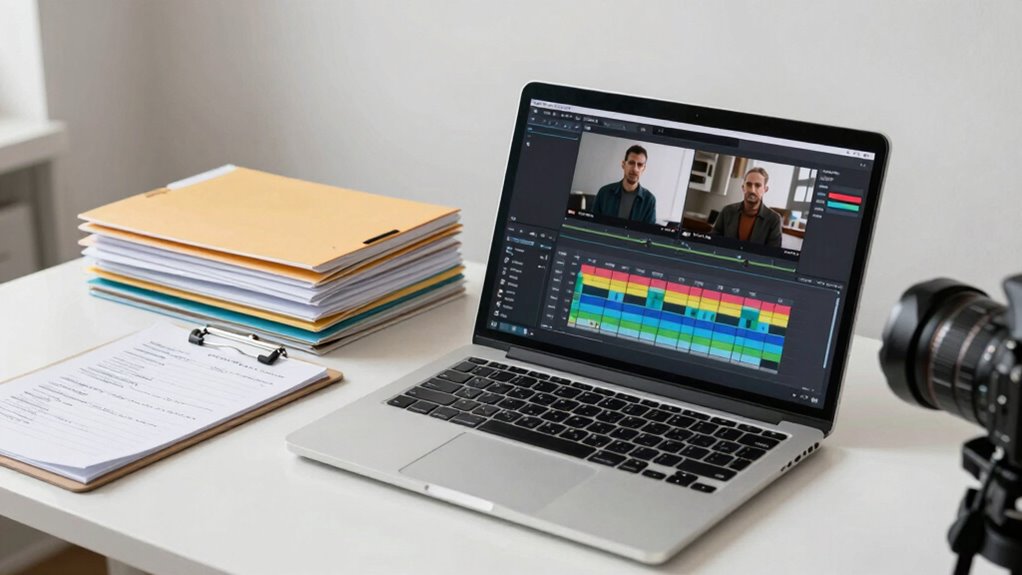
Ever wonder how you can make your video clips clearer for insurance companies? The key lies in improving video clarity and guaranteeing your clips are easy to interpret. Insurance adjusters need to quickly understand what’s happening in your footage, so it’s vital that your videos are sharp, well-lit, and free of unnecessary distractions. To enhance video clarity, use high-resolution settings when recording and avoid shaky camera movements. Good lighting is essential; record in well-lit environments or add extra lighting if needed. Clear visuals help insurance companies see the details they need, whether it’s vehicle damage, injuries, or property issues. Additionally, avoiding unnecessary distractions in your footage helps focus attention on the critical details. Beyond capturing clear footage, you should also focus on metadata optimization. Metadata is like a digital label that describes your video’s content, making it easier for insurance companies to find, categorize, and review your clips. When you upload your videos, include detailed descriptions, dates, locations, and any relevant context. Proper metadata helps streamline the review process, reducing confusion or delays caused by vague or incomplete information. Make sure your file names are descriptive as well, reflecting key details about the incident. This way, adjusters or claims agents can quickly identify what the clip shows without having to watch the entire video repeatedly. Organizing your clips is another important step. Keep your videos in clearly labeled folders, sorted by date or accident type. When you submit multiple clips, consider creating a brief summary document that explains what each video covers. This helps insurance companies quickly understand the scope of your evidence and reduces the back-and-forth questions. Also, consider converting your videos into common formats like MP4 or AVI, which are widely compatible and easier to review without technical issues. Using video format compatibility is crucial to prevent technical problems that could delay the review process. Another key factor is ensuring your videos have adequate video quality, which directly affects how well the details are seen and understood. Additionally, paying attention to video resolution can significantly enhance clarity, especially for detailed inspections or close-up shots. Incorporating video compression techniques can also help balance quality with file size, making uploads and reviews smoother. Lastly, always review your footage before submitting it. Watch your clips to guarantee they are focused, properly exposed, and contain all necessary details. Clear, well-organized videos with optimized metadata give insurance companies the best chance to understand your case accurately and efficiently. Remember, the goal is to make your clips as straightforward and easy to interpret as possible. When your videos are clear and well-documented, you help expedite the claims process and improve your chances of a fair resolution. Making these small adjustments can profoundly impact how your evidence is perceived and processed.

ZYDIIE 4K Video Camera Camcorder UHD 64MP Vlogging Camera for YouTube 18x Digital Zoom 3" 270° Rotation IPS Touchscreen Video Camcorder with Night Vision, Remote Control, 32GB Card, 2 Batteries
- 4K Ultra HD & 64MP Photos: Capture detailed videos and images
- 18x Digital Zoom & Night Vision: Zoom distant subjects and see in darkness
- 270° Rotatable Touchscreen: Flexible framing and creative angles
As an affiliate, we earn on qualifying purchases.
As an affiliate, we earn on qualifying purchases.
Frequently Asked Questions
What Specific Formats Are Best for Insurance Review Clips?
You should use common formats like MP4 or MOV for insurance review clips, as they’re widely accepted. Keep your video resolution at 1080p to guarantee clarity, making it easier for insurers to review details. Also, compress your files properly to reduce size without sacrificing quality, using efficient file compression methods. This combo helps insurers view your clips smoothly, speeding up the review process and preventing unnecessary delays.
How Long Should a Typical Clip Be for Clarity?
A typical clip should be around 1 to 2 minutes long for clarity. Keep your video length concise to guarantee insurance reviewers easily grasp the key points without confusion. Shorter clip durations help focus on specific details, making it easier for them to review quickly. Avoid lengthy recordings; instead, break complex information into multiple clips if needed. Clear, focused clips improve understanding and streamline the review process.
Can Editing Improve the Comprehensibility of My Clips?
Editing definitely improves your clips’ comprehensibility. Think of your footage as a puzzle—proper editing like clear visual storytelling and crisp audio clarity pieces it together smoothly. I once fixed a confusing insurance clip by trimming unnecessary parts and enhancing audio, making it instantly more understandable. When you edit thoughtfully, you guide viewers effortlessly, ensuring insurance agents grasp your message quickly and accurately.
Are There Tools to Automatically Enhance Clip Clarity?
Yes, automatic enhancement and clarity tools can greatly improve your clips. These tools analyze your footage and automatically adjust brightness, contrast, and sharpness, making details clearer and easier for insurance to understand. Popular options include video editing software like Adobe Premiere Pro, DaVinci Resolve, and dedicated clarity tools such as Topaz Video Enhance AI. Using these, you can guarantee your clips are clearer, more professional, and more likely to be understood accurately.
How Do I Ensure My Clips Meet Insurance Privacy Requirements?
Prioritize privacy by ensuring your clips comply with privacy compliance standards and incorporate data anonymization. Double-check that sensitive information, like faces or personal details, is obscured or blurred. Use secure storage solutions and limit access to authorized personnel only. By diligently deleting or anonymizing identifiable data, you safeguard privacy, fostering trust and compliance. Taking these proactive steps guarantees your clips meet insurance privacy requirements seamlessly.

ALTSON 60 LED Portable Selfie Light Video Conference Lighting with Clip & Camera Tripod Adapter Rechargeable 2200mAh CRI 97+, 3 Light Modes for Phone iPhone Webcam Laptop Photo Makeup
- High CRI for natural lighting: CRI 97+ for true color rendering
- Adjustable color temperature: 3 Light Modes, 10 Brightness Levels
- Versatile lighting angles: 160° Rotation for precise positioning
As an affiliate, we earn on qualifying purchases.
As an affiliate, we earn on qualifying purchases.
Conclusion
Making your clips clear and organized can greatly improve how insurance companies understand your claims. Remember, including detailed descriptions and proper labels can speed up the process. Did you know that over 60% of denied claims are due to unclear documentation? By taking these simple steps, you guarantee your clips tell the right story, reducing delays and increasing your chances of a smooth claim. Clear clips mean quicker resolutions—so make every second count!

AVCHD Video Converter: Edit and Convert Files from over 50 Formats into any Video or Audio Format – Great Program for Video Cutting
- All-in-One Video Conversion: Convert files to any video format
- Wide Input Format Support: Supports over 50 video and audio formats
- Multiple HD Video Support: Compatible with various HD video formats
As an affiliate, we earn on qualifying purchases.
As an affiliate, we earn on qualifying purchases.

Smart Labels QR Code Stickers with AI Photo Analysis App – Auto-Creates Item Descriptions – No Typing – Made in USA – QR Code Labels for Storage & Inventory Tracking, Organization & Moving, Pack of 48
- Color-Coded QR Code Organization: Seamless storage management with color codes
- AI Photo-Based Item Descriptions: Auto-creates descriptions from photos, no typing
- Mobile App Compatibility: Manage labels via iOS and Android devices
As an affiliate, we earn on qualifying purchases.
As an affiliate, we earn on qualifying purchases.
Back to school Picks
back to school
As an affiliate, we earn on qualifying purchases.