
Your footage appears “jello-like” because of rolling shutter effects, which happen when your camera’s sensor reads out each line sequentially rather than all at once. Fast motions, quick camera movements, or vibrations cause skewed, bent, or wavy images. Lighting flickers and external modulation can make these distortions worse. Understanding how these effects happen can help you avoid or fix them, and more tips await if you keep exploring.
Key Takeaways
- The “jello” effect occurs due to the sensor’s line-by-line readout capturing fast vibrations or movements during recording.
- Rolling shutter causes distortions like wobble and wave-like deformations when the camera or scene vibrates rapidly.
- Vibrations from handheld recording, vehicles, or drones cause the sensor to capture different positions at different times, creating wavy footage.
- High-frequency vibrations or camera jitters during exposure result in a characteristic “jello” appearance in the footage.
- Using stabilization tools and faster readout sensors can reduce or eliminate the “jello” effect caused by rolling shutter.

DJI RS 3 Mini, 3-Axis Gimbal Stabilizer for Cameras Canon/Sony/Panasonic/Nikon/Fujifilm, 2 kg (4.4 lbs) Tested Payload, Camera Gimbal with Native Vertical Shooting, Black
795g (1.75lbs) Lightweight and Portable – DJI RS 3 Mini is an ultra-compact gimbal stabilizer for camera convenient…
As an affiliate, we earn on qualifying purchases.
As an affiliate, we earn on qualifying purchases.
What Is Rolling Shutter and How Does It Work

Have you ever noticed how some videos or photos look distorted when capturing fast-moving objects or rapid motions? That’s often caused by rolling shutter, an image capture method where different rows or columns of the sensor are exposed at slightly different times. Instead of capturing the entire scene simultaneously, the sensor reads out line-by-line, with each row starting its exposure slightly after the previous one. This sequential exposure creates a time-staggered image, which can cause distortions like skewed lines or wobbling effects. Most consumer cameras and smartphones use electronic rolling shutters on CMOS sensors because they’re simpler and cheaper to build. The readout process varies, but the core idea remains: different parts of your image are recorded at different moments, leading to those familiar distortions during fast motion. Additionally, sensor readout speed plays a significant role in how pronounced these distortions appear, especially during high-speed recording. Faster sensor readout can reduce the effects of rolling shutter by capturing images more quickly. Understanding the sensor technology helps in choosing devices that minimize these unwanted effects.
![WavePad Audio Editing Software - Professional Audio and Music Editor for Anyone [Download]](https://m.media-amazon.com/images/I/B1fcLEGCs6S._SL500_.png)
WavePad Audio Editing Software – Professional Audio and Music Editor for Anyone [Download]
Full-featured professional audio and music editor that lets you record and edit music, voice and other audio recordings
As an affiliate, we earn on qualifying purchases.
As an affiliate, we earn on qualifying purchases.
Why Does Motion Cause Distortion in Your Footage

When your camera captures fast-moving objects or quick camera movements, the timing of the sensor’s line-by-line readout creates distortions because different parts of the scene are recorded at slightly different moments. This causes geometric distortion rather than simple blur, especially when motion occurs during readout. The speed of object movement relative to the sensor affects the distortion’s severity: faster motion results in more skewed or sheared images. Longer exposure per line amplifies this effect, as moving subjects cover more distance during each scan. Readout direction influences how distortion appears, leaning in the scan axis. Complex motion like acceleration or rotation produces warping.
- Rapid lateral pans cause skewed vertical features
- Vibrations create wobbling or “jello” effects
- Fast subject motion stretches or segments objects
- Rotational movements produce curved distortions
- High-speed scenes amplify artifacts

Ricoh Theta Z1 51GB Black 360° Camera, Two 1.0-inch Back-Illuminated CMOS sensors, Increased 51GB Internal Memory, 23MP Images, 4K Video with Image stabilization, HDR, High-Speed Wireless Transfer
With approximately 2.7 times larger capacity than the previous model. 51gb of internal memory allows for approximately 6350…
As an affiliate, we earn on qualifying purchases.
As an affiliate, we earn on qualifying purchases.
Common Visual Artifacts Caused by Rolling Shutter

When capturing fast motion or using handheld cameras, you’ll notice visual artifacts like wobble and skew that distort your footage. These issues happen because the sensor reads each row sequentially, causing images to shake or appear slanted during movement. Understanding these artifacts helps you identify and minimize their impact in your videos. Knowing that image sensors scan rows sequentially allows you to better anticipate when distortions might occur and take steps to reduce their appearance.
Wobble and Oscillation
Wobble and oscillation are common visual artifacts caused by the rolling shutter effect, which occurs during row-by-row sensor readout. Wobble appears as unnatural, wavy distortions—often called the “jello effect”—resulting from high-frequency movements that surpass the camera’s frame rate. These distortions happen when the camera experiences sudden accelerations, jitter, or vibrations from handling, vehicles, or UAV propellers. Unlike simple skew, wobble compresses and stretches parts of the frame unevenly. To understand this better:
- High-frequency vibrations cause wobble, not slow shifts.
- Heavy handling or rapid vehicle motion amplifies effects.
- Vibrations from motors or helicopter blades induce wobble.
- Wobble persists even after stabilization, especially in high-contrast areas.
- Mechanical shutters and faster sensors help reduce wobble severity.
- Rolling shutter can exacerbate wobble effects during fast movements, making it more noticeable in certain conditions.
- Proper camera setup and sensor technology can significantly mitigate wobble and oscillation issues during filming.
Skew and Distortion
Have you ever noticed how straight lines like building edges or poles appear slanted or distorted in videos shot with a rolling shutter? This effect, called skew, happens when the camera or subject moves during line-by-line readout, causing diagonal bending. The severity depends on the relative lateral velocity and readout time; longer readouts lead to more skew. Near-field objects show more distortion due to parallax, making foreground elements lean or shear while distant backgrounds stay aligned. Fast horizontal pans, quick lateral subject movements, or rotational motions amplify skew. Visual cues include vertical lines tilting across the frame. Quantitatively, skew relates to the velocity times the sensor’s readout time. Correcting skew involves modeling the distortion, especially when motion causes non-uniform shear or warped lines. Understanding the sensor’s readout process can help anticipate and mitigate these distortions during filming or in post-production.

Ergonomic Anti-Falling Cell Phone Vlogging Hand Grip Stabilizer Smartphone Holder Rig Mount Video Kit w/Safety Strap Portable Selfie Stick for iPhone Samsung (Landscape+Portrait)-Mic/Light Adapter
Ergonomic Finger-shaped handle stabilizer for reducing hand vibration, smoothly & stablely shooting to improve the footage obvisouly &…
As an affiliate, we earn on qualifying purchases.
As an affiliate, we earn on qualifying purchases.
The Impact of Camera Movement and Focal Length

Camera movement considerably influences rolling-shutter distortion, especially during rapid panning or rotation, which causes skewed lines and wobbly effects. When you rotate quickly, different sensor rows capture varying orientations, creating “wobble” or “jello” effects. Fast angular motion combined with longer readout times makes distortions worse, particularly with slower sensors. Using stabilization tools like tripods or gimbals minimizes these effects by reducing relative motion during readout. Electronic corrections can help, but their effectiveness drops with larger or more complex movements. Focal length also plays a role: longer lenses magnify motion effects, making distortions more noticeable, while wide-angle lenses tend to hide them but introduce other issues like parallax. Sensor architecture and readout speed influence how much distortion appears during fast motion, with faster readouts significantly decreasing artifacts. Longer focal lengths amplify motion effects, wide lenses reduce but don’t eliminate distortions, stabilization decreases rotational artifacts, faster readout reduces distortion severity, and corrections are less effective with complex movement. Additionally, understanding the sensor readout process can help you choose equipment better suited to your shooting conditions. A deeper understanding of camera sensor technology can further assist in selecting gear that minimizes these distortions. Choosing appropriate gear can mitigate many of these issues and improve footage quality during dynamic shooting scenarios. Moreover, being aware of motion artifacts can help videographers plan their shots to avoid or minimize distortion effects.
How Fast Moving Objects Are Affected by Readout Timing

Readout timing plays a key role in how fast-moving objects appear in rolling shutter images. Since the sensor reads rows sequentially, each row captures the scene at a slightly different moment, causing objects in motion to skew. Faster objects or longer readout durations increase this skew proportionally, making objects look slanted or bent. The apparent distortion depends on the object’s velocity, the temporal offset between rows, and the number of affected rows. Higher frame rates reduce readout time, decreasing skew for a given speed. However, readout timing remains independent of exposure length, so even short exposures can still show skew. This effect becomes more noticeable with objects moving rapidly across the frame, especially near the camera where they appear larger and more prominent. The readout method directly influences the severity of distortion, which is why understanding sensor readout timing is essential for capturing clear images of fast-moving subjects.
Lighting Conditions That Exacerbate Rolling Shutter Effects

Lighting conditions like flickering artificial lights and sources driven by mains power frequency can cause noticeable banding and brightness shifts in rolling shutter footage. Rapid light modulation from LEDs or flashing devices intensifies these artifacts, especially during slower readouts. This is because such lighting sources often fluctuate at frequencies that interfere with the sensor’s scanning process, making the artifacts more prominent. Understanding how these factors interact helps you minimize their impact on your recordings. Additionally, awareness of lighting frequency can help you choose optimal recording settings or lighting setups to reduce these issues. Incorporating camera sensor characteristics knowledge can further assist in selecting appropriate camera settings to mitigate rolling shutter effects under challenging lighting conditions. Being mindful of lighting modulation helps in designing better filming environments that minimize artifacts. Recognizing electromagnetic interference sources nearby can also be beneficial in avoiding additional image disruptions during shooting.
Flickering Artificial Lights
Artificial lights that flicker rapidly, such as LEDs and fluorescents, markedly worsen rolling shutter effects in digital videos and photos. These flickering sources create banding stripes and uneven exposure because the sensor captures varying light intensities across lines. The flicker appears as steady dark and light bands, often synchronized with the sensor scan rate. Faster shutter speeds intensify this issue, as each line exposes during a different phase of the flicker cycle. Mechanical shutters help reduce banding compared to electronic shutters, but high-end cameras with stacked sensors can eliminate it entirely. To mitigate flicker, you should consider slower shutter speeds, use global shutters, or avoid electronic shutters under flickering lights. Proper camera settings are essential to prevent jello-like distortion caused by artificial flickering sources. Adjusting camera settings to synchronize with the flicker frequency can also help minimize banding artifacts. Understanding the lighting conditions that exacerbate these effects allows for better planning and setup before recording. Additionally, selecting flicker-free lighting options can significantly improve video quality in challenging environments.
Mains Power Frequency
Have you ever noticed banding or flickering in videos filmed indoors under household lights? That’s often due to mains power frequency. In the US, 60 Hz AC causes lights to flicker at 120 Hz, creating uneven illumination captured by rolling shutter. This results in visible light-dark bands, especially in static scenes. Outside the US, 50 Hz power flickers at 100 Hz, producing similar banding. These fluctuations align with the camera’s scan rate, worsening distortion. Additionally, power supply stability plays a significant role in the severity of these artifacts, as fluctuations can induce jitter in the footage. The quality of electric power infrastructure can influence how pronounced these effects are in your recordings. Moreover, Vetted – Berkley Vallone highlights that fluctuations in the power grid can vary by region, further impacting the consistency of lighting conditions. Understanding how electricity frequency impacts lighting can help in troubleshooting and minimizing these issues, especially considering the Gold IRA markets for investment options related to stable power infrastructure.
Rapid Light Modulation
Rapid light modulation, such as flickering or pulsing, considerably worsens rolling shutter artifacts during video capture. When lighting fluctuates quickly, each sensor row captures different illumination phases, creating visible distortions. This is especially true with LED PWM, where frequencies below a few kHz produce strong temporal effects. Variations in duty cycle, waveform shape, and multi-channel mixing lead to irregular bands or color artifacts. High-frequency PWM reduces flicker but can still cause aliasing with sensor readout. External lighting triggers like strobes or DMX updates cause abrupt brightness changes, resulting in slices or seams across frames. Micro-pulsing and asynchronous networked lighting introduce high-frequency or phase-shifted patterns that intensify rolling shutter distortions. Certain modulation patterns can also cause color shifting and ghosting effects. Low PWM frequencies cause prominent flicker and banding. Multi-channel LED arrays create uneven temporal lighting patterns. Rapid external flashes produce sharp, slice-like artifacts. Asynchronous updates cause frame-by-frame seams. High-frequency modulation still interacts with sensor readout, causing aliasing.
Techniques to Minimize Rolling Shutter Artifacts During Shooting

To effectively minimize rolling shutter artifacts during shooting, maintaining camera stability and controlled motion is vital. Use a tripod, monopod, or gimbal to keep your shots steady and reduce sudden movements. Perform slow, deliberate camera pans and tilts instead of sharp, rapid motions. Investing in a steadicam or a high-quality tripod can considerably lessen shake during panning and fast movements. Always test your stabilization gear under real shooting conditions beforehand to guarantee optimal performance. Additionally, plan your shots to avoid abrupt scene changes or quick camera shifts. By controlling your camera’s movement and keeping it stable, you reduce the chance of artifacts appearing in your footage, especially during fast-paced or action scenes. Using proper stabilization techniques can significantly enhance the quality of your footage. This approach helps produce cleaner, more professional-looking results. Incorporating camera movement planning can further help in reducing undesirable artifacts and ensure smoother footage.
Post-Processing Methods to Correct Rolling Shutter Distortions

Post-processing methods for correcting rolling shutter distortions leverage advanced algorithms and machine learning techniques to restore geometric accuracy to affected footage. Model-based approaches estimate per-scanline camera poses and generate warping fields to realign skewed image rows with a global shutter reference. Homography models adapt to spatially-varying distortions, while structure-and-motion techniques recover scene geometry for precise correction. Calibration-free variants infer necessary parameters directly from video content, enabling corrections even without metadata. Optimization-driven methods smooth out noisy motion traces using splines or regularization, preventing wobble and artifacts. Deep learning models predict corrected frames or motion fields, handling complex distortions through trained neural networks. Additionally, temporal correction and stabilization ensure frame-to-frame consistency, producing stable, distortion-free footage.
- Accurate geometric rectification
- Handling diverse scene complexities
- Balancing smoothness and precision
- Adapting to missing calibration data
- Ensuring temporal stability
Future Trends and Technologies in Reducing Rolling Shutter Issues
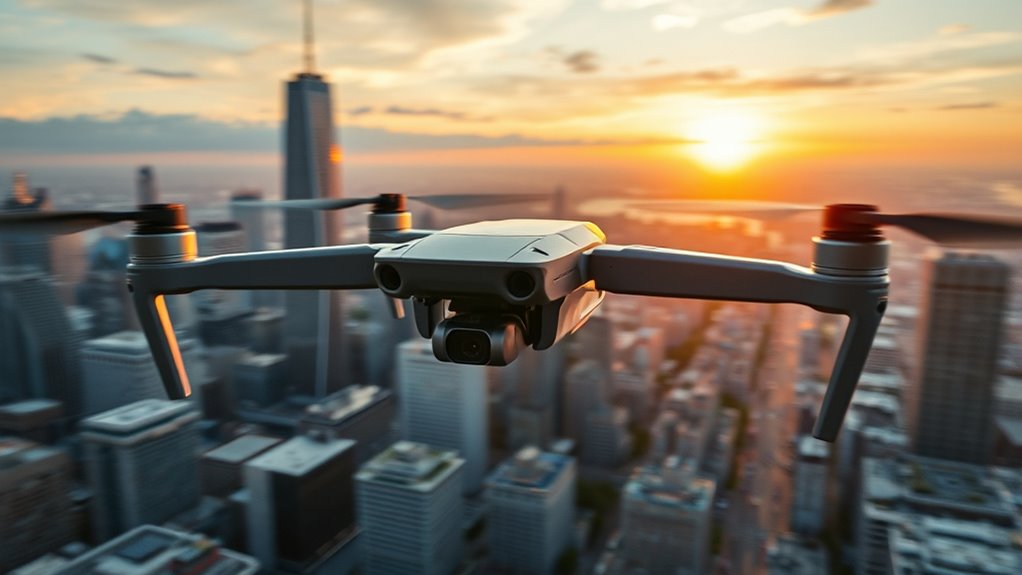
Advancements in smart technology are shaping the future of reducing rolling shutter distortions by integrating automation and artificial intelligence directly into shutter systems. You’ll see remote control via smartphone apps and voice assistants like Alexa, enabling seamless automation for residential and commercial settings. Collision detection systems will automatically stop and retract shutters when obstacles like pets or children are nearby. Sensors will adjust shutter operation based on temperature, light, or weather, optimizing energy use and comfort. Integration with home automation platforms will allow scheduling, grouping, and remote access, enhancing security and convenience. Smart Shades will increasingly incorporate advanced sensors and AI algorithms to predict and adapt to environmental conditions in real time. AI-driven automation is expected to accelerate adoption by 2032, making smart, adaptive shutters more effective at minimizing distortions, improving energy efficiency, and enhancing safety in various environments. Additionally, ongoing research into sensor integration promises to further refine how these systems respond to dynamic environmental factors.
Frequently Asked Questions
Can Global Shutters Completely Eliminate Rolling Shutter Artifacts?
Global shutters can completely eliminate rolling shutter artifacts like skew, wobble, and jello effects. Because they expose all pixels simultaneously, you won’t see distortions caused by fast motion or camera shake. This makes your footage clearer and more accurate, especially in dynamic scenes. However, keep in mind that global shutter cameras tend to be more expensive and may have lower resolution or sensitivity compared to rolling shutter options.
How Does Sensor Readout Speed Influence Artifact Severity?
Sensor readout speed directly impacts artifact severity; faster speeds mean less distortion. When your sensor reads data quickly, it reduces the time between line exposures, minimizing the effects of moving objects or camera shifts during capture. Conversely, slower readouts increase the chances of distortion because different parts of the image are recorded at slightly different times. So, upgrading to a sensor with faster readout speeds helps you capture smoother, more accurate footage.
Are Some Camera Models Less Prone to Rolling Shutter Effects?
Think of some cameras as smooth dancers, gliding effortlessly through motion, less prone to jello effects. Models like the Sony A7S, Leica SL2, and certain Canon R series feature faster readouts or global shutters, reducing distortion. You’ll notice their footage stays steady even with quick movements. If you want crisp, wobble-free videos, choose those models—they’re designed to tame the chaos of rapid motion.
Can Hardware Upgrades Reduce Rolling Shutter Distortions in Existing Cameras?
Yes, hardware upgrades can reduce rolling shutter distortions in your existing camera. Upgrading to faster sensors or adding on-board electronics like ASICs or FPGAs improves readout speed and real-time correction. Installing stabilization hardware, such as gimbals or optical image stabilization, also helps minimize vibrations that cause wobble. However, some upgrades, like switching to a global shutter sensor, can be costly or complex, but they offer the most significant reduction in rolling shutter effects.
What Role Does Sensor Size Play in Rolling Shutter Visibility?
Sensor size directly impacts rolling shutter visibility because larger sensors typically have faster readout speeds, reducing distortion. When you use a small sensor, it takes longer to scan the entire image, making motion artifacts more noticeable. Conversely, bigger sensors process data quicker, minimizing warping. So, if you want less rolling shutter effect, opt for a camera with a larger sensor, especially when capturing fast-moving subjects or shooting high-speed scenes.
Conclusion
Next time your footage wobbles like jello, remember it’s the dance of your camera’s rolling shutter. As you move or zoom, imagine light lines stretching and squirming across your frame, turning smooth scenes into a ripple of distortion. By understanding these effects, you can steady your shot and keep your visuals crisp. With mindful techniques and future tech, you’ll turn that shaky wobble into sharp, professional footage, capturing moments as clear as a still lake.