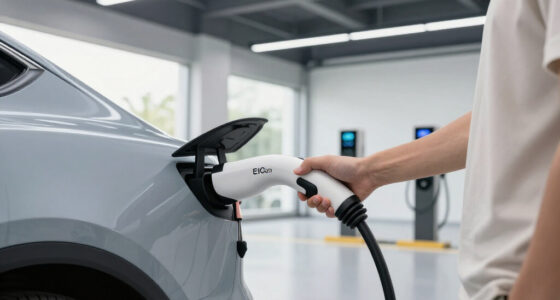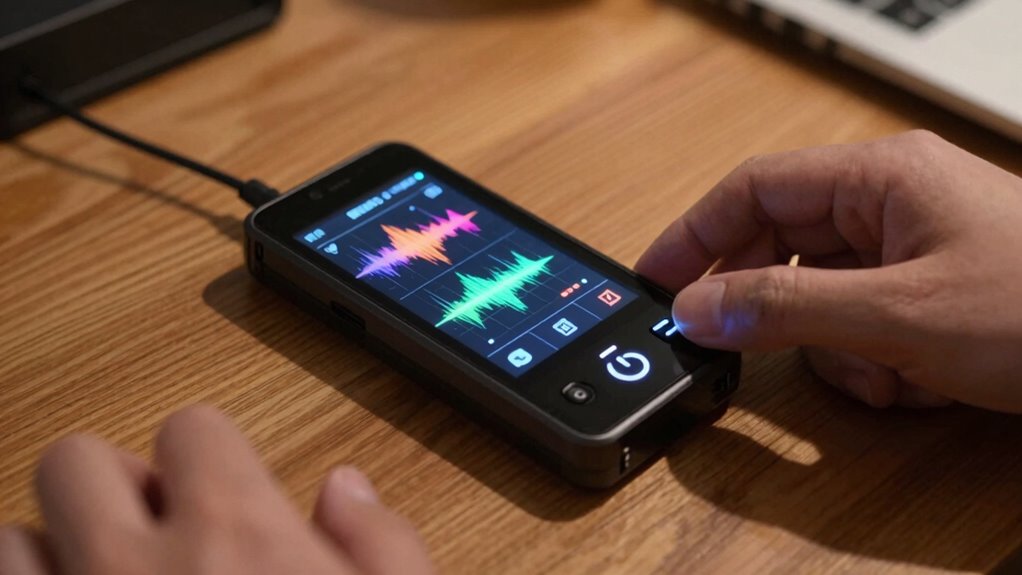
Before relying on overnight recordings, you should run a power test that covers battery longevity, signal stability, and environmental resilience. Fully charge your device and monitor how long it lasts under typical conditions. Check for any signal drops or fluctuations that could affect data collection. Also, test how well your device withstands environmental factors like heat or humidity. If you’re curious about how to optimize these tests for maximum reliability, keep exploring these key steps.

Get business pricing on garage and car supplies
- Business-only prices and quantity discounts
- Tax-exempt purchasing
- Multiple users, one account, clear invoices
Key Takeaways
- Fully charge the device and verify it can operate continuously through the entire night.
- Monitor battery performance for signs of rapid depletion or unexpected shutdowns.
- Test signal stability in the actual environment to prevent data loss during recording.
- Simulate real-world conditions, including temperature and humidity, to assess device durability.
- Conduct comprehensive testing to identify and resolve potential issues proactively.

When it comes to trusting overnight recordings, conducting a power test is vital to guarantee your device’s reliability and accuracy. You want to be sure that your equipment will perform without interruptions, especially during critical periods. A key part of this process involves checking the battery longevity to confirm your device can last the entire night without losing power. If the battery drains too quickly or unexpectedly shuts down, your recordings could be compromised, leaving gaps in your data or footage. To avoid this, fully charge the device before testing and monitor the battery level throughout the test period. If you notice rapid depletion, consider replacing the batteries or upgrading to a model with longer battery life.
Signal stability is another essential factor to evaluate during your power test. You need to verify that your device maintains a consistent connection, especially if it relies on Wi-Fi, cellular networks, or other wireless signals. During the test, pay attention to any fluctuations or dropouts that could happen overnight. Interruptions in signal can lead to incomplete recordings or corrupted data. To improve confidence in your setup, position your device in its typical environment and observe how well it holds the connection over several hours. If the signal weakens or drops frequently, you might need to adjust the device’s placement, upgrade your network equipment, or use a more dependable connection method. Additionally, understanding the importance of signal stability can help you prevent potential data loss during critical recording periods. Conducting a comprehensive testing process ensures you identify and resolve issues proactively before they impact your recordings. Including environmental factors in your assessment can further ensure your device performs optimally under real conditions. Conducting a thorough power test involves running the device under real-world conditions, which means simulating the environment it will operate in during the night. This helps you identify potential issues before they cause problems when you need the recordings most. Keep an eye on both battery longevity and signal stability during the test. It’s also beneficial to assess the device’s durability to ensure it can withstand environmental conditions such as temperature fluctuations and humidity. Make notes of how long the device runs on a full charge and whether its connection remains steady. If you find any weaknesses, address them proactively. For example, if the battery life is insufficient, you could carry backup batteries or select a device with a longer runtime. If signal stability is poor, reposition the device or enhance your network setup. Conducting a comprehensive performance assessment can significantly reduce the risk of data loss or recording failure during critical times.
long-lasting rechargeable batteries for security cameras
As an affiliate, we earn on qualifying purchases.
As an affiliate, we earn on qualifying purchases.
Frequently Asked Questions
How Long Should the Power Test Duration Be?
You should run the power test for at least 24 hours to accurately assess battery lifespan and identify potential power fluctuations. This duration allows you to see how the device performs under normal conditions overnight, revealing any issues with power stability. Extending the test to 48 hours can offer even more reliable insights, ensuring your equipment can handle continuous use without unexpected shutdowns or battery drain concerns.
What Equipment Is Necessary for an Effective Power Test?
Imagine you’re monitoring sensitive equipment overnight. To do an effective power test, you need a multimeter to measure voltage and current, plus a reliable battery with enough capacity to handle fluctuations. A surge protector or power supply monitor helps track power fluctuations. This setup guarantees your battery can sustain the load, preventing unexpected shutdowns and safeguarding your recordings. Proper equipment confirms your system’s reliability before critical overnight operations.
Can I Perform the Test Without Professional Assistance?
Yes, you can perform the power test yourself using DIY methods, but be cautious of common pitfalls. Make certain to follow instructions carefully, use reliable equipment, and avoid rushing the process. Keep an eye on voltage stability and avoid overloading circuits. If you’re unsure or notice irregularities, it’s best to seek professional help to prevent damage or inaccurate results. Proper testing ensures your overnight recordings are trustworthy.
How Often Should I Retake the Power Test?
You should retake the power test every few months to guarantee battery longevity and signal stability. Regular testing helps identify any decline in battery performance or issues with signal consistency. If you notice shorter recording times or inconsistent signals, it’s time for another test. Keeping up with these checks ensures your device remains reliable, preventing surprises during overnight recordings and maintaining the quality of your data collection.
What Signs Indicate a Failed Power Test?
Coincidentally, signs of a failed power test often catch you off guard. If your device exhibits inconsistent battery stability or fluctuating voltage levels, it’s a red flag. You might notice sudden shutdowns, erratic behavior, or inability to hold a charge. These issues suggest your battery can’t sustain reliable power, making it unsafe to trust overnight recordings. Always monitor for voltage fluctuations and stability to guarantee your device’s power source is dependable.
Wi-Fi signal booster for outdoor surveillance
As an affiliate, we earn on qualifying purchases.
As an affiliate, we earn on qualifying purchases.
Conclusion
Before trusting overnight recordings, performing the power test is essential—think of it as checking the heartbeat of your device. Just as a doctor ensures your health, this test confirms your gear’s reliability. Without it, you risk relying on a potentially faulty record, much like trusting a clock that’s stopped. So, take a moment, do the test, and sleep peacefully knowing your recording is as dependable as a sunrise—steady and true.
weatherproof outdoor security camera
As an affiliate, we earn on qualifying purchases.
As an affiliate, we earn on qualifying purchases.
battery backup power supply for security devices
As an affiliate, we earn on qualifying purchases.
As an affiliate, we earn on qualifying purchases.
Halloween Picks
halloween
As an affiliate, we earn on qualifying purchases.