To check if your audio setup is helping or hurting, play familiar tracks and listen carefully for clarity, bass, and stereo imaging. Notice if there are distortions, muffled sounds, or echoes, which indicate problems. Adjust speaker positioning and acoustics as needed, and verify that your equipment is properly calibrated and functioning. Regularly evaluate your system to guarantee it delivers true, balanced sound; if you keep exploring these steps, you’ll uncover effective ways to optimize your setup.

Get business pricing on garage and car supplies
- Business-only prices and quantity discounts
- Tax-exempt purchasing
- Multiple users, one account, clear invoices
Key Takeaways
- Play familiar, high-quality tracks to assess clarity, balance, and stereo imaging for potential issues.
- Listen for muffled sounds, echoes, or distortions indicating acoustic or placement problems.
- Make small adjustments (e.g., speaker angles, height) and evaluate if sound improves or worsens.
- Check for external noise leaks or sound reflections that could be hurting sound isolation.
- Use calibration tools/software to fine-tune your system and identify any performance inconsistencies.
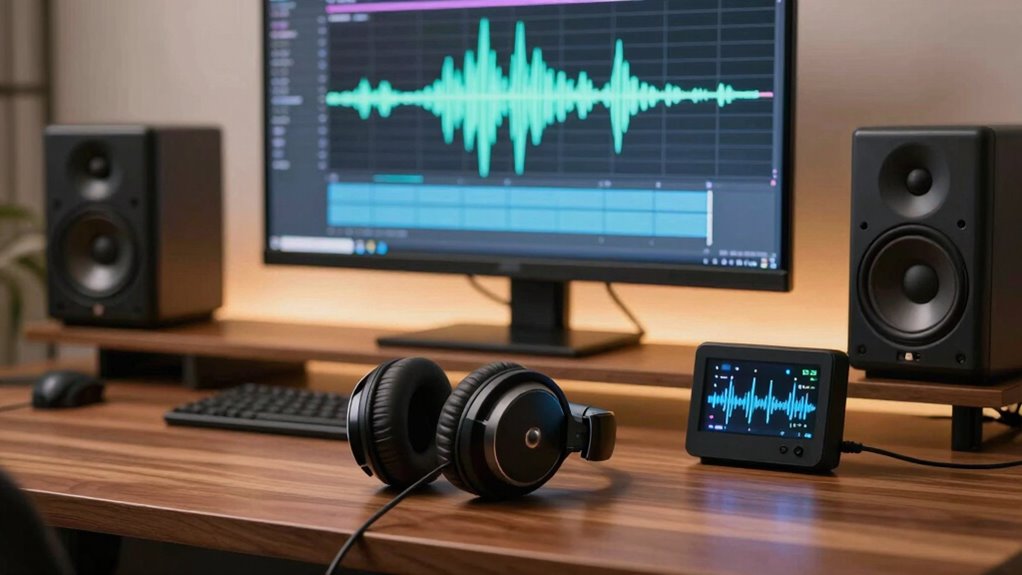
Good audio can considerably enhance your setup, but poor sound quality can just as easily detract from it. When evaluating whether your audio setup is helping or hurting, the first step is to examine how soundproofing techniques and speaker placement influence your listening experience. If your room isn’t properly soundproofed, external noises can interfere, making it harder to judge sound quality accurately. Conversely, soundproofing helps isolate the sound, so you’re listening to your system without distractions. Check for gaps around doors or windows and think about adding weather stripping or acoustic panels to improve sound isolation. When it comes to speaker placement, positioning your speakers correctly is paramount. If they’re too close to walls or corners, you might experience boomy or muddy sound. Moving speakers away from reflective surfaces can help produce clearer, more balanced audio. Ideally, your speakers should form an equilateral triangle with your listening position, with tweeters at ear level. This setup ensures a more direct sound path, providing you with a true representation of your audio source. Additionally, understanding room acoustics can help you optimize the overall sound environment for better clarity.
Once you’ve optimized soundproofing and speaker placement, it’s time to critically listen. Play familiar tracks or sound samples that you know well, focusing on clarity, bass response, and stereo imaging. If the audio feels dull or overly harsh, it’s a sign that adjustments might be necessary. Sometimes, small changes like angling speakers slightly inward or adjusting their height can make a big difference. Use your ears to detect any imbalance or distortion—these signs indicate your setup may be hurting your listening experience. If you notice muffled sounds or echoes, it could mean that your room’s acoustics need attention. Adding soft furnishings like rugs, curtains, or acoustic panels can absorb unwanted reflections, helping you hear more accurate sound. Proper soundproofing and acoustic treatment can significantly improve listening quality by reducing unwanted noise and reverberations. Regularly assessing your equipment’s performance and system calibration can also help ensure your setup remains optimized over time.
Further, think about whether your equipment is functioning properly. Faulty or mismatched components can diminish sound quality, regardless of your setup. Test your speakers and cables regularly, replacing or upgrading parts if needed. Use calibration tools or software to fine-tune your system, ensuring each component works harmoniously. By systematically analyzing these factors—soundproofing, speaker placement, acoustics, and equipment—you can identify whether your audio setup is helping or hurting your overall experience. Remember, the goal is to create a balanced environment where sound is clear, natural, and immersive. Making small, thoughtful adjustments can elevate your listening to new heights, transforming your setup from merely functional into truly exceptional.
As an affiliate, we earn on qualifying purchases.
Frequently Asked Questions
What Equipment Is Essential for Accurate Audio Testing?
You need essential equipment like a high-quality microphone, audio interface, and calibration tools for accurate testing. Focus on microphone calibration to guarantee your mic captures sound accurately. Use a frequency response analyzer to check how your system reproduces different sound pitches. These tools help identify flaws, ensuring your setup delivers precise audio performance, whether for recording or playback, and prevent sound issues from affecting your overall audio quality.
How Often Should I Re-Evaluate My Audio Setup?
You should re-evaluate your audio setup every six months, or whenever you notice sound issues. Regular audio calibration guarantees your equipment is tuned properly, while soundproofing techniques prevent external noise from skewing your perception. Don’t wait until your ears are begging for mercy—stay vigilant. After all, if your sound is perfect today, it might be a disaster tomorrow, especially if you ignore these essential checks.
Can Room Acoustics Affect Audio Quality Assessments?
Yes, room acoustics can considerably affect your audio quality assessments. Room reflections from surfaces like walls and ceilings can cause echoes and distort sound, making it hard to judge true audio performance. Soundproofing techniques, such as adding acoustic panels or carpets, reduce these reflections and improve accuracy. By controlling your room’s acoustics, you guarantee more reliable evaluations of your audio setup, leading to better sound quality overall.
Are There Specific Tools for Measuring Audio Improvements?
Yes, there are specific tools for measuring audio improvements, especially when tackling soundproofing challenges. You can use spectrum analyzers, SPL meters, or audio calibration tools like Room EQ Wizard (REW) to assess changes. These tools help you evaluate how well your setup handles soundproofing and fine-tune your audio calibration techniques. Regular measurements guarantee your adjustments genuinely improve sound clarity and reduce unwanted noise interference.
How Do I Identify if Audio Issues Are Hardware or Software Related?
To identify if audio issues stem from hardware or software, listen carefully to the sound quality—sharp, clear, and balanced, or muffled and distorted. Test your equipment calibration, ensuring cables are secure and settings are correct. Swap out hardware components one at a time to see if issues persist, and update or reinstall software. This process helps you pinpoint whether the problem lies in your equipment or your software configuration.
acoustic panels for soundproofing
As an affiliate, we earn on qualifying purchases.
As an affiliate, we earn on qualifying purchases.
Conclusion
In the end, regularly evaluating your audio setup guarantees you’re not just hearing but truly experiencing your sound environment. Did you know that poor audio quality can reduce focus by up to 35%? By testing and adjusting your system, you optimize clarity and immersion. Remember, the goal isn’t just sound—it’s a seamless experience that enhances your space. Keep fine-tuning, and you’ll always get the most out of your audio setup.
As an affiliate, we earn on qualifying purchases.
As an affiliate, we earn on qualifying purchases.
Fall Picks
fall essentials
As an affiliate, we earn on qualifying purchases.