If your Milwaukee M18 charger is blinking red, it indicates a problem that needs attention. A blinking red light can be caused by various issues, from battery problems to environmental factors. This guide provides clear, practical steps to identify and resolve the issue safely, helping you get back to work quickly.

Get business pricing on garage and car supplies
- Business-only prices and quantity discounts
- Tax-exempt purchasing
- Multiple users, one account, clear invoices
Always follow safety precautions when working with power tools and chargers. Before starting, make sure your charger and batteries are compatible and in good condition.
Key Takeaways
| Identify the blinking pattern | Different blinking patterns indicate specific issues. |
| Check battery compatibility | Ensure batteries are properly seated and compatible. |
| Inspect for damage | Look for physical damage or dirt on contacts. |
| Try a different outlet | Rule out power supply issues. |
| Reset the charger | Unplug, wait, and then reconnect to reset. |
Step 1: Observe the Blinking Pattern
- Note how the red light blinks—slow, fast, or constant. Different patterns can indicate specific issues such as overheating, battery fault, or charging errors.
Step 2: Check the Battery and Connection
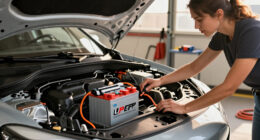
- Remove the battery from the charger.
- Inspect the battery contacts for dirt, dust, or damage.
- Reinstall the battery securely, ensuring it clicks into place.
Step 3: Test the Outlet and Power Source
- Plug the charger into a different wall outlet.
- Ensure the outlet provides consistent power—avoid extension cords or power strips if possible.
Step 4: Reset and Restart the Charger
- Unplug the charger from the power source.
- Wait at least 30 seconds to clear any faults.
- Plug it back in and observe the blinking pattern.
Step 5: Check for Overheating or Damage
- Ensure the charger is in a well-ventilated area.
- Feel for excessive heat. If hot, turn off and let it cool down.
- Inspect for cracks or damage on the charger or battery.
The Products in This Guide

Milwaukee M18 18V Cordless Power Tool Combo Kit
- ✔ Voltage: 18V
- ✔ Number of Tools: 8
- ✔ Battery Type: Lithium-ion

Milwaukee Shockwave 100pcs Impact Driver Bit Set Packout
- ✔ Number of Pieces: 100
- ✔ Case Included: Yes
- ✔ Material: Impact steel
Milwaukee M18 18V Cordless Power Tool Combo Kit
The Milwaukee M18 18V Cordless Power Tool Combo Kit offers a comprehensive set of tools, batteries, and a charger, ideal for a wide range of tasks. The charger included is designed for quick and safe charging, but like any device, it can encounter issues like blinking red lights that require troubleshooting.
Pros:
- Includes 8 tools for versatile applications
- Comes with 3 batteries for extended runtime
- Includes two heavy-duty contractor bags
- Rapid charger minimizes downtime
Cons:
- Heavy kit, less portable for some users
- Requires familiarization with multiple tools
- Battery management needed for optimal performance
Best for: Construction, remodeling, and maintenance work requiring multiple tools
Not ideal for: Light-duty or occasional DIY projects
Bottom line: A complete, versatile toolkit with reliable power, though occasional troubleshooting may be needed.
Milwaukee Shockwave 100pcs Impact Driver Bit Set Packout
The Milwaukee Shockwave 100pcs Impact Driver Bit Set Packout provides durable bits designed for high-torque applications. It complements the M18 tools well, especially when tackling tough materials.
Pros:
- Durable impact bits for heavy-duty use
- Packout case for organized storage
- Wide variety of bits included
- Built for impact drivers
Cons:
- Bits may wear over time with heavy use
- Limited to impact driver compatibility
- Case size may be bulky for small storage
Best for: Heavy-duty impact driving and fastening tasks
Not ideal for: Light-duty or occasional home projects
Bottom line: A versatile, heavy-duty impact driver bit set that enhances your Milwaukee toolkit.
Frequently Asked Questions
Why is my Milwaukee charger blinking red?
A blinking red light typically indicates a problem such as overheating, a faulty battery, or a poor connection. Refer to the blinking pattern and follow troubleshooting steps.
Can I use any battery with my Milwaukee charger?
Only batteries compatible with the Milwaukee M18 system should be used. Using incompatible batteries can cause charging issues or damage.
What should I do if my charger still blinks red after troubleshooting?
If issues persist, inspect the charger and battery for damage, try a different outlet, or contact Milwaukee customer support for assistance.
How do I prevent my charger from overheating?
Ensure the charger is in a well-ventilated area, avoid covering it, and do not charge batteries in hot environments.
Keeping Your Milwaukee Charger in Top Shape
Understanding the causes of a blinking red light on your Milwaukee charger helps you troubleshoot effectively. Regular inspection, proper handling, and following safety tips can extend the lifespan of your charger and batteries. If problems persist, professional support is recommended to avoid damage and ensure safe operation.
Affiliate disclosure: As an Amazon Associate we earn from qualifying purchases. Prices and availability are accurate as of the time of publishing.
Halloween Picks
halloween
As an affiliate, we earn on qualifying purchases.