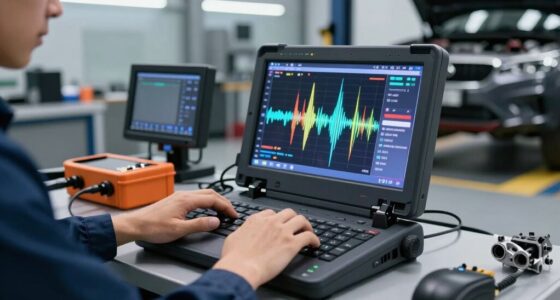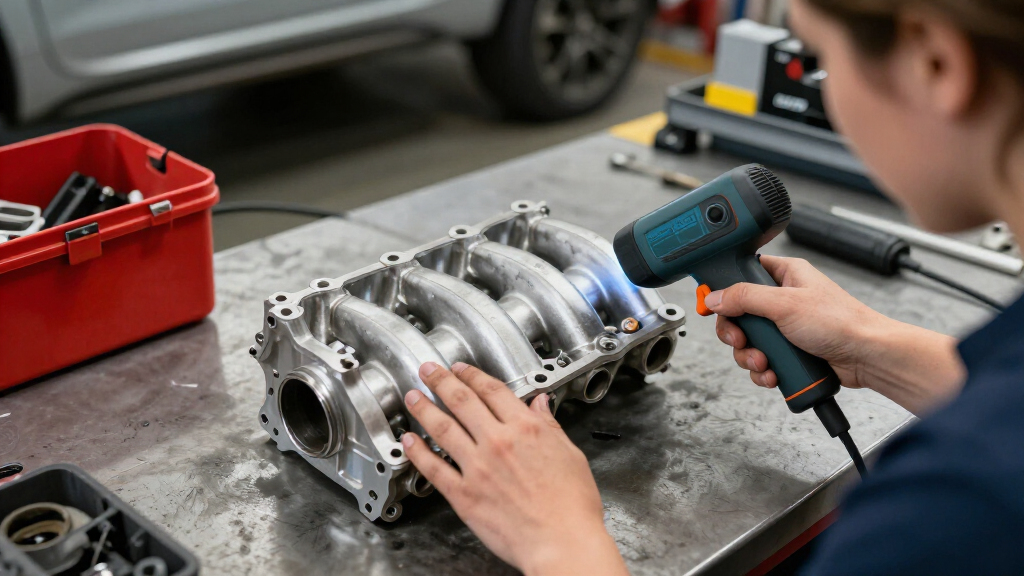
For scanning car parts, my best overall pick is the Creality CR-Scan Otter, whose broad scanning range suits a mix of small components and larger automotive forms. The Creality CR-Scan Raptor Pro is a stronger fit when fine detail and demanding reverse-engineering work matter most, while the 3DMakerpro Fox Medium-Format offers another route for parts that need a larger capture area. The main tradeoff is between capturing small features accurately and scanning bulky or dark surfaces with fewer setup steps. I also weigh portability, software workflow, and how much scanning experience each option asks of its owner. Read on for the full comparison and guidance by project type.

Get business pricing on garage and car supplies
- Business-only prices and quantity discounts
- Tax-exempt purchasing
- Multiple users, one account, clear invoices
Complete the kit


Key Takeaways
- The Otter earns the overall spot through range: its mix of scanning modes makes it a flexible choice for varied part sizes, while the Raptor Pro is better suited to detail-focused work.
- The Raptor Pro pair targets demanding jobs: both listed Raptor Pro products suit buyers prioritizing fine capture, but their repeated model naming makes checking the exact included package especially important.
- The Fox models serve different scale needs: the Medium-Format Fox is the more natural match for larger components, while the standard Fox is a separate option for buyers whose work fits its capture range.
- Otter Lite options emphasize accessibility: the wired Basic and Wireless handheld listings put convenience and simpler handling ahead of the broader capability expected from the full Otter.
- Not every scanner here is equally automotive-focused: Matter and Form THREE and Revopoint RANGE can suit particular part sizes or workflows, but buyers should match their intended objects to each scanner’s capture strengths before choosing.
| 3DMakerpro Fox Medium-Format 3D Scanner |  | Best for Beginner-Friendly Part Scanning | Scanner type: Medium-format 3D scanner | Accuracy: 0.07 mm | Resolution: 0.10 mm | VIEW LATEST PRICE | See Our Full Breakdown |
| 3DMakerpro Fox 3D Scanner |  | Best for Mixed Small-to-Large Parts | Accuracy: Up to 0.07 mm | Scanning technology: Near-infrared (NIR) | Object size range: 40–1,200 mm | VIEW LATEST PRICE | See Our Full Breakdown |
| Matter and Form THREE 3D Scanner |  | Best for Fine Detail and Broad Device Compatibility | Accuracy: 0.033 mm | Cameras: Dual 13 MP autofocus cameras | Tracking dots: Not required | VIEW LATEST PRICE | See Our Full Breakdown |
| Creality CR-Scan Otter Lite Basic Handheld 3D Scanner |  | Best for Difficult Surfaces and Outdoor Scans | Accuracy: Up to 0.05 mm | Scanning speed: Up to 30 fps | Object size range: 20–2,000 mm | VIEW LATEST PRICE | See Our Full Breakdown |
| Creality CR-Scan Raptor Pro 3D Scanner |  | Best for Professional Detail and Large Scan Ranges | Scanning technologies: 22 crossed blue laser lines, 7 parallel blue laser lines, and infrared structured light | Scanning speed: Up to 660,000 dots per second | Frame rate: Up to 60 fps laser; 30 fps infrared | VIEW LATEST PRICE | See Our Full Breakdown |
| Creality CR-Scan Otter 3D Scanner |  | Best for Mixed-Size Car Parts | Scanning size range: 10 × 10 × 10 mm to 2,000 × 2,000 × 2,000 mm | Scanning distance: 110–1,200 mm | Scanning precision: Up to 0.02 mm | VIEW LATEST PRICE | See Our Full Breakdown |
| Creality Otter Lite Wireless Handheld 3D Scanner |  | Best for Portable Scanning | Connection: Wi-Fi 6, Pogo Pin | Scanning speed: 30 FPS | Weight: 330 g (0.73 lbs) | VIEW LATEST PRICE | See Our Full Breakdown |
| Creality CR-Scan Raptor Pro Handheld 3D Scanner |  | Best for Demanding Surface and Size Range | Measurement accuracy: Up to 0.02 mm | Volume accuracy: 0.02 mm + 0.08 mm/m | Scanning speed: Up to 660,000 points/sec | VIEW LATEST PRICE | See Our Full Breakdown |
| Revopoint RANGE Handheld 3D Scanner, Standard Edition |  | Best for Large Components | Single-frame precision: Up to 0.1 mm | Single capture range: 360 × 650 mm at 600 mm | Scanning distance: 300–800 mm | VIEW LATEST PRICE | See Our Full Breakdown |
| 3D scanners for car part | Scanning speed | Accuracy |
|---|---|---|
| 3DMakerpro Fox Medium-Format 3 | — | 0.07 mm |
| 3DMakerpro Fox 3D Scanner | — | Up to 0.07 mm |
| Matter and Form THREE 3D Scann | — | 0.033 mm |
| Creality CR-Scan Otter Lite Ba | Up to 30 fps | Up to 0.05 mm |
| Creality CR-Scan Raptor Pro 3D | Up to 660,000 dots per second | Up to 0.02 mm |
| Creality CR-Scan Otter 3D Scan | Up to 20 fps | — |
| Creality Otter Lite Wireless H | 30 FPS | — |
| Creality CR-Scan Raptor Pro Ha | Up to 660,000 points/sec | — |
| Revopoint RANGE Handheld 3D Sc | Up to 18 fps | — |
More Details on Our Top Picks
3DMakerpro Fox Medium-Format 3D Scanner
The Fox Medium-Format is the approachable pick for hobbyists who want to capture car parts without starting with a marker-heavy workflow. Its markerless AI tracking can relock after movement, which may help when scanning an awkward bracket or trim piece from several angles. The stated 0.07 mm accuracy and 0.10 mm resolution suit detailed modeling and inspection, though the supplied data does not specify scan speed or the supported object-size range. Compared with the Creality CR-Scan Otter Lite Basic, the Fox emphasizes guided, beginner-friendly use rather than documented outdoor, color, and broad size-range capabilities. Relocking may still require pointing back to a previously scanned area, so interrupted scans can take patience. I’d choose it for learning and general part capture, but look elsewhere if your work depends on a confirmed scan volume or a fast production workflow.
Pros:- Beginner- and hobbyist-oriented design
- Stated 0.07 mm accuracy and 0.10 mm resolution for detailed capture
- Markerless AI tracking can relock after movement
- JMStudio includes scanning, editing, and model optimization tools
Cons:- No scan speed or supported object-size range is provided
- Relocking may require returning to an area already scanned
Best for: Hobbyists learning to scan brackets, trim pieces, and other car parts for modeling or 3D printing.
Not ideal for: Shops that need a documented object-size range or scan-speed figure before planning repeatable production work.
- Scanner type:Medium-format 3D scanner
- Accuracy:0.07 mm
- Resolution:0.10 mm
- Tracking:Markerless AI feature recognition
- Software:JMStudio
- Software functions:Scanning, editing, and model optimization
Our verdict“Choose the Fox Medium-Format if you want an approachable markerless scanner for hobby car-part models and can work around gaps in its published scan specifications.”
3DMakerpro Fox 3D Scanner
With a stated 40–1,200 mm object range, this Fox gives car enthusiasts a clearer size target than the Fox Medium-Format listing, which does not specify its supported range. Its near-infrared scanning and markerless anti-shake tracking suit varied shapes, while OBJ, STL, PLY, and ASC exports provide practical routes into common modeling and printing workflows. Accuracy is listed as up to 0.07 mm, so this is aimed at useful part capture rather than the finer stated figure of the Matter and Form THREE. The tradeoff is workflow effort: the description calls for patience, a capable PC, and preferably a dedicated GPU. Turning a scan into a clean printable mesh may also call for refinement and slicing skills. I’d favor this Fox when the known scan range and export choices matter more than a low-friction setup.
Pros:- Specified 40–1,200 mm object-size range
- Up to 0.07 mm stated accuracy
- Markerless tracking with anti-shake support
- Exports OBJ, STL, PLY, and ASC files
Cons:- Scanning takes patience and has a learning curve
- A capable PC, preferably with a dedicated GPU, is recommended
- Mesh cleanup and slicing knowledge may be needed for successful prints
Best for: Car DIYers scanning parts from small fittings to larger panels who have a capable computer and can refine meshes.
Not ideal for: Beginners with basic computers who want a quick, guided path from scan to printable model.
- Accuracy:Up to 0.07 mm
- Scanning technology:Near-infrared (NIR)
- Object size range:40–1,200 mm
- Optimal working distance:150–400 mm
- Tracking:Markerless with anti-shake technology
- Software:JMStudio
- Export formats:OBJ, STL, PLY, ASC
- Recommended computer:Capable PC; dedicated GPU strongly recommended
Our verdict“Pick this Fox for a specified small-to-large scan range and flexible exports if you have the computer and patience for a hands-on workflow.”
Matter and Form THREE 3D Scanner
The THREE leads this group on stated precision, with 0.033 mm accuracy and dual 13 MP autofocus cameras. For car-part work, that combination makes it the detail-oriented option for capturing small features and surface geometry; feature-based alignment also avoids tracking dots. Its 20–100 cm capture distance covers a range of working setups, and built-in software supports Windows, macOS, Linux, iOS, Android, and Chromebooks. Compared with either Fox scanner, the THREE’s published accuracy is finer and its platform support is broader, but the listed 9.46-pound weight and sizable package suggest a less convenient carry-around choice. The product data also gives no scan-speed figure or independent performance evidence. I’d put it ahead when fine detail and device flexibility lead the brief, while the Creality CR-Scan Raptor Pro better fits buyers prioritizing speed and a very wide scan-size range.
Pros:- Stated 0.033 mm accuracy, the finest figure among these five listings
- Dual 13 MP autofocus cameras
- Feature-based alignment does not require tracking dots
- Built-in software supports major desktop and mobile operating systems
Cons:- Listed weight is 9.46 pounds, limiting portability
- No scan-speed figure is provided
- Product data includes no independent performance evidence
Best for: Modelers and restoration specialists who prioritize fine stated accuracy, dot-free alignment, and compatibility across operating systems.
Not ideal for: Mobile technicians who need a lightweight handheld setup or buyers who require published scan-speed data.
- Accuracy:0.033 mm
- Cameras:Dual 13 MP autofocus cameras
- Tracking dots:Not required
- Alignment:Feature-based
- Capture distance:20–100 cm
- Color capture:True-life color
- Compatible operating systems:Windows, macOS, Linux, iOS, Android, Chromebooks
- Item weight:9.46 pounds
Our verdict“Choose the THREE when stated fine accuracy and broad device compatibility matter more than portability or documented scanning speed.”
Creality CR-Scan Otter Lite Basic Handheld 3D Scanner
Car parts can be awkward scan targets when they are black, metallic, or too large to bring indoors. The Otter Lite Basic is the practical pick for those conditions: it lists a 20–2,000 mm size range, full-color capture, sunlight scanning under 30,000 lux, and the ability to scan black or metallic objects without spray. Its anti-shake tracking and speed of up to 30 fps also favor moving around a part rather than setting up a fixed turntable. Against the 3DMakerpro Fox, its broader stated size range and difficult-surface support are more explicit; against the Raptor Pro, its stated accuracy of up to 0.05 mm is less fine and its maximum listed scan size is smaller. Outdoor use has a light limit, so this is not a promise of reliable capture in bright direct sun. I’d choose it for versatile garage-side scanning, not the smallest detail work.
Pros:- Scans objects from 20 mm to 2,000 mm
- Can scan black and metallic surfaces without scanning spray
- Supports 24-bit full-color capture
- Anti-shake tracking and speeds up to 30 fps
Cons:- Outdoor scanning is specified only below 30,000 lux
- Up to 0.05 mm accuracy is less fine than the Raptor Pro’s stated 0.02 mm
Best for: Automotive DIYers scanning black or metal components, larger pieces, or parts that must be captured outside.
Not ideal for: Precision-focused users who need the finest stated accuracy or must scan in bright sunlight beyond the listed light limit.
- Accuracy:Up to 0.05 mm
- Scanning speed:Up to 30 fps
- Object size range:20–2,000 mm
- Color scanning:24-bit full color
- Outdoor scanning:Supported in sunlight under 30,000 lux
- Scanning stabilization:Anti-shake tracking
- Weight:4.4 pounds
- Dimensions:13.7 × 6.45 × 12.28 inches
Our verdict“Choose the Otter Lite Basic for varied garage and outdoor car-part scans, especially when dark or metallic surfaces are part of the job.”
Creality CR-Scan Raptor Pro 3D Scanner
The Raptor Pro is the most capable-on-paper choice here for shops that scan everything from tiny fittings to large body components. Its 5 mm to 4,000 mm scan range is the widest stated in this batch, while up to 0.02 mm accuracy and blue-laser modes target fine geometric capture. The mix of 22 crossed and seven parallel blue laser lines with infrared structured light gives buyers distinct scanning approaches; the listing also says it can handle black and metal objects without powder coating. Compared with the Creality CR-Scan Otter Lite Basic, it reaches a larger maximum size and claims finer accuracy, while the Otter Lite specifies sunlight use and weighs 4.4 pounds. The Raptor Pro’s speed and breadth bring a computer-dependent workflow, and the data omits system requirements and included accessories. I’d select it for demanding, varied part work when a Windows or Mac setup is available.
Pros:- Stated accuracy up to 0.02 mm
- Wide 5 mm to 4,000 mm scan-size range
- Blue laser and infrared scanning modes
- Can scan black and metal objects without powder coating
Cons:- Requires a compatible Windows or Mac computer
- System requirements and included accessories are not specified
- Workflow may be more demanding than the beginner-focused Fox options
Best for: Automotive engineers, restoration shops, and advanced makers scanning both tiny components and large body parts for CAD workflows.
Not ideal for: Casual users seeking a simple standalone scanner or anyone without a compatible Windows or Mac computer.
- Scanning technologies:22 crossed blue laser lines, 7 parallel blue laser lines, and infrared structured light
- Scanning speed:Up to 660,000 dots per second
- Frame rate:Up to 60 fps laser; 30 fps infrared
- Accuracy:Up to 0.02 mm
- Scan size:5 × 5 × 5 mm³ to 4,000 × 4,000 × 4,000 mm³
- Color capture:24-bit full-color texture
- Supported operating systems:Windows and Mac
- Compatible software:Geomagic, Rhino, ZBrush, Maya, SolidWorks
Our verdict“Choose the Raptor Pro for the broadest stated size range and finest listed accuracy when your car-part workflow can support a computer-based scanner.”
Creality CR-Scan Otter 3D Scanner
The CR-Scan Otter is a versatile pick for a garage that scans both small fittings and larger body sections: its stated range runs from 10 mm to 2,000 mm, and its four stereo depth cameras support capture at up to 20 fps. Its infrared and white lighting is designed to handle dark or metallic surfaces, which can reduce prep work on parts that challenge simpler optical scanners. Compared with the Revopoint RANGE, the Otter offers a smaller minimum object size and a higher stated precision, while the RANGE is specifically oriented toward larger objects and lists broad mobile compatibility. The Otter’s tradeoff is that its 0.02 mm figure is an upper-bound specification, not a guarantee for every scan, and wireless phone scanning requires accessories. I’d choose it for varied parts and surface types, with a computer-based workflow as the default.
Pros:- Covers objects from 10 mm up to 2,000 mm
- Stated precision reaches up to 0.02 mm
- Infrared and white lighting is designed for dark and metallic surfaces
- Supports outdoor scanning below 30,000 lux
Cons:- Wireless scanning with iOS or Android requires accessories
- The stated precision is an upper limit and may not represent results on every part
Best for: Automotive hobbyists and small repair shops scanning everything from clips and brackets to larger trim or body components.
Not ideal for: Buyers who want phone-based wireless scanning out of the box or need a stated accuracy guarantee for every scan.
- Scanning size range:10 × 10 × 10 mm to 2,000 × 2,000 × 2,000 mm
- Scanning distance:110–1,200 mm
- Scanning precision:Up to 0.02 mm
- Scanning speed:Up to 20 fps
- Cameras:4 stereo depth cameras and 1 RGB camera
- Lighting:8 infrared LEDs and 2 white LEDs
- Sunlight tolerance:Below 30,000 lux
- Compatibility:Windows and macOS; iOS and Android wireless scanning with accessories
Our verdict“Choose the CR-Scan Otter if your car-part work spans small components and larger pieces and you want surface handling suited to dark or metallic finishes.”
Creality Otter Lite Wireless Handheld 3D Scanner
For scanning car parts away from a fixed workstation, the Otter Lite Wireless prioritizes mobility: it weighs 330 g, connects over Wi-Fi 6 or Pogo Pin, and is rated for up to three hours of battery use. Its quad-lens layout is intended to cover both fine details and larger objects, while the included CrealityScan software supports capture and processing. Against the CR-Scan Otter, this model makes wireless handling central to the workflow; the standard Otter gives buyers a stated precision of up to 0.02 mm and a defined size range, while the Lite description supplies no accuracy figure. That gap matters for fit-critical parts: portability alone does not tell you whether a scan will capture the tolerances you need. I’d pick the Lite for convenient inspection or reference capture, but look to a model with published accuracy data when dimensional confidence is the priority.
Pros:- Wireless connection options include Wi-Fi 6 and Pogo Pin
- Lightweight 330 g handheld design
- Up to three hours of stated battery life
- CrealityScan software is included for scanning, editing, and processing
Cons:- No scan accuracy measurement is provided in the product data
- Continuous scanning is limited to up to three hours per battery charge
Best for: Mobile mechanics and hobbyists who need a light scanner for reference scans around a vehicle or between work areas.
Not ideal for: Fabricators digitizing fit-critical parts who need published accuracy or people who require uninterrupted scanning beyond the stated battery life.
- Connection:Wi-Fi 6, Pogo Pin
- Scanning speed:30 FPS
- Weight:330 g (0.73 lbs)
- Battery capacity:3400 mAh
- Battery life:Up to 3 hours
- Charging:40 W HyperCharge; 0% to 80% in 60 minutes
- Lenses:Quad-lens system with dual long- and short-focus lenses
- Software:CrealityScan, lifetime use
Our verdict“Choose the Otter Lite Wireless for portable reference scanning, but select a scanner with published accuracy specifications for tolerance-sensitive car parts.”
Creality CR-Scan Raptor Pro Handheld 3D Scanner
The CR-Scan Raptor Pro is the specialist choice here for difficult finishes and unusually varied part sizes. Its blue laser modes and infrared structured light are designed for dark, glossy, and metallic surfaces, and its listed object range extends from 5 mm to 4,000 mm. The stated capture rate of up to 660,000 points per second also suits detailed scans, while outdoor light tolerance reaches 100,000 lux in crossed-laser mode. Compared with the CR-Scan Otter, the Raptor Pro covers a wider size range and offers stronger published outdoor tolerance; the Otter is the simpler fit for buyers who do not need the larger range. The cost of this capability is a demanding computer requirement, including a recommended Windows setup with 32 GB RAM and an Nvidia GPU with 8 GB VRAM. I’d reserve it for serious part digitizing where that workstation is available.
Pros:- Scans objects from 5 mm to 4,000 mm
- Blue laser and infrared modes target dark, glossy, and metallic surfaces
- High stated capture rate of up to 660,000 points per second
- Outdoor tolerance reaches 100,000 lux in crossed-laser mode
Cons:- Recommended Windows configuration calls for 32 GB RAM and an Nvidia GPU with 8 GB VRAM
- Wireless connectivity details are not specified in the product data
- The published accuracy is an upper-bound figure and volume accuracy varies with scan length
Best for: Automotive fabricators and advanced hobbyists digitizing small precision pieces alongside large panels, especially with reflective or dark finishes.
Not ideal for: Casual users with modest computers or buyers seeking a lightweight setup without substantial workstation requirements.
- Measurement accuracy:Up to 0.02 mm
- Volume accuracy:0.02 mm + 0.08 mm/m
- Scanning speed:Up to 660,000 points/sec
- Scanning range:5 mm to 4,000 mm objects
- Light sources:22 crossed blue lasers, 7 parallel blue lasers, and NIR infrared structured light
- Outdoor light tolerance:50,000 lux for parallel lasers; 100,000 lux for crossed lasers
- Minimum Windows requirements:Intel Core i7 7th Gen, Nvidia graphics with 6 GB VRAM, 16 GB RAM, Windows 10/11 64-bit
- Recommended Windows requirements:Intel Core i7 10th Gen, Nvidia graphics with 8 GB VRAM, 32 GB RAM, Windows 10/11 64-bit
- Recommended Mac requirements:M3, M4, or M5 processor and 16 GB RAM
Our verdict“Choose the Raptor Pro if you need broad size coverage and scanning modes for challenging finishes and can pair it with a capable computer.”
Revopoint RANGE Handheld 3D Scanner, Standard Edition
The Revopoint RANGE is built around larger captures, making it a practical match for scanning broad car components such as seats, dashboards, or body sections. Its single capture range is listed as 360 × 650 mm at 600 mm, and USB or Wi-Fi connectivity gives it more flexible device options than a strictly computer-tethered workflow. Compared with the CR-Scan Otter, the RANGE has a narrower stated object-size focus and lower single-frame precision at up to 0.1 mm; the Otter is the stronger candidate for smaller, detail-heavy parts where its published precision matters. The RANGE counters with color capture and compatibility across Windows, macOS, iOS, and Android. Buyers should read its 0.1 mm figure as a single-frame specification, not a promise of final model accuracy across a large scan. I’d choose it for broad parts and color references, not tiny tolerance-critical features.
Pros:- Large single capture range of 360 × 650 mm at 600 mm
- Captures full-color scans
- USB and Wi-Fi connectivity
- Works with Windows, macOS, iOS, and Android
Cons:- Single-frame precision is up to 0.1 mm, coarser than the stated 0.02 mm on the CR-Scan Otter
- Minimum system requirements specify Windows 10/11 64-bit, despite broader listed device compatibility
Best for: Restoration shops and vehicle enthusiasts capturing large interior or exterior components for reference, fit checks, or visual documentation.
Not ideal for: Engineers scanning small, precision-critical fittings who need finer stated precision than 0.1 mm.
- Single-frame precision:Up to 0.1 mm
- Single capture range:360 × 650 mm at 600 mm
- Scanning distance:300–800 mm
- Scanning speed:Up to 18 fps
- Connectivity:USB, Wi-Fi
- Optical sensor:CMOS
- Compatibility:Windows, macOS, iOS, Android
- Weight:210 g
Our verdict“Choose the RANGE for large car components and color reference scans, and choose a finer-precision scanner for small features that must fit closely.”

How We Picked
I ranked these scanners around automotive part jobs rather than treating headline specifications as a substitute for fit. The key criteria were the range of part sizes a scanner can handle, its ability to capture useful surface detail, the likely effort involved in positioning and tracking, and whether its workflow suits repair, fit checks, customization, or reverse engineering. I also considered portability and practical setup, since many car parts are awkward to remove or position.
The CR-Scan Otter leads for its broad utility across varied part shapes and scales. The Raptor Pro models follow for detail-led work, while the Fox Medium-Format earns a place for larger capture needs. Lite models and the standard Fox rank as more focused choices, and Matter and Form THREE and RANGE round out the list for buyers whose object size and workflow align with their strengths. The two Raptor Pro entries have near-identical names, so I treat them as separate listings and recommend verifying package contents before purchase.
Factors to Consider When Choosing Best 3D Scanners For Car Parts
Choosing a scanner for automotive work starts with the part and the result you need, not the scanner’s longest feature list. These factors can help narrow the field before you compare individual models.
Match the capture range to the actual part
A small bracket, a dashboard trim piece, and a bumper cover place very different demands on a scanner. A model suited to medium or large objects may make a broad part easier to capture, but it may not preserve tiny clips or lettering as well as a detail-focused setup. Conversely, a scanner aimed at smaller objects can require more passes and careful alignment on a large panel. Measure the parts you expect to scan, including the awkward dimensions that appear when they are mounted or held. If your work spans several scales, favor flexibility over a specification that only suits your most common object. This avoids buying around an imagined project instead of your regular workload.
Decide what level of detail the job needs
Not every scan needs to reproduce every scratch or edge. For checking whether a replacement cover fits, overall shape and mounting points may matter more than surface texture. Reverse engineering a small connector or custom-machining a bracket calls for sharper detail in the areas that determine fit. More captured detail can also mean slower scanning and more cleanup, so extra capability only pays off when your downstream work can use it. Define the smallest feature that must survive the scan before choosing. If that feature is a clip, hole, or narrow ridge, plan a trial on a representative part before committing to a production workflow.
Plan for reflective, dark, and awkward surfaces
Automotive parts often have glossy paint, black plastic, chrome, or cavities that are hard for optical systems to capture. A scanner’s stated accuracy does not guarantee an easy scan on those surfaces, because reflections and missing visual texture can disrupt tracking. Some jobs may call for surface preparation or temporary markers, which adds handling time and can be unsuitable for parts that must remain untouched. Check the manufacturer’s guidance for the materials and surface conditions you encounter most. Also consider whether the part can be rotated safely or whether scanning in place is necessary. A realistic surface test can prevent a capable scanner from becoming a frustrating one-job tool.
Include the full scan-to-model workflow
A point cloud or mesh is only useful if it can reach the repair, CAD, or inspection software you use next. Before buying, check the supported export formats and whether your target application can work with them without extra conversion steps. A mesh suitable for visual reference may not be ready for parametric editing or precise dimensional checks. Software licensing, computer requirements, and file handling can shape the real cost of ownership even when the scanner hardware fits. Ask who will clean and align scans, especially if several people share the workflow. Buyers should compare the complete process from capture to usable model, not just the scanning step.
Choose portability around where parts are scanned
A handheld scanner can be useful when a component is difficult to remove or too large for a fixed setup. That convenience matters less if most work happens at a stable bench, where controlled positioning can improve repeatability and reduce operator fatigue. Wireless operation cuts cable clutter, but battery management and connection stability become part of the routine. Small scanners are easier to carry to a vehicle, though portability does not solve line-of-sight problems around tight engine bays. Consider whether your parts are scanned on a bench, in a workshop, or on the vehicle itself. The right form factor is the one that fits those locations and your scanning habits.
Budget time for repeatability and validation
Automotive work often depends on whether a scan can be repeated well enough to compare parts or confirm a repair. Operator movement, part placement, tracking markers, and cleanup choices can all affect the result. A single impressive scan does not prove that a team can capture the next part consistently. Set aside time to define a standard capture path and verify critical dimensions with a trusted measurement method. For one-off customization, a flexible workflow may matter most; for recurring inspection, repeatability deserves greater weight. This distinction can justify choosing a simpler scanner for stable tasks or a more capable option for varied, detail-sensitive jobs.
Frequently Asked Questions
Can I use a handheld 3D scanner to scan a car part without removing it?
Sometimes, but access is usually the limiting factor. A handheld scanner needs a clear view of the surfaces and features it must capture, and nearby hoses, panels, or brackets can block that view. Scanning in place can work for visible trim or body sections, while connectors and hidden mounting faces may call for removal. Check whether you can move around the part without losing tracking or creating unsafe working conditions. If the model will guide a fit-critical repair, verify important dimensions separately.
Do I need a high-detail scanner for replacement parts?
It depends on what makes the replacement fit. A cover or trim piece may need accurate overall shape and mounting locations, while a small latch or connector can depend on narrow features that call for finer capture. Extra detail will not automatically produce a CAD-ready model; cleanup and redesign may still be needed. Identify the smallest fit-critical feature and how you plan to turn the scan into a usable part. That answer helps determine whether a detail-led scanner is worth the added workflow effort.
Will a 3D scanner capture black plastic or glossy car parts reliably?
Those surfaces can be harder to scan because they may provide little visual texture or create reflections. Performance depends on the scanner, lighting, surface geometry, and how the part is positioned, so no general claim guarantees success on every finish. Some workflows use markers or removable scanning spray, but preparation adds time and may not be suitable for every component. Look for guidance that addresses the materials you work with, then try a representative part before relying on the scan for a repair. Pay special attention to recessed areas and sharp edges, which can be difficult even when the broad surface captures well.
Should I choose wireless scanning for workshop use?
Wireless operation helps when you move around a vehicle or scan parts in different locations, since a cable is less likely to restrict your position. At a fixed bench, a wired setup may be easier to keep charged and ready. Wireless models also make battery life and connection stability part of the workflow. Think about how long a typical scan session lasts and whether you have a suitable place to recharge between jobs. Convenience is useful when it solves a real movement problem, but it does not replace adequate access or tracking.
How can I tell which of the two CR-Scan Raptor Pro listings is the right one?
The lineup includes two entries with nearly identical Raptor Pro names, so the product title alone may not distinguish their packages. Compare the exact model identifier, included accessories, software or license details, and seller listing before choosing. Confirm that the listing describes the same scanner configuration you intend to use, especially if you need a particular connection or accessory. If those details are unclear, ask the seller to confirm the contents in writing. This check can prevent confusion between duplicate-looking listings when the scanner itself is not the only difference.
Conclusion
For the broadest mix of automotive part sizes and shapes, I recommend the Creality CR-Scan Otter as the best overall choice. The 3DMakerpro Fox Medium-Format is my best value-style pick for buyers who mainly need to capture larger components, while the Creality CR-Scan Raptor Pro is the best premium direction for detail-focused reverse engineering. Beginners who want a more approachable handheld option can look first at the Creality CR-Scan Otter Lite Basic, with the wireless Lite suited to buyers who regularly move around a vehicle. For compact, specialized, or alternative workflows, compare the standard Fox, Matter and Form THREE, and Revopoint RANGE against your part dimensions and software needs. Match the scanner to your hardest recurring job, then confirm surface compatibility and file workflow before deciding.
Fall Picks
fall essentials
As an affiliate, we earn on qualifying purchases.