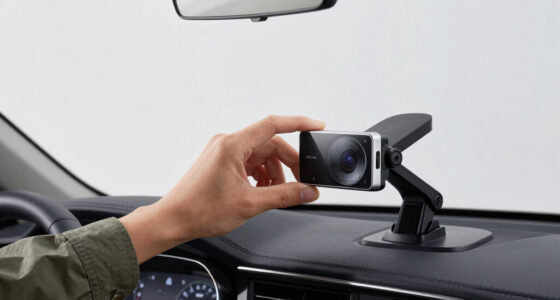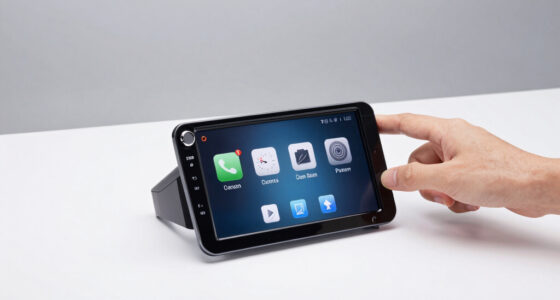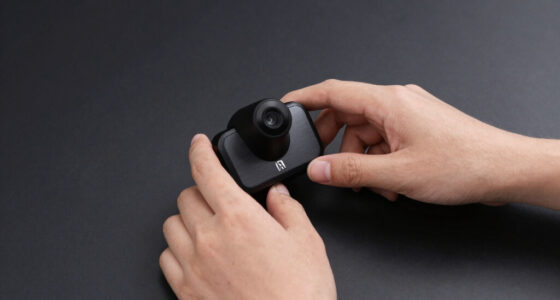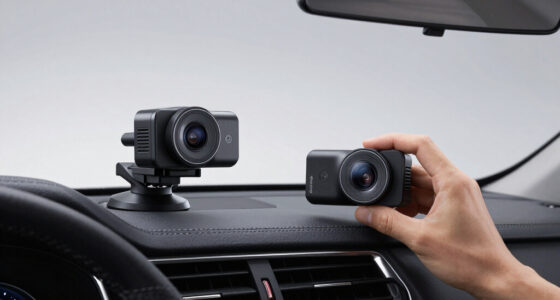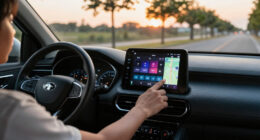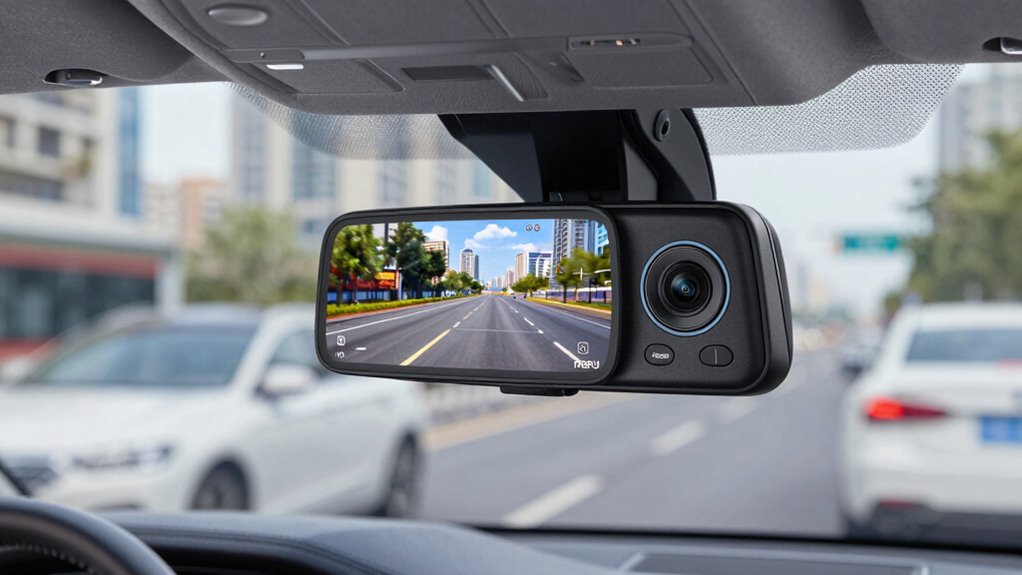
If you are searching for a rearview mirror dash cam with cloud access, my first distinction is that these two models offer Wi-Fi and app-based video transfers, not a stated cloud-storage service. The WOLFBOX G930 is my pick for a simpler, smaller-screen setup with 4K front recording and fast local video sharing. The Wolfbox G850 Pro suits drivers who want a larger touchscreen and added ADAS and blind-spot alerts. Both include GPS and a 64GB card, but neither product description confirms remote live viewing or automatic cloud backups. The choice comes down to whether you prefer a more straightforward mirror camera or a feature-heavy driver-assistance display—and whether local Wi-Fi access meets your needs.

Get business pricing on garage and car supplies
- Business-only prices and quantity discounts
- Tax-exempt purchasing
- Multiple users, one account, clear invoices
Complete the kit


Key Takeaways
- Neither listing confirms cloud storage. Both advertise 5.8GHz Wi-Fi and app access for video transfer, which is different from automatic online backup or remote viewing.
- The G930 is the simpler fit. Its 10-inch screen and 4K front/1080p rear recording give it a comparatively restrained setup without the G850 Pro’s stated ADAS and BSD feature set.
- The G850 Pro adds driver alerts. It lists lane-departure, forward-collision, pedestrian, lead-vehicle, distance-monitoring, and blind-spot alerts, but these features also add interface complexity.
- Screen size is a real tradeoff. The G850 Pro’s 12-inch IPS display may be easier to view, yet its larger mirror can interfere with sightlines for some drivers; the G930 uses a 10-inch screen.
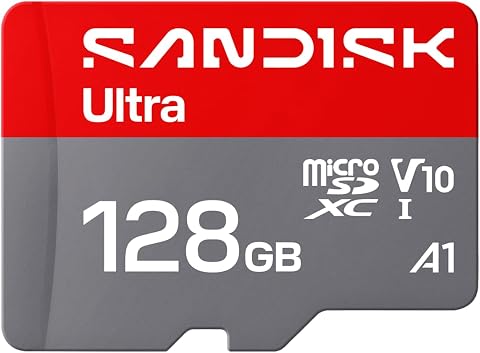
- Both include GPS, Wi-Fi, and a 64GB card. The G850 Pro states support for up to 256GB, while the G930 listing does not provide a maximum card capacity.
| WOLFBOX G930 10-inch 4K Rear View Mirror Dash Cam with 64GB Card and 5.8GHz WiFi |  | Best Overall for a simpler Wi-Fi-connected mirror setup | Screen: 10-inch touchscreen | Front video: 4K | Rear video: 1080p | VIEW ON AMAZON | See Our Full Breakdown |
| Wolfbox G850 Pro 4K Mirror Dash Cam with ADAS and BSD, 64GB Card, 5.8GHz WiFi |  | Best for drivers who want added alerts and a larger display | Screen: 12-inch IPS touchscreen | Front video: 2160p at 30fps | Rear video: 1080p at 25fps | VIEW ON AMAZON | See Our Full Breakdown |
| rearview mirror dash cam with cloud | Screen | Front video | Rear video | Included storage |
|---|---|---|---|---|
| WOLFBOX G930 10-inch 4K Rear V | 10-inch touchscreen | 4K | 1080p | 64GB card |
| Wolfbox G850 Pro 4K Mirror Das | 12-inch IPS touchscreen | 2160p at 30fps | 1080p at 25fps | 64GB card |
More Details on Our Top Picks
WOLFBOX G930 10-inch 4K Rear View Mirror Dash Cam with 64GB Card and 5.8GHz WiFi
The WOLFBOX G930 is my lead pick for drivers who want a mirror-style camera with high-resolution front capture but do not need a long list of driving alerts. Its 4K front and 1080p rear recording, built-in GPS, loop recording, and included 64GB card cover the core recording setup, while 5.8GHz Wi-Fi provides a route to transfer clips through the WOLFBOX app. That is useful for pulling footage to a phone without removing the card, but it is not the same as cloud backup: the provided details do not confirm automatic uploads or remote access.
Compared with the G850 Pro, the G930 has a 10-inch touchscreen rather than a 12-inch IPS display and does not list ADAS or blind-spot detection. That makes its role clearer: prioritize recording and a less feature-dense interface, rather than driver alerts. The smaller screen may also suit drivers concerned about a large mirror display, though fit and sightlines still depend on the vehicle. The G930’s WDR and Super Night Vision are stated low-light features, but I would not read those labels as a guarantee of legible footage in every dark or high-glare situation.
Its main drawback for a cloud-minded buyer is the distinction between app transfer and online storage. The app is required for full functionality, so buyers who avoid companion apps may find access less convenient. The product description also says glare reduction relies on a low-reflectivity LCD, with results that may vary by environment. I would choose this over the G850 Pro when the extra alerts and larger screen are not priorities; I would skip both if verified cloud recording is a firm requirement.
Pros:- 4K front and 1080p rear recording with an included 64GB card.
- 5.8GHz Wi-Fi supports app-based video transfers.
- Built-in GPS, loop recording, G-sensor, WDR, and Super Night Vision are listed.
- 10-inch display is smaller than the G850 Pro’s 12-inch screen.
Cons:- Cloud storage and remote viewing are not confirmed by the supplied product details.
- Full functionality requires the WOLFBOX app.
- Low-reflectivity screen glare performance may vary with the surroundings.
Best for: Drivers who want 4K front recording, GPS, night-vision features, and Wi-Fi clip transfers in a 10-inch mirror display.
Not ideal for: Buyers who require confirmed cloud backup or remote viewing, want built-in ADAS/BSD alerts, or prefer not to use the WOLFBOX app.
- Screen:10-inch touchscreen
- Front video:4K
- Rear video:1080p
- Included storage:64GB card
- Wireless:5.8GHz Wi-Fi; WOLFBOX app access
- GPS:Built-in GPS tracking
- Recording features:Loop recording and G-sensor
- Visibility features:WDR and Super Night Vision
Our verdict“I recommend the G930 as the more straightforward pick for recording-focused buyers, but not as a confirmed cloud-storage camera.”
Wolfbox G850 Pro 4K Mirror Dash Cam with ADAS and BSD, 64GB Card, 5.8GHz WiFi
The Wolfbox G850 Pro is the more feature-heavy option here. It pairs 4K front and 1080p rear recording with a 12-inch IPS touchscreen, voice control, built-in GPS, parking monitor, and a stated set of ADAS and blind-spot detection functions. Its forward-collision, pedestrian, lane-departure, lead-vehicle-start, and distance-monitoring alerts give it a role the G930 does not claim: this is the choice for buyers who want the mirror camera to offer more than recording and clip transfer.
Both models list 5.8GHz Wi-Fi and an included 64GB card, so the G850 Pro does not solve the central cloud question by itself. The provided details describe Wi-Fi, an app, touch, and voice controls, but do not confirm cloud storage or remote live viewing. Its edge over the G930 is the broader stated feature set, not a verified online backup service. It also explicitly supports cards up to 256GB, a useful option for drivers who want more local recording capacity, though expansion means buying additional storage.
The larger display and wider interface can be a benefit if you want a prominent view and several controls, but they can also be a drawback. A 12-inch mirror may obstruct sightlines in some vehicles, and the product information warns of a learning curve for new owners. Voice commands offer hands-free control, but they do not remove the need to get familiar with the camera’s functions. I would choose it over the G930 for alerts, screen size, and stated storage expansion; I would choose the G930 if a smaller display and simpler feature set matter more.
Pros:- 4K front and 1080p rear recording with a 64GB card included.
- Lists multiple ADAS functions and blind-spot detection.
- 12-inch IPS screen, 5.8GHz Wi-Fi, and 12 voice commands.
- Supports memory cards up to 256GB and lists parking monitor.
Cons:- The 12-inch mirror may obstruct the driver’s view in some vehicles.
- The feature-rich interface may take time to learn.
- Cloud backup and remote viewing are not confirmed; expanded storage requires another card.
Best for: Drivers who want a large mirror touchscreen, voice control, local Wi-Fi clip access, and listed ADAS and blind-spot alerts.
Not ideal for: Drivers with limited windshield or mirror space, anyone who wants a simple interface, or buyers who need confirmed cloud recording rather than Wi-Fi transfer.
- Screen:12-inch IPS touchscreen
- Front video:2160p at 30fps
- Rear video:1080p at 25fps
- Included storage:64GB card
- Maximum supported storage:256GB
- Wireless and controls:5.8GHz Wi-Fi; app, touch, and 12 voice commands
- Driver alerts:Forward collision, pedestrian, lane departure, lead vehicle, distance monitoring, and BSD
- Other listed features:Built-in GPS, G-sensor, loop recording, parking monitor, and night vision
Our verdict“I would pick the G850 Pro over the G930 for its stated alerts and larger interface, while treating its Wi-Fi as local access rather than proof of cloud service.”

How We Picked
I ranked these two models around the specific promise in the search: a rearview mirror dash cam with cloud. That means I separated actual stated connectivity from cloud features the product information does not establish. Both cameras offer 5.8GHz Wi-Fi and app-based access, but neither listing says that footage automatically uploads to cloud storage, supports remote live viewing, or remains available off the memory card. I treat them as Wi-Fi-connected mirror cameras, not confirmed cloud cameras.
Within that limit, I compared recording coverage, screen usability, driver-assistance features, and setup tradeoffs. The G930 earns my Best Overall spot for buyers prioritizing a 10-inch screen, 4K front video, GPS, night-vision features, and straightforward Wi-Fi transfers. The G850 Pro takes Best for Driver Alerts because it adds a wider range of stated ADAS and blind-spot features, a 12-inch IPS screen, voice commands, parking monitor, and explicit storage expansion support. Those additions make it more capable on paper, but also larger and more involved to learn.
I used only the supplied product details and did not treat feature claims as proof of real-world performance. Resolution and advertised functions can help narrow a choice, but installation, vehicle fit, screen reflections, app behavior, and alert usefulness depend on the vehicle and driver. I also gave each model a clear skip case: buyers who require confirmed cloud backup or remote access should verify those functions with the manufacturer before choosing either one.
Factors to Consider When Choosing Rearview Mirror Dash Cam With Cloud
For this comparison, my first buying decision is not screen size or resolution; it is whether Wi-Fi app access meets your idea of cloud. These models list wireless transfers, but the supplied descriptions do not establish online backup or remote viewing. Once that difference is clear, compare the camera around how you drive, where it will sit, and how much control complexity you want.
Wi-Fi transfer is not the same as cloud storage
A camera can connect to a phone over Wi-Fi so you can browse or download clips, yet still store footage only on its memory card. Neither Wolfbox listing confirms automatic uploads, a cloud account, remote live viewing, or off-device retention. If you need evidence to remain accessible after the camera or card is damaged or taken, ask the manufacturer directly about cloud backup, upload triggers, data limits, and subscription requirements before buying. Based on the supplied details alone, I would treat both as Wi-Fi-connected dash cams, not confirmed cloud cameras.
Choose the screen size around your vehicle
The G930’s 10-inch screen is the more restrained of the two; the G850 Pro uses a 12-inch IPS display. A larger view may make camera images and controls easier to see, but a mirror-mounted screen can occupy more of the driver’s field of view. Check the mirror dimensions and mounting arrangement against your existing mirror, windshield, and seating position. Screen glare and reflections can also vary with cabin lighting and the angle of the display, so a larger panel is not automatically the better fit.
Match extra alerts to how you will use them
The G850 Pro lists forward-collision, pedestrian, lane-departure, lead-vehicle-start, distance-monitoring, and blind-spot alerts. That gives it a distinct appeal over the G930, which emphasizes recording and visibility features instead. These alerts add functions to learn and depend on installation and conditions; they should not replace attentive driving or be treated as a guarantee that hazards will be detected. If you want a simpler recording-focused device, I would lean toward the G930. If you value the stated alert set and are willing to learn the controls, the G850 Pro is the stronger match.
Think about storage and clip access
Both models include a 64GB card and list loop recording, so they can manage ongoing local footage rather than requiring manual deletion after every drive. The G850 Pro specifies support for cards up to 256GB; the G930 details provided here do not state a maximum capacity. Larger local storage can give you more room before older clips are overwritten, but it does not create an online backup. Wi-Fi may make selected clips easier to move to a phone, while a card reader can be another route. Confirm supported card types and capacity before upgrading.
Prioritize the features you will actually use
Both options pair 4K front recording with 1080p rear recording, GPS, Wi-Fi, and a mirror-mounted screen. The differences are more useful for choosing: the G930 lists WDR and Super Night Vision, while the G850 Pro adds voice commands, a larger IPS display, parking monitor, and a fuller set of driver alerts. The G850 Pro’s extra controls may be welcome if you want hands-free operation, but a feature-rich interface can take longer to learn. I would select based on your preferred daily interaction and display fit, not on feature count alone.
Frequently Asked Questions
Do either of these mirror dash cams include confirmed cloud storage?
The supplied information does not confirm cloud storage for either model. Both list 5.8GHz Wi-Fi and app-based video access or transfers, but that does not establish automatic uploads, remote live viewing, or online retention. If cloud backup is a requirement, verify the exact service, plan limits, and connection method with the manufacturer before purchasing.
What is the difference between Wi-Fi video transfer and cloud access?
Wi-Fi video transfer usually means connecting the camera and phone so you can access or download footage nearby. Cloud access involves sending footage to remote servers, where it may remain available away from the vehicle. A Wi-Fi specification alone does not prove that a camera offers cloud storage or remote viewing, so check the app and service details rather than assuming the two are interchangeable.
Which model is the better choice for driver-assistance alerts?
The G850 Pro is the clear match on the supplied feature lists: it names forward-collision, pedestrian, lane-departure, lead-vehicle-start, distance-monitoring, and blind-spot alerts. The G930 description focuses on recording, GPS, Wi-Fi, and night-visibility features and does not list comparable ADAS or BSD functions. I would still treat alerts as supplementary aids, not a replacement for attention or vehicle-specific safety equipment.
Is the G850 Pro’s 12-inch display better than the G930’s 10-inch screen?
That depends on your vehicle and viewing preference. The G850 Pro’s 12-inch IPS screen gives more display area, while the G930’s 10-inch screen is the smaller option. A larger mirror display may be easier to see but could interfere with sightlines in some cabins. Check the device dimensions and mounting position against your current mirror before choosing based on screen size alone.
Can I expand the included memory card?
The G850 Pro listing states support for memory cards up to 256GB, so it offers a stated expansion path beyond its included 64GB card. The supplied G930 details do not specify its maximum supported capacity, so I would confirm that limit with the manufacturer before buying a larger card. In either case, more local storage is not a substitute for a confirmed cloud backup service.
Conclusion
My recommendation depends on which tradeoff matters most. Choose the WOLFBOX G930 if you want a comparatively simple 10-inch mirror camera with 4K front video, GPS, night-visibility features, and app-based Wi-Fi transfers. Pick the Wolfbox G850 Pro if you want its larger 12-inch IPS display, voice control, stated ADAS and BSD alerts, parking monitor, and documented storage support up to 256GB—and can live with the larger form and added interface complexity. If your deciding requirement is genuine cloud recording or remote access, neither listing provides enough evidence for me to recommend it as a confirmed cloud camera. Verify that service directly before choosing either model.