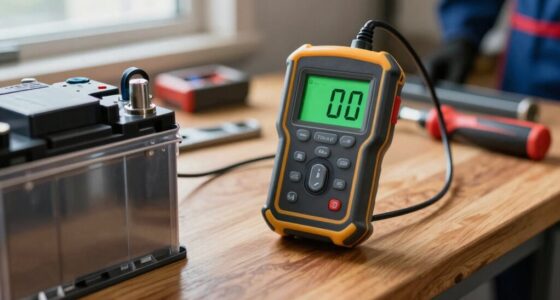
Use this guide to connect a car diagnostic scanner, read and record diagnostic trouble codes, and understand what to check next. It is for drivers with basic vehicle knowledge who want to investigate a warning light before arranging repairs. Allow 15-30 minutes; the steps are beginner-friendly and do not require removing parts.

Get business pricing on garage and car supplies
- Business-only prices and quantity discounts
- Tax-exempt purchasing
- Multiple users, one account, clear invoices

EDIAG H361 Bidirectional OBD2 Scanner with Lifetime Free Updates
- ✔ Systems: Engine, transmission, ABS, and SRS
- ✔ Maintenance: 16 functions; availability varies by vehicle
- ✔ Controls: Bidirectional component tests

VDIAGTOOL VD10 OBD2 Scanner and Check Engine Code Reader
- ✔ Model: VD10-NEW
- ✔ Functions: Codes, live data, freeze-frame, I/M readiness, vehicle information
- ✔ Code definitions: More than 3,000

ANCEL AD310 OBD II Scanner and Engine Fault Code Reader
- ✔ Model: AD310
- ✔ Functions: Read and clear emission-related codes, live data, freeze-frame, I/M readiness
- ✔ Display: Large screen
Difficulty: Beginner | Time: 15-30 minutes
What You’ll Need
Tools & Materials:
- OBD-II diagnostic scanner compatible with your vehicle
- Vehicle owner’s manual
- Phone or notebook to record codes and symptoms
- Flashlight, if the connector area is dim
Knowledge:
- Ability to locate the vehicle’s OBD-II port or follow the owner’s manual
- Ability to park safely, switch the ignition on, and start the engine when requested
Most gasoline cars sold in the United States from model year 1996 onward use OBD-II. Requirements and connector support vary by country, vehicle age, and vehicle type. Check the scanner’s compatibility list and your manual before connecting it. A basic scanner may read engine and emissions codes but may not access ABS, airbag, transmission, or manufacturer-specific systems.
EDIAG H361 Bidirectional OBD2 Scanner with Lifetime Free Updates
The EDIAG H361 is the clear choice when “car diagnostic scanner” means more than checking an engine light. It lists diagnostics for engine, transmission, ABS, and SRS, along with bidirectional component tests and 16 maintenance functions. Compared with the AD310 and VD10, which focus on OBD2 engine and emissions information, the H361 can potentially help narrow down faults in more systems and actively test compatible components. Its six-inch touchscreen, AutoVIN, live-data graphs, and shareable reports also give a more substantial view of a diagnosis than the simpler readers’ displays.That breadth brings homework. Functions vary by vehicle, so we should confirm compatibility before relying on a particular reset, system scan, or active test. FCA AutoAuth also involves a separate account and paid subscription. The one-year manufacturer warranty is another consideration next to the VD10’s stated, though inconsistent, longer warranty information. This model makes most sense for owners who expect to tackle several kinds of faults or want service functions; it is excessive if all we need is a basic emissions code reader.
Pros:
- Lists engine, transmission, ABS, and SRS diagnostics, subject to vehicle support.
- Bidirectional component tests can help isolate faults beyond reading stored codes.
- Live-data graphs and saved or shareable reports add context for troubleshooting.
- Includes 16 maintenance functions, with availability dependent on the vehicle.
Cons:
- Supported functions vary by vehicle and should be confirmed before purchase.
- FCA AutoAuth requires a separate account and paid subscription.
- The stated manufacturer warranty is one year.
Best for: Owners and hands-on DIYers who need broader system access and bidirectional troubleshooting on a specifically supported vehicle.
Not ideal for: Drivers who only want a simple check-engine reader, or buyers unwilling to check vehicle-specific functions and manage FCA AutoAuth where needed.
Bottom line: Choose the H361 for the widest diagnostic reach in this group, provided your vehicle supports the functions you plan to use.
“Choose the H361 for the widest diagnostic reach in this group, provided your vehicle supports the functions you plan to use.”
VDIAGTOOL VD10 OBD2 Scanner and Check Engine Code Reader
The VDIAGTOOL VD10 is the most helpful middle ground for routine engine-light questions. Like the AD310, it reads and clears codes and provides live data, freeze-frame information, and I/M readiness checks. Its differentiator is the built-in library of more than 3,000 code definitions, plus vehicle information and six interface languages. Those extras can help us move from a code number to a starting point for research without needing a separate reference for every basic alert. The two-line backlit display is compact, but contrast adjustment and illumination support reading in dimmer settings.Compared with the AD310, the VD10 offers more interpretation and language support, though its screen shows less at once than a larger display. Like both basic readers, it remains within OBD2-compatible 12V vehicles and does not claim the H361’s ABS, SRS, transmission, or bidirectional coverage. One detail to resolve before purchase is that the product description says five years of warranty while the item information says three. For a driver who wants more guidance than the AD310 provides without stepping up to a multi-system tool, this is the best balanced pick.
Pros:
- Includes code definitions alongside code reading and clearing.
- Provides live data, freeze-frame, I/M readiness, and vehicle information.
- Backlit display has adjustable contrast and supports six languages.
- Powered directly through the vehicle’s OBD2 connector.
Cons:
- Limited to compatible OBD2 vehicles and does not list ABS, SRS, or transmission diagnostics.
- The two-line display presents less information at once than a larger screen.
- Product details conflict on whether the warranty lasts three or five years.
Best for: Owners seeking a straightforward engine-code reader with code definitions, live data, and multilingual menus.
Not ideal for: Buyers who need ABS, SRS, transmission, or bidirectional functions, or who prioritize a large display and unambiguous warranty terms.
Bottom line: Pick the VD10 when routine engine diagnostics and built-in code guidance matter more than expanded system coverage.
“Pick the VD10 when routine engine diagnostics and built-in code guidance matter more than expanded system coverage.”
ANCEL AD310 OBD II Scanner and Engine Fault Code Reader
The ANCEL AD310 keeps the task focused: read and clear emission-related engine codes, view live and freeze-frame data, and check I/M monitor readiness. It is the easiest fit for an owner who wants core OBD2 information without a touchscreen, menu-heavy feature set, or separate power supply. Its vehicle-powered operation means there is no battery to charge, and the labeled keypad and large screen make basic navigation straightforward. It supports several common OBD II protocols, including CAN, across compatible vehicles.The tradeoff is a firm boundary around what it diagnoses. Unlike the VD10, it does not list an onboard code-definition library or vehicle-information function, so we may need to look up a code elsewhere. And unlike the H361, it does not cover ABS, SRS, or transmission systems, nor does it offer bidirectional controls. The AD310 is compact and uncomplicated, but its role is narrower than either alternative: it is a sensible choice for routine emissions-related engine checks, not a general-purpose scanner for every dashboard warning. Confirm that the vehicle has a supported OBD II interface before relying on it.
Pros:
- Reads and clears emission-related engine codes and shows live and freeze-frame data.
- Checks I/M monitor readiness to help assess emissions-test preparation.
- Large screen and clearly labeled keypad support simple operation.
- Compact, vehicle-powered design requires no batteries or charger.
Cons:
- Does not support ABS, SRS, transmission, or OBD I diagnostics.
- Focused on emission-related issues and compatible OBD II vehicles.
- Does not list a built-in code-definition database like the VD10.
Best for: Drivers who want a basic, portable tool for emission-related engine codes, live data, and readiness checks.
Not ideal for: Owners who need code definitions, non-engine system diagnostics, OBD I support, or active component tests.
Bottom line: Choose the AD310 for uncomplicated engine and emissions checks when broader diagnostics and onboard code explanations are not priorities.
“Choose the AD310 for uncomplicated engine and emissions checks when broader diagnostics and onboard code explanations are not priorities.”
As an Amazon Associate we earn from qualifying purchases.
Before You Start
Park on level ground away from traffic, apply the parking brake, and select Park or Neutral. Keep hands and clothing clear of moving parts if the engine must run. Do not connect or disconnect the scanner while driving. If the car smells strongly of fuel, is overheating, has low oil pressure, or has a flashing check-engine light with rough running, stop driving and seek qualified help; a scan does not make an unsafe vehicle safe.
Do not erase codes before recording them. Clearing codes can remove useful diagnostic information and reset emissions readiness monitors. A code identifies a detected condition or circuit; it does not prove that a named part has failed.
Step-by-Step Instructions
Step 1: Locate the diagnostic port
Turn the vehicle off and consult the owner’s manual for the OBD-II port location. It is usually beneath the dashboard near the steering column, though it may sit behind a small panel or lower trim piece. Use a flashlight and inspect the area without forcing or removing trim.
Tip: The port is a trapezoid-shaped socket with 16 pins. Avoid confusing it with an accessory socket or other connector.
Check: You can see an intact 16-pin socket and have enough room to connect the scanner without pulling on nearby wiring.
Step 2: Connect the scanner
With the ignition off, align the scanner plug with the port and push it in firmly without twisting. If it will not fit, stop and check the orientation; do not force it. For a Bluetooth or Wi-Fi adapter, connect the adapter to the port and follow the manufacturer’s pairing instructions.
Tip: A loose plug can interrupt communication. Keep the cable clear of pedals and your feet.
Check: The plug is seated securely, and the scanner powers on or is ready to pair.
Step 3: Switch on the ignition
Follow the scanner’s instructions for the ignition position. For many scans, turn the key to ON without starting the engine, or press the start button without pressing the brake or clutch. If the scanner requests a running engine for live data, start it only when the car is parked safely and the area is ventilated.
Tip: Do not guess at start-button behavior if you are unsure; check the vehicle manual. Never run an engine in an enclosed garage.
Check: The scanner display or app is on and can prompt you to choose a vehicle or scan function.
Step 4: Select the vehicle and read codes
Choose the vehicle information requested by the scanner, such as make, model, year, and engine. Select the function labeled Read Codes, Scan, or a similar name. Let the scan finish, and note every code exactly as shown, including its letter and digits. Record whether each code is current, pending, or stored if the tool provides that status.
Tip: A typical powertrain code begins with P; codes beginning with B, C, or U relate to other system categories. Your scanner may not support all categories.
Check: The scanner lists codes or reports that no codes were found. Record the result either way.
Step 5: Save the scan details
Write down the codes, their descriptions, the date, odometer reading, and any symptoms. Note when the warning light appeared, whether the engine was cold or warm, and any recent repairs, refueling, or battery work. If available, save freeze-frame data, which captures selected engine conditions when a code was set.
Tip: Keep the scanner’s exact wording alongside your notes. Generic descriptions can be incomplete or vary between tools.
Check: You have a record that another person can use to identify the scan and understand what the car was doing.
Step 6: Review live data when useful
If the scanner supports live data and you need more context, select a small set of relevant readings, such as engine speed, coolant temperature, or oxygen sensor data. Compare readings with the scanner’s guidance or vehicle service information. Do not treat a single reading as a diagnosis, and avoid watching the screen while the vehicle is moving.
Tip: Live data is optional. Skip it if the scanner’s labels are unclear or the vehicle would need to be driven to collect it.
Check: You have saved any readings you understand, or you have skipped this optional check without losing the trouble codes.
Step 7: Look up the code and choose a next action
Search the exact code in reliable repair information for your vehicle’s year, make, model, and engine. Review the diagnostic procedure and possible causes, not just the code title. Decide whether to inspect a simple item described in the manual, book a professional diagnosis, or stop driving and arrange assistance based on the symptoms and warning lights.
Tip: For example, a misfire code points to a detected misfire; it does not by itself identify a spark plug, coil, injector, or other failed part.
Check: Your next action is based on the code, vehicle-specific information, and symptoms, with the scan retained for reference.
Step 8: Disconnect and finish
Turn the ignition off and wait for the scanner to shut down as directed. Unplug it by holding the connector, not pulling the cable, then store the tool and notes. Leave codes uncleared unless a repair procedure or qualified technician directs otherwise.
Tip: Some scanners offer Erase Codes beside Read Codes. Avoid selecting Erase as a way to hide a warning light.
Check: The scanner is removed without strain, the port is undamaged, and your codes and symptoms are recorded.
Common Mistakes to Avoid
- Erasing codes before saving them. — Record codes, status, freeze-frame data, and symptoms first. Erasing can remove diagnostic clues and reset emissions monitors.
- Replacing a part based only on a code description. — Treat the code as a starting point. Follow vehicle-specific diagnostic checks before buying or replacing components.
- Forcing the connector or using the wrong scanner. — Check the port orientation and scanner compatibility. Stop if the plug does not seat easily or the tool cannot communicate.
Troubleshooting
Problem: The scanner does not power on.
Solution:
Check that the plug is fully seated and the ignition is in the position specified by the scanner. Consult the manual for the port location and power conditions. If it still has no power, stop rather than probing pins; the port fuse or vehicle wiring may need diagnosis.
Problem: The scanner powers up but cannot communicate.
Solution:
Confirm the selected vehicle details and ignition state, then reseat the connector with the ignition off. Check compatibility and update or restart the app if using a wireless adapter. If communication still fails, a vehicle-specific system or wiring issue may require professional diagnosis.
Problem: No codes appear, but a warning light is on.
Solution:
Confirm you selected the correct scan function and that the scanner supports the relevant system. Basic tools may only scan engine emissions systems. Check the owner’s manual and use a capable scanner or repair shop for ABS, airbag, or other system warnings.
Problem: The code returns after a repair or later drive.
Solution:
Record when it returned and any symptoms. The underlying fault may remain, the repair may need additional checks, or the vehicle may need to complete a drive cycle. Use the code’s diagnostic procedure or arrange a qualified diagnosis instead of repeatedly clearing it.
What Success Looks Like
The task is complete when you have a reliable scan result, exact codes and statuses recorded, relevant symptoms and vehicle details noted, and a safe next action selected. A successful scan may report no codes; that does not rule out mechanical problems or warnings in systems the scanner cannot access.
Next Steps
Keep your scan notes with service records and share them with a repair professional if the warning persists, returns, or accompanies poor performance. Follow the vehicle manual for urgent warning lights, and arrange prompt diagnosis when symptoms worsen. After a repair, have the fault confirmed through the prescribed checks; clear codes only when the repair procedure calls for it, then monitor whether the warning returns.
Frequently Asked Questions
Can a diagnostic scanner tell me exactly what part to replace?
No. It reports detected faults and related data. Testing the circuit or system using vehicle-specific service information is needed to identify the cause.
Can I use a scanner while the engine is running?
Some live-data checks require a running engine. Do so only while parked in a well-ventilated area, following both the scanner and vehicle instructions. Never operate the scanner while driving.
Will reading codes damage my car or change its settings?
Reading codes with a compatible scanner is generally a non-invasive check. Avoid options labeled erase, reset, programming, or service functions unless you understand their effects and have the correct procedure.
Why does my scanner show a code but no warning light?
The code may be pending or stored, or the fault may not currently meet the conditions for illuminating a warning. Record the code and status, then check vehicle-specific service information.