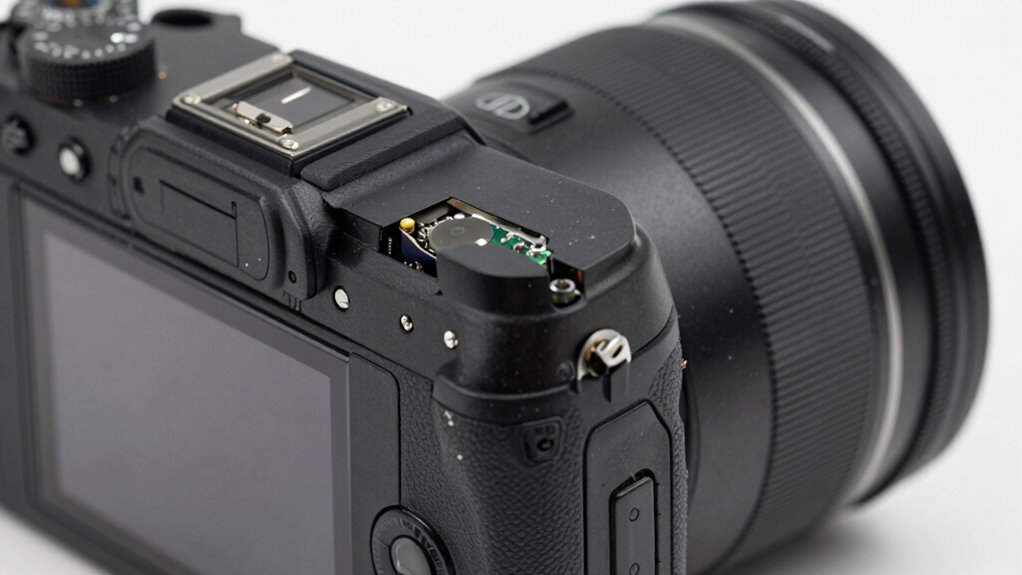

If your cameras reset their clocks after power cycles, it’s often due to a failing RTC backup power source, like a weak battery or capacitor, which loses its charge and can’t keep time when power is off. External power issues or firmware bugs can also cause resets. Checking these components and ensuring proper power stability might fix the problem. Keep exploring to understand how internal hardware and settings influence this recurring issue.

Get business pricing on garage and car supplies
- Business-only prices and quantity discounts
- Tax-exempt purchasing
- Multiple users, one account, clear invoices
Key Takeaways
- Backup power failure, such as depleted RTC batteries or ultracapacitors, causes cameras to lose time after power cycles.
- Firmware bugs or improper updates can reset camera clocks during reboot, especially if settings aren’t saved correctly.
- Internal hardware issues like faulty capacitors or corrosion disrupt RTC power, leading to repeated clock resets.
- Power supply instability or transient voltage drops during cycling can trigger reboots and reset the device’s clock.
- Incorrect regional, DST, or synchronization settings prevent cameras from maintaining accurate time after power loss.
Understanding the Role of RTC Backup Power Sources
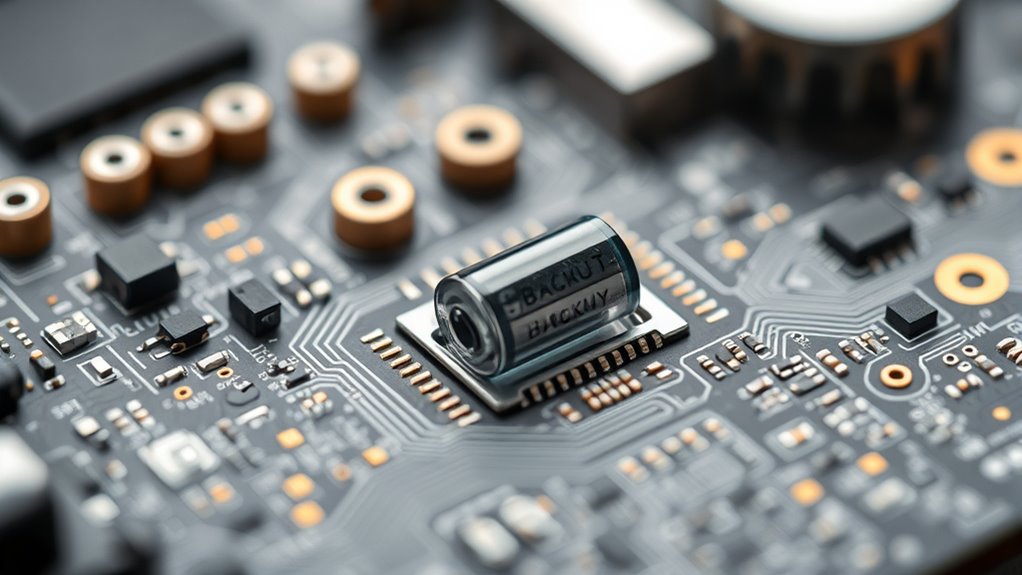
Understanding the role of RTC backup power sources is vital because these systems guarantee your device keeps accurate time even during power outages. Your RTC relies on backup power to maintain the clock when the main supply fails. Lithium coin cells are common because they offer high energy density and a long shelf life, but they require physical replacement and can’t withstand reflow soldering. Rechargeable batteries, like lithium-ion, can be recharged on-board, providing longer runtime, but they add complexity in charging and safety management. Supercapacitors charge quickly and last through many cycles, but hold only minutes of backup. External UPS systems keep everything powered but are larger and costlier. Hybrid solutions combine options to balance longevity, cost, and manufacturing constraints effectively. Additionally, advances in backup power technology are continuously improving the reliability and efficiency of RTC systems, including innovations in energy storage materials that enhance performance and lifespan. Furthermore, power management circuits are evolving to optimize energy use and extend backup durations in various applications, often integrating smart monitoring features to detect failures proactively.
Common Causes of RTC Battery or Capacitor Failure

RTC batteries and capacitors can fail for a variety of reasons, often stemming from their chemistry, manufacturing quality, and operating environment. Lithium coin cells and supercapacitors degrade over time due to aging, losing capacity and voltage, especially at elevated temperatures. Repeated shallow charging cycles or improper charging circuits accelerate capacity fade and internal damage. Manufacturing defects, such as poor sealing or impurities, increase the risk of leakage and premature failure. Mechanical stresses from thermal cycling and vibration cause sealing breakdown and electrolyte leakage. Corrosion from moisture ingress or leaked electrolyte damages PCB connections, creating parasitic paths that drain power. Low-temperature environments reduce capacitance and increase resistance, impairing backup performance. Poor installation, corrosion, and improper handling also contribute to rapid failure, affecting RTC reliability. Proper storage and handling can significantly extend the lifespan of RTC components. Additionally, choosing components with higher temperature tolerance can improve durability in challenging environments. Recognizing the impact of environmental factors on RTC components highlights the importance of maintaining optimal operating conditions to prevent failures. Understanding material properties helps in selecting more reliable components and avoiding premature breakdown. Properly designed circuit protection can further mitigate environmental impacts and enhance component longevity. Furthermore, regular maintenance and inspections can help identify early signs of degradation before complete failure occurs.
Recognizing Signs of an Internal RTC Power Issue

You’ll notice clock reset patterns, such as repeated incorrect date/time stamps or abrupt jumps, indicating an internal RTC power issue. Signs like a clock symbol or time warnings on your camera’s display, along with settings reverting after power cycles, also point to backup power problems. Checking for signs of corrosion, faulty capacitors, or low backup voltage can help confirm if the RTC’s internal power source is failing. A simple monitoring of backup voltage with a multimeter can provide definitive proof of an RTC battery failure. Additionally, understanding the role of backup power in maintaining accurate timing can help diagnose these issues more effectively. Recognizing internal power supply issues can prevent unnecessary replacements and ensure your camera’s clock remains reliable. Being aware of power cycling symptoms can help you identify these problems early before they lead to more significant malfunctions. Regularly inspecting internal components for damage or wear can also help prevent unexpected clock resets and maintain camera reliability.
Clock Reset Patterns
Repeatedly seeing the same boot timestamps at each startup clearly points to an internal RTC power issue. This pattern indicates the RTC isn’t retaining time between power cycles, often resetting to a default epoch like 1970 or 2000. If logs show the clock jumping back to a default value after each reboot, your RTC isn’t maintaining its backup power or isn’t switching to backup mode properly. Sometimes, you’ll notice correct timestamps only briefly after power-up, then sudden large jumps or resets occur. This suggests the oscillator stabilizes temporarily but then stops, and oscillator stability is critical for sustained operation. Additionally, if the clock repeatedly needs a fixed delay after power application before normal operation, it points to delayed oscillator start or failure. These patterns help confirm that your RTC’s backup power or oscillator circuit isn’t functioning properly. Proper handling of the backup battery and circuit design is essential to prevent such reset issues. Ensuring the RTC backup power source is reliable and functioning correctly prevents these recurring resets and maintains accurate timekeeping. Furthermore, power cycling problems can cause hardware faults that impact the RTC’s ability to retain time, emphasizing the importance of stable power management. Understanding how internal RTC components operate and fail can greatly aid in diagnosing underlying hardware faults, especially when combined with diagnostic procedures.
Battery or Capacitor Signs
Internal battery or capacitor issues often manifest through clear visual and functional signs. You might notice corrosion between the leads of the small PCB-mounted battery or ultracapacitor, indicating deterioration. If the date and time reset even when the primary batteries are charged, it’s a sign the internal RTC power source is failing. You may see the camera revert to factory default time settings after shutdown or record incorrect timestamps on footage. Ultracapacitors that can’t hold a trickle charge or lose power during cycles also point to internal problems. Extreme temperatures can speed up degradation, making signs more evident. Pay attention to these clues, as they reveal an internal power issue that can cause persistent clock resets and video anomalies. Recognizing passive voice patterns can help improve your troubleshooting accuracy. Additionally, power management components play a critical role in maintaining RTC stability and should be inspected during diagnostics.
Impact of Main Battery and Power Supply Instability
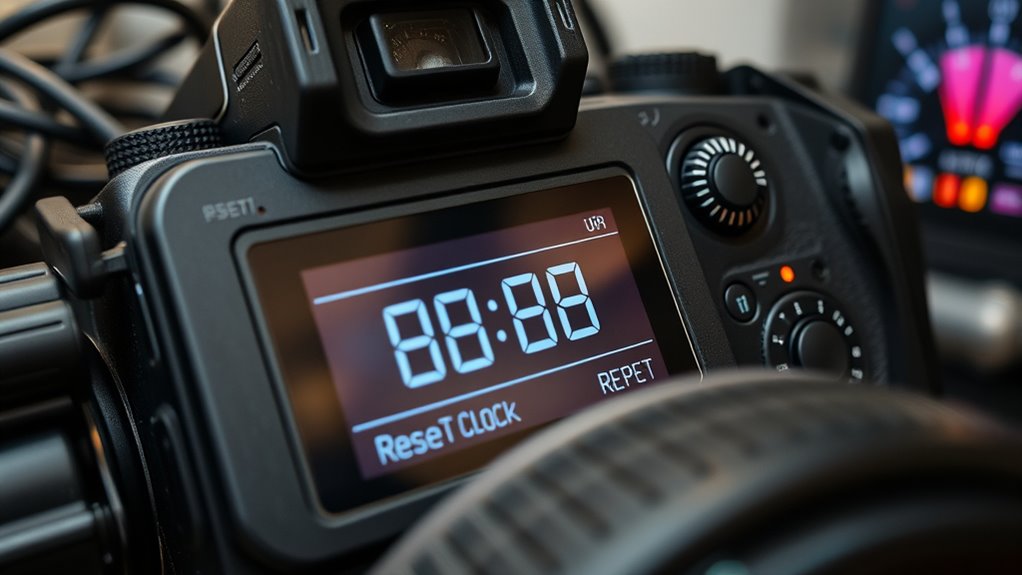
Main battery and power supply instability can considerably disrupt the reliable operation of your device’s clock and internal systems. If your main battery is deeply discharged or degraded, it may fail to trickle charge the RTC backup, causing time resets after power loss. Third-party or old batteries often supply lower voltages or have different charge profiles, increasing reset chances. Additionally, stored batteries at low charge can deplete RTC backup even while installed. External power issues like unstable adapters, transient voltage drops, or ground faults can trigger reboots, risking RTC data loss. Power surges or scheduled reboots also contribute to resets if backup capacity is marginal. To prevent this, maintain a healthy main battery, use stable power sources, and check for power anomalies regularly. Proper maintenance of batteries and power systems is crucial for reliable device operation. Ensuring power stability through quality power supplies and regular checks can significantly reduce reset issues. Regularly inspecting battery health and replacing aging batteries can further prevent unexpected resets. Additionally, monitoring voltage regulation can help identify early signs of power inconsistencies that may impact device performance.
How Firmware and Settings Influence Time Resets

Firmware bugs can cause your device to reset its clock to default values after power loss, especially if time storage routines are faulty. Auto-reboot features may also trigger clock resets or overwrite settings during startup, while some firmware restores default time settings during maintenance routines. If your device’s settings aren’t saved properly, it can revert to incorrect or original time, compounding reset issues. Additionally, firmware update failures can disrupt the device’s internal clock management, leading to inconsistent time displays and further complicating troubleshooting efforts.
Firmware Bugs Cause Resets
Firmware issues can unexpectedly reset device settings or system clocks, often causing confusion and operational disruptions. These bugs can silently override your configurations, leading to persistent problems. For example:
- PTZ4M-25X-PV cameras reset every 8 hours, matching burn-in timestamps, despite stable power.
- Amcrest 841 cameras revert to January 1, 2000, ignoring manual and NTP adjustments, even after firmware updates.
- Firmware update failures, like on Fujifilm GFX or Sony FX3, cause freezes or functionality loss, risking permanent damage.
- Stuck update modes in Arlo and Wyze cameras drain batteries or brick devices, with no recent firmware fixes available.
Modern camera firmware is increasingly complex, making bugs more common and harder to predict. These complexities can introduce unexpected behaviors, including time resets. These bugs highlight that flawed firmware can cause clocks to reset unexpectedly, often without warning or clear cause. Keeping firmware up to date doesn’t always prevent these issues. Additionally, firmware bugs can be difficult to diagnose because they may only manifest under specific conditions or after certain updates. The increasing complexity of firmware introduces a greater likelihood of software glitches that are hard to identify and resolve.
Auto-Reboot Features Influence Clock
Auto-reboot features, whether enabled through device settings or app automations, can considerably impact your camera’s internal clock. For example, Wyze app automations schedule reboots, often set weekly, which require internet access and can cause time resets to the default. Similarly, auto-maintain settings on Amcrest cameras reboot every Sunday unless disabled, influencing timestamp accuracy. External devices like WebRelay modules automatically power cycle cameras on failed pings, which can reset clock data. Milesight cameras need precise time setup for scheduled reboots, often affecting time tracking. Reolink’s fixed-interval reboots may intermittently disrupt timestamps during periodic restarts. These auto-reboot features, designed to improve connectivity or prevent overload, can interfere with your camera’s internal clock, leading to resets that compromise accurate timekeeping. Scheduled reboots can also cause temporary disruptions in camera data logs, affecting overall system reliability.
Settings Restore Default Time
When your camera’s internal clock resets unexpectedly after power cycles, outdated or corrupted firmware is often the culprit. Firmware bugs can cause glitches in automatic timekeeping, forcing resets. Updating firmware may help, but some models, like the Amcrest 841, still reset to January 1, 2000, after outages. Firmware updates can also reset all settings, including the clock, especially on devices like the VIOFO A139 Pros. Additionally, incorrect or default settings often override manual adjustments. You might also experience resets caused by firmware bugs or factory resets, which wipe custom settings and revert the time to defaults.
- Firmware bugs causing clock resets despite updates
- Settings reverting to factory defaults after updates
- Firmware or reset procedures wiping manual time adjustments
- Power outages triggering full settings reversion, including time
Troubleshooting Network and Configuration-Related Time Problems

Network and configuration issues are common causes of time synchronization problems across surveillance systems. If your cameras drift by several minutes despite manual sync or NTP servers like time.google.com, check your NTP settings. Sometimes, errors like “Failed to connect the test server” indicate connectivity issues. Consider configuring cameras to sync with the VI Server as the NTP source or use Surveillance Station with “Sync” enabled for better accuracy, often within two seconds. Be aware that direct connections to NVRs may fail to sync if the server isn’t properly configured or if regional time zones or DST settings mismatch. Ensure all devices share the same time zone and DST settings. Discrepancies between POE and direct NVR connections can also point to firmware or network inconsistencies needing attention. Regularly verifying synchronization status helps prevent these issues by ensuring all devices stay aligned over time.
When to Seek Professional Repair or Replacement

Intermittent power symptoms often signal underlying hardware failures that require professional repair or replacement. If you notice repeated clock resets, unexpected shutdowns, or inconsistent boot behavior across different power sources, it’s time to seek expert help. Visible damage like bulging capacitors, burnt traces, or broken connectors strongly indicates hardware issues needing skilled inspection. Persistent voltage drops, corroded connectors, or faulty PoE components also point to hardware failures that can’t be fixed through simple reconfiguration. Additionally, if firmware or flash memory corruption causes configuration loss or boot errors, professional intervention is necessary. When these signs appear, attempting DIY fixes may worsen the problem, so consult a qualified technician to diagnose and resolve the root cause effectively. Proper diagnosis is crucial to prevent further damage and ensure reliable security system operation.
Frequently Asked Questions
Can a Firmware Update Permanently Fix RTC Reset Issues?
A firmware update alone can’t permanently fix RTC reset issues if the internal RTC battery is faulty or depleted. While updates may improve software stability, they don’t substitute hardware components like the RTC battery. To ensure permanent time retention, you need to replace the internal RTC battery. Keep your firmware current for best performance, but understand hardware replacement is necessary for a lasting fix to RTC resets.
How Long Does an RTC Backup Battery Typically Last?
An RTC backup battery typically lasts between 5 to 10 years, depending on the battery type, load current, and temperature. If you choose low‑power RTC chips and batteries with sufficient capacity, you can expect 10+ years of reliable backup. To maximize lifespan, keep external power cycles minimal and select batteries with low self‑discharge rates. Proper storage and installation also help guarantee your RTC remains accurate over its intended service life.
Is It Possible to Replace the RTC Battery Myself?
Yes, you can replace the RTC battery yourself if you’re comfortable with disassembly and have the right tools. For batteries in accessible holders, it’s straightforward—just remove the old coin cell and insert a new one, ensuring correct polarity. If the battery is soldered, you’ll need a soldering iron, desoldering tools, and some experience. Always power down the device first, follow safety precautions, and consult manufacturer guidance to avoid damage.
Do All Cameras Use Internal Supercapacitors for RTC Backup?
Think of your camera’s RTC as a tiny lighthouse guiding your device through darkness. Not all cameras have this lighthouse powered by internal supercapacitors; many rely on batteries or no backup at all. Supercapacitors act like a quick-charging rainstorm, providing short-term power. While some models use them, it’s not universal. Instead, manufacturers choose different methods, so you can’t assume every camera has this bright backup feature built-in.
What Network Settings Can Cause the Clock to Reset After Power Loss?
Network settings like IP address configurations and DHCP settings can cause your camera’s clock to reset after power loss. If your device relies on DHCP, it may get a new IP address, disrupting time sync. Incorrect network time protocol (NTP) settings or disabled automatic time sync also prevent the camera from updating the clock automatically when power is restored. Ensuring proper NTP setup and static IP configuration helps maintain accurate time.
Conclusion
If your camera keeps resetting the clock, it’s like battling a stubborn ghost in your device. By understanding the RTC backup power, checking for battery or capacitor issues, and ensuring firmware is up-to-date, you can beat this nuisance. Don’t ignore warning signs or unstable power; otherwise, you risk losing precious footage or facing complete device failure. When in doubt, call in a pro—because tackling this problem on your own can feel like fighting a beast!
Fall Picks
fall essentials
As an affiliate, we earn on qualifying purchases.