
If parking mode isn’t functioning, start by inspecting your power source. Use a multimeter to confirm the ACC circuit gets around 12–14V when the ignition is on, then drops to zero when off. Also, verify your fuse tap is on the correct circuit, and make certain your ground connection is clean and secure. Finally, check your vehicle’s battery voltage to make sure it’s healthy. More tips will help you troubleshoot further if needed.
Key Takeaways
- Verify the ACC power circuit is correctly tapped and provides 12–14V only when the ignition is in ACC or RUN position.
- Ensure the hardwire kit’s low-voltage cutoff setting is appropriately configured above your vehicle’s battery voltage.
- Check that the ground connection is secure, clean, and free of corrosion to maintain proper power flow.
- Confirm the fuse tap is placed on the correct circuit, such as “ACC” or “Ignition,” not on constant or switched circuits.
- Test the vehicle battery voltage during parking mode; it should stay above 12.2V for reliable operation.

USANOOKS Microfiber Cleaning Cloth Grey - 12 Pcs (12.5"x12.5") - High Performance - 1200 Washes, Ultra Absorbent Microfiber Towel Weave Grime & Liquid for Streak-Free Mirror Shine - Car Washing Cloth
- High Absorbency Microfiber: Locks in 8-10x its weight in liquids
- Durable 2.5mm Thick Design: Resists lint, scratches, and shedding
- Swirl-Free Mirror Shine: Rapid dry layers prevent streaks and damage
As an affiliate, we earn on qualifying purchases.
Confirm Proper ACC Connection With a Multimeter
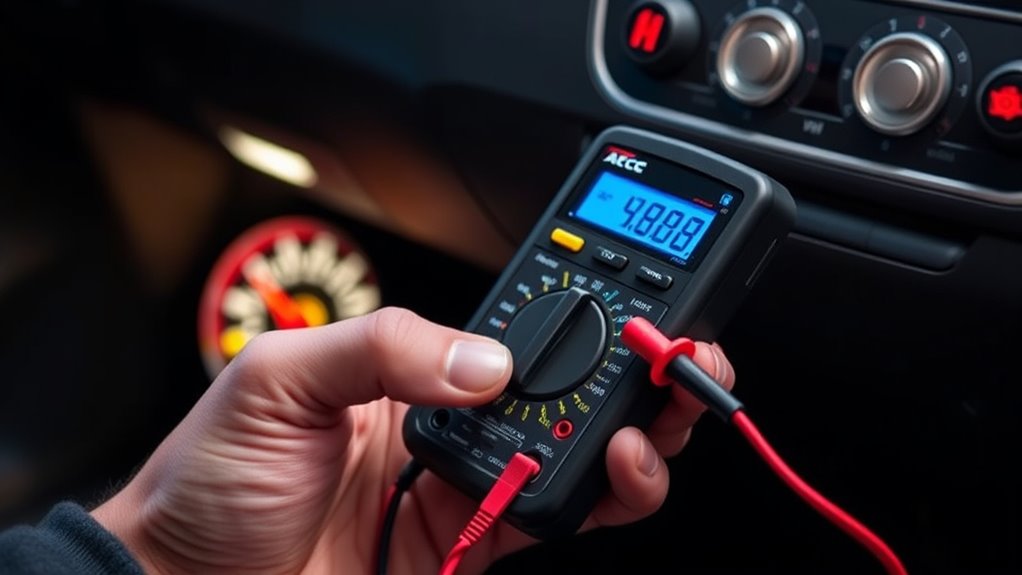
To confirm that your parking mode system is getting proper power, start by verifying the vehicle’s ACC circuit with a multimeter. First, locate the ACC circuit using your vehicle’s wiring diagram or fuse box legend. Identify fuses or relay terminals labeled ACC, IGN, or accessory. When testing, use a digital multimeter set to DC volts (20 V range). Place the black lead on a good chassis ground and the red on the suspected ACC point. With the ignition in the ACC or RUN position, expect around 12–14 V. Remove the key and retest; the voltage should drop to zero. If voltage remains, the circuit may be constant power, not switched. Always confirm you’re testing the correct circuit to ensure your parking mode system receives proper power. Additionally, understanding the contrast ratio of your vehicle’s display can help interpret the clarity of any visual indicators during testing. To further ensure proper functioning, check the power distribution system to verify that the circuit supplies consistent voltage without fluctuations. Confirming proper power source connection is essential for reliable parking mode operation. It’s also helpful to use a multimeter to check for potential voltage drops along the wiring, which can affect performance. Being aware of voltage stability can help detect issues caused by loose or corroded connections.

HOMEXCEL Microfiber Cleaning Cloth 12 Pack, 12.5 x 12.5 inch Microfiber Towels for Cars, Ultra Absorbent Washing Cloth, Lint Free Streak Free Cleaning Rags for Car, Kitchen, and Window (Grey)
- High Water Absorption: Exceptional absorption for cleaning and drying
- Scratch-Free Material: Soft fabric protects car paint
- Quick Drying: Rapidly absorbs water for streak-free finish
As an affiliate, we earn on qualifying purchases.
Verify Fuse Tap Placement on the Correct Circuit

Make sure you’ve selected the right fuse type and placed the fuse tap on the correct circuit. Check the fuse diagram or test with a multimeter to confirm the circuit’s switching behavior. Using the wrong circuit or fuse rating can prevent your parking mode from working properly. Ensuring the fuse tap is connected to a switched circuit] helps provide power only when the vehicle is on, which is essential for parking mode operation. Verifying that the circuit is part of a vehicle’s electrical system can help prevent future issues. Proper wiring and system understanding are key to reliable operation.
Confirm Fuse Type
Before installing a fuse tap, it’s essential to verify that you’ve placed it on the correct circuit. Confirm the fuse type matches your vehicle’s fuse panel to ensure proper fit and function. Check if you’re using the right fuse size—micro, mini, or standard—and verify the fuse tap is designed for that type. Using an incompatible fuse can cause poor contact or electrical issues. Additionally, consider that electrical faults can impact the performance of your parking mode system, so proper fuse selection helps maintain overall system reliability. Ensuring the correct fuse category is crucial for the safety and effectiveness of your setup. Moreover, understanding nanotechnology advancements can provide insights into developing more reliable electrical components for vehicle systems. Proper power management practices also help prevent issues with your parking mode and other electrical accessories.
Ensure Proper Circuit
Proper placement of your fuse tap guarantees your parking mode works reliably and safely. First, verify that the tapped circuit matches the required behavior—ACC or constant—using a multimeter or circuit tester. Test the ACC circuit to ensure it supplies power only with the ignition or key in the ACC/ON positions. Confirm the constant circuit remains powered with the ignition off by checking for voltage at the fuse slot with the key removed. Avoid circuits that switch with doors, lights, or other accessories, as they can cause False triggers or no power. Prefer factory circuits labeled “Audio,” “Cigarette/Power Socket,” or “Ignition/ACC” for ACC, and “Battery,” “Memory,” or always-hot fuses for constant. Re-test both fuses in all key positions to ensure stable behavior before final installation. Proper circuit identification helps prevent issues related to incorrect power sources that could affect your parking mode operation. Additionally, using a multimeter or circuit tester can help confirm the right circuit type and voltage stability. To further ensure safety, double-check the fuse tap placement according to your vehicle’s wiring diagram to avoid accidental damage. Verifying power source stability ensures your system functions correctly over time. Proper knowledge of fuse tap placement and circuit types is essential for a safe and reliable installation.

Chemical Guys, Workhorse Plush Microfiber Towels, 16 x 16 in, Black, 3 Pack
- Size: 16 x 16 inches
- Material: Premium microfiber blend
- Use: Washing, drying, detailing cars
As an affiliate, we earn on qualifying purchases.
Ensure Ground Connection Is Secure and Corrosion-Free

Start by inspecting your ground connection for rust, debris, or corrosion that can increase resistance. Make sure the bolt is tight and secure, with a clean, bright metal contact point. Re-torque if necessary and clean off any corrosion to guarantee a solid, reliable ground. Proper grounding ensures stable power supply, preventing issues with parking mode functionality. Additionally, ensuring that the ground connection is free of electrical resistance helps maintain consistent electrical performance. Regularly checking and maintaining your ground connection can also prevent potential electrical issues, ensuring your system functions correctly over time. Ensuring a good ground connection also reduces the risk of electrical noise, which can interfere with sensitive vehicle systems. Incorporating grounding best practices can further improve overall electrical system reliability.
Check for Rust or Debris
Corrosion and debris can compromise the ground connection, so it’s essential to inspect all grounding points thoroughly. Rust, oxidation, and dirt buildup hinder proper electrical contact, leading to parking mode issues. Look for visible signs like green or white oxidation, flaky metal, or brown rust on ground straps, bolt heads, and ring terminals. Use a multimeter to check resistance; high readings indicate corrosion. Perform a wiggle test on ground wiring to spot loose or broken connections. Also, measure voltage drops under load—values above 0.1–0.2 V suggest poor grounding. When cleaning, remove rust with a wire brush or sandpaper, then apply dielectric grease or anti-corrosion spray. Proper grounding is essential for sensor operation, and ensuring a secure ground connection prevents intermittent issues. Additionally, regularly inspecting and maintaining ground points can prevent parking mode malfunctions. Keeping ground points clean and free of debris ensures a stable connection, preventing parking mode malfunctions caused by corrosion. To further enhance reliability, consider inspecting the grounding system periodically for any hidden corrosion or damage, as electrical continuity plays a vital role in consistent vehicle operation. Moreover, understanding how free floating electrical systems operate can help in diagnosing and resolving grounding issues more effectively.
Tighten Ground Connection
Ensuring your ground connection is secure is essential for parking mode to function properly. Loose or corroded ground wires can cause intermittent power issues or complete failure. Tighten any loose ground wire attachment bolts, and use external star washers on the terminal fasteners for better contact. Make sure the ground point is free of paint, rust, or plating that could act as insulators. Perform a voltage drop test at each ground checkpoint, aiming for 0.5 volts or less, and use a multimeter to verify resistance under one ohm. Reattach any loose ground wires to restore proper electrical flow, and bolt grounds to clean sheet metal for a solid return path. Regularly inspect connections for corrosion, cleaning or replacing parts as needed to maintain a reliable ground. Proper grounding is crucial because it ensures a low-resistance path for electrical current, preventing voltage drops that can disrupt system operation. Additionally, understanding ground connection principles can help diagnose and prevent future electrical issues, especially in vehicle electrical systems that are sensitive to grounding problems. Maintaining grounding integrity is vital for consistent system performance and safety.

Amazon Basics Microfiber Car Drying Towels, Highly Absorbent, Lint Free, Scratch Free, Ultra-Soft, Car Detailing, Buffing and Polishing, 16" x 16", Yellow, 12-Pack
- Product Quantity: 12-pack of towels
- Size: 16 x 16 inches
- Material: Microfiber for drying and polishing
As an affiliate, we earn on qualifying purchases.
Check Vehicle Battery Voltage During Parking Mode

Monitoring your vehicle’s battery voltage during parking mode is essential to prevent drain issues that could disable your dash cam or harm your battery. Use a multimeter to measure voltage with the engine off, ensuring readings stay above 12.2 volts to avoid deep cycling. Check voltage regularly, especially if you notice recording stops unexpectedly. Keep in mind:
- Voltage below 12V signals excessive power draw
- Hardwire kits cut off at preset levels (11.6V–12V) to protect the battery
- A healthy battery supports 24-48 hours of parking mode
- External packs can extend recording time
- Weak batteries may struggle with parking mode, risking drain which can lead to starting issues. Additionally, understanding your vehicle’s electrical system can help prevent unexpected power loss during parking mode.
Review Hardwire Kit LED Status and Voltage Readings
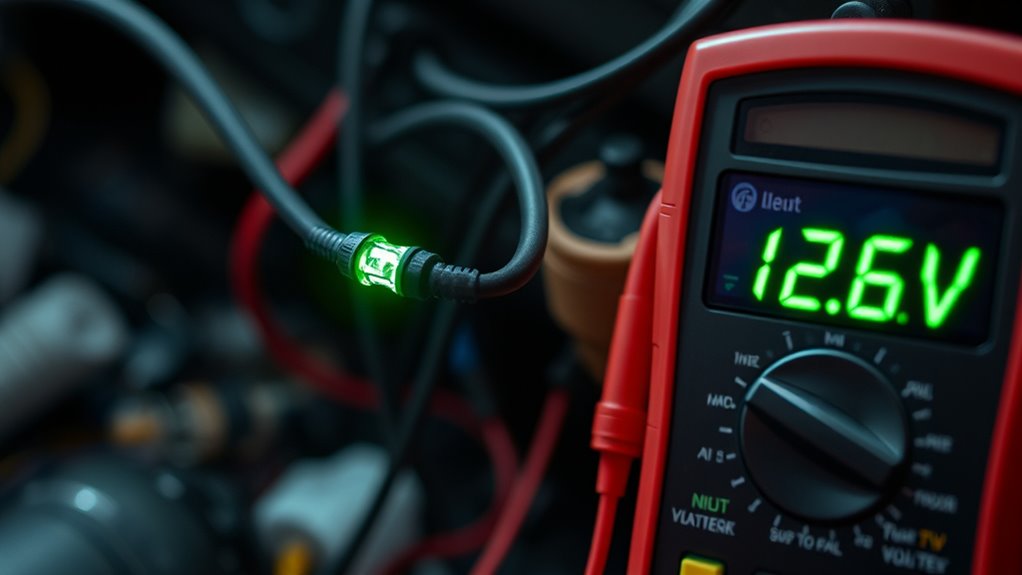
To diagnose your hardwire kit’s power issues, start by observing the LED status and comparing it to expected behaviors. A solid red LED usually means constant power or standby mode is active, while blinking red indicates low battery protection or insufficient voltage. A solid blue or green typically shows normal operation when the ignition is on, and parking mode is active. If the LED flashes blue or green, it may be in Wi-Fi or data transfer mode, not power-related. An absent LED suggests a blown fuse, poor ground, or disconnected wires. Also, check how the LED responds when opening doors or switching accessory modes. These signals help identify wiring issues or voltage problems, guiding your next troubleshooting steps effectively. Understanding the typical LED indicators can significantly streamline the diagnostic process, saving you time and effort.
Adjust Power Management and Voltage Cutoff Settings

Adjusting your power management and voltage cutoff settings is essential for reliable parking mode operation. Properly setting the Low-Voltage Cutoff (LVC) ensures your battery isn’t drained too low, preventing no-start situations. Set LVC to around 11.8–12.5 V based on your vehicle and battery condition, and confirm your dash cam supports fine adjustments in 0.1 V increments. Match LVC to your battery type—older or weak batteries need higher cutoffs. Verify that shutdowns are graceful, saving files without abrupt power loss. Log or test different LVC thresholds during typical parking durations to find the safest, lowest cutoff. Also, consider configuring parking timers and sleep modes to reduce power drain during inactive periods, ensuring your parking mode stays functional without risking battery health.
Test Parking Mode Functionality After Wiring and Settings Checks

After completing wiring and setting adjustments, it’s essential to verify that your parking mode functions correctly. Begin by turning on your vehicle’s ignition to power the dash cam and confirm it starts recording automatically. Then, turn off the ignition to enter parking mode; ensure the dash cam stays active without additional input. To test impact and shake sensitivity, gently shake the unit after disconnecting it from power, observing whether it powers on and records. You can also simulate light impacts or vibrations by slapping the windscreen or kicking the wheels. Confirm that the auto event detection is enabled and that buffered recordings capture footage 15 seconds before, and 30 seconds after, impacts. These checks help verify the parking mode’s responsiveness after wiring and setting adjustments. Proper sensor activation is crucial, as sensors respond differently depending on impact severity and location.
Frequently Asked Questions
How Do I Know if My ACC Wire Is Correctly Connected?
To know if your ACC wire is correctly connected, use a multimeter to test for voltage at the fuse with the ignition on and off. When off, the voltage should drop to zero or near zero, indicating a switched circuit. Confirm the wire is attached to an accessory or ignition fuse that loses power when you turn off the ignition. Also, double-check wiring labels and guarantee the wire isn’t connected to a constant power source.
What Fuse Should I Tap Into for Parking Mode?
You should tap into a constant (always-hot) fuse for parking mode if you want uninterrupted recording. Unlike accessory fuses that only have power with ignition, a constant fuse provides continuous power, essential for parking mode. Use your vehicle’s fuse diagram and a multimeter to identify the right fuse—preferably one that supplies steady 12V when the car is off. Always verify before tapping to avoid disrupting critical circuits.
How Can I Tell if My Ground Connection Is Good?
You can tell if your ground connection is good by performing a few simple tests. Use a multimeter to check for near-zero resistance between the ground point and the battery negative, ideally less than 1 ohm. Conduct a voltage drop test under load; it shouldn’t exceed 0.05 volts. Wiggle the wire while observing your device for flickers or failures, and make certain the connection is clean, tight, and free of corrosion or paint.
Why Does My Battery Voltage Drop so Quickly in Parking Mode?
You might think your battery’s healthy, but it’s probably not. When parking mode drains it quickly, your battery’s capacity is likely worn out or weakened. Parasitic drains from dashcams or faulty wiring can also speed up the decline. Poor connections or corrosion make things worse, causing voltage drops. So, instead of ignoring it, get your battery tested, clean terminals, and consider replacing it to stop the rapid drain.
How Do I Interpret the Hardwire Kit’s LED Indicators?
You interpret the hardwire kit’s LED indicators by noting their colors and states. A steady red or black LED typically shows power or ground connection issues, while blinking LEDs indicate activity or faults. If the LED stays solid or doesn’t change, check your wiring connections and voltage levels. An inconsistent or off LED suggests a power problem or that the kit isn’t receiving proper voltage, so verify your power source and wiring.
Conclusion
If your parking mode isn’t working, start by checking your power settings—you might find the culprit there. Many assume a faulty component, but often it’s a simple voltage cutoff or loose connection causing the issue. By verifying your ACC connection, fuse placement, and ground, you can rule out common problems. This quick investigation reveals that proper wiring and settings are often the key to getting your parking mode back, saving you time and frustration.