If your phone charger causes your dash cam to shut off or malfunction, it’s likely due to incompatible power sources or voltage fluctuations. Using low-quality cables, incorrect wiring, or chargers with mismatched protocols can cause power drops or surges. Environmental factors like heat or cold also affect stability. Understanding how power sharing works and ensuring your setup matches your vehicle’s system can help. Keep going to discover how to fix these common issues.
Key Takeaways
- Incompatible or underpowered chargers can cause voltage drops, leading to dash cam shutdowns or resets.
- Poor-quality cables or connectors increase resistance, reducing voltage and causing power interruptions.
- Sharing a power source with multiple devices can create voltage sags, affecting dash cam stability.
- Fluctuations in vehicle electrical systems or environmental conditions can trigger power issues in dash cams.
- Incorrect fuse ratings or damaged wiring may fail to protect the system, resulting in power loss or damage to the dash cam.
Incompatible Chargers and Voltage Fluctuations
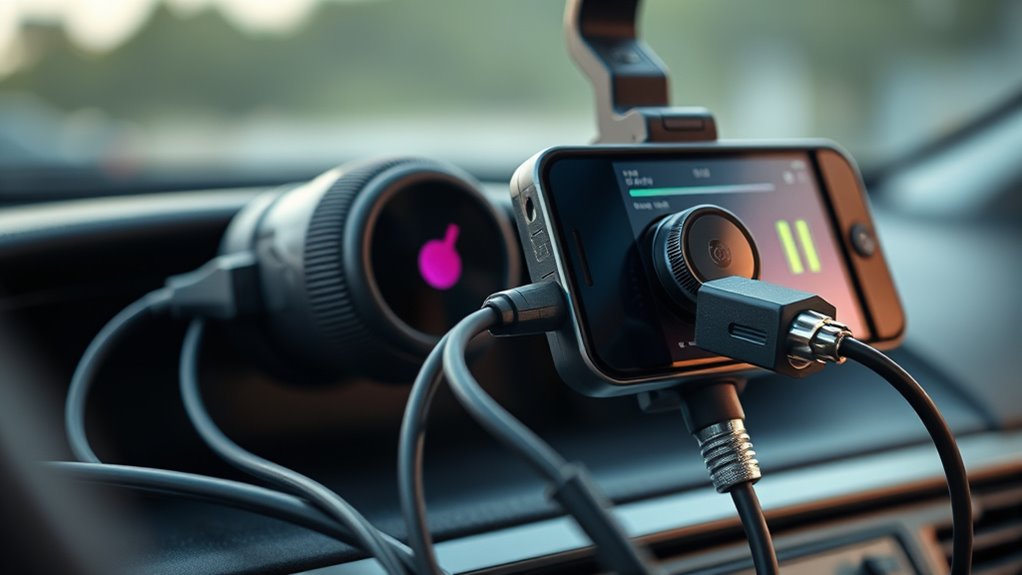
Incompatible chargers and voltage fluctuations can cause significant power issues for dash cams. When you use a charger with the wrong voltage or current ratings, you risk stressing the dash cam’s internal regulators, which can lead to shutdowns or damage. Chargers rated below the dash cam’s needs can cause undervoltage, thermal foldback, and reboot loops, disrupting recording. Fast-charging chargers that negotiate variable voltages, like 9 V or 12 V profiles, might produce transient voltages the dash cam isn’t designed to handle, triggering power-offs or mode changes. Multi-port chargers sharing a common converter can cause voltage sags under heavy load, leading to dash cam dropout. Also, incorrect fuse sizing or mismatched accessory specifications can cause upstream voltage drops, making your dash cam suddenly lose power. Furthermore, fluctuations in power supply can also be caused by poor-quality or damaged cables, which add resistance and reduce voltage delivery to the device. Ensuring proper power regulation is essential to maintain consistent voltage levels and prevent interruptions, since quality control of the supplied power can significantly impact device longevity and performance. Properly testing and using compatible chargers can help avoid these power issues altogether. Additionally, regular voltage testing of your setup can help identify potential problems early and ensure your dash cam receives stable power.
Wiring and Cable Wiring Differences Impacting Power Delivery
Wiring and cable configurations play a significant role in guaranteeing your dash cam receives a stable power supply. Proper wiring prevents voltage drops and ensures consistent operation. The type of cable, its length, and routing impact power delivery, especially when managing multiple devices. Using the right fuse tap and selecting appropriate fuses—rated 10A to 30A higher than the circuit—protects your system from damage. Routing cables through the A-pillar carefully avoids airbag zones and keeps the setup neat. Additionally, choosing the correct wires, such as red for accessory power and yellow for constant power, ensures reliable operation. Paying attention to wire gauge sizes helps prevent overheating and maintain safety. Proper cable management and understanding power distribution are essential for a safe and efficient setup. Understanding electrical load distribution can help prevent system failures and extend the lifespan of your devices. Ensuring proper circuit design can further reduce the risk of power issues and enhance overall system stability. Considering connectivity options can also improve overall system reliability and flexibility.
Hardwire Kits and Adapter Quality Affecting Stability
Poor quality hardwire kits and adapters can substantially compromise your dash cam’s stability. If the kit’s output voltage is lower than your camera’s requirements, you’ll notice recording failures and flickering screens. Many cheap kits lack proper voltage regulation, causing marginal voltages under load, especially during engine start or accessory cycling, which can lead to resets or shutdowns. Thermal stress in under-spec regulators worsens reliability in hot environments, increasing daytime shutdowns. Additionally, kits without over-voltage and under-voltage protection expose your dash cam to transient voltage spikes, risking damage. Poorly made adapters and cables with high resistance or loose connectors cause voltage drops and intermittent contact, leading to power interruptions or corrupted files. Using high-quality, properly rated components ensures stable power delivery and reliable dash cam operation. Proper testing and certification of these components can prevent unexpected failures and extend the lifespan of your device. Ensuring compatibility with power supply standards can further improve overall stability and performance. Moreover, selecting components with voltage regulation capabilities can significantly enhance the stability of your dash cam’s power supply. Incorporating quality connectors and wiring helps minimize resistance and maintain consistent voltage levels. Additionally, choosing components with thermal management features can prevent overheating and improve durability, especially in hot environments.
Vehicle Power System Faults and Fuse Issues

Vehicle power systems face significant challenges due to fuse limitations and faults that can compromise safety and performance. Traditional fuses often lack the flexibility needed for modern electronics, with fixed ratings that may lead to sluggish overload responses or unnecessary disconnections. When these fuses fail, they can leave critical systems unprotected or cause vehicle shutdowns. High-voltage demands in electric vehicles (EVs) require fuses capable of handling up to 30kA, with materials like vapor-phase solder and ceramics to manage thermal stress. Fuse ratings also vary widely, from low-current lighting and ADAS systems to high-current EV powertrains. Inadequate fuse protection, especially in high-voltage systems and fuse boxes, increases the risk of shorts, overheating, and fire, demanding more reliable, fast-acting solutions to guarantee safety and vehicle integrity. **Reliable Fuse ratings** are essential to accommodate the diverse power needs of modern vehicles and prevent unexpected failures. Additionally, advancements in fuse technology include **high-voltage fuse designs that are specifically engineered for the complexities of electric vehicle systems, facilitating safer and more efficient vehicle operation. Incorporating advanced fuse materials can improve thermal management and overall durability in these demanding environments. Furthermore, innovations in supporting safety standards** ensure that fuses meet stringent requirements for reliability and performance in critical applications.
Environmental Factors and Power Sensitivity of Dash Cams
Environmental factors like temperature extremes and humidity can critically affect your dash cam’s power stability. High heat can cause component failures and data errors, while cold temperatures reduce battery capacity and increase drain. Voltage fluctuations from your vehicle’s system or accessories may also trigger resets or damage, making proper installation and placement essential. Extreme temperatures can impair battery performance and increase power consumption, which further complicates maintaining a stable power supply for your dash cam. Ensuring proper power management systems can help mitigate these issues and protect your device’s longevity. Additionally, understanding your vehicle’s electrical system and how it interacts with your dash cam can prevent unexpected power disruptions. Recognizing how electrical stability impacts device performance is crucial for reliable operation. Being aware of how power fluctuations occur in different environments can help you take preventative measures to safeguard your dash cam. Properly monitoring voltage levels and employing surge protectors can also prevent damage caused by sudden power surges.
Temperature Impact on Electronics
High temperatures can substantially affect the performance and longevity of dash cams, especially since many components have specific temperature ranges for safe operation. Most dash cams are rated to work between -20°C and 60°C, with some models tolerating up to 70°C. Charging within narrower temperature windows, like 0–45°C, increases risk when vehicles sit in hot environments. Excessive heat can trigger thermal protection, causing recording interruptions or shutdowns. Image sensors may produce noisy or distorted footage, while storage media like microSD cards face higher error rates. Plastic housings and adhesives can warp or degrade, impairing mounting and optics. Internal components such as voltage regulators also risk overheating, leading to faster wear, potential failures, and reduced device lifespan in hot climates. Proper thermal management and heat-resistant features are essential to maintain optimal device performance and prevent damage. Additionally, temperature fluctuations can cause internal stress, further compromising device reliability over time. Incorporating temperature-sensitive components can help ensure the device operates reliably across a wider range of environmental conditions. Adequate ventilation and airflow around the device can further mitigate overheating risks and extend its lifespan. Proper thermal insulation can also help maintain stable internal temperatures, especially in extreme climates.
Power Fluctuations and Extremes
Power fluctuations and power extremes can profoundly impact your dash cam’s performance and longevity. Voltage drops, triggered by environmental factors, can cause your device to shut down or malfunction. Voltage cutoff devices protect against low voltage, typically below 12.4V, but repeated drops strain your system. Rapid fluctuations from engine start, temperature shifts, or power surges can damage internal components. Dash cams with switching regulators help stabilize power, but extreme conditions still pose risks.
| Cause | Effect | Mitigation |
|---|---|---|
| Voltage drops | Device shutdown, battery strain | Low-voltage cut-off features |
| Temperature extremes | Hardware stress, performance issues | Proper installation, cooling |
| Power surges | Damage to circuits | Surge protectors |
| Fluctuations in environment | Reduced lifespan, data loss | Stable power sources |
Power Negotiation and Protocol Mismatches With Phone Chargers
When connecting your phone charger to a vehicle or device, power negotiation issues often arise because the protocols and connectors don’t always match or communicate properly. USB Power Delivery (PD) negotiations can fail if CC-pin resistors or signaling are missing or incorrect, preventing proper power transfer. Many dash cams expect a steady 5V supply from USB-A ports, but plugging into USB-C PD-only ports without fallback can leave them unpowered. Higher voltage PD ports (9V or 12V) might cause refusal or repeated negotiations, leading to on/off camera behavior. Mismatched cables, damaged wiring, or incompatible adapters can block proper communication. Additionally, limited current or strict power profiles in car ports may cause undervoltage or shutdowns. These mismatches can result in unstable power, rebooting, or data loss. Incompatibility between different USB protocols often leads to failed connections and inconsistent power delivery.
Challenges With ACC Detection and Ignition Signal Integration
You need to understand that ignition signal compatibility varies widely across vehicle makes and models, making correct wiring essential. Incorrect pin standards or wiring mistakes can cause false signals or loss of parking mode, risking device shutdowns. Ensuring proper wiring and recognizing standard ignition-sense signals helps prevent miscommunication between the vehicle and your power-sharing system. Proper wiring procedures are crucial to maintain consistent and reliable operation of your dash cam’s parking mode functionality.
Ignition Signal Compatibility
Ensuring reliable ignition signal detection for dash cams can be challenging due to compatibility issues between ACC signals and various vehicle electrical systems. Third-party chargers or cables may interfere with the A5/B5 ACC lines, preventing proper detection. Using chargers rated below 5V 2.4A can also hinder recognition, causing unexpected shutdowns. Loose connections from vibrations lead to intermittent ACC detection, mimicking signal loss. Hardwire kits require confirmation of around 12V on the ACC wire only when the ignition is on. Some vehicles, like the Peugeot 207, provide constant power regardless of fuse selection, complicating detection. Proper testing with a multimeter or DLC pin helps verify the correct switched power source. Compatibility issues often demand careful wiring and vehicle-specific adjustments to guarantee consistent ACC signal recognition. Incorrect wiring or fuse placement can further disrupt proper detection and operation.
Wiring and Pin Standards
Wiring and pin standards present significant challenges for reliable ACC detection and seamless ignition signal integration across different vehicle models. Fuse tap connections vary, requiring you to remove the original fuse and insert it into a tap slot, with higher-rated fuses (10A-30A) to prevent damage. Fuse box locations differ, often under the dashboard, making access tricky. ACC wires, typically red, connect to accessory fuse slots, but pin standards differ, complicating universal kit compatibility. Improper connections can cause dash cams to stay on, draining the battery. Grounding must secure to clean, unpainted metal; loose or corroded connections lead to malfunctions. Ultimately, voltage mismatches and routing obstacles demand careful planning to ensure proper power delivery and safe wire management.
Cable and Connector Quality Influencing Power Consistency
The quality of cables and connectors directly impacts the consistency of power delivered to your dash cam. High-purity copper conductors reduce DC resistance, minimizing voltage drop during long runs or heavy loads, ensuring steady power. Thicker gauge cables (lower AWG numbers) support higher current with less I²R loss, preventing voltage sag, especially on longer or hardwired setups. Poorly bonded strands or thin conductors increase contact resistance, causing intermittent voltage drops that can trigger shutdowns. Long cables amplify voltage loss unless gauge is increased accordingly. Corrosion or oxidation on exposed wires raises resistance over time, leading to power fluctuations. Quality connectors with gold or nickel plating resist oxidation and lower contact resistance. Loose, poorly fitting, or damaged connectors create micro-arcing, intermittent contact, and voltage drops, risking dash cam reliability. Using high-quality connectors and cables can significantly reduce these issues, ensuring a more reliable power supply.
Diagnostic Techniques for Identifying Power-Related Shutdowns
Diagnosing power-related shutdowns starts with thorough visual inspections to identify obvious issues like loose connections, damaged cables, or blown fuses. Check that the power cable is securely seated in the dash cam port and 12V socket. Turn the ignition to ACC or ON to verify the socket activates, and test it with a phone charger to confirm power flow. Look for the dash cam’s LED indicators to see if it’s receiving power. Examine the fuse in the hardwiring kit for cracks or blown glass. Use a multimeter to measure voltage at the fuse tap and test for continuity. Vary the vehicle’s voltage from 12.6V down to 12.1V-12.2V to see if the camera shuts off as expected. Swap adapters or test with an external power source to isolate issues.
Frequently Asked Questions
Can Using a Fast-Charging Phone Adapter Damage My Dash Cam?
Using a fast-charging phone adapter typically won’t damage your dash cam as long as it supplies the correct voltage of 5V and the current matches or exceeds the dash cam’s requirements. Modern adapters negotiate power levels safely, preventing overloads. However, avoid low-quality or counterfeit chargers, as they might lack safety features. Always select certified chargers from reputable brands to guarantee your dash cam stays protected during charging.
Why Does My Dash Cam Turn off When I Connect Certain USB Cables?
Your dash cam turns off when you connect certain USB cables because those cables can’t deliver enough current or have poor quality, causing voltage drops. Incompatible cables, like generic USBs or those with incorrect connectors, disrupt stable power flow. Thin or long cables increase resistance, reducing power supply. Faulty pins or damaged cables also cause intermittent contact, leading to power loss. Always use high-quality, compatible cables with proper ratings for your dash cam to guarantee consistent operation.
How Do I Know if My Vehicle’s Fuse Is Causing Power Issues?
Your vehicle’s fuse is like a gatekeeper for your electrical system. To check if it’s causing power issues, first inspect the fuse visually for melted, discolored, or deformed bodies. Use a multimeter to test for continuity—if the fuse is blown, it’ll show no connection. Also, look for corrosion or loose contacts at fuse terminals, and listen for burning smells near the fuse box, indicating potential problems.
Is It Necessary to Use an Ignition-Switched Power Line for Dash Cams?
Yes, you need to use an ignition-switched power line for your dash cam. This guarantees the camera only powers on when your vehicle is running, preventing battery drain when off. Using a switched fuse helps keep your battery healthy and avoids unnecessary power consumption. It also allows your dash cam to turn off automatically, saving energy and protecting your vehicle’s electrical system, especially if you don’t need parking mode features.
What Are the Signs of Undervoltage or Power Sag Affecting My Dash Cam?
You’ll notice your dash cam suddenly shuts off or restarts frequently, indicating undervoltage or power sags. You might see recording gaps, corrupted files, or low-voltage alerts on the screen or app. Reduced timestamps, metadata issues, or inability to activate parking mode also signal voltage drops. Check your vehicle’s electrical system for dips during engine start or accessory use, and inspect cables and connections for fraying or looseness that could cause power loss.
Conclusion
So, while your phone charger might seem like a harmless power source, it’s often the silent culprit behind your dash cam’s mysterious shutdowns. Ironically, the very device designed to keep your gadgets alive can sabotage your dash cam’s stability. Next time your footage cuts out unexpectedly, remember—it’s not just the dash cam’s fault, but possibly your phone charger’s obsession with voltage fluctuations and protocol mismatches. Sometimes, your power setup’s biggest flaw is simply trying to do too much.