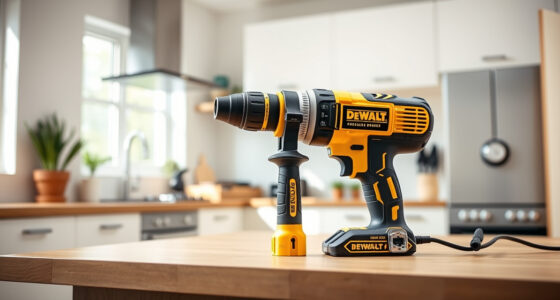
If your DEWALT power tool is not charging despite being connected to the charger, it can be frustrating. Often, the issue lies with the battery, charger, or connection. This guide provides clear, step-by-step instructions to diagnose and fix common charging problems in your DEWALT cordless drill or similar power tools.

Get garage and car supplies delivered free — and shop member deals
- Fast, free delivery on millions of items
- Access to Prime Big Deal Days deals on October 6–7
- Prime Video, Amazon Music and more included
Always prioritize safety—disconnect the battery before inspecting or handling components, and work in a dry, well-lit area.
Key Takeaways
| Check the battery and charger connections | Ensure they are clean, secure, and undamaged. |
| Inspect the battery for damage | Look for swelling, corrosion, or leaks. |
| Test with a known good charger and battery | Eliminate faulty components. |
| Reset or recalibrate the battery | Follow proper procedures if applicable. |
| Seek professional repair if unresolved | Avoid risking further damage or injury. |
Step 1: Disconnect and Inspect
- Remove the battery from the tool and disconnect it from the charger.
- Visually inspect the battery contacts and charger terminals for dirt, debris, or corrosion.
- Clean contacts gently with a soft cloth or a small brush if needed.
Step 2: Check the Charger and Power Source
- Ensure the charger is plugged into a working outlet—test with another device if unsure.
- Look for indicator lights on the charger; refer to your model’s manual for what they signify.
- If the charger has an LED indicator, verify it shows proper operation.
Step 3: Test the Battery
- If possible, test the battery with a compatible, known-good charger.
- Observe if the charging indicator lights up or if the battery shows any signs of charging.
- If the battery is physically damaged, swollen, or leaking, replace it.
Step 4: Try a Different Charger and Battery
Use a different DEWALT charger and a different compatible battery to identify the faulty component. If the replacement charges properly, the original may need replacing.
Step 5: Reset or Recalibrate the Battery
Some DEWALT batteries benefit from a reset. Fully discharge the battery, then recharge it fully without interruption. This can help recalibrate the battery’s internal circuitry.
The Products in This Guide

DEWALT 20V MAX Cordless Drill Driver Set
- ✔ LED Light: Yes
- ✔ Warranty: 3 years
- ✔ Includes: Battery and charger

DEWALT Drill Bit Set
- ✔ Size Range: Various
- ✔ Durability: High
- ✔ Compatibility: All DEWALT 20V MAX tools
DEWALT 20V MAX Cordless Drill Driver Set
The DEWALT 20V MAX Cordless Drill Driver Set is a versatile and durable tool, but like all batteries, it can face charging issues. Regular maintenance and proper handling can prevent many common problems.
Pros:
- Brushless motor for longer run time
- Compact and lightweight
- Includes 2.0 Ah battery and charger
- LED work light for visibility
Cons:
- Battery can wear out over time
- Charger may malfunction if not properly maintained
- Limited to 20V MAX system
Best for: DIY projects, home repairs, and light professional work
Not ideal for: Heavy-duty industrial use or prolonged heavy drilling
Bottom line: A dependable drill set that performs well when charged properly.
DEWALT Drill Bit Set
The DEWALT Drill Bit Set complements your drill perfectly, providing durable and precise bits for various materials. Keeping your drill bits in top condition helps ensure smooth operation and proper charging cycles.
Pros:
- High-speed steel for durability
- Split point tip resists walking
- Includes multiple sizes
- Rust-resistant coating
Cons:
- Only for drilling, not for screw driving
- Limited to metal, wood, and plastic
Best for: Home improvement and DIY projects
Not ideal for: Heavy industrial drilling
Bottom line: A reliable set that enhances drilling performance.
Frequently Asked Questions
Why isn’t my DEWALT battery charging?
Possible reasons include dirty contacts, a faulty charger, a damaged battery, or electrical issues. Follow troubleshooting steps to identify the cause.
How do I reset or recalibrate my DEWALT battery?
Discharge the battery fully, then recharge it uninterrupted to help recalibrate its internal circuitry. Consult your manual for specific instructions.
Can I leave my battery on the charger all the time?
It’s best to remove the battery once fully charged to prolong its lifespan. Modern chargers typically stop charging when full, but avoid leaving it plugged in constantly.
When should I replace my DEWALT battery?
If the battery no longer holds a charge, shows physical damage, or the charger indicates a fault despite clean contacts, it’s time to replace it.
Keeping Your DEWALT Power Tools Charging Ready
Regular maintenance, proper handling, and timely replacement of faulty batteries or chargers can keep your DEWALT tools performing at their best. Use this troubleshooting guide to resolve charging issues safely and effectively, and always consult your product manual for model-specific instructions.
Affiliate disclosure: As an Amazon Associate we earn from qualifying purchases. Prices and availability are accurate as of the time of publishing.
Halloween Picks
halloween
As an affiliate, we earn on qualifying purchases.