TL;DR
Car dash cams with night vision still need light to record a dark road, and their results depend on the sensor, lens, exposure, processing, and windshield conditions. Compare real nighttime sample footage, then mount and maintain the camera carefully; even a strong recording is not a guarantee that every license plate will be readable.
A dash cam can turn a dark, rainy drive into a useful record—or a blur of headlight glare and black pavement. The words “night vision” on a box sound reassuring, but they describe several different technologies and promise no particular result.

Get business pricing on garage and car supplies
- Business-only prices and quantity discounts
- Tax-exempt purchasing
- Multiple users, one account, clear invoices
This guide explains what those words can mean, which details affect nighttime footage, and how to compare cameras using real-world examples. You’ll also learn how to set up your camera, what to expect from license-plate recordings, and why a crisp-looking video still may not identify every car.
Treat “night vision” as a broad feature label; a forward camera generally needs headlights or ambient light.
Compare real nighttime clips with oncoming headlights, moving cars, and unlit roads.
A sensitive sensor, lens, and exposure processing matter alongside resolution.
Clean both sides of the windshield, mount the camera steadily, and test rear footage through tinted glass.
Use a supported, reliable memory card and check the camera’s parking-mode power needs.
What “night vision” really means for your dash cam
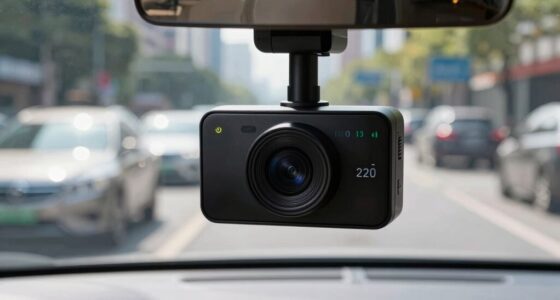
Car dash cams with night vision use a mix of light-sensitive sensors, wide-aperture lenses, image processing, and sometimes infrared LEDs to record in dim conditions. The phrase is a marketing umbrella, not a promise that the camera can see a pitch-black road. A forward-facing camera usually relies on streetlights and your headlights because those sources illuminate the scene before the lens records it.
Think of the camera as a small bucket trying to catch light: a wider lens opening and sensitive sensor can help fill it, but they can’t collect what isn’t there. A larger opening may admit more light, though it can make precise focus harder and can affect how much of the scene stays sharp. A sensitive sensor can turn a faint signal into a visible image, but amplifying that signal also amplifies noise. On a country lane with no streetlights, your headlamps may illuminate the road ahead while the hedges and fields stay nearly black. In a brightly lit downtown street, the same camera has much more to work with. This affects what the footage can establish: a dark clip may still show that a vehicle entered your lane, while obscuring its color or the road edge. Brightening the entire image can reveal more shadow detail, but it may also amplify sensor noise and make headlights lose their shape.
Infrared LEDs work differently. They can light up the cabin for a rideshare driver checking what happened in the back seat, though the image may appear monochrome. Pointing infrared through the windshield is less useful for seeing far down the road; reflections off the glass can create a bright haze. The light is close to the camera, so it illuminates nearby cabin surfaces more readily than distant road objects. That’s why a product with IR is not automatically a better front camera.
Night vision describes a tool, not a result. Look for footage from the kind of roads and lighting you actually drive through.
Products Worth Considering

Chemical Guys 14-Piece Arsenal Builder Car Wash Kit with Foam Blaster

VIOFO A329S 4K 60FPS Front and 2K Rear Dash Cam

Autel MaxiCheck MX808S Bidirectional OBD2 Diagnostic Scanner
As an affiliate, we earn on qualifying purchases.
Which camera features help you see more after dark
Car dash cams with night vision benefit most from a light-sensitive sensor, a wide-aperture lens, and exposure control that handles headlights against dark surroundings. Resolution matters, but it cannot make poor exposure or heavy blur disappear. A camera’s sensor model name alone also doesn’t prove that its footage will be clear: the lens, processing, and recording settings determine how well that sensor’s signal becomes usable video.
Imagine a car approaching on an unlit road. If the camera brightens everything to reveal the roadside, the headlights may bloom into white blobs; if it protects the highlights, the rest of the scene may go dark. HDR-style processing aims to balance bright and dark areas, but its results vary. It may preserve more information in both areas, though a moving vehicle can look doubled or smeared if the camera combines exposures taken at different moments. That tradeoff matters most when you need to identify motion or a vehicle’s details: preserving a bright headlight is useful only if the car around it remains clear. Heavy noise reduction can smooth a grainy image while also wiping away fine details, like the characters on a plate. These are tradeoffs: a cleaner-looking frame is not necessarily a more informative recording.
Use this table to judge features as a group rather than shopping by one impressive number:
| Feature | What it can help with | What it cannot promise |
|---|---|---|
| Light-sensitive sensor and wide aperture | Gathering more light in dim scenes | Clear detail in total darkness |
| HDR or similar exposure processing | Balancing bright headlights and a dark road | Readable plates in every clip |
| Higher resolution | Preserving detail when focus, motion, and exposure cooperate | Better low-light video by itself |
| Infrared LEDs | Illuminating a nearby cabin scene | Seeing far down a dark road through the windshield |
Higher resolution gives you more recorded pixels to inspect or crop, but it does not freeze motion. At night, a moving plate may cross several pixels during an exposure, blending its characters together; a lower-resolution clip with sharper exposure can sometimes retain more usable detail. When comparing car dash cams with night vision, judge a sample that shows oncoming headlights, moving traffic, and an unlit stretch. A daytime demo tells you little about any of those challenges, while a single night sample may hide how the camera behaves in different lighting or at different speeds.
How to test nighttime footage before you buy
Car dash cams with night vision are easier to compare when you examine the same kinds of scenes across models: dark roads, bright headlights, and moving vehicles. Seek independent sample clips, not just a manufacturer’s polished daytime reel. A clean-looking video can still hide motion blur or lost details, so the question is whether the footage preserves the information you would actually need after an incident.
- Find unedited nighttime clips. Look for an unlit road and a street with oncoming headlights. For instance, a plate visible under a bright shop sign may vanish on the next dark block. That difference shows how dependent the camera is on local light, so footage from only one well-lit scene can give a misleading impression. Prefer clips that include the transition between the scenes too: exposure may take time to adjust, and that delay can matter when a vehicle moves from a lit junction into darkness.
- Check moving detail. Watch passing cars and signs rather than pausing only on a still frame. Speed can turn a readable stationary plate into a streak. If a clip is sharp when paused but unclear during normal playback, the camera may be capturing detail only when the scene is still, which limits how useful it is for documenting a moving encounter. A clip that remains legible during playback offers stronger evidence of real-world performance than a single sharp frame.
- Look for exposure changes. Notice whether the camera recovers after a headlight flare or leaves the road washed out. Compare clips with similar lighting where possible. A camera that takes a long time to recover may miss detail just after a bright vehicle passes; the time it takes to adjust matters on roads where bright and dark areas alternate quickly. Also check what it sacrifices: reducing glare may preserve headlight shape while making roadside hazards disappear into shadow.
- Listen for practical caveats. Check whether the reviewer mentions HDR settings, windshield tint, rain, or a camera angle that differs from yours. These conditions change how much light reaches the sensor and where glare appears, so a sample shot from another car may not predict your own results. A useful review explains its setup well enough for you to decide whether the sample is comparable to your vehicle and commute.
Product specs and claims change often, so current sample footage matters more than a remembered model ranking. A camera that excels under city lights may disappoint on your unlit commute. If you can’t find footage that resembles your route, treat any claim of clear nighttime recording as unproven; the missing sample leaves an important part of the buying decision unknown.
Set up your camera for a cleaner, steadier view
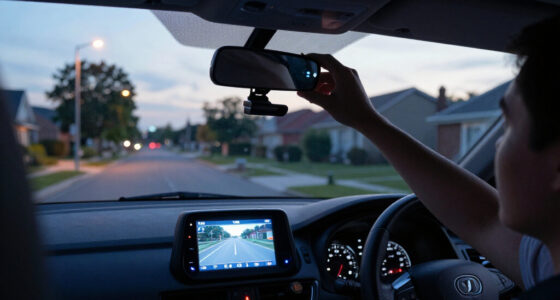
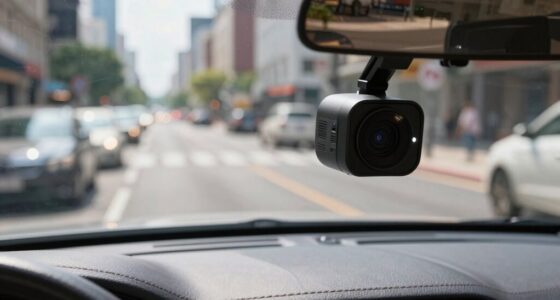
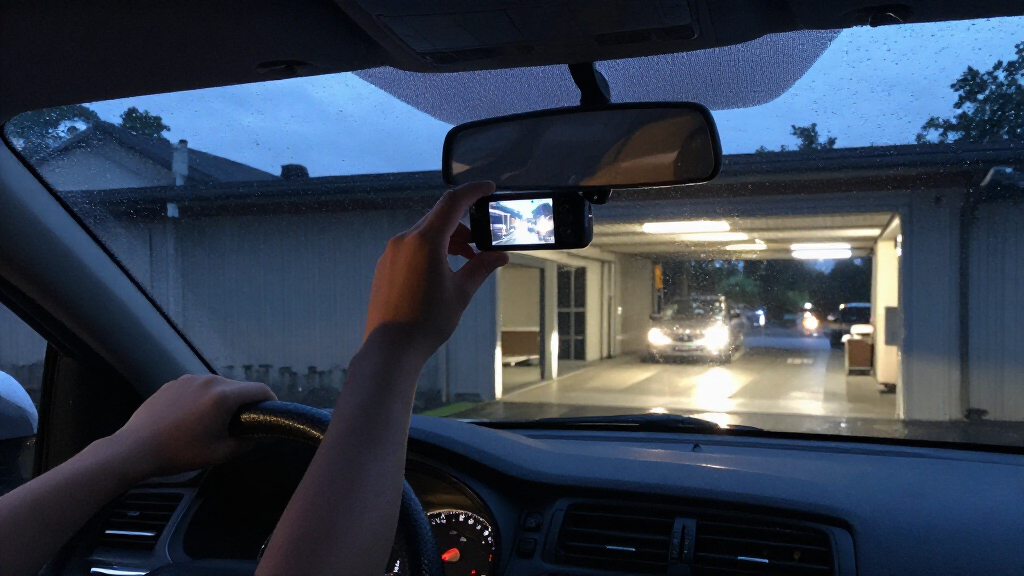
Car dash cams with night vision work better when the lens has a clear view through clean glass and a stable mount. Position the unit near the rear-view mirror, where it can record the road without blocking your view. Keep it away from tinted or reflective windshield areas that may cut light or add glare. Placement also affects what the camera can show: aim too high and the road occupies less of the frame; aim too low and nearby pavement may dominate while distant traffic becomes harder to inspect.
Start with both sides of the windshield clean. At night, a thin film that looks harmless in daylight can catch headlights and throw a pale starburst across the image. Mount the camera firmly, aim it at the road, and check that the lens is focused; a loose mount can make every pothole look like an earthquake. A stable view also helps you tell whether blur comes from motion and exposure or from vibration, which makes troubleshooting much easier. If you change the mount or angle, review another clip: a setting that improves the view of the road can also alter how much of the sky and headlights enter the frame.
Try a short evening drive and review the clip on a larger screen. If every headlight looks like a white sun, test the camera’s exposure or HDR settings one change at a time. Changing one setting at a time lets you see what improved and what detail may have been lost; for example, reducing exposure may tame glare while making unlit road edges harder to see. A rear camera faces its own obstacle: dark tint can reduce incoming light, so check its night footage with the windows and lighting you normally use. An exterior rear camera may avoid the tint, but it needs weather-ready installation.
- Clean the glass inside and out.
- Secure the mount and avoid reflective windshield patches.
- Test at night before relying on the camera.
Know what a nighttime recording can—and can’t—prove
Car dash cams with night vision record what their lens can see; they cannot guarantee that every plate, face, or incident will be identifiable. Distance, speed, glare, rain, dirty glass, and darkness all reduce detail. Even a 4K label does not override those limits. The practical question is what information remains clear enough to support your account: a clip may establish when a car changed lanes even if it cannot resolve the plate. It helps to separate what the video directly shows, such as a lane change, from conclusions that require details the recording did not capture.
For example, suppose another car cuts across your lane at dusk. Your recording may clearly show its color, movement, and the moment it swerves, while the plate remains unreadable because the car was moving and its plate caught a headlight flare. That clip can still help establish the sequence of events, but don’t assume it will settle every detail. A video is most useful when you review it in context and distinguish what it directly shows from what you infer; the limits of one detail do not erase the value of other visible details.
Recording is only useful if the file survives. Use a memory card supported by the camera and rated for frequent rewriting; format it as the manufacturer recommends. If errors recur, replace the card. Parking mode may need a hardwire kit or separate battery, and cameras vary in whether they wake on motion, impact, or both. Check how yours behaves before leaving it to watch a dark parking lot overnight. Otherwise, the camera may stop recording when power runs low or fail to capture an event that its trigger does not recognize. Consider the actual parking situation: continuous recording uses power steadily, while trigger-based recording saves power but depends on the camera sensing the event. Knowing which mode you have helps set realistic expectations about what the footage will cover.
A dash cam provides evidence, not certainty. Keep the camera powered, its card healthy, and your expectations tied to the footage you actually review.
Frequently Asked Questions
Does night vision let a dash cam see in total darkness?
Usually not for a forward-facing camera, which generally needs headlights or some ambient light. Infrared is more useful for illuminating a nearby cabin, often in monochrome.
Can a dash cam capture license plates at night?
Sometimes, but there is no guarantee. Distance, speed, glare, plate angle, and exposure all affect whether the characters stay readable.
Is 4K better than 1080p at night?
Not automatically. Resolution can preserve detail, but sensor sensitivity, lens, exposure, focus, motion, and compression also shape the result.
Do infrared LEDs help a front-facing dash cam?
They can illuminate nearby objects, but reflections from the windshield may interfere. Infrared is generally more useful for cabin-facing cameras than for seeing far down a road.
Will a rear camera work through tinted glass?
It can, though tint reduces incoming light and may weaken nighttime footage. Test it in your car, or look at an exterior camera if the installation and weather protection suit your needs.
Can a dash cam record while the car is parked?
Many models offer parking mode, but it may require hardwiring or another power source. Check whether your camera records continuously or wakes for motion or impact, and review its power requirements.
Conclusion
Choose a dash cam by watching how it handles the roads you drive after dark, not by trusting a “night vision” badge or a resolution number alone. Clean glass, a stable mount, balanced exposure, and a reliable memory card give the camera its best chance.
Then take a night drive and review the clip before you need it. A few minutes with the footage can show you what your camera really sees when the road turns black and headlights go whoosh.