
Bitrate is the key number that controls how much detail, clarity, and quality you get in audio and video. Higher bitrates let more data flow through, meaning sharper images and richer sounds, but they also need more bandwidth. Lower bitrates save space but can cause fuzziness or pixelation. Understanding how bitrate balances quality and file size helps you get the best experience for your needs—explore further to master the details behind this essential setting.
Open a free Amazon Business account
Business pricing, bulk buying and tax-exempt orders.
As an affiliate, we earn on qualifying purchases.
Key Takeaways
- Bitrate measures how much data is processed per second, directly influencing the detail and clarity of audio and video.
- Higher bitrate generally improves detail but offers diminishing returns and larger file sizes.
- Optimal bitrate balances quality and bandwidth, avoiding unnecessary data that doesn’t enhance perceived detail.
- Content complexity affects how much bitrate is needed to maintain detail without artifacts.
- Bitrate alone doesn’t ensure quality; codec efficiency and source material quality also play key roles.
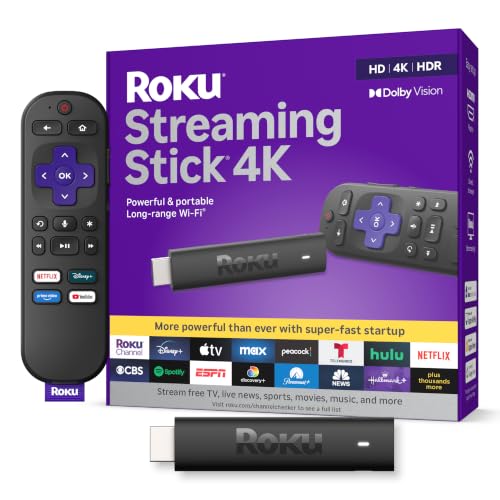
Roku Streaming Stick 4K with Voice Remote – HDR10+ & Dolby Vision
- 4K and Dolby Vision Streaming: Easy access to popular apps and free content
- High-Quality Picture: Stunning 4K resolution with Dolby Vision and HDR10+
- Flexible Room Streaming: Streams seamlessly on any TV with long-range Wi-Fi
As an affiliate, we earn on qualifying purchases.
As an affiliate, we earn on qualifying purchases.
What Is Bitrate and Why Does It Matter?

Have you ever wondered why some videos look crisp and clear while others seem blurry or pixelated? That’s where bitrate comes into play. Bitrate measures how much data is processed every second, directly impacting video quality. Higher bitrates usually mean better detail, but they also require more bandwidth. This affects compression efficiency, which determines how well the video compresses without losing quality. When bitrate is optimized, it ensures streaming stability, reducing buffering and interruptions. Additionally, adaptive streaming techniques adjust bitrate dynamically to provide the best possible quality based on network conditions. Properly managing bitrate settings is essential for achieving optimal viewing experiences across different devices and network environments. Conversely, low bitrate can lead to pixelation and poor visual clarity. Understanding bitrate helps you balance quality and performance, especially when streaming or uploading videos. It’s the key to delivering smooth, high-quality content without straining your connection or sacrificing detail.

Soundcore by Anker Q20i Hybrid Active Noise Cancelling Headphones, White
- Noise Cancelling Microphones: Filters out background noise for clear audio
- Wireless and Wired Modes: Enjoy deep bass wirelessly or Hi-Res wired
- Long Battery Life: Up to 40 hours on a single charge
As an affiliate, we earn on qualifying purchases.
As an affiliate, we earn on qualifying purchases.
How Bitrate Affects Audio and Video Quality

Bitrate plays an essential role in determining both audio and video quality, as it directly influences how much data is allocated to each second of media. Higher bitrates allow for better audio compression, capturing more detail and reducing artifacts, resulting in richer sound. Similarly, in video, increased bitrate enhances visual fidelity by preserving detail and minimizing compression artifacts. When bitrate is too low, audio may sound muffled or distorted, and video can appear pixelated or blurry. Conversely, setting a bitrate too high offers diminishing returns and larger files. Finding the right balance ensures your media maintains quality without unnecessary data. Fundamentally, bitrate controls the clarity and richness of both audio and video, making it a pivotal factor in media quality. Additionally, an appropriate bitrate setting can help optimize contrast ratio and color accuracy, further improving overall viewing experience. Recognizing how the materials and craftsmanship of a media source influence quality can help inform optimal bitrate choices for different types of content. Moreover, understanding the compression algorithms used during encoding can assist in selecting the most effective bitrate for your specific media needs, especially as newer encoding standards continue to evolve.
![Corel VideoStudio Ultimate 2023 | Video Editing Software with Premium Effects Collection | Slideshow Maker, Screen Recorder, DVD Burner [PC Download]](https://m.media-amazon.com/images/I/510k7uBmvCL._SL500_.jpg)
Corel VideoStudio Ultimate 2023 | Video Editing Software with Premium Effects Collection | Slideshow Maker, Screen Recorder, DVD Burner [PC Download]
- Powerful Video Editing Suite: Create stunning movies and slideshows
- Titles and Transitions: Add customizable transitions and captions
- Creative Content: Use templates, filters, and animated effects
As an affiliate, we earn on qualifying purchases.
As an affiliate, we earn on qualifying purchases.
The Relationship Between Bitrate and File Size

Higher bitrates not only improve media quality but also considerably impact the size of your files. As you increase the bitrate, your file size grows because more data is stored per second. This relationship is influenced by compression techniques, which determine how efficiently data is encoded. Efficient compression minimizes size without sacrificing quality, but higher bitrates usually mean less compression and larger files. Bandwidth considerations also matter; larger files require more bandwidth for streaming or transfer, affecting performance. To understand this relationship better, consider these points: 1. Higher bitrates produce larger files due to increased data per second. 2. Compression techniques balance quality and size; less compression at higher bitrates leads to bigger files. 3. Bandwidth considerations limit file size choices for streaming to prevent buffering or delays. Additionally, adaptive streaming adjusts bitrate dynamically to optimize quality and bandwidth usage during playback. Recognizing the bitrate-file size relationship helps in choosing appropriate settings for different media needs. A clear understanding of data encoding methods can further aid in managing file sizes effectively, especially when considering compression efficiency to maximize quality while minimizing size. Furthermore, understanding how media formats influence encoding options can assist in selecting optimal settings for various applications.

Micca 4K Ultra-HD USB and microSD Media Player, 4K HDMI, Digital Signage
- Enhances TV with media playback: Plays videos, music, and slideshows from USB or MicroSD
- Supports 4K Ultra-HD videos: Plays 4096×2304@30fps videos over HDMI
- Compatible with various displays: Works with 4K and 1080p TVs, projectors, monitors
As an affiliate, we earn on qualifying purchases.
As an affiliate, we earn on qualifying purchases.
Choosing the Right Bitrate for Your Needs

Choosing the right bitrate depends on your specific needs and how you plan to use your media. For audio compression, selecting a bitrate that balances quality and file size is key. Higher bitrates preserve more detail but increase file size and demand more streaming bandwidth. If you’re streaming content for listeners with limited internet speeds, lower bitrates help guarantee smooth playback without buffering. Additionally, understanding sound frequencies can help you determine the optimal bitrate for capturing audio nuances. Conversely, if audio quality is your priority, such as for professional recordings or high-fidelity listening, you’ll want to opt for a higher bitrate. Consider your audience’s bandwidth capabilities and the intended use of your media. Finding the right balance ensures your content sounds good while remaining accessible and efficient for your viewers or listeners. Understanding bitrate control can help you optimize your audio for various scenarios.
Common Misconceptions About Bitrate

Many people believe that increasing the bitrate always results in better audio or video quality, but that’s not necessarily true. Higher bitrates can reduce compression artifacts, but only up to a point. If your media has a low bit depth, even a high bitrate won’t improve detail or color accuracy substantially. It’s a misconception to think bitrate alone guarantees quality. Other factors matter, such as:
- The efficiency of compression algorithms, which influence how well data is preserved.
- The role of bit depth, affecting tonal range and subtle detail.
- The potential for compression artifacts, which become more noticeable when bitrate isn’t paired with proper encoding settings.
- Content complexity, which determines how much data is necessary to accurately represent the media without loss.
- Additionally, media quality can be limited by the original source material, meaning that no amount of bitrate can enhance content that is inherently low quality.
- Understanding compression efficiency helps in choosing the right settings for optimal quality without unnecessary file sizes.
- Recognizing the limitations of bitrate is essential to avoid overestimating its impact on overall media quality. It’s also important to consider media-specific factors, as different types of content may respond differently to various encoding parameters.
Understanding these aspects helps you avoid overestimating bitrate’s impact on quality.
Frequently Asked Questions
How Does Bitrate Influence Streaming Buffer Stability?
Your streaming buffer stability heavily depends on bitrate. When you select a suitable bitrate, it helps manage network congestion by reducing the data load during peak times. A higher bitrate improves video detail but risks buffer stalls if your network struggles. Conversely, a lower bitrate keeps the buffer steady during congestion, ensuring smooth playback. Proper buffer management involves adjusting bitrate based on your connection to prevent interruptions and maintain consistent streaming quality.
Can Increasing Bitrate Improve Perceived Quality Without Bandwidth Issues?
Increasing bitrate can enhance perceived quality, but only if your bandwidth can accommodate it. Higher bitrate reduces compression artifacts, making images clearer and more detailed. However, if bandwidth isn’t managed well, it can cause buffering and interruptions. To get better quality without issues, balance your bitrate with your available bandwidth, avoiding excessive increases that strain your connection. Proper bandwidth management ensures smoother streams and sharper visuals.
What Is the Optimal Bitrate for Live Video Streaming?
For live video streaming, aim for a bitrate around 3,000 to 6,000 kbps for 1080p quality, balancing clarity and bandwidth. Studies show that at this range, viewers rarely encounter compression artifacts, ensuring a smooth experience. Higher bitrates increase encoding efficiency but can cause issues if your upload speed can’t keep up. Adjust based on your audience’s connection, but staying within this range usually offers the best quality without overloading your network.
How Does Codec Choice Interact With Bitrate to Affect Quality?
Your codec choice directly impacts how bitrate affects quality through compression efficiency. A more efficient codec, like H.265, reduces compression artifacts at lower bitrates, delivering better detail and clarity. Conversely, less efficient codecs may produce visible artifacts even at higher bitrates. So, selecting the right codec allows you to optimize quality without unnecessarily increasing bitrate, ensuring your stream looks sharp while maintaining manageable file sizes.
Are There Differences in Bitrate Impact Across Various Media Formats?
You might think higher bitrates always mean better quality, but that’s not entirely true across different media formats. For example, videos with high bitrates can still show compression artifacts on less capable devices, affecting device compatibility. Audio formats like MP3 or AAC react differently to bitrate changes, impacting clarity and distortion. So, the effect of bitrate varies depending on the media type, device, and how well the codec manages compression artifacts.
Conclusion
Don’t let confusion hold you back from enjoying high-quality audio and video. Understanding bitrate helps you find the right balance between quality and file size, so you can stream, store, or share without frustration. Even if it seems technical at first, once you grasp the basics, you’ll make smarter choices. So go ahead—trust your ears and eyes, and choose the bitrate that best fits your needs for a better viewing or listening experience.
Flea & tick season Picks
flea and tick prevention
As an affiliate, we earn on qualifying purchases.