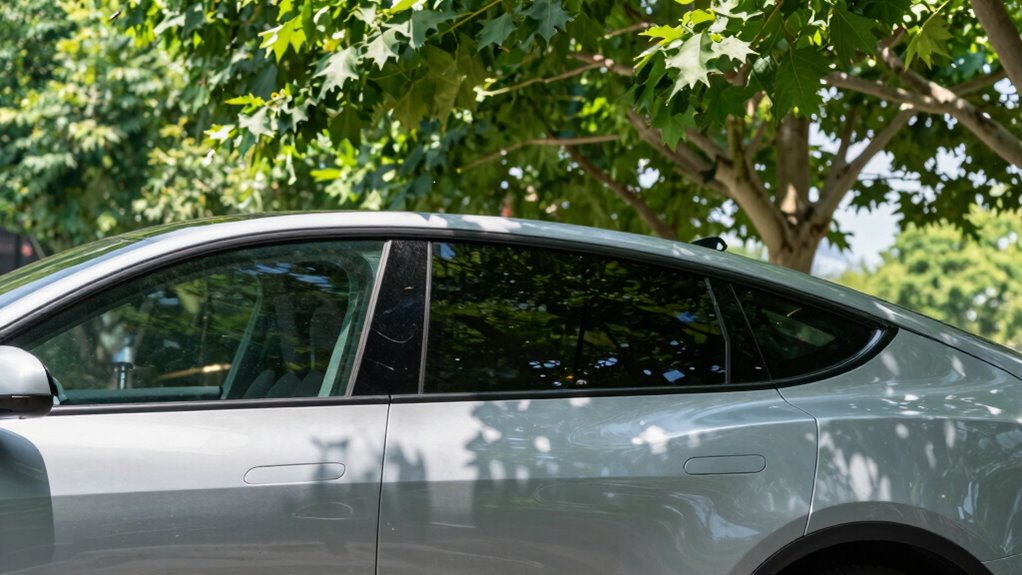

If your parking mode sensitivity is set too high, minor vibrations from traffic, wind, or environmental changes can trigger false alerts. These unnecessary recordings quickly fill your storage, leaving no space for real events. Improper hardware mounting, loose sensors, or unstable settings can also cause false triggers that waste memory. To prevent this, you need to fine-tune sensitivity, ensure proper installation, and learn how environmental factors influence alerts — more details ahead can help you optimize your system.

Get garage and car supplies delivered free — and shop member deals
- Fast, free delivery on millions of items
- Access to Prime Big Deal Days deals on October 6–7
- Prime Video, Amazon Music and more included
Key Takeaways
- Excessively high G-sensor sensitivity triggers false recordings from minor vibrations, quickly filling storage.
- Overly sensitive motion detection captures irrelevant environmental movements, leading to unnecessary video files.
- Wide or unfiltered motion zones record non-threatening activity, wasting storage space with false alerts.
- Environmental factors like shadows, reflections, and vegetation movement mimic impacts, increasing false triggers.
- Lack of regular calibration and firmware updates causes misconfigurations, resulting in false alerts that drain storage.
parking mode dash cam sensitivity adjustment
As an affiliate, we earn on qualifying purchases.
As an affiliate, we earn on qualifying purchases.
Common Causes of False Alerts in Parking Mode

False alerts in parking mode often stem from a combination of sensor misconfiguration, environmental factors, hardware issues, and software limitations. If your G-sensor sensitivity is too high, minor vibrations like door slams, passing vehicles, or wind gusts trigger unnecessary recordings. Setting motion detection sensitivity improperly causes either missed events or frequent False triggers from pedestrians, animals, or foliage. Wide or unfiltered motion zones monitor irrelevant areas, multiplying False alarms. Poor parking-mode selection, such as using continuous recording instead of event-only mode, results in constant captures and False alerts. Environmental factors like nearby traffic, shadows, reflections, or weather conditions can mimic impacts or scene changes. Hardware issues, including loose mounts, low-quality sensors, or unstable power, also contribute to False triggers, complicating accurate parking mode monitoring. Proper setup of your camera system helps minimize these issues and ensures more reliable alerts. Additionally, sensor calibration plays a crucial role in reducing False alerts by ensuring the system accurately detects genuine impacts versus minor vibrations. Understanding the sensor technology used in your camera can help you select appropriate settings and improve detection accuracy. Being aware of environmental influences, such as weather conditions, and adjusting settings accordingly can further improve alert accuracy.
G-sensor calibration for dash cams
As an affiliate, we earn on qualifying purchases.
As an affiliate, we earn on qualifying purchases.
How False Triggers Impact Storage Capacity
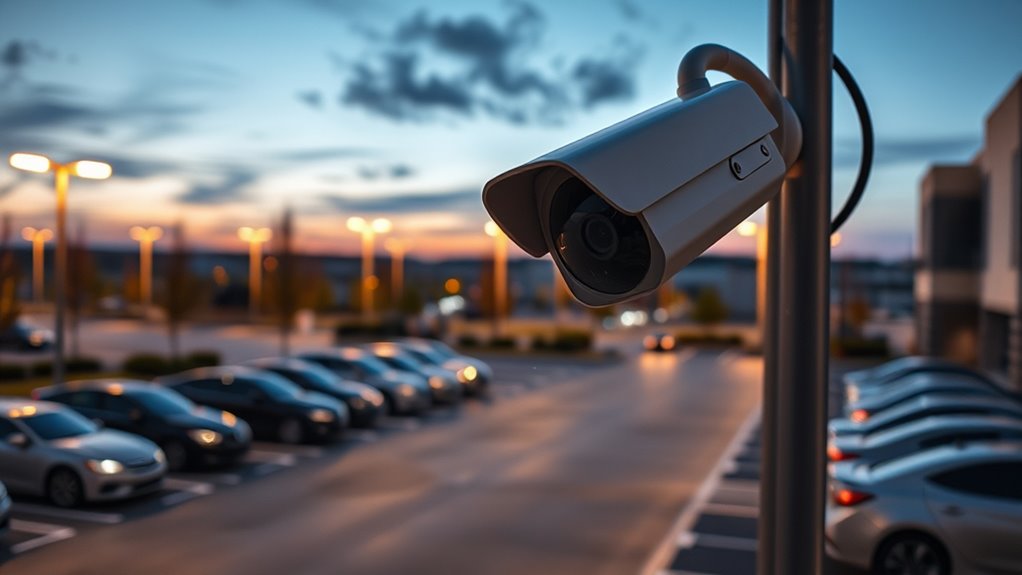
When parking mode triggers more often than intended, it can quickly fill up your storage capacity, limiting how much footage you can review later. Frequent False triggers generate large video files, especially at higher resolutions like 4K or 2K, drastically reducing recording duration. Continuous parking mode recording fills memory cards faster than driving mode, with a 512GB card recording only about 36 hours at 4K. Each trigger creates new files, and loop recording overwrites older footage, risking the loss of important events. Small SD cards fill up quickly, forcing premature overwrites. High-endurance cards and external storage help, but persistent False triggers still eat into your storage space. Proper camera settings and sensitivity adjustments can reduce False alerts, preserving your storage for critical moments. Understanding storage capacity and how it is impacted by False triggers is essential for effective monitoring. Additionally, implementing local automation can help minimize unnecessary alerts and better manage recordings. Regularly reviewing and adjusting trigger sensitivity can significantly improve the accuracy of parking mode alerts, ensuring storage is used efficiently. This can help prevent the loss of important footage during actual incidents, maintaining the reliability of your surveillance system. As a result, you risk missing critical footage during actual incidents, undermining your parking mode’s effectiveness.
dash cam motion detection zone filter
As an affiliate, we earn on qualifying purchases.
As an affiliate, we earn on qualifying purchases.
The Role of G-Sensor and Motion Sensitivity Settings

G-sensor and motion sensitivity settings play an essential role in how effectively your parking mode detects and records incidents. The G-sensor detects impacts and sudden movements through accelerometers that measure G-forces, activating recording when bumps or hits occur. It locks footage within fractions of a second to preserve critical events, even with the vehicle off. Adjusting sensitivity levels is crucial: high sensitivity catches minor impacts but causes false triggers from potholes or door slams, while lower settings reduce unnecessary alerts. Proper sensitivity configuration can significantly improve the accuracy of incident detection. Motion detection, which triggers recordings based on nearby movement, can be fine-tuned to ignore passing cars or pedestrians. Using AI and adjustable thresholds helps prevent false alarms. Properly configuring these settings ensures your parking mode captures real threats without draining storage on irrelevant or minor events.
high endurance SD cards for dash cams
As an affiliate, we earn on qualifying purchases.
As an affiliate, we earn on qualifying purchases.
Environmental Factors That Trigger Unwanted Events

Environmental factors like vegetation movement, weather conditions, and lighting changes can often trigger unwanted events in parking mode recordings. Swaying trees, bushes, and hanging leaves produce repeated motions that mimic human or vehicle activity, causing False alerts. Wind speed influences this effect: light breezes cause small movements, while gusts create larger motions likely to cross sensitivity thresholds. Nearby flags, fluttering signs, or loose tarps also generate localized motion clusters mistaken for real events. Seasonal foliage changes, like leaf drop or new growth, alter background contrast, increasing False positives after landscaping or seasonal shifts. Additionally, moving shadows during sunrise or sunset create contrast changes, often misinterpreted as object motion. These environmental factors profoundly contribute to False alerts, draining storage and reducing system reliability. Understanding environmental impacts helps in adjusting sensitivity settings effectively to minimize False alarms. Being aware of environmental motion triggers allows users to fine-tune their systems better and avoid unnecessary recordings. Moreover, advances in AI and content creation have led to smarter detection algorithms that can differentiate between real and False events, further enhancing system accuracy. Recognizing dynamic environmental factors enables proactive adjustments to system parameters for improved reliability.
Effects of Hardware Mount Stability on False Alarms

Mount stability plays a crucial role in minimizing false alarms in parking mode recordings. When your camera isn’t securely mounted, even slight micro-movements can be mistaken for motion events, triggering unnecessary recordings. To reduce these issues, consider these factors:
- Mounting Method: Hard-mounted brackets on rigid surfaces like glass stabilize the camera, preventing orientation shifts that cause false triggers. Avoid flexible mounts such as suction cups or adhesive pads that allow rotation and translation under vibrations. Proper installation techniques can significantly improve mount stability. Additionally, selecting mounts designed for luxury-grade equipment can provide higher durability and stability. Implementing rigid mounting methods ensures consistent positioning and reduces false alarms caused by minor shifts. Using visual cues during installation can help verify proper alignment and stability.
- Vibration Transmission: Rigid mounting reduces road and body vibrations reaching the camera, while damping materials absorb shocks, lowering false alarms. Loose fasteners, however, can amplify shocks, creating transient peaks. Vibration mitigation can further enhance stability.
- Alignment and Orientation: Properly aligned mounts keep the camera’s field-of-view steady. Repeated removal or poor orientation toward moving foliage can cause false detections, increasing unwanted recordings.
- Proper Mounting Techniques: Using the right mounting hardware and following manufacturer guidelines can further enhance stability and reduce false alarms, especially on uneven or vibrating surfaces. Proper mounting techniques are essential to ensure long-term camera reliability. Regularly checking and tightening fasteners can prevent micro-movements over time.
Storage Consumption From False-Triggered Video Files

False triggers in parking mode not only generate unwanted recordings but can also substantially impact your storage capacity. Each false event creates a video file whose size depends on your resolution and bitrate—typically 15–60 MB for 1080p clips lasting 10–30 seconds. Higher resolutions like 2K or 4K can increase file sizes by 2–4 times, accelerating storage use. Buffer periods before and after each trigger add to file length, further increasing size. Multiple channels recording simultaneously multiply storage consumption. Frequent false triggers, especially in busy environments, can quickly consume gigabytes daily—think 6 GB or more per day with hundreds of false alerts. Using lower resolution, time-lapse, or compression codecs like H.265 can help reduce this storage drain. Proper configuration of sensitivity settings can significantly minimize false alarms, preserving storage space. Additionally, performance ratings often depend on how well these settings are optimized to prevent unnecessary recordings, and understanding camera sensitivity can help tailor these adjustments more effectively. Adjusting sensor calibration can further improve trigger accuracy and reduce false alerts, leading to more efficient storage usage. Implementing adaptive algorithms can also dynamically adjust sensitivity based on environmental conditions, further reducing false triggers.
Strategies to Reduce False Alerts and Save Space

To effectively reduce false alerts and conserve storage space, you should optimize your camera settings and detection features. Start by adjusting the G-sensor sensitivity—set it to medium to balance detecting real impacts without triggering recordings for minor bumps. Next, customize motion detection sensitivity for each camera to minimize false alarms from passing cars or shadows. Additionally, configuring filtering techniques can help distinguish between genuine incidents and environmental triggers more effectively. Implementing AI ethics principles in your detection setup can further enhance accuracy by reducing unnecessary alerts. Finally, implement parking timers, setting them to a maximum of three hours to prevent unnecessary footage buildup. False alarms are a common issue that can be mitigated through proper settings adjustments. Here are three key strategies: 1. Set the G-sensor to medium for accurate impact detection. 2. Fine-tune motion detection sensitivity for each camera. 3. Use parking timers to limit recording duration and avoid storage overload. Incorporating detection sensitivity settings can further help in differentiating real events from false triggers, which is crucial for surveillance accuracy. Moreover, adjusting sensor calibration techniques can enhance the precision of detection features, reducing false positives.
Best Practices for Configuring Parking Mode

Configuring parking mode effectively requires balancing detection sensitivity with storage management. Begin by setting sensitivity levels—medium is recommended to reduce False alerts while capturing genuine impacts. Calibrate the G-sensor and motion detection separately to prevent overlapping triggers—impact detection needs different thresholds than proximity alerts. Use per-camera sensitivity adjustments to fine-tune front, rear, or interior views, increasing sensitivity where needed without over-triggering low-risk angles. Take advantage of user calibration routines or guided tests to optimize settings based on local vibration and traffic conditions. Tie sensitivity profiles to power sources, lowering sensitivity in parking mode to avoid False alerts during daytime traffic. Finally, implement recording modes like event-triggered or time-lapse, and adjust bitrate to conserve storage without missing critical footage. Understanding the detection thresholds helps ensure your system responds appropriately without generating unnecessary alerts.
Maintenance Tips to Minimize False Triggering

To minimize false triggers, you should focus on securing your camera mounts properly to prevent vibrations and shifts. Regularly check hardware connections and mounts for looseness or corrosion, replacing any damaged parts immediately. Keeping your firmware updated ensures your system benefits from the latest calibration improvements and false alarm fixes. Proper mounting reduces sensor misalignment, which can cause unnecessary alerts and drain storage.
Secure Mounting Techniques
Properly securing your dashcam is essential for reliable performance and minimizing false triggers. First, ensure the mount is firmly attached using the appropriate method—whether suction cup, adhesive, or static sticker—after cleaning the surface with alcohol. Second, tighten all fasteners and add safety tethers like straps or carabiners to prevent movement caused by vibrations or bumps. Third, ground the system to a clean bare metal area near the camera to ensure stable power and reduce interference. Using a multimeter to check the voltage and ground continuity can help verify proper electrical connections. By following these steps, you keep your dashcam steady and correctly positioned, which helps maintain accurate parking mode activation. Proper mounting minimizes false alerts triggered by vibrations or minor shifts, ultimately saving storage and enhancing overall reliability.
Regular Hardware Checks
Regular hardware checks keep your dashcam functioning accurately and help prevent False triggers during parking. Start by inspecting the G-sensor calibration through your device settings, adjusting sensitivity levels to match your environment—lower it for quieter areas, higher for crowded lots. Clean the sensors regularly with a soft cloth to remove dust, dirt, and environmental buildup that can cause misalignment and oversensitivity. Check connections and ensure the hardware is properly aligned after installation or impacts. Test the G-sensor’s response after any adjustments to confirm it isn’t overly sensitive. Review footage promptly after parking mode alerts to verify genuine events and identify potential hardware issues. Routine inspections and maintenance keep your dashcam reliable, reducing False alarms and conserving storage space.
Update Firmware Frequently
Updating your dashcam firmware frequently is essential for minimizing false triggersingand ensuring reliable parking mode performance. Regular updates fix bugs that cause erratic sensor behavior, stabilizing motion detection and reducing unwarranted alerts. They also enhance stability, preventing crashes that interrupt recordings. To maximize benefits, focus on these key actions:
- Install manufacturer-released updates promptly to fix bugs and improve sensor accuracy. Firmware updates act as the dashcam’s operating system, ensuring all functions work smoothly.
- Enable new sensitivity settings to fine-tune the trigger response to environmental changes.
- Keep your firmware current to guarantee compatibility with new accessories and avoid integration errors.
Frequently Asked Questions
How Can I Identify if False Alerts Are Caused by Hardware Issues?
You can identify if false alerts are caused by hardware issues by inspecting connectors for corrosion or loose fit, testing ground continuity, and running self-tests on sensors. Swap suspect modules and check power stability to see if alerts persist. Additionally, review mounting and environmental factors like vibrations or contaminants. Enable detailed logs to analyze sensor signals during false alerts, helping you pinpoint hardware faults causing the false triggers.
What Specific Settings Most Effectively Reduce False Triggers in Parking Mode?
Want to cut down false triggers in parking mode? Adjust your G-sensor to a medium or low sensitivity to prevent minor vibrations from causing alerts. Set motion detection to low or medium, and use specific detection zones to ignore passing cars or pedestrians. Enable the 3-minute delay after parking mode activates, and fine-tune the parking delay timer—these tweaks help filter out irrelevant events, saving storage and reducing false alarms.
Can Environmental Noise Permanently Damage the Camera or Sensor Components?
Environmental noise can indeed cause permanent damage to your camera or sensor components. High levels of electromagnetic interference, vibration, and dust can loosen or crack delicate parts over time. Constant exposure to temperature fluctuations and humidity may accelerate corrosion or degrade coatings, leading to irreversible damage. To protect your device, make certain it’s properly shielded, sealed, and placed away from noisy, vibrating, or dusty environments. Regular maintenance also helps prevent long-term harm.
How Do Different Microsd Card Qualities Affect False Alert Storage Issues?
Higher-quality microSD cards guarantee stable recording, reducing false alerts caused by storage glitches. Cheap or fake cards often have slow speeds and unreliable capacity, leading to corrupted data and false triggers. When you use genuine, well-rated cards, your device records accurately and efficiently, preventing storage drain from repeated false alerts. Always verify your microSD card’s authenticity with proper tests to avoid false alerts and protect your footage.
Is There a Way to Automatically Delete False-Triggered Clips to Save Storage?
Yes, you can automatically delete false-triggered clips to save storage. Many dash cams have built-in settings or companion apps that let you set automatic deletion rules, like removing clips after a certain time or based on low confidence scores. Some systems even use AI to filter out irrelevant footage, prioritizing important clips and deleting false alarms automatically. Check your device’s options to customize these features and keep your storage optimized.
Conclusion
To keep your parking mode running smoothly, stay vigilant with your settings and environment. Regularly check and adjust sensitivity levels, secure your hardware, and clear unnecessary footage. Remember, a stitch in time saves nine—address false alerts early before they drain your storage and cause headaches later. By staying proactive, you’ll ensure your camera works when you really need it, rather than crying wolf over false alarms.
Halloween Picks
halloween
As an affiliate, we earn on qualifying purchases.