
Split-screen monitors can definitely enhance your driving experience, but they only work if you can read them quickly and easily. Clear fonts and contrasting colors make a big difference, reducing eye strain and helping you focus on the road. When important information is prioritized and displayed intuitively, it speeds up your decision-making. This way, you stay safe and enjoy the drive. You’ll discover more about optimizing your display for the best driving experience next.

Get business pricing on garage and car supplies
- Business-only prices and quantity discounts
- Tax-exempt purchasing
- Multiple users, one account, clear invoices
Key Takeaways
- Clear fonts and contrasting colors enhance readability, making information easier to process at a glance while driving.
- Prioritize key information display for immediate visibility to reduce cognitive load and improve decision-making.
- Intuitive layouts with recognizable icons minimize clutter and streamline user experience, promoting quicker understanding.
- Simplified menus and centrally placed navigation prompts allow for natural eye focus and faster access to critical information.
- Proper calibration and visual ergonomics reduce eye strain, ensuring drivers can read screens effectively, especially at night.
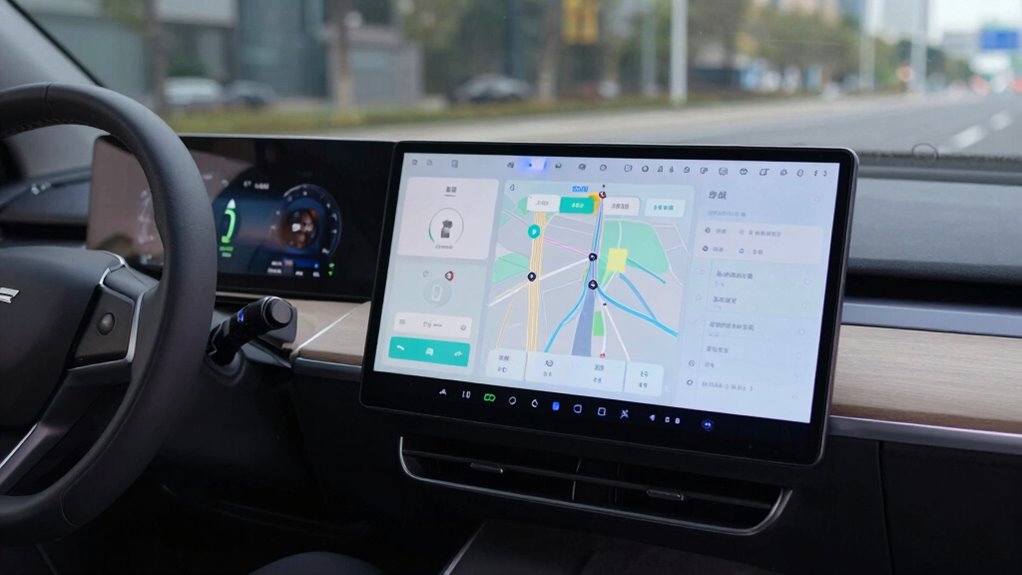
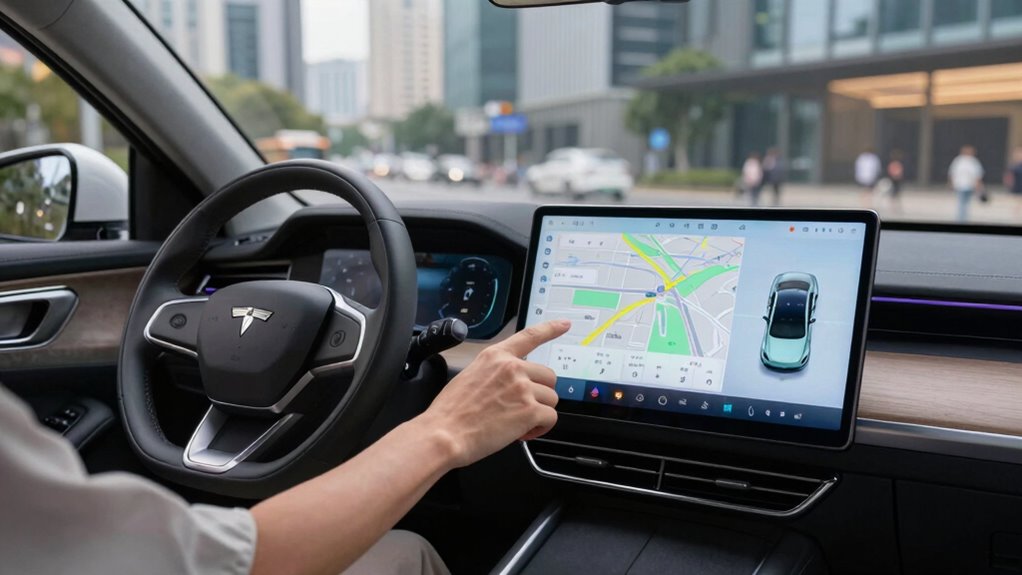
As you manage the demands of modern driving, split-screen monitors can greatly enhance your experience by improving readability. The key lies in how effectively these screens present information. A well-designed screen layout can mean the difference between a smooth drive and a frustrating one. When you glance at your monitor, you want information to pop out at you, not blend into a confusing mess. With the right setup, you can access navigation, music, and vehicle stats simultaneously, allowing you to focus on the road ahead.
Visual ergonomics plays an essential role in this. It’s not just about cramming as much information as possible onto the screen; it’s about presenting that information in a way that’s easy to digest at a glance. For instance, using contrasting colors and clear fonts can make a significant difference. If your split-screen layout is cluttered with tiny text and confusing symbols, you may find yourself squinting or taking your eyes off the road for too long. This is where the importance of readability comes in. The best displays are designed to minimize cognitive load, allowing you to process information quickly. Additionally, display design can influence how easily drivers can interpret the data, directly impacting safety. Proper display calibration can further enhance visibility and reduce eye strain, especially during night driving. Paying attention to visual ergonomics ensures that your display setup aligns with how your eyes and brain process visual information efficiently.
Visual ergonomics is crucial; clear fonts and contrasting colors enhance readability, ensuring you can process information quickly without distraction.
You might wonder why this matters. Well, driving demands your full attention. If you’re struggling to read your monitor, you’re not just slowing down your response time; you’re also increasing the risk of an accident. Imagine needing to change your music or check directions while managing heavy traffic. If your screen isn’t user-friendly, those split seconds can feel like an eternity. Ensuring that the display layout aligns with driver attention best practices can further reduce distraction and improve safety.
A good screen layout simplifies the process. Icons should be easily recognizable, and key information should be prioritized. For example, placing navigation prompts in the center of your screen where your eyes naturally focus can help you make quicker decisions. You don’t want to be fumbling through layers of menus when you should be concentrating on the road.
Ultimately, split-screen monitors can only help if you can read them quickly. Think about your daily driving habits and how often you rely on technology. If your display isn’t intuitive, it could detract from your driving experience rather than enhance it. Investing in a vehicle with a well-designed monitor will not only make your drives more enjoyable but also safer. So, as you consider your options, prioritize readability and visual ergonomics to guarantee your driving experience is as seamless as possible.
split-screen car display monitor
As an affiliate, we earn on qualifying purchases.
As an affiliate, we earn on qualifying purchases.
Frequently Asked Questions
What Are the Best Split-Screen Monitor Brands for Drivers?
When you’re looking for the best split-screen monitor brands for drivers, consider Dell, ASUS, and LG. These brands offer various monitor sizes and high screen resolutions that make it easy to read information quickly. Opt for models with at least 1080p resolution for clarity. Also, check for adjustable stands and wide viewing angles, ensuring you can comfortably see everything while driving. Investing in quality monitors greatly enhances your driving experience.
How Can I Adjust Monitor Brightness for Better Visibility?
Imagine your screen as a window to a vibrant world; if it’s too dim, you miss the beauty outside. To enhance your visibility, explore the brightness settings of your monitor. Most monitors have buttons or menus that let you make visibility adjustments easily. Brighten things up until the details shine through, ensuring you’re not squinting like a traveler lost in the fog. A well-lit screen makes all the difference!
Are There Specific Regulations for Monitor Use in Vehicles?
Yes, there are specific regulations regarding monitor use in vehicles, aimed at guaranteeing driver safety. These regulations often focus on monitor visibility, requiring screens to be positioned so they don’t obstruct your view of the road. You’ll find that many jurisdictions limit the use of certain types of monitors while driving, especially for non-essential functions. Always check local laws to verify you’re compliant and prioritize your safety while on the road.
What Features Improve Driver Focus While Using Split-Screen Monitors?
To improve driver focus with split-screen monitors, prioritize driver ergonomics and ideal screen placement. Position the screens at eye level for easy visibility, minimizing neck strain. Contrast and brightness adjustments enhance readability, ensuring essential information stands out. Quick access to important features keeps distractions low. Juxtaposing clarity with convenience, you’ll find that well-designed monitors not only support your driving but also boost your confidence behind the wheel, making every journey safer.
Can Split-Screen Monitors Cause Distractions for Drivers?
Yes, split-screen monitors can cause distractions for drivers. When you’re faced with multiple screens, you might experience visual overload, which can overwhelm your senses. This increased cognitive load makes it harder for you to focus on the road. If you find yourself constantly shifting your attention between screens, it could lead to impaired judgment and slower reaction times. Balancing information display while maintaining focus is essential for safe driving.
night driving display calibration tools
As an affiliate, we earn on qualifying purchases.
As an affiliate, we earn on qualifying purchases.
Conclusion
In summary, split-screen monitors can revolutionize how drivers access information, but they’re only effective if the content is easy to read at a glance. When essential data flashes by in a split second, clarity is king. If drivers can’t interpret the information quickly, it’s like giving a race car driver a map written in hieroglyphics—utterly useless! To truly enhance safety and efficiency, we must prioritize readability alongside technology, ensuring everyone stays focused on the road ahead.
high contrast automotive display screens
As an affiliate, we earn on qualifying purchases.
As an affiliate, we earn on qualifying purchases.
driver-friendly infotainment monitor
As an affiliate, we earn on qualifying purchases.
As an affiliate, we earn on qualifying purchases.
Evergreen bestsellers Picks
bestsellers
As an affiliate, we earn on qualifying purchases.