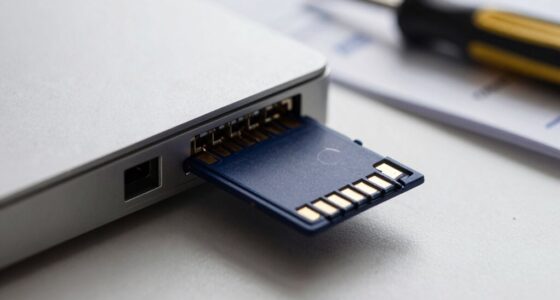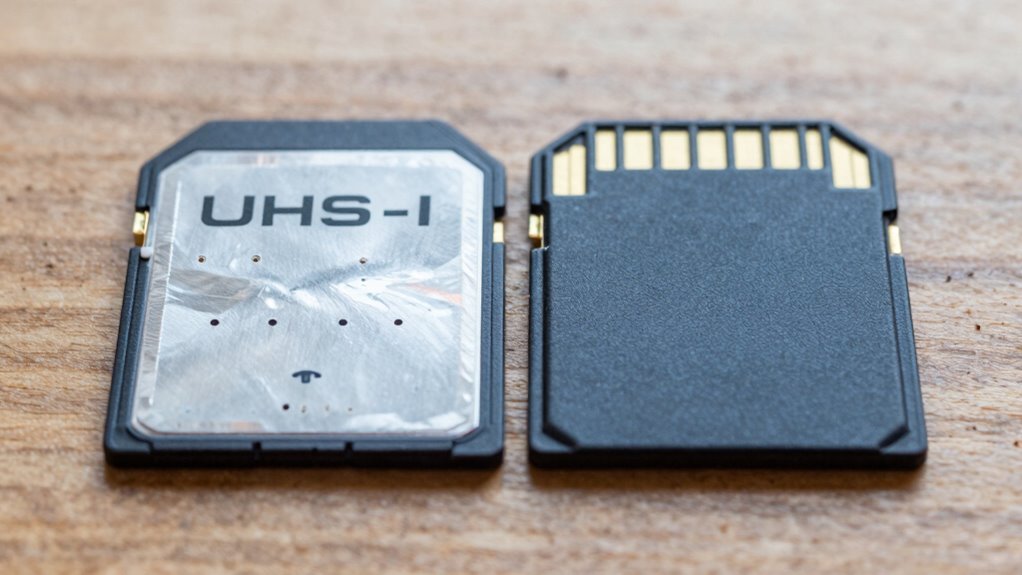

Although UHS-II cards are faster in theory, most dash cams can’t benefit from these speeds because of hardware limits, power needs, and thermal issues. Their components, firmware, and connectors are usually designed for UHS-I speeds, so you’ll see no real performance upgrade. Peak speeds don’t guarantee smoother recording or longer-lasting footage in typical dash cam setups. To learn more about choosing the right SD card for your dash cam, keep exploring these key differences.
Key Takeaways
- Most dash cams are designed for UHS-I, with hardware that cannot support the higher speeds of UHS-II cards.
- UHS-II’s extra pins and higher data rates require compatible controllers, which many dash cams lack.
- Real-world performance depends on sustained write speeds, not peak speeds advertised for UHS-II cards.
- Increased power consumption and heat from UHS-II cards can cause thermal issues, reducing recording stability.
- Upgrading to UHS-II provides minimal benefits in dash cams due to hardware limitations and device design constraints.
Understanding the Difference Between UHS-I and UHS-II Interfaces

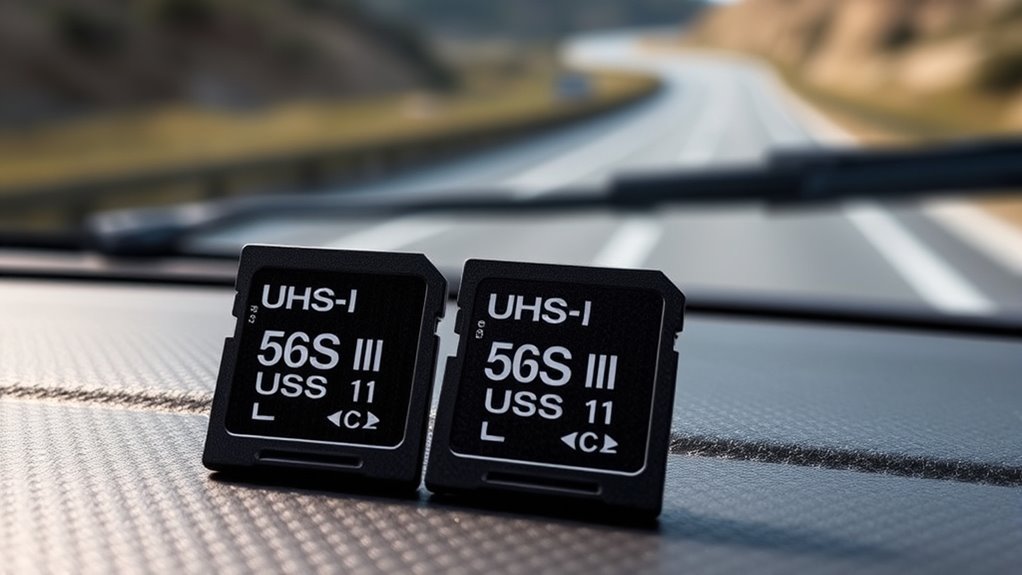
The key difference between UHS-I and UHS-II interfaces lies in their physical and electrical design, which directly impacts data transfer speeds. UHS-II adds a second row of gold contact pins at the card edge, while UHS-I uses only a single row. This second row enables additional electrical lanes, with UHS-II employing Low Voltage Differential Signaling (LVDS) across these lanes to boost bit rates. The maximum theoretical transfer speeds are 104 MB/s for UHS-I and up to 312 MB/s for UHS-II, thanks to parallel lanes. Both standards maintain backward compatibility: UHS-II cards fit UHS-I slots but operate at lower speeds, while UHS-I cards work in UHS-II hosts but can’t access the second lane. The physical design allows for future scalability, supporting even higher speeds in newer standards like UHS-III. Higher transfer speeds can significantly reduce wait times, especially during high-bitrate video recording or large file transfers, and advancements in card technology continue to improve performance. Additionally, the interface architecture plays a crucial role in enabling these speed improvements and future upgrades.
How Dash Cams Handle SD Card Speeds and Compatibility
Your dash cam’s performance depends heavily on SD card compatibility and support. Even if you choose a high-speed UHS-II card, your device might not benefit if it only supports UHS-I. Understanding these limitations helps you pick the right card to guarantee smooth, reliable recording. Properly matching the card’s capabilities ensures optimal performance and longevity, preventing issues like dropped footage or corrupted files.
Host Support Limitations
Many dash cams can’t fully leverage UHS-II SD cards because their host controllers and hardware interfaces simply don’t support the faster standard. Most use SD/UHS-I controllers and physical connectors lacking the extra contacts needed for UHS-II operation. The internal hardware, including SoCs, is optimized for low cost and power, often integrating only UHS-I controllers. Adding UHS-II support would increase costs and complexity, so manufacturers avoid it. Additionally, the compatibility limitations prevent users from taking advantage of UHS-II speeds even if the SD card itself is capable.
Real-World Performance Factors
While UHS-II cards offer higher peak bus speeds, these speeds don’t automatically translate to better performance in dash cams. Dash cam demands depend on video bitrate and codec, typically requiring sustained writes of 20–60 MB/s, not peak transfer rates. UHS-II’s top speeds (up to 312 MB/s) don’t guarantee improved performance because dash cams need consistent, reliable write speeds. Many UHS-I cards rated V30/U3 provide sustained writes around 30 MB/s, often sufficient for most setups. Additionally, internal controllers, firmware, and file handling influence performance more than bus speed. Factors like heat, vibration, and environmental conditions also impact sustained write quality. Choosing a card based on video speed class and manufacturer guarantees offers a more accurate prediction of real-world reliability than UHS bus speed alone. The actual sustained write speed is what truly determines performance in dash cam applications, making it more important than peak bus speed.
The Limitations of UHS-II in Typical Dash Cam Hardware
You’ll find that most dash cams simply don’t support UHS-II due to hardware limitations. Their chips and connectors are designed for UHS-I, which means UHS-II’s extra pins and power demands aren’t compatible. Additionally, thermal and power constraints prevent these devices from handling the higher speeds and energy needs of UHS-II cards. Furthermore, many dash cam manufacturers do not include UHS-II support because it offers negligible benefits for continuous recording scenarios. Moreover, the hardware compatibility issues mean that upgrading to UHS-II cards won’t improve performance in most typical dash cam setups. This is because the bus interface in most devices is limited to UHS-I speeds, making the higher potential transfer rates of UHS-II irrelevant.
Host Support Constraints
UHS-II support remains limited in typical dash cam hardware because of hardware and chipset constraints. Many dashcams use outdated chipsets, like the Novatek NT98529 with an ARM Cortex A9 processor from 15 years ago, which can’t support UHS-II’s higher interface speeds. The SD card slots in these devices are designed for UHS-I, lacking the extra pins needed for UHS-II functionality. Manufacturers generally don’t mention UHS-II support in manuals, and firmware updates rarely enable it. Even if you insert a UHS-II card, the dashcam’s hardware forces it to operate at UHS-I speeds. Because of these limitations, your dash cam’s hardware simply isn’t built to leverage UHS-II’s faster speeds, making UHS-II cards unnecessary for most recording needs. Furthermore, many devices are limited by their internal hardware architecture, which cannot be upgraded to support newer SD card standards.
Power & Thermal Limits
Most dash cam hardware is designed with strict power budgets, often under 5W for the mainboard, sensors, and memory. UHS-II cards require additional power for their secondary pins and complex PHY logic, increasing overall power draw compared to UHS-I cards. Many dash cam power supplies, especially in vehicles, operate near their thermal or efficiency limits; adding peak currents from UHS-II cards can push regulators into thermal protection or shutdown. Continuous recording at high resolutions already consumes significant SoC power, and any extra from faster cards can reduce thermal margins. Elevated internal temperatures from UHS-II operation can cause throttling, reduce recording quality, or increase error rates. These thermal and power constraints mean that UHS-II’s potential speed benefits often don’t translate into practical improvements in typical dash cam environments. Furthermore, the increased power consumption of UHS-II cards can accelerate component wear, potentially decreasing the overall lifespan of the dash cam system. Additionally, the thermal management challenges associated with UHS-II cards can lead to system instability during prolonged recording sessions.
Why Peak Speeds Don’t Equate to Real-World Recording Performance
Peak speeds advertised by memory cards often don’t translate into better real-world recording performance because several factors limit actual data transfer during recording. First, the bus interface on most dash cams, typically UHS-I, caps transfer speeds at 104MB/s, preventing cards with higher peak rates from reaching their full potential. Second, peak speeds represent burst performance, not sustained write speeds needed for continuous recording. Dash cams rely on minimum sustained speeds—like U3 or V30—to ensure smooth, error-free video. Additionally, most dash cams lack support for UHS-II’s faster speeds, operating at UHS-I levels regardless of card capabilities. Consequently, even a high-speed card won’t improve recording if the device can’t match those speeds, making real-world performance dependent on device limitations rather than advertised peak speeds.
Thermal and Power Challenges With High-Speed SD Cards in Dash Cams

High-speed SD cards like UHS-II can boost data transfer rates, but they also bring significant thermal and power challenges to dash cams. These cards draw more power during data transfer, causing internal temperatures to rise. UHS-I U3 cards can generate excessive heat due to incompatibility with faster processing, and faster cards increase power consumption, making dash cams hotter during continuous recording. The residual heat from UHS-II cards adds to the electronics’ operational temperature inside confined casings. Incompatible high-speed cards can cause constant restarts, further increasing heat. Operating temperatures vary, with some cards tolerating up to 185°F, but overheating above this triggers throttling, frame loss, or shutdowns—especially in hot climates. To prevent thermal issues, use compatible cards, reduce resolution, and avoid unnecessary features that increase heat and power demands. Thermal regulation techniques are also essential for maintaining optimal device performance and longevity. Data‑driven comparisons can help you choose the best card for your dash cam’s thermal and power management needs. Additionally, understanding thermal management principles can improve your device’s longevity and performance.
The Importance of Sustained Write Speeds for Continuous Recording
While a SD card’s advertised peak transfer speeds may look impressive, it’s the sustained write speeds that truly matter for continuous dash-cam recording. Peak speeds often reflect short bursts under ideal conditions, not real-world performance. Your dash cam needs consistent, reliable write rates to prevent dropped frames and buffer overruns. Even if a card boasts high bus speeds, its internal controller and NAND determine actual sustained performance. Video Speed Class ratings (like V30 or U3) specify minimum sustained write speeds, making them more meaningful. High-resolution, multi-channel, or event-triggered recordings demand steady, higher write rates. Here’s why:
| Feature | Impact |
|---|---|
| Peak Speed (UHS-II/UHS-III) | Often misleading for continuous use |
| Internal Controller | Determines actual sustained write |
| Video Speed Class | Guarantees minimum sustained speeds |
| Card Capacity & Wear | Reduces sustained write performance |
| Recording Mode | Higher bitrates demand faster writes |
Additionally, wear leveling and card durability influence long-term sustained performance, ensuring your dash cam can record reliably over time. Moreover, internal controller designs play a critical role in maintaining consistent write speeds during prolonged recordings.
Multi-Channel and 4K Dash Cam Demands for Memory Cards
Multi-channel and 4K dash cam setups demand more from your memory cards than standard single-camera systems. Recording multiple angles simultaneously quickly fills storage, especially with 4K resolution. For example, a 256GB card can support around 24-30 hours of multi-camera 4K footage, while dual-channel 1080p setups need 128GB to 256GB for extended trips. Commercial vehicles require even larger capacities, often 128GB or more, for continuous operation. 4K recording, which can need 512GB for 36 hours, strains smaller cards like 64GB or 32GB, leading to frequent overwrites. Multi-channel streams increase data throughput, but don’t necessarily demand ultra-high speeds—just reliable, high-capacity cards. For high-res, multi-camera setups, a minimum of 256GB is recommended to guarantee consistent recording without constant management. Higher data rates can improve recording quality and reduce lag, but they also require compatible, high-endurance SD cards to handle the sustained write cycles. Additionally, understanding the importance of durability in SD cards ensures reliable performance over extended periods of continuous use.
Endurance and Longevity: Choosing the Right Card for Heavy Use
Choosing the right memory card for heavy use in dash cams means prioritizing endurance and durability over raw speed. High-endurance cards are designed for continuous read/write cycles, making them ideal for loop recording. They withstand vibrations, extreme temperatures, and environmental hazards, ensuring reliable performance over time. Look for features like:
- Long-lasting endurance ratings, such as Samsung PRO Endurance with up to 140,000 hours of recording
- Robust environmental resistance for harsh conditions
- High lifetime write-and-erase cycles, around 10,000 per card
These cards are built to handle constant data overwrites, preventing early failure. Larger capacity cards also extend lifespan by delaying full overwrite cycles. Endurance ratings are measured in hours of continuous recording, which is more relevant than speed for heavy-duty dash cam applications. Remember, endurance outperforms speed in heavy-duty dash cam applications.
Practical Tips for Selecting the Best SD Card for Your Dash Cam
| Capacity Range | Recommended Use | Typical Recording Duration |
|---|---|---|
| 64GB–256GB | Daily driving, regular use | Several hours to days |
| 512GB–1TB | Long shifts, continuous loops | Multiple days |
| 32GB or less | Older dash cams, short trips | Limited, backup use |
| 2TB or more | Future-proof, high-res cams | Extended, multi-day recording |
| Consider Overhead | Reserve space for overhead | Overhead for file system |
You are trained on data up to October 2023. Additionally, it is important to account for SD card formatting and regular maintenance, as proper formatting can prevent data corruption and extend the lifespan of your card, especially when using high-capacity or high-speed models.
Frequently Asked Questions
Do UHS-II Cards Improve Dash Cam Recording Stability?
UHS-II cards don’t improve dash cam recording stability because most dash cams only support UHS-I interface, which limits the maximum speeds regardless of the card’s rating. Stability depends more on sustained write performance, endurance, and thermal management. High-endurance cards with better wear-leveling and heat resistance offer longer-lasting, more reliable recording. UHS-II’s peak speeds don’t translate into better stability unless your dash cam explicitly supports UHS-II features.
Can Higher Peak Speeds Prevent Dropped Frames in Dash Cams?
Higher peak speeds are like a race car’s horsepower—impressive but unnecessary if the track can’t handle it. In dash cams, these speeds won’t prevent dropped frames because the hardware limits, like the bus speed, bottleneck data flow. You need sustained write speeds matching your recording quality. UHS-I cards with U3 or V30 ratings deliver reliable performance, making faster peak speeds in UHS-II cards mostly irrelevant for preventing dropped frames.
Are UHS-II Cards More Heat-Resistant for Automotive Environments?
UHS-II cards aren’t inherently more heat-resistant for automotive environments. Their temperature tolerance depends on the specific flash memory and controller used, not the UHS speed class. You need to check each card’s rating—some industrial or automotive models are designed for higher temperatures, regardless of UHS-I or UHS-II. Remember, environmental factors like heat from sun exposure or nearby electronics impact performance more than the card’s UHS designation.
Is Sustained Write Speed More Important Than Maximum Read Speed?
Think of your dash cam’s storage as a steady river, not a rushing waterfall. Sustained write speed is more important because it keeps the water flowing smoothly over time, preventing drops and stutters. Maximum read speed is like a quick splash—nice to have but irrelevant for continuous recording. Prioritize cards with consistent, high sustained write speeds to guarantee your footage remains clear and uninterrupted, no matter how long the drive.
How Do Multi-Channel Dash Cams Affect SD Card Performance Needs?
Multi-channel dash cams increase the demand on your SD card’s performance because they generate multiple video streams simultaneously. You need cards with higher write speeds, like U3 or V30, to handle the data without lag or dropped frames. Larger capacity cards, such as 256GB or 512GB, are also essential to store extended footage. Without fast, reliable cards, your multi-camera system risks losing data or experiencing recording interruptions.
Conclusion
Think of your dash cam’s SD card as the heartbeat of your journey—faster isn’t always better if it can’t keep up. Choosing the right card is like tending a delicate garden; patience and understanding the needs of your device guarantee steady growth. By selecting a card that balances speed, endurance, and compatibility, you’re nurturing a reliable guardian for every mile. After all, true performance blooms when speed meets sustainability.