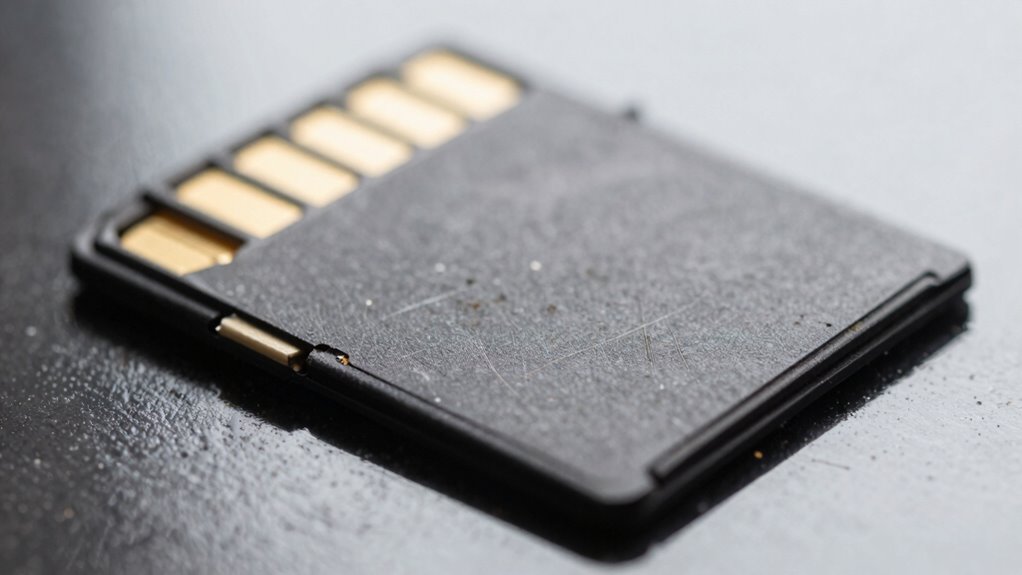

If your microSD card slows down, shows frequent errors, or files become corrupted, it’s a clear sign to replace it. Watch for capacity filling faster than usual, unexpected failures, or device malfunctions. Excessive heat, physical damage, or visible wear also indicate the need for a swap. As the card approaches its usage limits, reliability drops—don’t overlook these signs. Keep informed to avoid data loss and ensure your device stays secure.
Key Takeaways
- Notice persistent slow transfer speeds and frequent read/write errors indicating wear or damage.
- Observe physical signs like cracks, corrosion, or discoloration on contacts or casing.
- Experience data corruption, file access issues, or frequent file system errors.
- Detect sudden capacity loss or faster-than-normal storage filling without explanation.
- Encounter device recognition problems or increased error logs signaling potential failure.
Noticeable Drop in Performance and Speed

A noticeable drop in performance and speed is usually the first sign that your microSD card is wearing out. You’ll notice longer file transfer times, especially with large files like videos or disk images, indicating reduced read/write speeds. Benchmarks often show speeds dropping from their rated MB/s to just a few MB/s after heavy use. Repeated retries or timeouts during transfers are common, signaling intermittent slowdowns rather than host issues. When you test the card in different devices, persistent slowness confirms the problem isn’t device-related. Additionally, you may see slower media recording or playback, with dropped frames or buffering issues, especially with high-bitrate formats. If your system or apps lag or experience delays, it’s a clear sign that your microSD’s performance is deteriorating. Understanding contrast ratio can also help determine if the visual quality drops alongside speed issues. Moreover, error correction mechanisms become less effective as the card’s memory cells wear out, leading to more frequent data corruption or read errors. As the wear leveling process becomes less efficient, certain areas of the memory may deteriorate faster, worsening overall performance. Furthermore, bad sectors can develop over time, causing data loss or read/write failures that further impair device functionality.
Frequent Errors and Corrupted Files

Frequent errors and corrupted files are clear signs that your microSD card is failing. If your device prompts you to format the card repeatedly or fails to mount it, the controller firmware might be corrupted. You may also notice the card reporting an incorrect capacity, like 31MB instead of 64GB, which indicates firmware issues. Corrupted files, missing data, or errors during file transfers point to underlying problems. Fake or counterfeit cards can cause similar issues, with capacities falsely reported and data overwriting unexpectedly. Additionally, frequent file system errors after improper ejection or abrupt removal suggest damage. Over time, wear-induced degradation from constant recording or manufacturing defects in low-quality cards can lead to persistent errors. Recognizing these signs early helps prevent complete data loss. Negligence in handling SD cards properly can accelerate these issues, making it crucial to treat your microSD card with care. Proper device handling and storage can significantly extend the lifespan of your memory card and prevent avoidable failures. Regularly checking the card’s health status with dedicated tools can also help identify potential problems before they worsen.
Capacity Filling Up Faster Than Usual

If your microSD card’s storage seems to fill up faster than it should, it could be a sign of underlying issues. You might notice unexpected data loss or shorter recording times, even when you haven’t added many new files. These symptoms indicate the card’s performance is degrading, and it’s probably time to contemplate replacing it. Bigger capacity does not mean faster speed, so a sudden increase in used space without explanation might also point to corruption or hidden files taking up space. Additionally, energy-efficient hardware can help prevent unnecessary wear on your card and prolong its lifespan. Regularly checking for support for high-capacity cards and monitoring their storage can help ensure the integrity of your data and device performance. Being aware of free floating and its impact on data security can also be beneficial in understanding potential vulnerabilities. Monitoring file system errors can further alert you to potential issues before data loss occurs.
Rapid Storage Consumption
Have you noticed your microSD card filling up faster than expected? This rapid storage consumption often results from file fragmentation caused by frequent deletions, which scatter data and reduce usable space. Fragmented files slow access speeds and make the card seem fuller than it actually is. Additionally, repeated overwriting accelerates wear on flash memory cells, shortening the card’s lifespan. You might also observe declining write speeds—from 24 MB/s to around 7.5 MB/s—as data accumulates. Slowdowns during large transfers or high-quality video recordings indicate nearing capacity limits. High power consumption, especially during idle or write operations, can further suggest excessive data buildup. If your card shows these signs, it’s likely time to contemplate replacing it or performing a thorough reformatting to restore ideal performance. Regular monitoring of storage health helps ensure you catch early signs of degradation before complete failure.
Unexpected Data Loss
Unexpected data loss on your microSD card often signals underlying issues with the file system or internal hardware. You might notice repeated file system check requests, “file not found” errors for recent files, or large numbers of zero-length files appearing unexpectedly. These signs suggest corruption in the metadata or directory structures. Additionally, your device may prompt you to reformat the card despite visible files, indicating navigation-path corruption. You could also experience difficulty creating new folders or saving files, even when some data remains accessible. Other warning signs include a sudden drop in available capacity, bad block counts rising, and increased read errors. Such symptoms point to internal wear, block retirement issues, or firmware failures—all of which threaten your data’s safety. Regularly backing up your data can help minimize potential data loss caused by these issues. Recognizing these signs early is crucial for preventing data loss, especially as the card’s internal health deteriorates. It’s also important to monitor the internal wear indicators to proactively replace the card before complete failure.
Decreased Recording Duration
Decreased recording duration on your microSD card often occurs when the capacity fills up faster than usual, signaling underlying issues. This can result from residual data buildup caused by repeated write and erase cycles, which slow down write speeds and lead to recording errors. Over time, NAND flash memory endures limited write cycles, and frequent writing accelerates wear, reducing effective capacity. Data fragmentation from deleting files mid-shoot triggers garbage collection, further taxing the card’s performance. Persistent slowdowns, even after quick formatting, suggest internal inefficiencies and possible degradation. Rough handling, abrupt removal, or power failures can also shorten the card’s lifespan. Monitoring tools can help identify early signs of decline, but if capacity is consistently filling up faster, it’s a strong indicator that your microSD card may need replacing. Additionally, residual data can accumulate over time if a full format isn’t performed regularly, further impairing the card’s performance.
Unexpected Card Failures or Device Malfunctions

Physical damage and wear are common causes of sudden microSD card failures or device malfunctions. You might notice your device refusing to recognize the card, or it may crash unexpectedly. Visible signs include bent, cracked, or warped cards after impacts, which let moisture in and cause electrical failures. Corroded contacts can lead to read/write errors, while burn marks or discoloration suggest thermal damage. Interface issues may also cause problems—your device might report “initialization failure” or repeatedly prompt formatting, indicating controller faults or incompatibility. Error messages like “file corrupted” or “bad sectors” often precede total failure. Additionally, sudden performance drops during recording or data transfer, or increased latency, signal internal wear. Monitoring your card’s health can help prevent unexpected failures and extend its lifespan, especially since data integrity is crucial for device reliability. Regularly checking for physical damage or corrosion can further help detect issues early and avoid data loss.
Inconsistent Recording or Data Loss
Inconsistent recording and data loss on your microSD card often stem from firmware corruption or file system issues that disrupt normal operations. Firmware damage can cause the card to malfunction, making data inaccessible or leading to unreliable read/write performance. Bit errors may occur, corrupting individual data bits and causing misreads during recordings. Partition corruption damages the structure, preventing access even if data exists, while file system issues block navigation and increase the risk of overwrites. These problems often arise from improper ejection during writes or power variations. Recognizing these signs is vital for avoiding data loss. Additionally, Youngster Choice highlights the importance of maintaining proper handling and regular checks to ensure your card’s longevity and reliability. Understanding storage device health can help prevent these issues before they escalate. Staying aware of error detection methods can provide early warnings and help mitigate data corruption risks. Regularly updating your device’s firmware can also help resolve firmware corruption issues that lead to data loss. Furthermore, monitoring SD card health status can aid in early detection of potential failures before critical data is affected.
Excessive Heat or Environmental Damage Signs

Exposing your microSD card to excessive heat or harsh environmental conditions can quickly lead to performance issues and potential failure. High temperatures cause internal controller overheating, increasing error rates and write failures. Repeated thermal cycling creates microfractures in solder joints, raising connection faults. If the card is exposed above its rated temperature (~85°C), it can cause immediate failure or data corruption. Localized hotspots from poor thermal design or tight enclosures elevate junction temperatures beyond safe limits. Signs of heat-related damage include:
- Persistent slow read/write speeds during transfers
- Intermittent detection issues linked to temperature
- Warping, bubbling, or discoloration of the plastic casing
- Burn marks, melted plastics, or a burnt odor around contacts
- Thermal stress can accelerate degradation of memory cells and internal components, leading to early failure.
- Additionally, proper thermal management is crucial to prolong the lifespan of your microSD card and prevent unexpected data loss. Monitoring temperature levels helps detect early signs of overheating before irreversible damage occurs. Using Suprem fabric in device casings or protective covers can help mitigate environmental impacts and improve heat dissipation. Maintaining adequate airflow around your device can prevent heat buildup and extend the microSD card’s operational life. Implementing temperature sensors in the device setup can provide real-time data to help prevent thermal damage. These indicators suggest thermal stress, and replacing the card is often necessary to prevent further data loss.
Visible Physical Damage or Wear
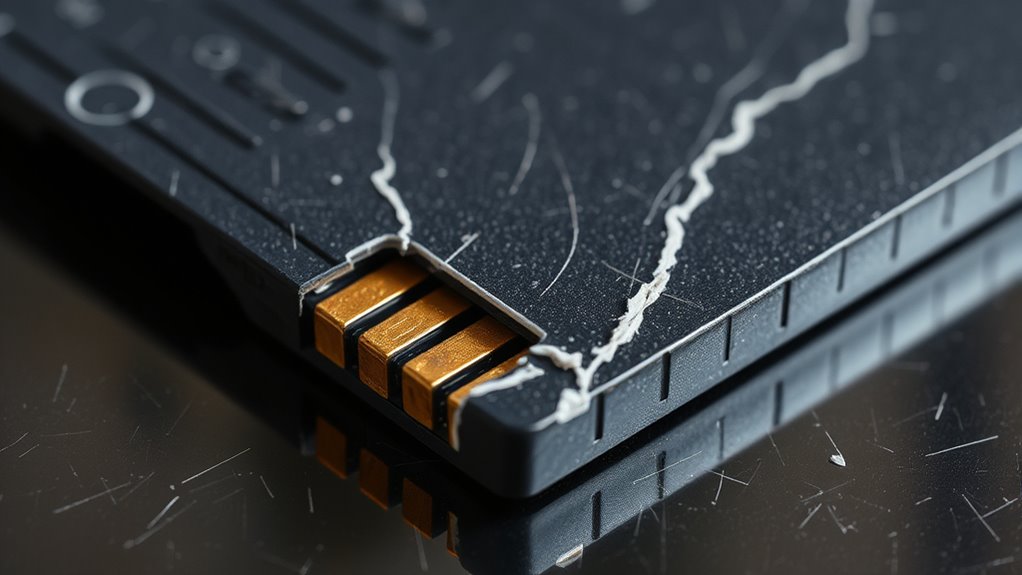
Visible damage to your microSD card often signals underlying issues that can compromise data integrity. Scratches on gold contacts can sever copper traces, preventing proper communication with devices. Deep scratches often appear after rough insertion or removal, leading to errors like “not detected.” Worn or damaged contacts from frequent use weaken connection reliability over time. Cracks or warping in the casing expose internal circuitry to dust and moisture, risking further damage. A cracked or warped shell suggests possible memory chip harm, requiring replacement. Bent or loose connectors hinder proper device mounting and data transfer, especially with repeated use. Corrosion or discoloration on contacts indicates chemical degradation from moisture, blocking electrical signals. Visible chips or fractures in the outer shell often point to deeper structural issues, signaling it’s time for a replacement. Handling physical damage carefully is crucial, as improper repair attempts can cause irreversible data loss or make recovery impossible. Additionally, visual inspection should be complemented with functional testing to confirm the extent of damage before attempting repairs. Regularly inspecting your microSD card can help identify issues early and prevent potential data loss.
Reduced Reliability in Critical Tasks
If you notice increased read errors, file corruption, or frequent transfer failures, your microSD card’s reliability is declining. These signs can silently compromise critical data and disrupt operations. Replacing the card before failure occurs helps prevent data loss and system downtime. Testing shows that fake or skimpy flash significantly reduces endurance, making early replacement even more important to avoid unexpected failures.
Increased Read Errors
As microSD cards age and endure more program/erase cycles, read errors tend to increase, especially in critical applications where reliability is paramount. These errors can cause system failures, data corruption, or operational downtime. You might notice signs like frequent I/O errors in logs, an increase in corrected ECC events, or mounting failures. Files may load slowly, or you could experience partial reads and repeated retries. Check for checksum mismatches during periodic audits, which reveal silent errors before data loss occurs. Wear accelerates as blocks reach their endurance limits or experience read disturb effects. Elevated temperatures, power interruptions, and intensive write cycles further exacerbate error rates. Recognizing these signs early helps prevent unexpected failures that could jeopardize essential systems and data integrity. Monitoring error logs regularly is essential, as it can provide early warning signs of impending failure.
File Corruption Signs
Over time, physical damage or wear on your microSD card can lead to file corruption, which compromises data integrity during critical tasks. Visible bends, cracks, or chips on the housing, corrosion on gold contact pads, or heat stress signs like warping signal imminent failure. Debris in the slot or repeated insertion wear can cause interrupted transactions and filesystem issues. Filesystem corruption manifests as zero-byte files, unreadable filenames, or prompts to format the card. Files may open with scrambled data or display artifacts, indicating in-file corruption. Devices like cameras or media players may fail to initialize, or files may cause crashes and playback errors. Repeated checksum errors, unreadable clusters, or failed repair attempts confirm your card’s data is compromised and should be replaced to prevent data loss. Ignoring these signs can lead to permanent data loss and hardware failure; it is crucial to replace your microSD card promptly when these issues arise.
Data Transfer Failures
Data transfer failures on your microSD card can considerably reduce its reliability, especially during critical tasks. When speeds slow down to 10-20% of normal, data movement becomes unreliable, risking incomplete backups or corrupted files. Persistent speed drops often worsen over time, making your card less dependable. High-demand environments, like continuous logging or large file transfers, accelerate wear and increase failure chances. External factors such as sudden power loss, static discharge, or moisture can also disrupt transfers, leading to incomplete data. Additionally, the quality and source of your card matter—off-brand or counterfeit cards often perform poorly, failing after fewer cycles. Recognizing these signs early helps prevent data loss and ensures your storage device remains trustworthy. Regularly monitor transfer speeds and avoid overusing aging cards for critical operations.
Approaching or Surpassing Recommended Usage Cycles
When your microSD card nears or exceeds its manufacturer-specified endurance limits, it’s a clear sign that its ability to reliably handle additional writes is diminishing. Endurance is typically rated as program/erase (P/E) cycles, which vary by NAND type—from SLC’s ~100,000 cycles to TLC’s around 1,000–5,000. Some cards specify total bytes written (TBW), but real-world use can differ due to controller quality, firmware, and workload. Heavy continuous writing, frequent small random writes, power interruptions, or repeated formatting accelerate wear and bring you closer to those limits faster. Keep track of the total data written, and be alert if your card starts experiencing errors or performance drops. Once you approach or surpass these thresholds, it’s time to replace your card before data loss occurs.
Frequently Asked Questions
How Long Does a Typical SD Card Last in Security Cameras?
A typical SD card in security cameras lasts between 6 months and 2 years, depending on usage and quality. If you’re recording continuously, expect shorter lifespans. High-endurance cards last longer, sometimes several years. Keep an eye on signs like corrupted files or recording failures. Regularly check your card’s health and replace it when you notice issues to prevent data loss and guarantee reliable surveillance.
Can Environmental Conditions Shorten My SD Card’s Lifespan?
Yes, environmental conditions can definitely shorten your microSD card’s lifespan. Exposure to extreme temperatures, high humidity, dust, dirt, static electricity, and physical stress all accelerate wear and damage. Harsh environments cause corrosion, contact degradation, and data loss. To extend your card’s life, keep it within recommended temperature ranges, protect it from moisture and debris, and handle it carefully to avoid static and physical shocks. Regular maintenance and proper storage are key.
What High-Endurance Options Are Best for Continuous Recording?
For continuous recording, choose high-endurance microSD cards like SanDisk Max Endurance, Samsung Pro Endurance, or PNY PRO Elite. These models are rated for over 120,000 hours of recording, making them ideal for surveillance and dash cams. Look for cards with explicit endurance ratings, high sustained write speeds, and rugged features. Always match the capacity and endurance specs to your recording needs to guarantee reliability and longevity.
How Do NAND Types Affect SD Card Durability?
Different NAND types affect your SD card’s durability by their P/E cycle limits. SLC NAND offers the highest endurance, lasting up to 100,000 cycles, making it ideal for intensive use. MLC provides a balance, with fewer cycles but better cost-efficiency. TLC and QLC have lower endurance, meaning they wear out faster with frequent writes. Select the NAND type based on your usage to guarantee your SD card lasts longer.
When Should I Upgrade to a Newer SD Card?
You should upgrade to a newer SD card when your current one can’t keep up with your device’s performance needs. If you notice slower transfer speeds, frequent errors, or your device no longer recognizes the card, it’s time for an upgrade. Upgrading guarantees reliable data storage, faster workflows, and compatibility with new devices or demanding applications like 4K or 8K video recording. Don’t wait until data loss or failure occurs.
Conclusion
When your microSD card starts acting up—slower speeds, strange errors, or visible wear—imagine it as a tired traveler on a long journey, struggling to keep going. Ignoring these signs is like pushing a worn-out tire, risking a sudden breakdown. Replacing it before disaster strikes keeps your data safe and your devices running smoothly. Don’t wait for a complete crash—trust your instincts and swap out that card before it leaves you stranded in digital chaos.